
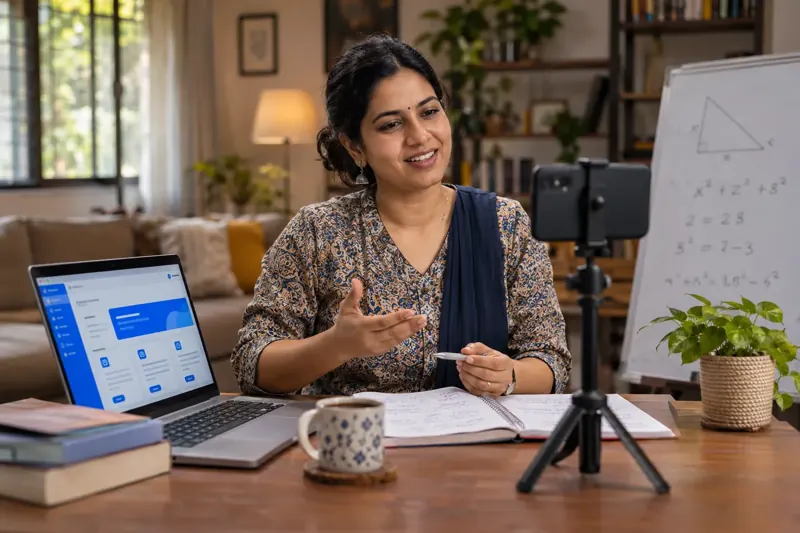


Students pay by UPI or card, the money reaches you.
Every course you sell gets a Razorpay checkout. Students pay by UPI, card, net banking or wallet, and course access opens on its own. In your studio, each order shows what the student paid, what came off and what is yours.
Two ways to get paid. Set it up once.
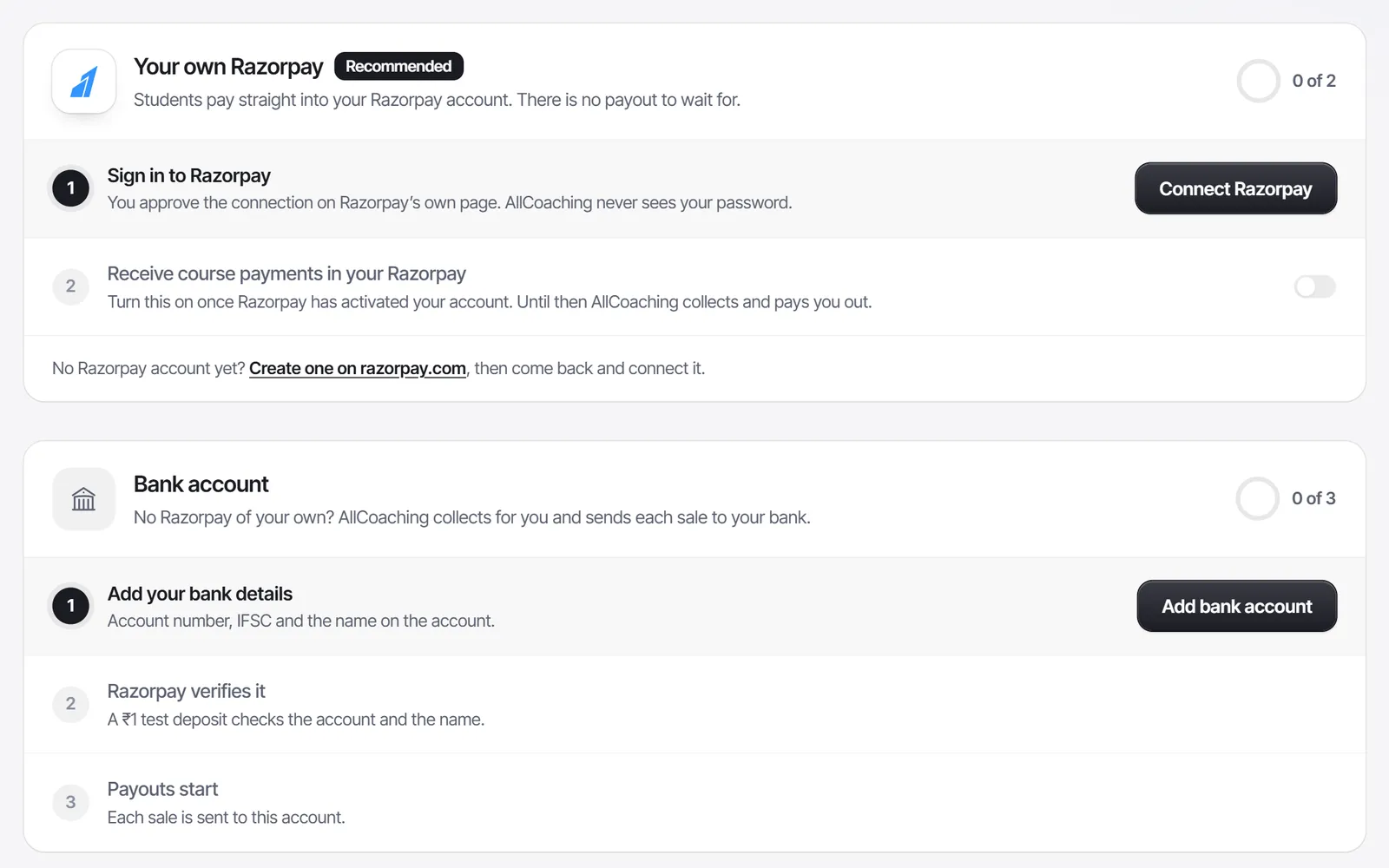
In Settings, Get paid shows two set-ups. Connect your own Razorpay and students pay straight into your Razorpay account, with no payout to wait for. No Razorpay of your own? Add your bank account: AllCoaching collects for you and sends each sale to your bank.
- Your own Razorpay: you approve the connection on Razorpay’s own page, and AllCoaching never sees your password
- Until Razorpay has activated your account, AllCoaching collects and pays you out
- Bank account: add the account number, IFSC and the name on the account
- Razorpay checks the account with a ₹1 test deposit, then payouts start
Click any order. See where each rupee went.
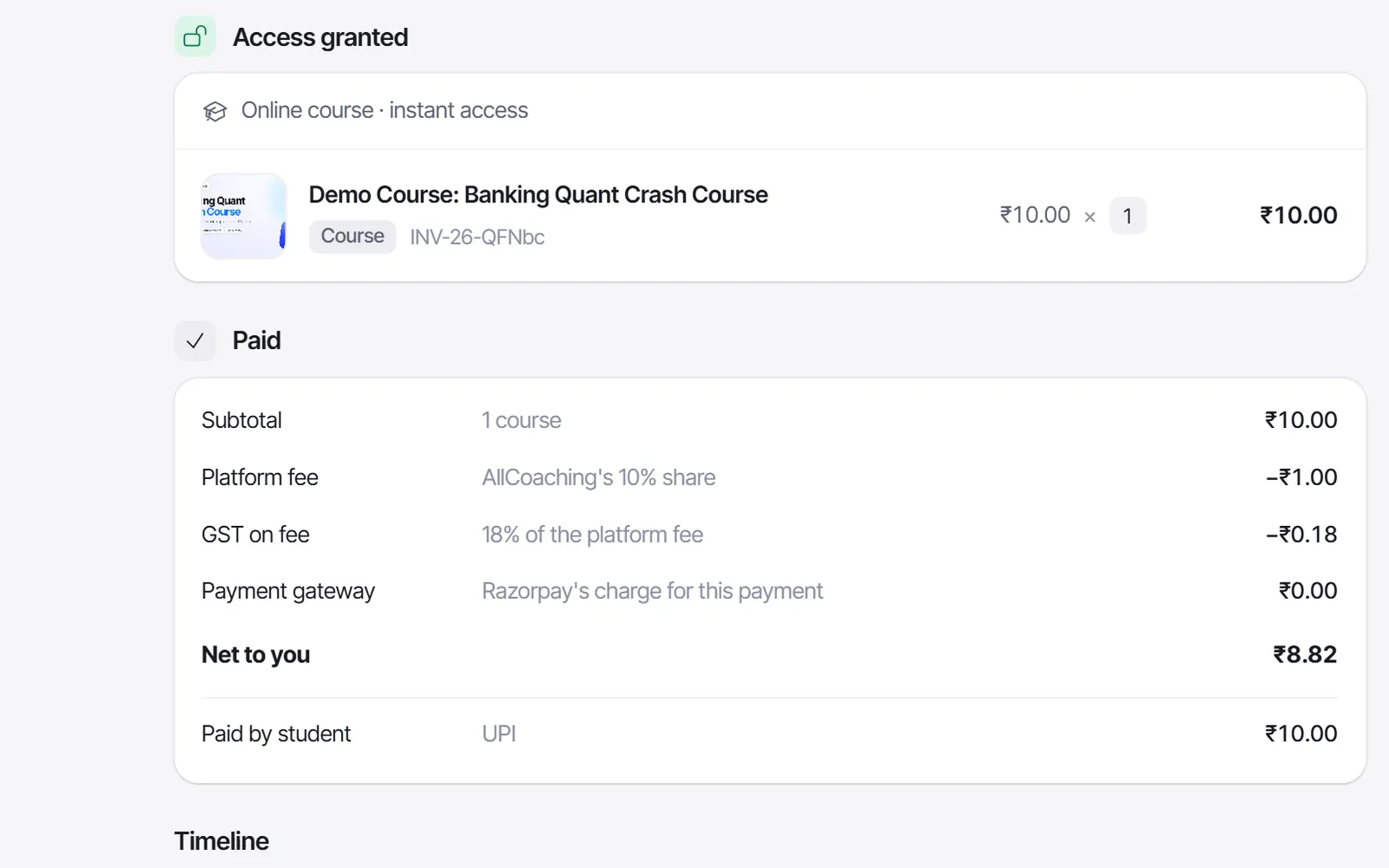
Transactions lists every order: the student, the course, how they paid and whether access was given. Open one and the full breakdown appears, from what the student paid down to Net to you, with a timeline, the payment ID and the invoice.
- Subtotal, platform fee, GST on the fee and the payment gateway charge, line by line
- Course access is given to the student automatically after payment
- A timeline from order placed to payment received, access given and payout status
- Payment ID and invoice number on every order
What is on the way, and what has arrived.
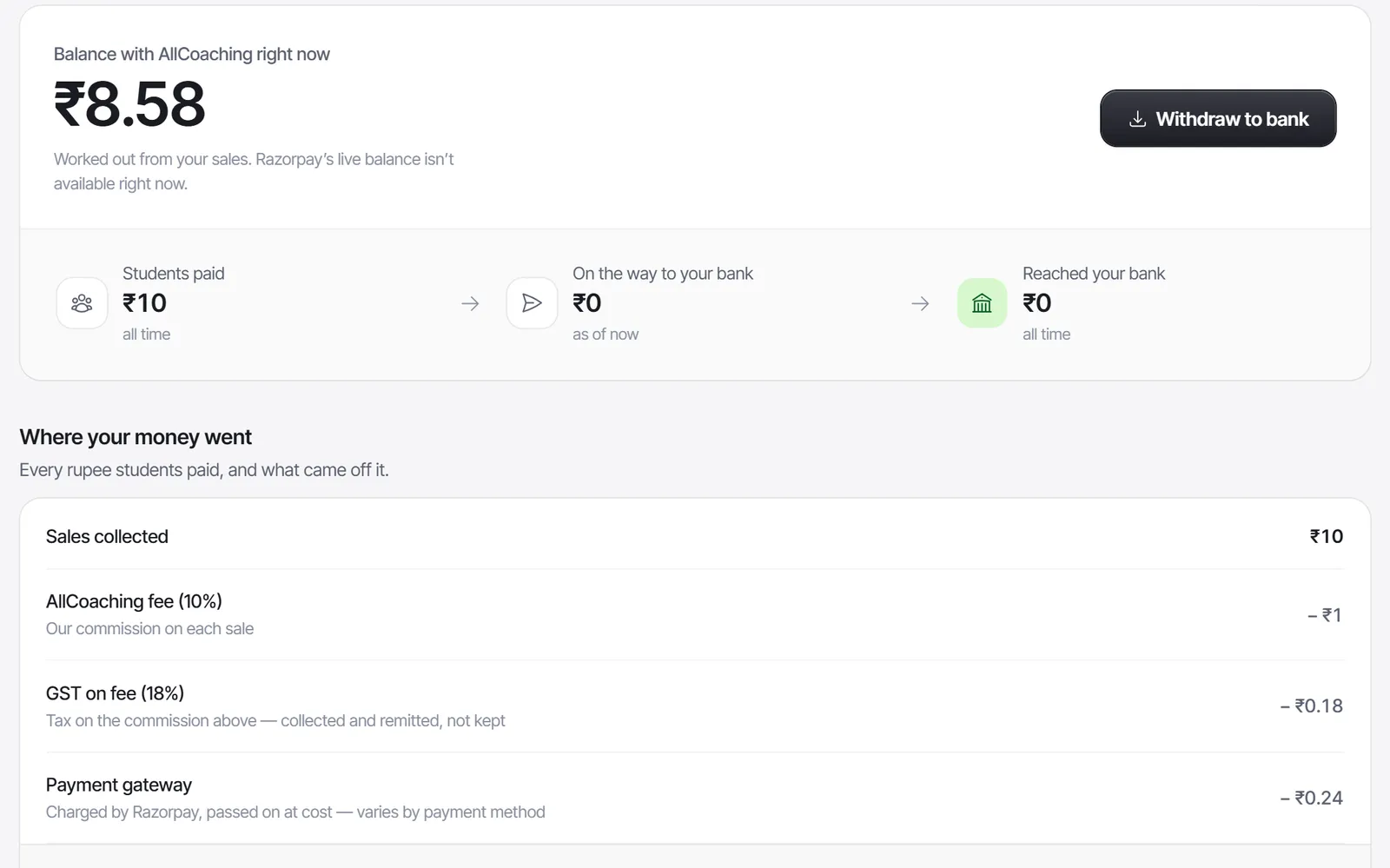
Payouts shows your balance and three steps: what students paid, what is on the way to your bank, and what has reached it. Payouts follow Razorpay settlement, usually T+2 days, and instant settlement is available. Withdraw your balance to your bank whenever you like.
- Where your money went: sales, fee, GST on the fee and gateway charge
- A list of every payout sent to you
- Tax details for your PAN and GSTIN
- Daily, weekly or monthly statements in one PDF for your CA
Checkout and payments, step by step.
The same steps as the studio tutorial at the top of this page.
- Open Get paidIn Settings, choose Get paid and pick your own Razorpay or a bank account.
- Connect or verifyApprove the connection on Razorpay’s own page, or add your bank details and let Razorpay verify them with a ₹1 test deposit.
- Students payStudents pay by UPI or card at checkout, and the course opens for them on its own.
- Check every orderTransactions shows each order with the platform fee, GST and Net to you.
- Receive payoutsPayouts follow Razorpay settlement, usually T+2 days, with instant settlement available.
What educators ask about checkout and payments.
How do I get paid for my online course?
Students pay through Razorpay at your academy’s checkout. Connect your own Razorpay so payments go straight into your account, or add your bank account and AllCoaching collects for you and sends each sale to your bank.
How do I accept course payments with Razorpay?
In Settings, open Get paid and press Connect Razorpay. You approve the connection on Razorpay’s own page, and AllCoaching never sees your password. No Razorpay account yet? Create one on razorpay.com, then come back and connect it.
When do payouts reach my bank?
Payouts follow Razorpay settlement, usually T+2 days, and instant settlement is available.
How much does AllCoaching take from each sale?
On monthly plans, 0% commission: the whole sale is yours. On yearly plans, a platform fee per sale of 10% (Starter), 7.5% (Growth) or 5% (Pro), plus GST on the fee. Payment gateway charges are separate, at Razorpay’s rate.
Do I need my own Razorpay account?
No. Without one, add your bank account in Get paid. Razorpay checks the account with a ₹1 test deposit, and each sale is then sent to that account.
More from your studio.
Checkout and payments, free for 7 days.
Set it up in your own studio, under your own brand. No card, no developer, no sales call.
7 days free, no card needed · Monthly plans from ₹3,999 with 0% commission · Prices exclude GST