


Let students try first, then trust you.
A free chapter, a few notes or a sample test lets students see how you teach before they pay. Put them in Free content and they show on your website and app marked Free, while the studio shows how many students they reached and how many went on to buy.
Know what free brings back.
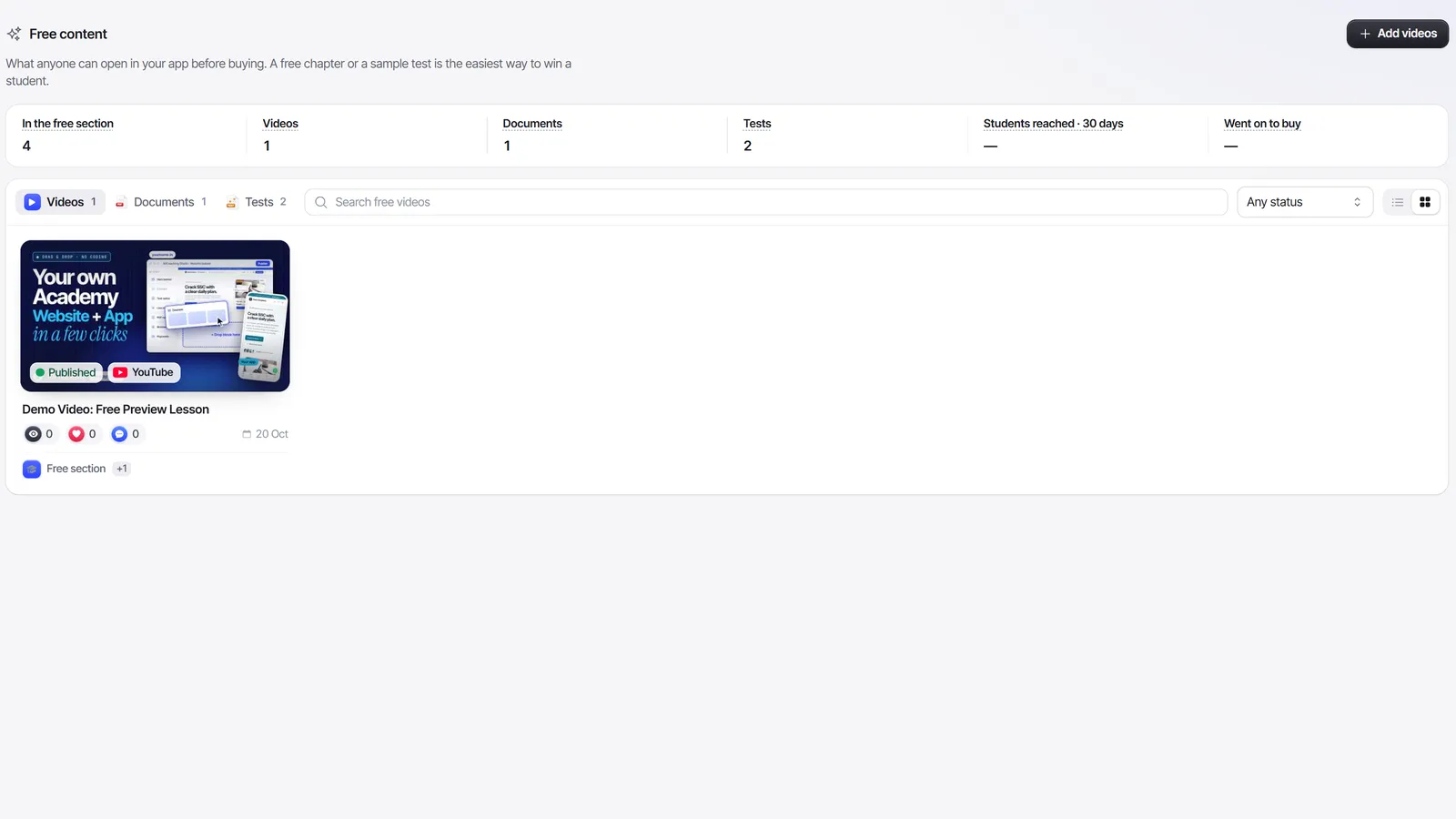
Free content is everything anyone can open in your app and on your website without buying. At the top, the studio counts what is in your free section and, over the last 30 days, how many students it reached and how many went on to buy.
- Count of videos, documents and tests in the free section
- Students reached in the last 30 days
- Went on to buy, for the same students
- Separate tabs for videos, documents and tests
Pick from your library. No new uploads needed.
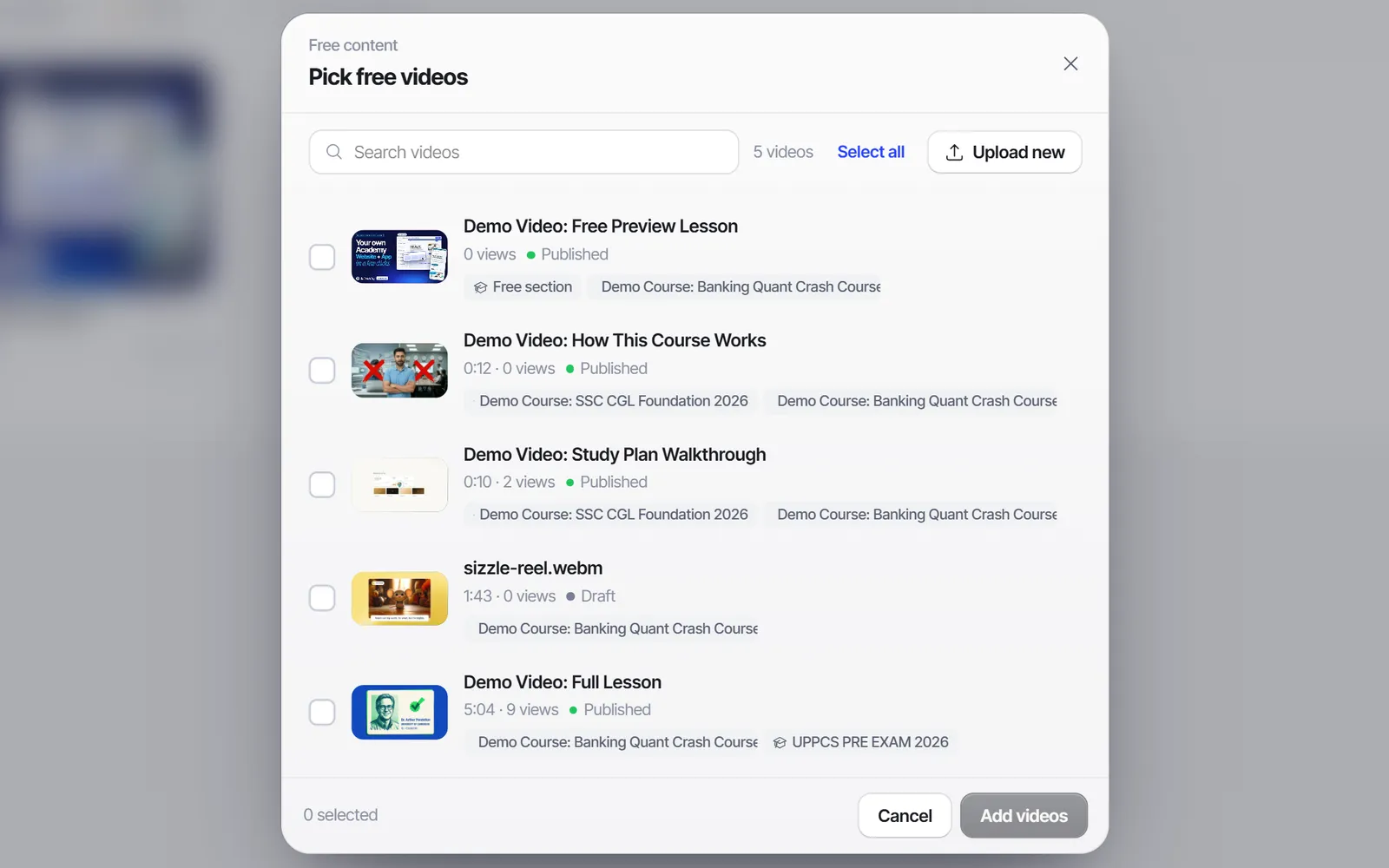
Press Add and your library opens. Tick what you want to give away and add it, or upload something new straight from the same window.
- Free videos, such as a preview lesson
- Free notes from your documents
- Free sample tests
- Upload new from the picker
Marked Free, open to anyone.
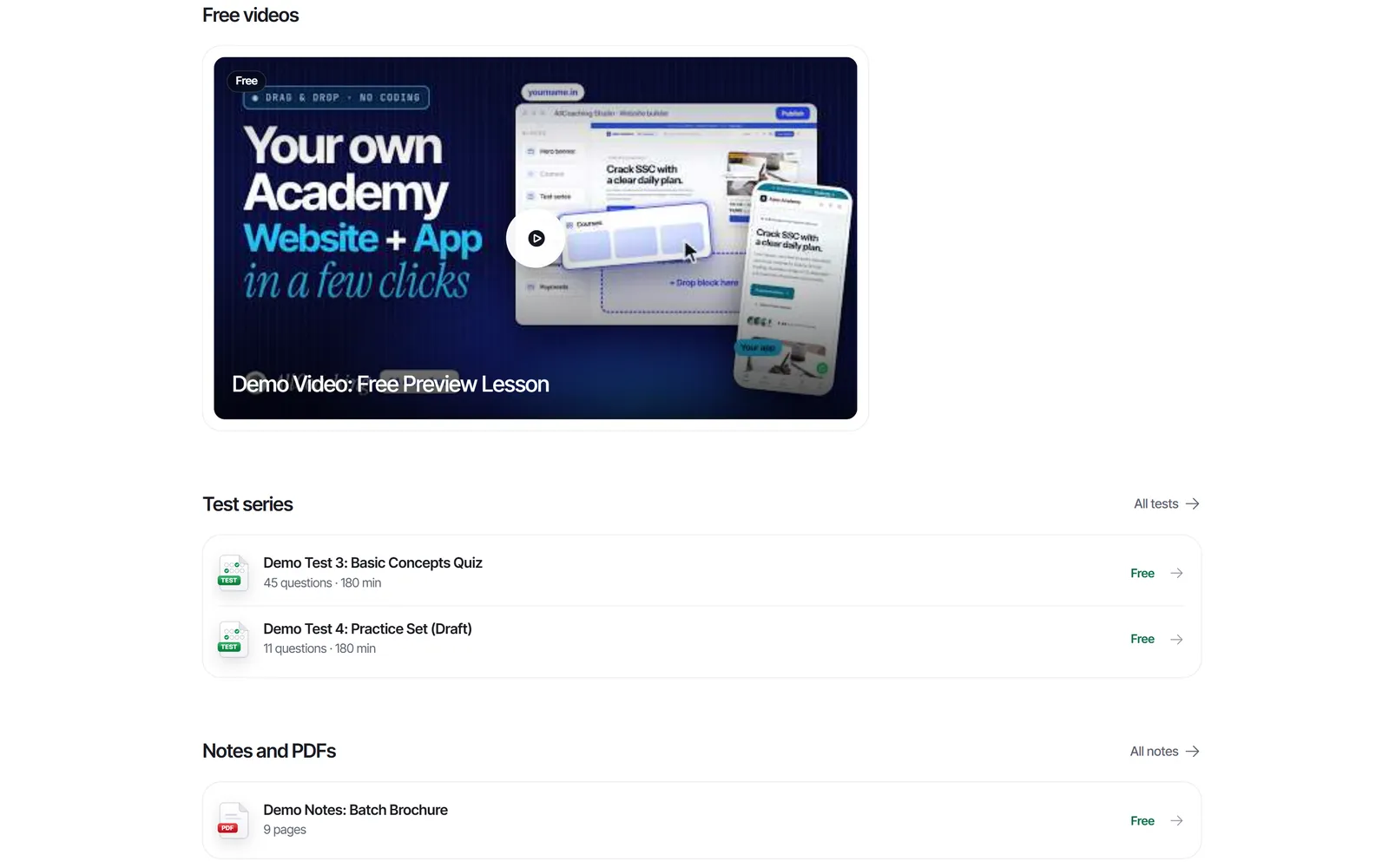
Free content shows on your own academy website under free videos, test series and notes, each marked Free, and the same free content appears in your app. Any student can open it without buying.
- Free videos with a Free label
- Free tests and notes marked Free
- The same free content in your app
- Tip: turn off Only for enrolled students to make a course module a free preview
Free content, step by step.
The same steps as the studio tutorial at the top of this page.
- Open Free contentIn the studio, open Free content to see what is free and what it brought in.
- Add from your libraryPress Add, tick the videos, documents or tests to make free, and add them.
- Check your websiteYour free content appears on your academy website and app, marked Free.
- Watch who buysStudents reached and Went on to buy show what your free content leads to.
What educators ask about free content.
How do I get students for online coaching?
Share free videos, notes and sample tests. Students get to know your teaching first, and Went on to buy shows how many of them later bought a course.
How do I offer a free demo class?
Add a video, document or test to Free content. It shows on your website and app marked Free, and anyone can open it without buying.
How do I make a free course preview?
Open the course’s Content tab and edit a module, then turn off Only for enrolled students. That module becomes a free preview anyone can open.
Where does free content show to students?
On your academy website under free videos, test series and notes, each marked Free, and in your app.
More from your studio.
Free content, free for 7 days.
Set it up in your own studio, under your own brand. No card, no developer, no sales call.
7 days free, no card needed · Monthly plans from ₹3,999 with 0% commission · Prices exclude GST