


Build the course once, sell it with confidence.
Write your course details, set your price and build it module by module with videos, PDFs, tests and live classes. Videos you upload play in a protected player with each student’s name as a watermark, and students who finish get a certificate.
Details, price, and a page that builds itself.
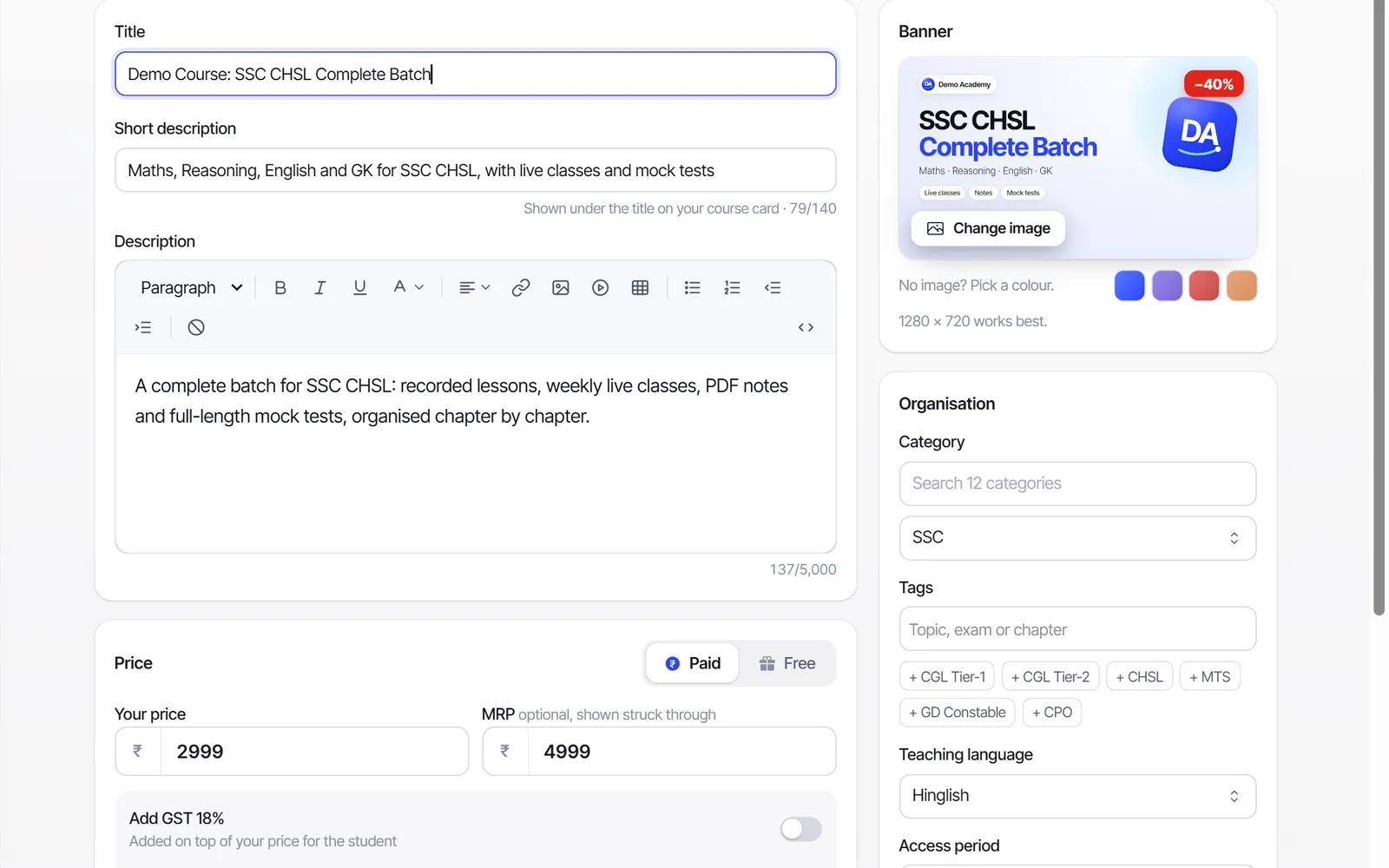
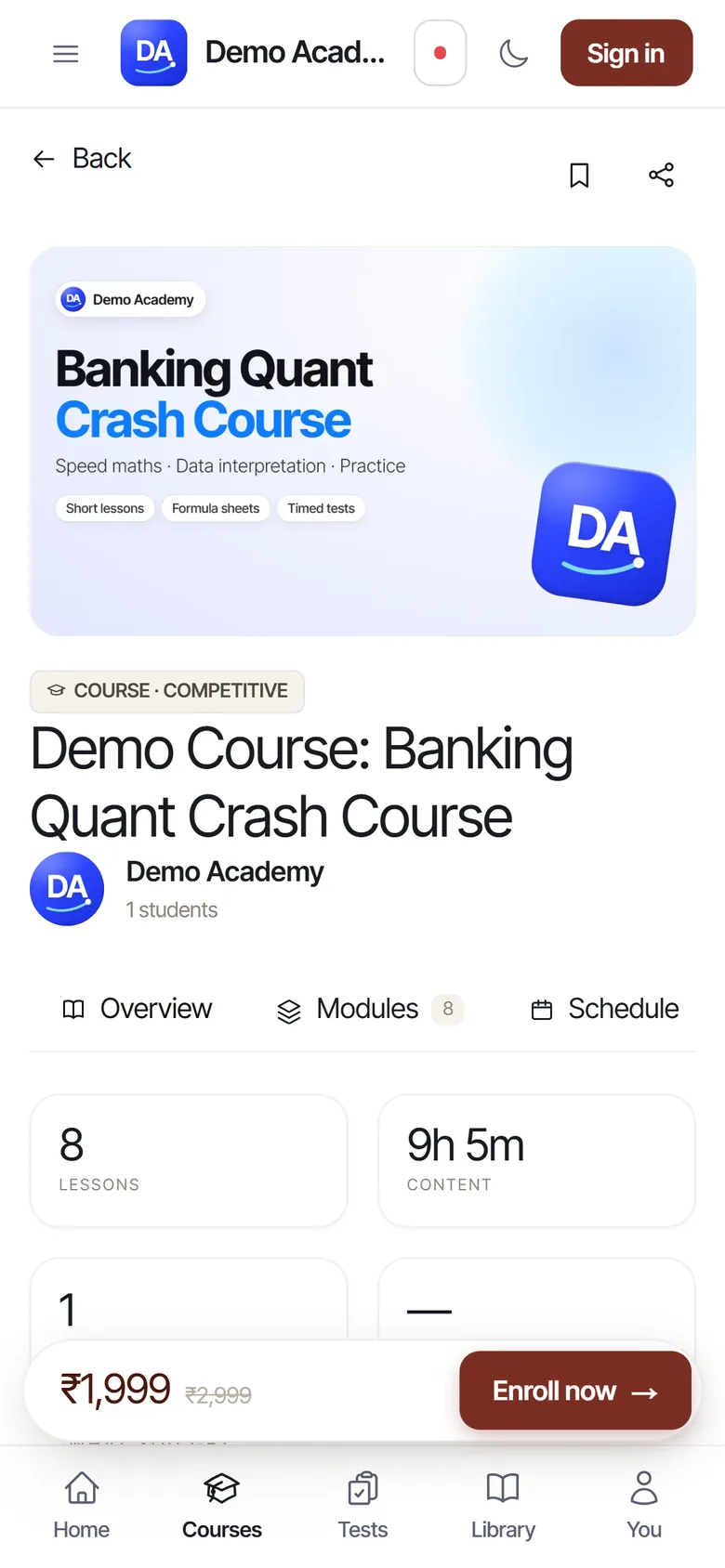
Start with a title students would search for, a one-line short description and a clear description of who the course is for. Set your price, and the course page, its web address and checkout are created for you.
- Paid or free, with an optional MRP shown struck through
- Optional 18% GST added on top for the student
- Banner image at 1280 × 720, or just pick a colour
- Categories and suggested tags from your profile
Upload your videos. Keep them yours.
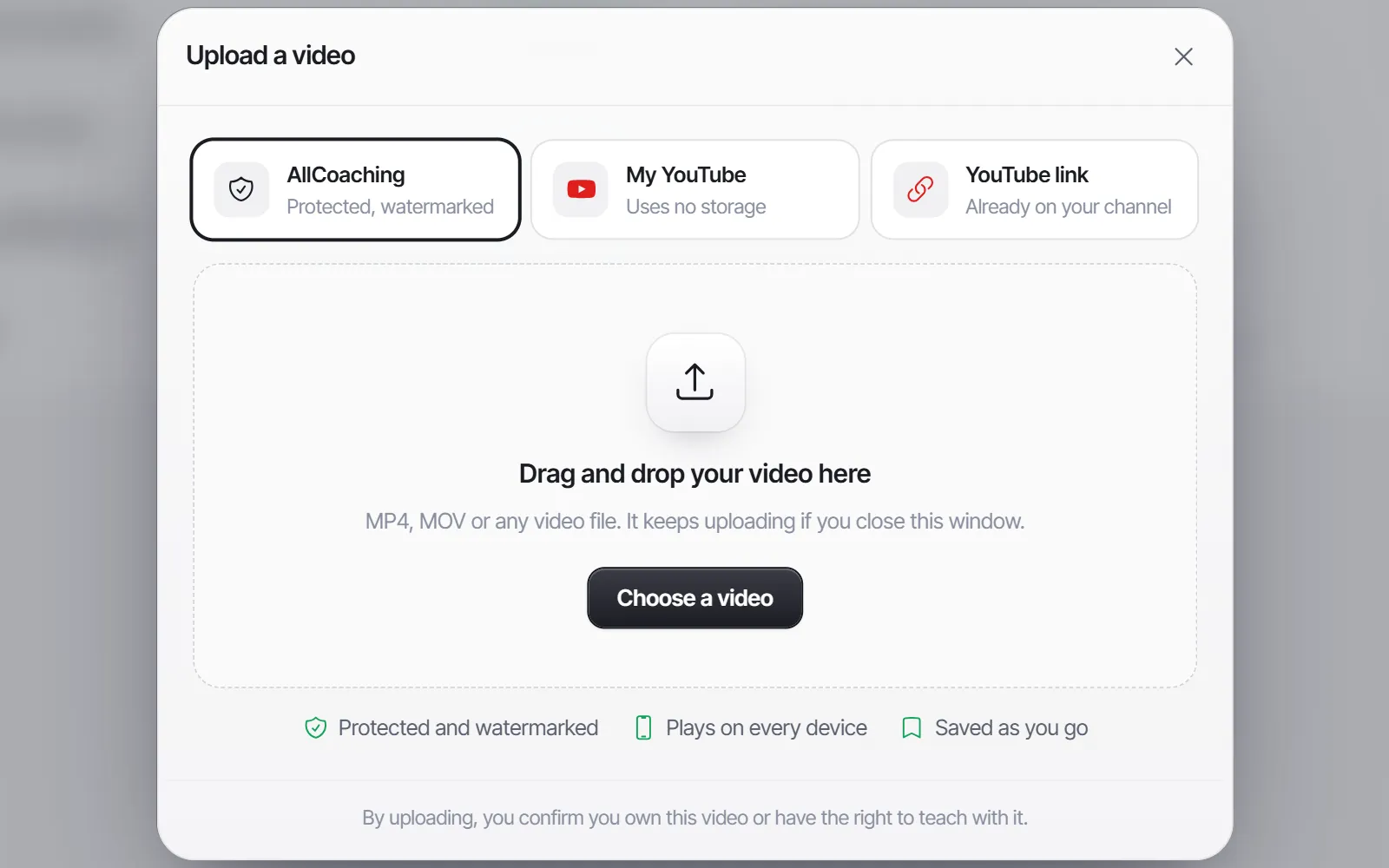
Upload a video to AllCoaching and it stays encrypted and watermarked, and plays on every device. You can also send videos to your own YouTube channel as unlisted, or add a link to one already there.
- DRM-protected player with automatic quality
- Each student’s name as a watermark while they watch
- Your logo watermark on every upload
- Choose whether students can comment or download
Module by module, then a certificate.
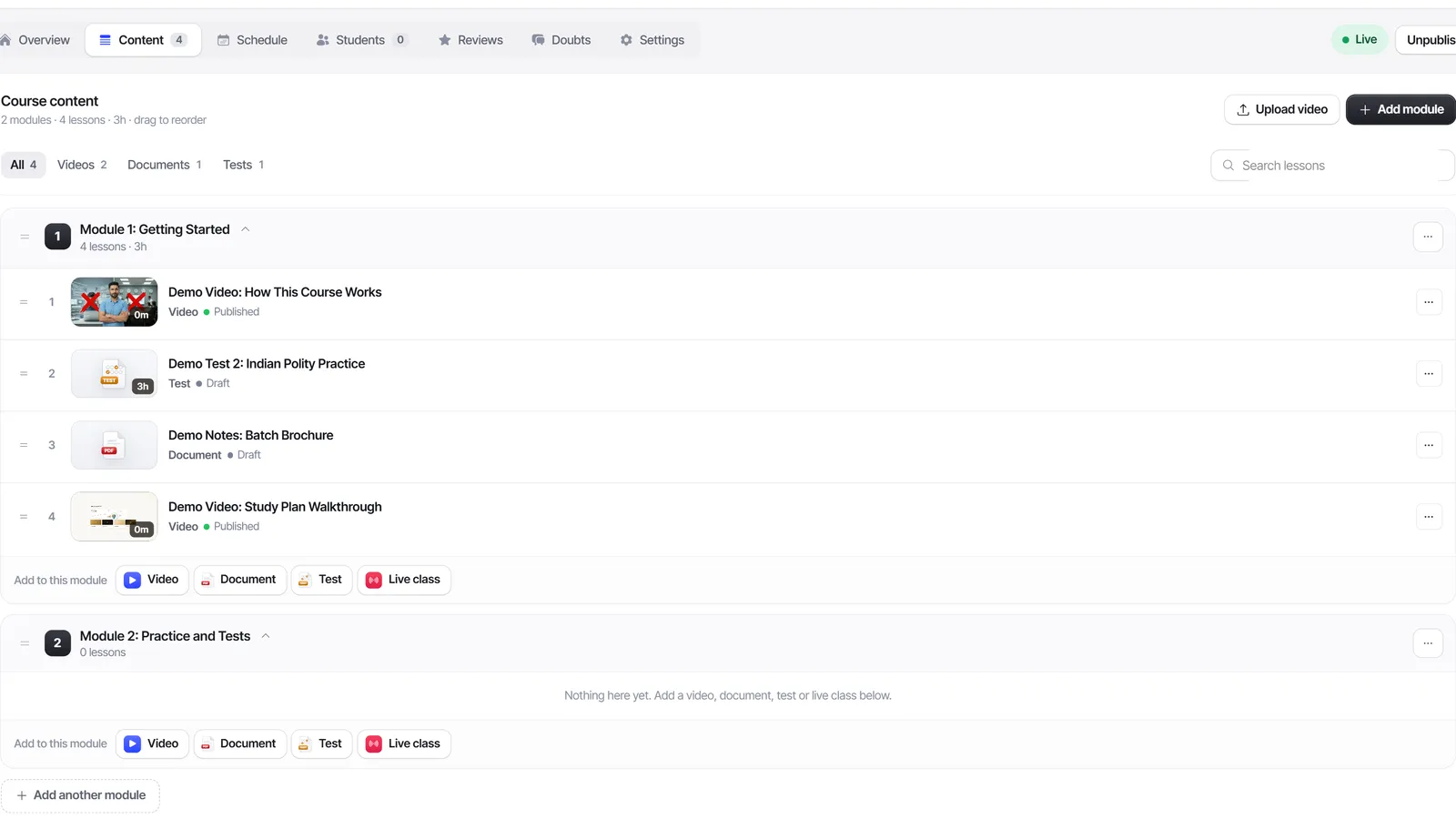
Students work through your course one module at a time, with videos, PDFs, tests and live classes inside. When they complete it, they get a certificate with your branding.
- Certificates issued automatically on completion
- Your logo and the student’s name, with a unique certificate ID
- Students can download and share it
- Modules can open a set number of days after a student enrols
Courses, step by step.
The same steps as the studio tutorial at the top of this page.
- Create the courseIn Courses, press New course and fill in the title, descriptions, price and banner.
- Add modulesIn the Content tab, add modules for each chapter or week, with an opening day if you want one.
- Add lessonsAdd videos, PDFs, tests or live classes to each module from your library, or upload new.
- Upload videos securelyUpload to AllCoaching for a protected, watermarked player, or use your own YouTube.
- Schedule and publishSet release dates in the Schedule tab, then publish and share the course page.
What educators ask about courses.
How do I create an online course?
In Courses, press New course, fill in the title, descriptions, price and banner, then Save draft or Create course. Then add modules and lessons in the course’s Content tab.
How do I set the course price and GST?
Choose Paid or Free, enter your price and, if you like, an MRP that is shown struck through. A switch adds 18% GST on top for the student, and the form shows what the student pays and what you receive on each sale.
How do I protect my course videos?
Videos uploaded to AllCoaching play in a DRM-protected player, with each student’s name as a watermark while they watch and your logo on the video. DRM and watermarking are part of every plan.
How do I add YouTube videos to my course?
Connect My YouTube to upload straight to your channel as unlisted, or paste a YouTube link for a video already there. A YouTube video can also be opened outside your course, so for paid lessons an AllCoaching upload is the safer choice.
Do students get a certificate when they finish?
Yes. Certificates carry your branding, are issued automatically when a student completes the course and each has a unique ID. Students can download and share them; a certificate is a proof of completion, not an accredited degree.
More from your studio.
Courses, free for 7 days.
Set it up in your own studio, under your own brand. No card, no developer, no sales call.
7 days free, no card needed · Monthly plans from ₹3,999 with 0% commission · Prices exclude GST