


A good offer, at the right time.
Run a festival sale or a launch offer for a new batch with a coupon code. Choose percent or flat off, decide who can use it and for how long, and see the new price before you create it.
Type a code, see the new price.
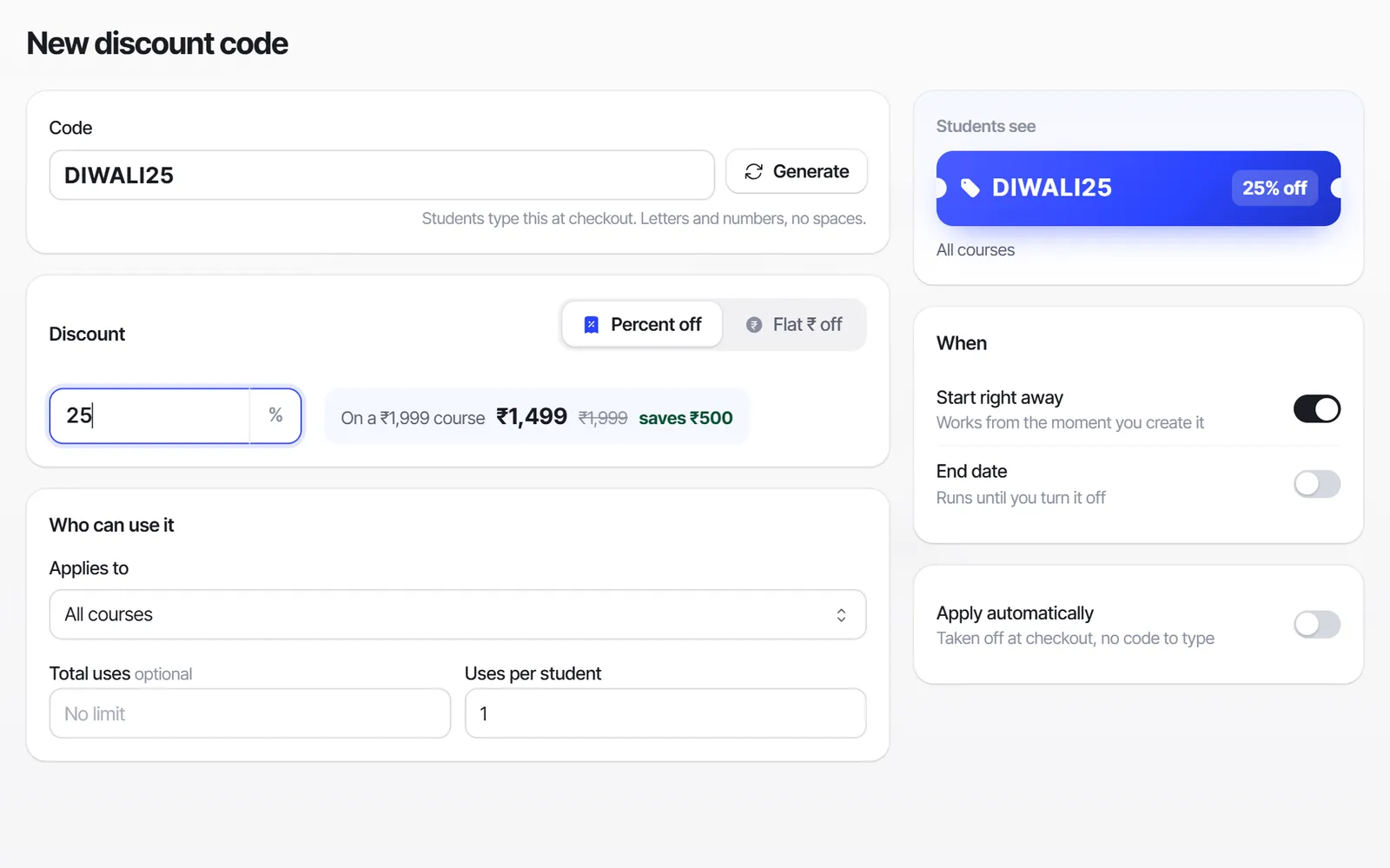
Press Create code and the form opens. Type the word a student enters at checkout, like DIWALI25, or press Generate for a random one. Pick Percent off or Flat ₹ off, and the preview shows what a course now costs and what the student saves.
- Letters and numbers, no spaces
- Percent off or Flat ₹ off
- Live price preview, for example ₹1,999 down to ₹1,499 (illustrative)
- Students see shows the code the way your students will
Decide who can use it, and until when.
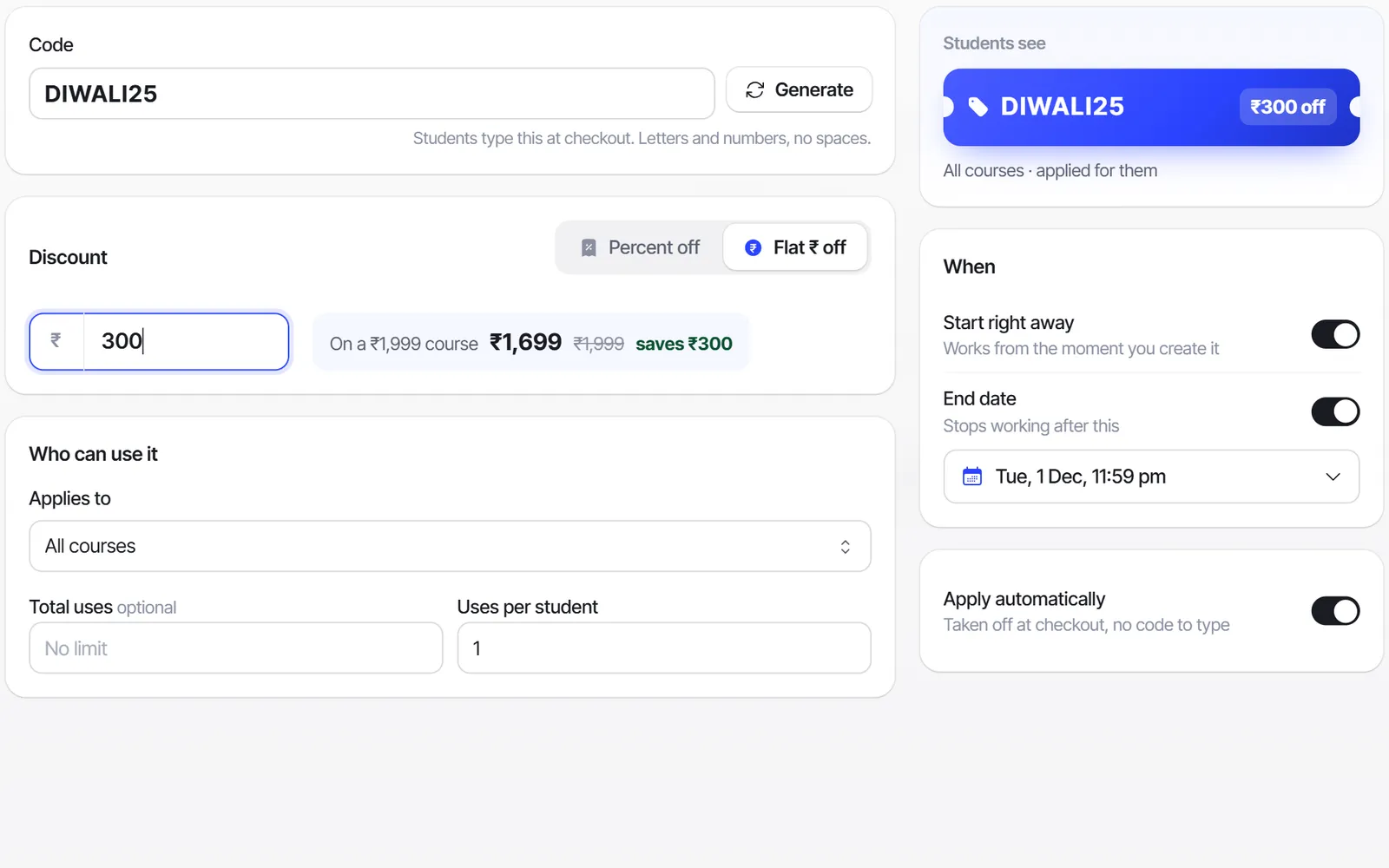
Choose what the code works on and how many times it can be used. In When, the code can start right away, and an end date stops it on its own. Turn on Apply automatically and students do not type a code at all: the discount comes off at checkout.
- Applies to all courses, first-time buyers only, all tests, all documents, or one course
- Total uses and uses per student
- Start right away, with an optional end date
- Apply automatically at checkout
Every code, in one place.
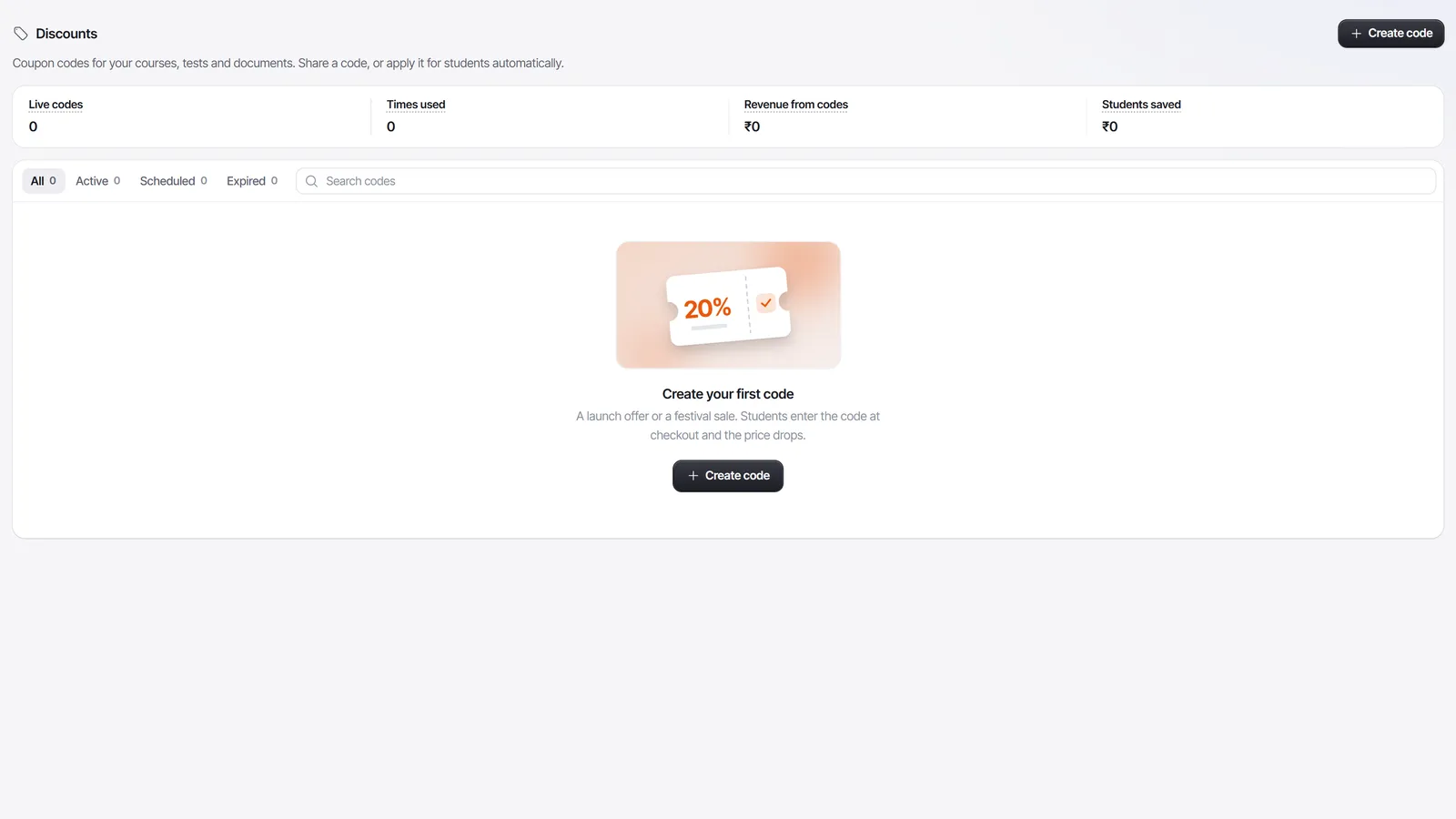
The Discount page shows four numbers at the top: live codes, times used, revenue from codes and what students saved. Below, your codes are kept apart as Active, Scheduled and Expired, with a search.
- Live codes and times used
- Revenue from codes and students saved
- Active, Scheduled and Expired filters
- Create a code now, or save it as a draft
Discount codes, step by step.
The same steps as the studio tutorial at the top of this page.
- Open DiscountIn your studio, open Discount and press Create code.
- Name the codeType a code like DIWALI25, or press Generate for a random one.
- Set the discountChoose percent or flat off and check the price preview.
- Set who and whenPick what the code applies to, its use limits, an end date and whether it applies automatically.
- Create or savePress Create code, or Save draft to finish it later.
What educators ask about discount codes.
How do I create a coupon code for my course?
In Discount, press Create code. Type a code or press Generate, choose percent or flat off, pick what it applies to, add an end date if you want one, and press Create code.
How do I run a festival or launch sale?
Create a code with an end date for the festival or launch and share it with your students. The code stops working on its own after the end date.
How do I apply a discount automatically?
Turn on Apply automatically in the code form. The discount is then taken off at checkout, with no code to type.
Can I limit how many times a code is used?
Yes. Set the total uses for the code and the uses per student. Leave total uses empty for no limit.
Can a code work on just one course?
Yes. A code can apply to all courses, first-time buyers only, all tests, all documents, or one course.
More from your studio.
Discount codes, free for 7 days.
Set it up in your own studio, under your own brand. No card, no developer, no sales call.
7 days free, no card needed · Monthly plans from ₹3,999 with 0% commission · Prices exclude GST