
On this page
Start your online academy today. 7 days free.
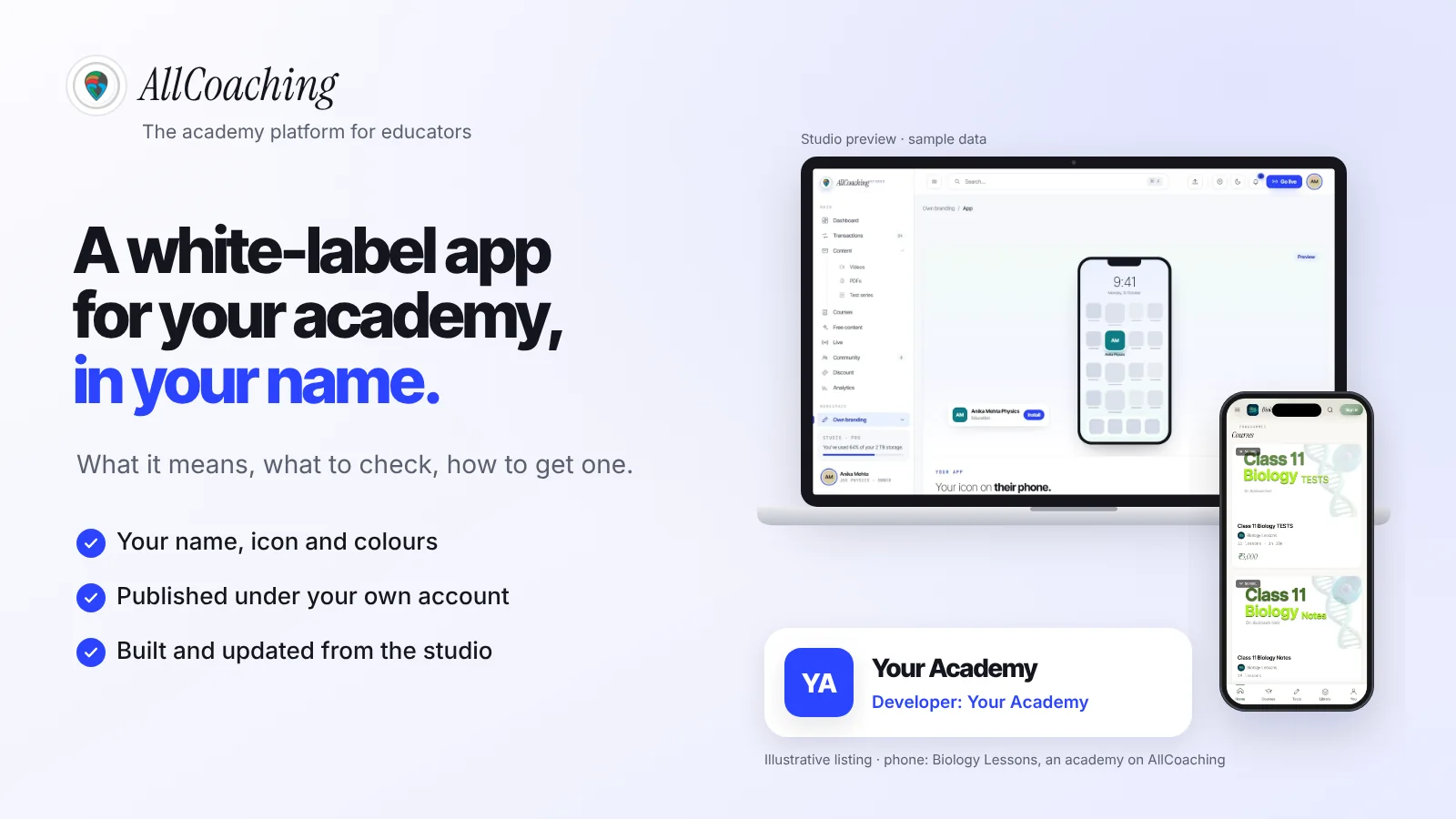
Start free trialA white-label app for teachers is an app built on a platform's ready software but carrying your name, icon and colours, and published under your own Google Play and App Store developer account, so students install "your app", not the platform's. You get your own app without building one from scratch. What makes it truly yours is whose account it is published under and how much you can change yourself.
Maybe you teach NEET chemistry in Hindi and your students keep asking, "Sir, app kab aayega?" Or you run a spoken English batch and a parent wants to find you on the Play Store by name. A white-label app is how most Indian educators get there: the platform supplies the video player, tests, live classes and payments; your brand sits on top.
The word is used loosely, though: some "white-label" apps sit under a vendor's account, others cannot be changed without a ticket. This guide explains what it should mean and how to get one. For the money side, read our white label coaching app development cost guide.
Key takeaways
- A white-label app is ready-made app software carrying your name, icon and colours, so students see your academy on their phone, not the platform's.
- The most important question is whose developer account the app is published under. The store shows that account's name as the developer, and Apple lists your legal name or your company as the seller.
- A marketplace app puts you beside other educators; an agency-built app is yours but every change is paid work; a white-label app sits in between, with your brand and a panel you control.
- Ask seven questions before you choose: developer account, self-editing, data export, iOS, store review, yearly cost and what happens if you leave.
- The stores charge their own fees: Google Play US$25 once and the Apple Developer Program US$99 a year, and new personal Play accounts must run a closed test with at least 12 testers for 14 days.
- On AllCoaching, every plan includes your own white-label Android app, with iOS on Pro monthly and every yearly plan, published on your own developer account by you or by us with API access.
What is a white-label app for educators?
A white-label app for educators is an app built on a platform's shared software that is rebranded with your academy's name, icon, colours and content, and published under your own developer account. Students download it by your name and never need to know which platform runs it. You rent the software; the brand, the store listing and the students are yours.
The term comes from retail, where one maker's product is sold under other companies' labels. In software it means one codebase, many brands. For an educator, that brings three benefits.
- Your brand on the home screen. The icon, the name under it and the splash screen all say your academy.
- No app project. No developers to hire; the platform maintains the software for every academy at once.
- One system behind it. The courses, tests and payments that run your website also run the app.
It does not mean you own the code. You own your brand, content and student data. What decides your real control is whose developer account the app sits in.
White-label app vs marketplace app vs custom-built app
A marketplace app lists you beside other educators under the platform's brand, an agency-built app is made only for you but every change is paid work, and a white-label app gives you your own branded app with a panel you control. All three can work; they suit different stages and budgets.
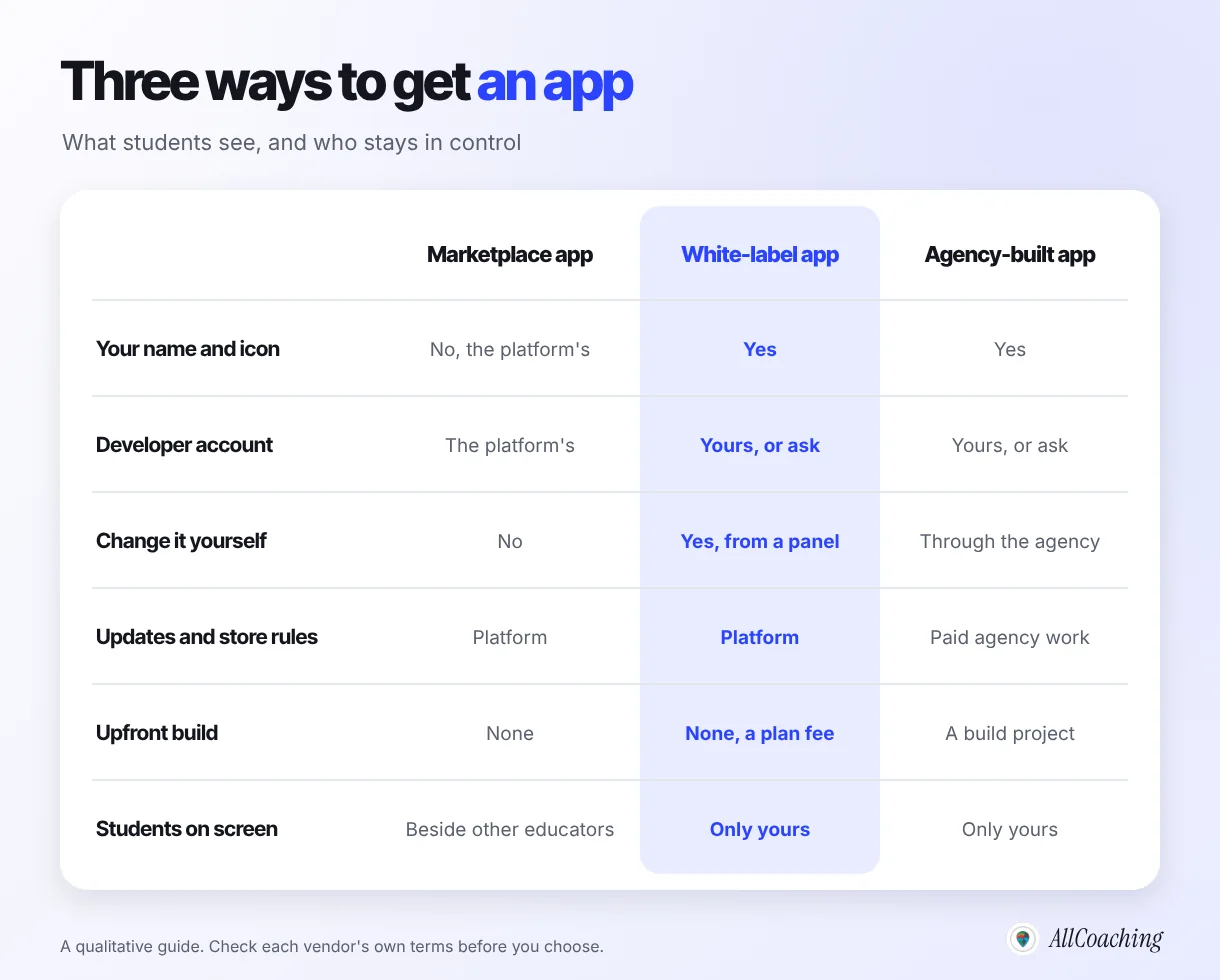
| Marketplace app | White-label app | Agency-built (custom) app | |
|---|---|---|---|
| Name students see | The platform's | Yours | Yours |
| Published under | The platform's account | Your account, or the vendor's (ask) | Your account, or the agency's (ask) |
| Who changes it | The platform | You, from a panel | The agency, as paid work |
| Software updates and store policy | The platform | The platform | You pay the agency |
| Upfront cost | None to list | No build project; a plan fee | A build project, then maintenance |
| Best for | Extra discovery | Most solo educators and institutes | Unusual features no platform offers |
A marketplace listing is a useful extra, not a home: your course sits next to other educators' courses. Our guide on whether to build your own app or join a marketplace goes deeper on that trade-off.
A custom app makes sense when you need something no platform has and can fund its upkeep every year. For everyone else, a white-label app gives the same result on the student's phone. Our guide to making a coaching app without coding compares the build options in detail.
Whose developer account is the app published under?
Ask this first: a white-label app should be published under your own Google Play and Apple developer accounts, because the account holder is the name stores show as the developer and the one who controls the listing. If the app sits in a vendor's account, the brand on the icon is yours but the listing is not.
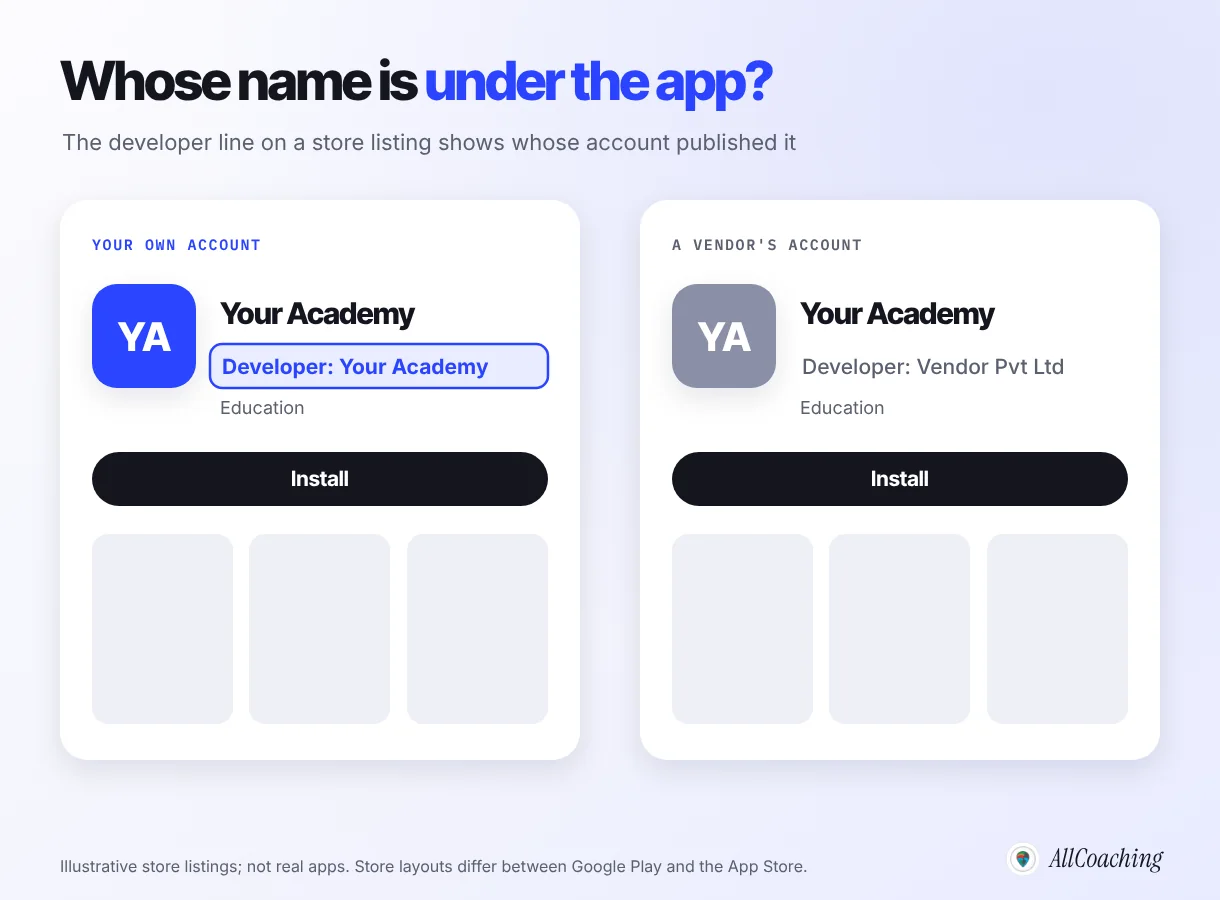
Apple is explicit about this. If you enrol in the Apple Developer Program as an individual, your personal legal name is listed as the seller on the App Store; if you enrol as an organisation, the legal entity name appears as the seller.3 Apple's App Review Guidelines also push white-label apps towards the educator's own account. Guideline 4.2.6 reads:
"Apps created from a commercialized template or app generation service will be rejected unless they are submitted directly by the provider of the app's content."
Apple App Review Guidelines 4.2.6, checked November 2026[4]For an academy, "the provider of the app's content" is you. Not every vendor works this way. Learnyst's pricing page, for example, notes that its apps are available on the stores under Learnyst's developer account.5 That is a legitimate model, but it means the publisher name and the listing stay with the vendor if you move.
When educators come to us from an agency-built app, the first thing we ask is which Play Console account the app sits in, and the answer is not always clear to them. Find out before you sign, and get the answer in writing.
Question educators ask
Can I move my app from a vendor's account to my own later?
Sometimes, but it is not automatic. Google Play and Apple both have app transfer processes, and they need the current account holder to start them. If the vendor will not, you may have to publish a new app under your own account and ask students to install it again. That is why the account question belongs before you choose, not after.
What to check before you choose a white-label app
Before you choose a white-label app provider, ask seven questions: whose developer account, can you change it yourself, can you export your data, is iOS included, who handles store review, what it costs every year, and what happens if you leave. Ask every provider the same seven, including us.
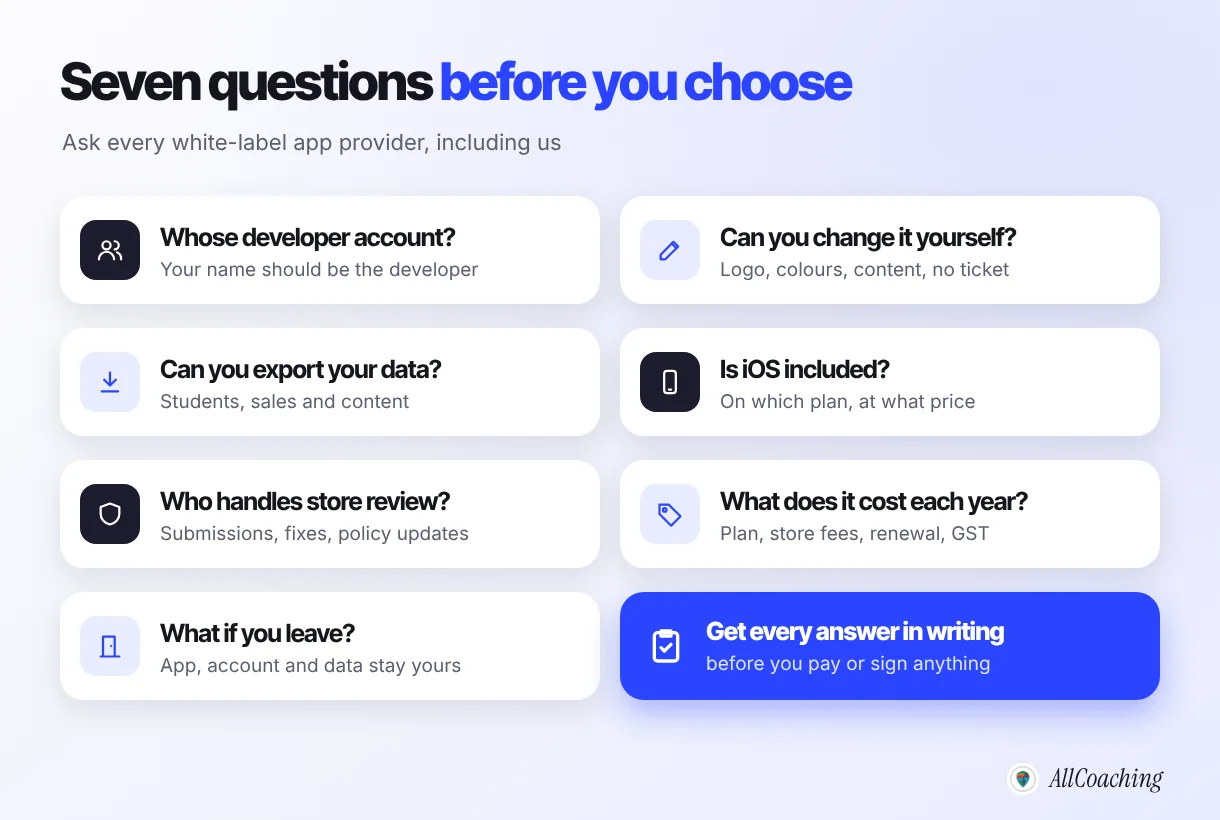
- Whose developer account? Yours is best; the listing and developer name stay with you.
- Can you change it yourself? Logo, colours, courses and prices should change from a panel, not by ticket.
- Can you export your data? Students, purchases and content; ask in which format and for how long after you stop.
- Is iOS included? It is often on a higher plan. Ask which plan, at what price.
- Who handles store review? Someone must submit builds, answer rejections and keep up with store policy changes.
- What does it cost every year? Plan, fee per sale, store fees, renewal and GST.
- What if you leave? What happens to the app, the listing and your data, and how long you have.
Also watch for promises no provider can keep. Google and Apple review every new app, so nobody can guarantee approval or a launch date; a provider who does is guessing.
How to get a white-label app for your academy: 7 steps
Decide what the app must do, choose a provider with the seven questions, open your own developer accounts, set your brand, line up testers if Google asks for them, publish on your own account, then pass store review and share the link. Each step is short; the waiting is mostly on the store side.
- Decide what the app must doList what students will use it for, such as recorded courses, test series, live classes and notes, and check whether most of your students use Android or iPhone.
- Choose a provider with the seven questionsAsk each white-label app provider whose developer account the app is published under, whether you can change it yourself, how data export works, which plan includes iOS, who handles store review, the yearly cost and what happens if you leave.
- Open your own developer accountsRegister a Google Play Console account (US$25 once) and, if you need iOS, enrol in the Apple Developer Program (US$99 a year). Choose personal or organisation; organisation accounts need a D-U-N-S Number.
- Set your brandAdd your academy name, icon and colours in the provider's panel. On AllCoaching this is Own branding, then App, in the studio.
- Line up testers if Google asks for themIf your Play account is personal and new, run a closed test with at least 12 testers who stay opted in for at least 14 days before you apply for production access.
- Publish on your own accountPublish the build yourself, or connect your Play Console and App Store Connect accounts so the provider can publish on your behalf with API access.
- Pass store review, then share the linkGoogle and Apple review the app on their own timeline. Once it is live, share the store link on YouTube, Instagram and WhatsApp.
In our experience, the steps that take longest are 3 and 5: an organisation account waiting on its D-U-N-S Number, or a new personal Play account without twelve testers ready. Start both early, while you are still uploading courses.
Google Play and App Store: fees, testing and review
Google Play charges a US$25 one-time registration fee and the Apple Developer Program costs US$99 a year; both are paid by whoever owns the developer account, and both stores review your app before students can install it. These rules are the same whichever platform builds your app.
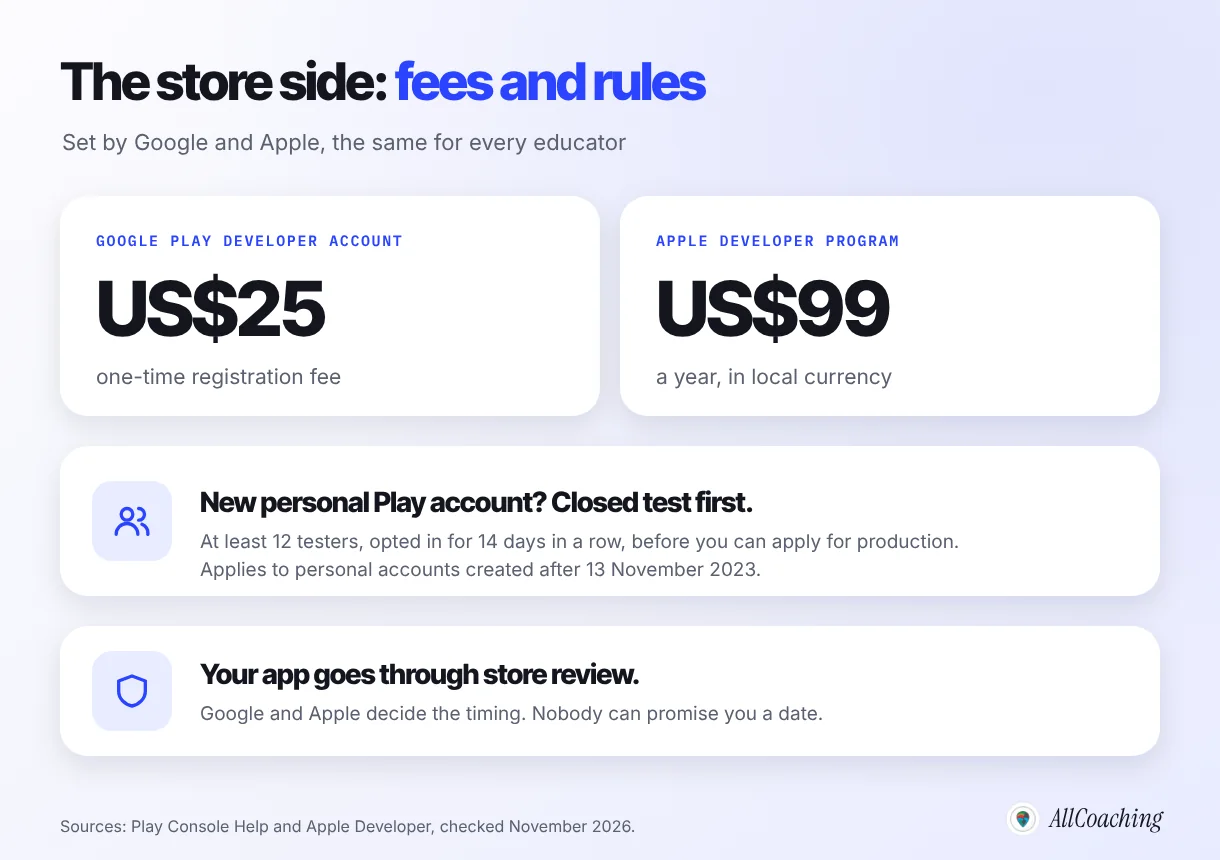
"There is a US$25 one-time registration fee."
Google Play Console Help, checked November 2026[1]The closed test for new personal Play accounts
Google requires developers with personal Play Console accounts created after 13 November 2023 to run a closed test with at least 12 testers who have been opted in continuously for at least 14 days before they can apply for production access.2 For an educator, those twelve testers can be colleagues, a few loyal students or family members with Android phones. The rule is for personal accounts; organisation accounts instead have to give a D-U-N-S Number when they register.7
Apple's annual fee and enrolment
Apple states the Apple Developer Program annual fee as 99 USD, in local currency where available, and asks organisations for a D-U-N-S Number during enrolment.3 Because the fee is yearly, put the renewal date in your calendar so your iOS app stays available.
Review takes the time it takes
Both stores review new apps, and updates can be reviewed too. The timing is decided by Google and Apple, not by your platform. Plan your launch announcement for after the app is live, not on a fixed date.
How a white-label app works on AllCoaching
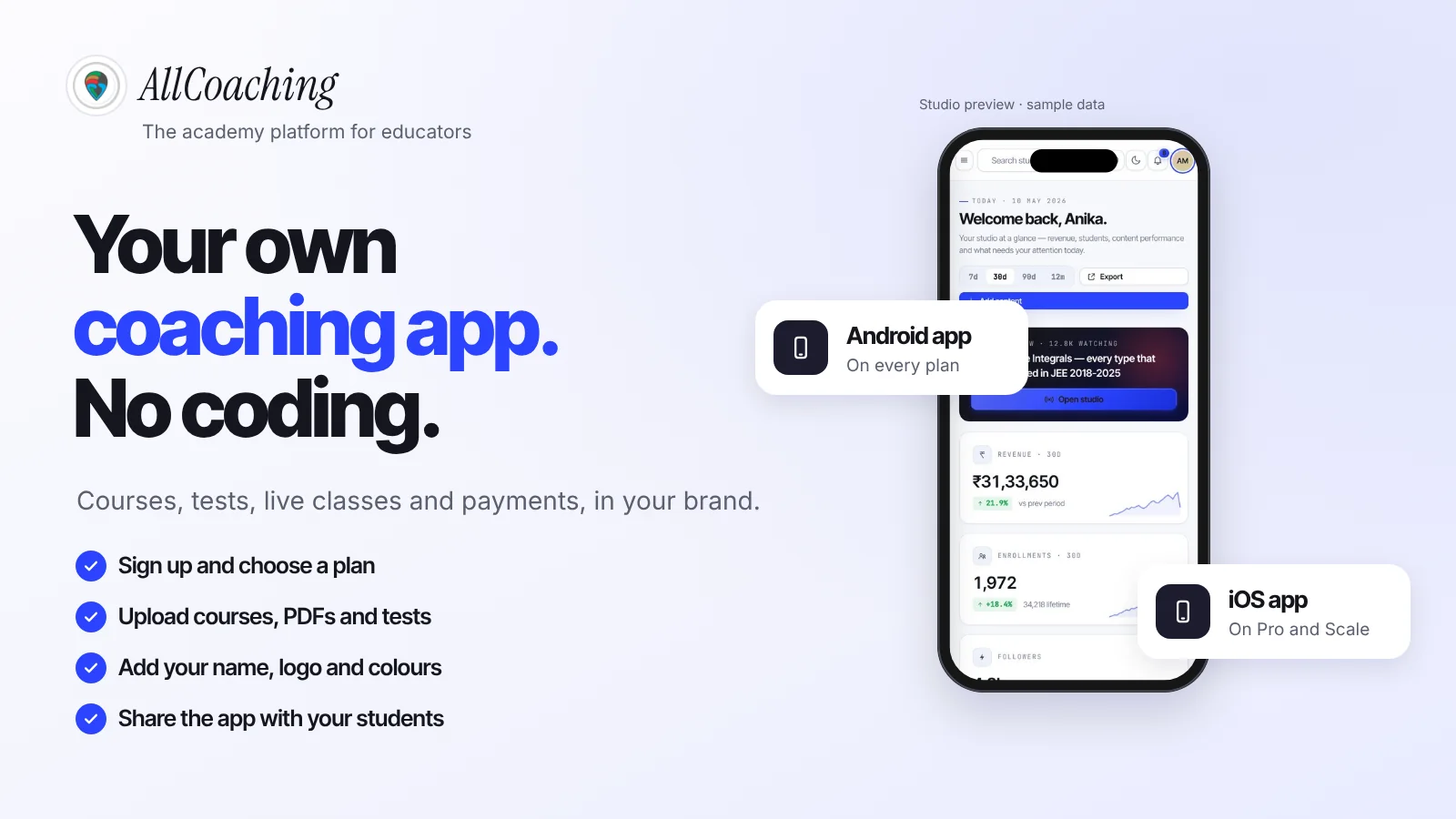
On AllCoaching, the studio builds your own white-label Android app on every plan, and your iOS app on Pro monthly and every yearly plan, from the brand you set in Own branding; the app is published on your own Google Play and App Store accounts, by you or by us with API access you grant. There is no separate app project to buy.
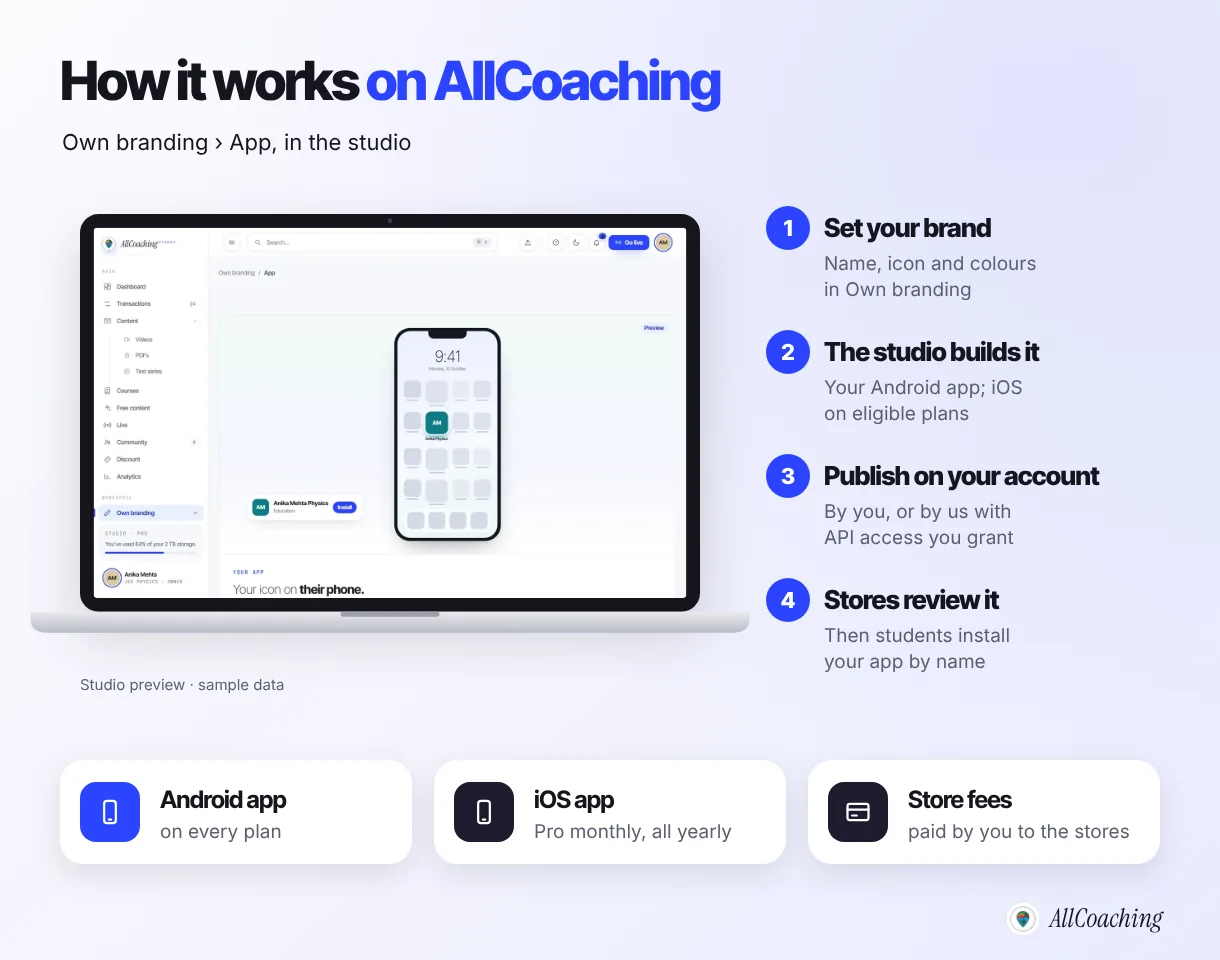
The app runs on the same academy as your website, so a student who buys a course on your site finds it in the app, with the same test series, live classes and notes. You change your name, icon or colours in the studio, not through a developer. The Google Play Console and App Store Connect plugins connect your developer accounts, and you pay the store fees directly to Google and Apple: US$25 once for Play, US$99 a year for Apple.
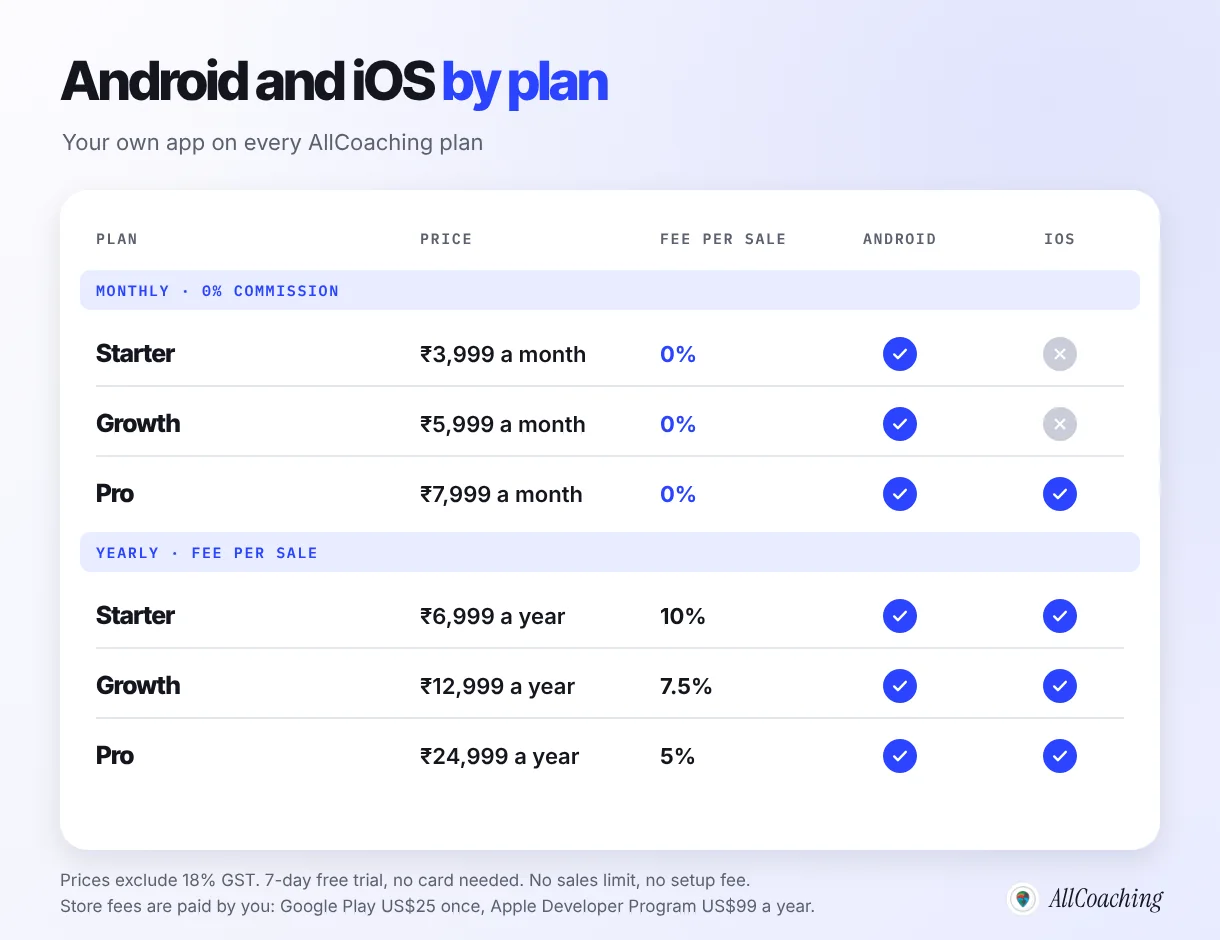
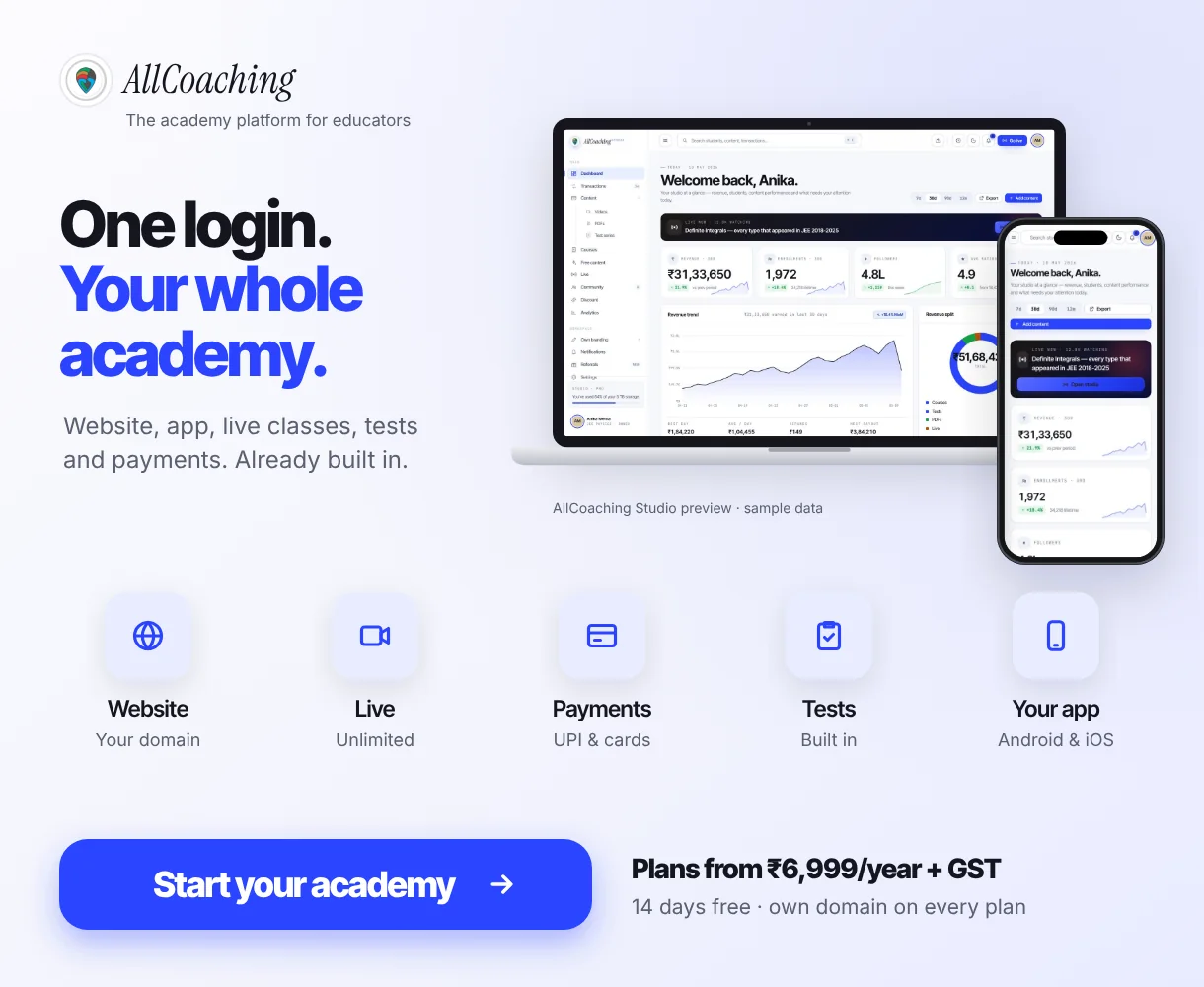
Every plan starts with a 7-day free trial, no card needed. After that, the monthly plans take 0% commission: Starter ₹3,999, Growth ₹5,999 or Pro ₹7,999 a month, and you keep 100% of each sale. The yearly plans cost ₹6,999, ₹12,999 or ₹24,999 a year with a 10%, 7.5% or 5% fee per sale, and every yearly plan includes the iOS app. No plan has a sales limit or a setup fee; prices exclude GST. The path is the same as for the whole academy: sign up, choose a plan, upload your course, connect your domain and start selling. See the pricing page for every feature by plan.
Build your own academy. Try it free for 7 days.
Website on your own domain, your own Android app, unlimited live classes and UPI checkout on every plan. 0% commission on every monthly plan from ₹3,999 a month, or yearly from ₹6,999 (excl. GST).
No card needed · Cancel anytime in the trial · Export your data any timeWhich plan includes your own Android or iOS app on other Indian platforms?
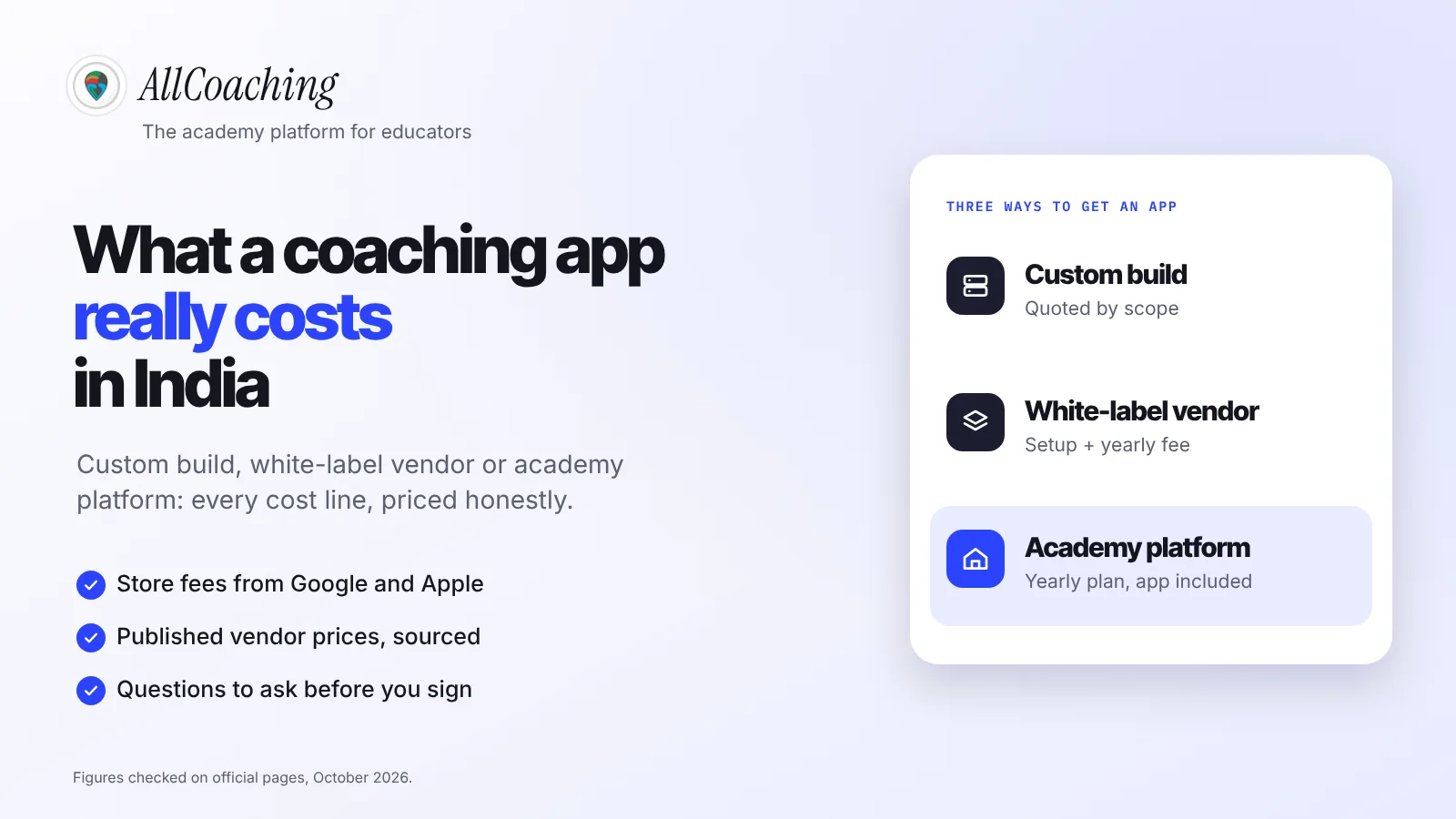
On the two Indian LMS platforms below, a branded Android app starts on plans of ₹14,999–₹17,999 a month billed monthly, and an iOS app on plans of ₹34,999–₹49,999 a month; on AllCoaching, your own Android app is on every plan from ₹3,999 a month and iOS from ₹7,999 a month or any yearly plan. The table shows each platform's own figures with the fee on sales beside them.
| Platform | Own branded Android app from | Own iOS app from | Fee on sales |
|---|---|---|---|
| Learnyst[5] | Premium, ₹14,999 a month billed monthly (₹13,499 billed annually) | Business, ₹49,999 a month billed monthly (₹44,999 billed annually) | 0% on these plans; + taxes |
| Edmingle[6] | Prime, ₹17,999 a month billed monthly (₹14,999 billed annually) | Power, ₹34,999 a month billed monthly (₹29,999 billed annually) | Not stated on the page; + taxes |
| AllCoaching | Every plan: Starter monthly ₹3,999 a month, or Starter yearly ₹6,999 a year + 10% per sale | Pro monthly ₹7,999 a month, or every yearly plan from ₹6,999 a year + 10% per sale | 0% on monthly plans; 10%, 7.5% or 5% on yearly plans; + GST |
Both pages carry conditions worth reading. Learnyst's notes say its apps are published under Learnyst's developer account, and Edmingle marks some app features as available on annual commitment. Compare the whole offer, not only the price line. For a full year-one budget, including agency builds and store fees, see our white label coaching app cost guide, and for app-led platforms see our personal coaching app alternatives.
Do you need an Android app, an iOS app or both?
Start with Android if most of your students use Android phones; add iOS when a real share of your students or their parents use iPhones. Look at your own students before deciding, not at national averages.
Ask in your WhatsApp group which phone students use, or check the device report in your website analytics. A course for working professionals or NRI students can have a very different mix from a NEET batch in a tier-2 city. Your website works on every phone meanwhile.
Common white-label app mistakes educators make
The costly white-label mistakes are letting the app sit in someone else's developer account, signing without a data export, assuming iOS is included, accepting a ticket for every change, and leaving the twelve testers until launch week. Each one has a simple fix.
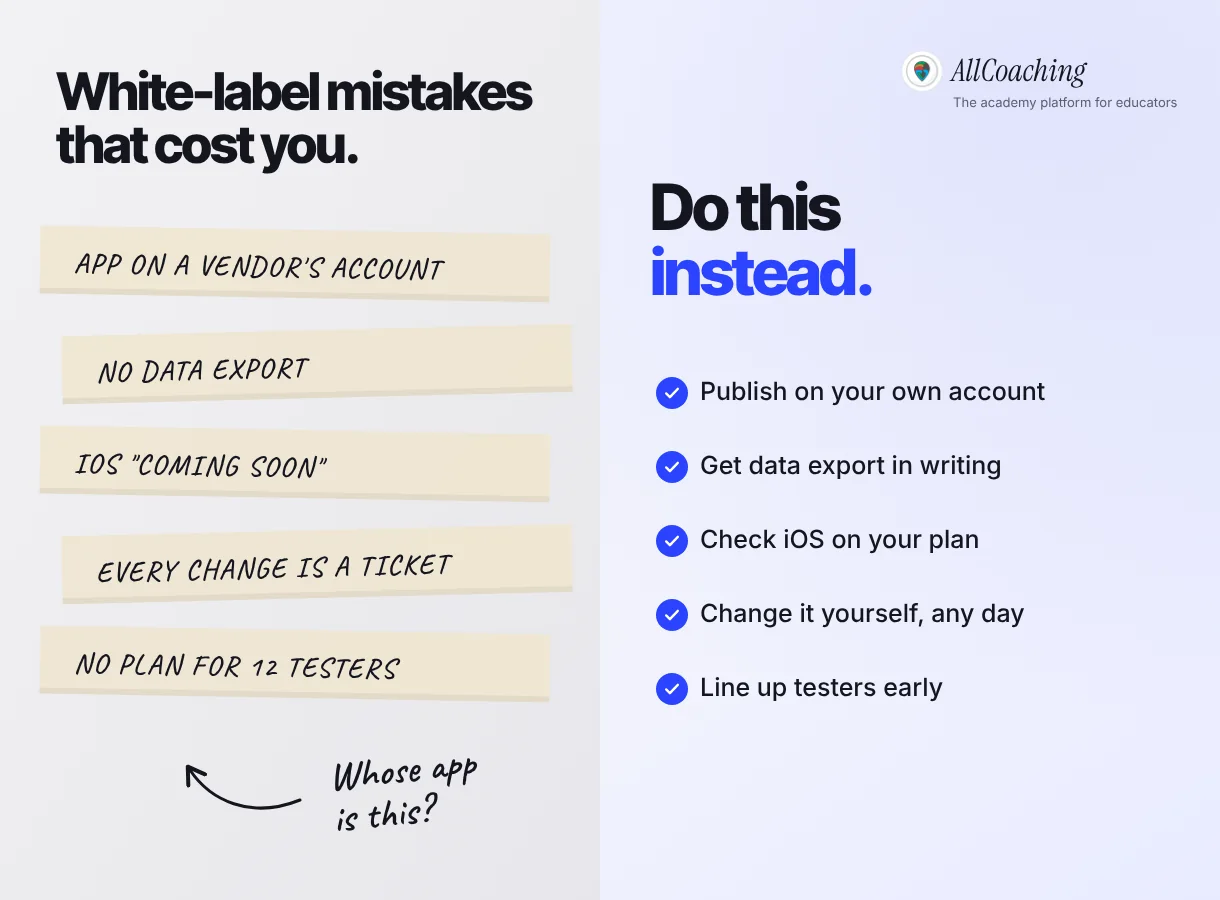
One more belongs on the list: promising students a launch date. Store review sets the timing, so announce the app once it is live in the store.
After your app is live: updates and installs
Once your app is live, keep the brand consistent across the app, website and social channels, and give students a clear reason and a direct link to install it. An app nobody installs does nothing for your academy.
- Put the store link in your YouTube descriptions, Instagram bio and WhatsApp group description.
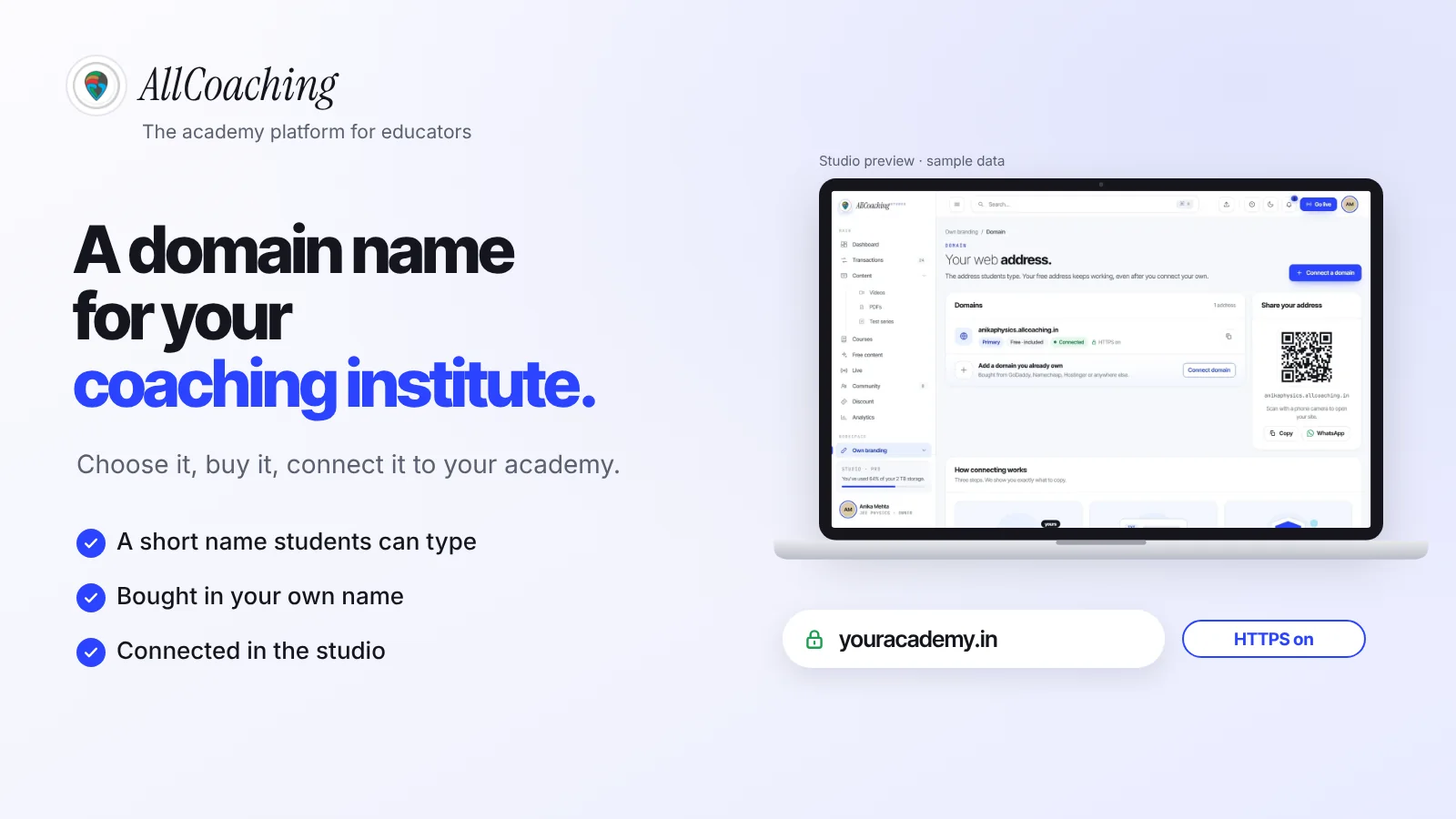
- Keep your website on your own domain as the address you print and share; our guide to choosing a domain name for your coaching institute covers that part.
Many students already have more apps than they use, so the reason matters more than the reminder: tests with all-India rank, live class notifications and every note in one place. Our guide on getting your first 500 students for a coaching app covers the install side step by step, and why students resist new apps explains the habit you are working against.
Glossary
- White-label app
- An app built on a platform's shared software and rebranded with an educator's own name, icon and colours, usually published under the educator's own developer account.
- Marketplace app
- One app, under the platform's brand, that lists many educators' courses side by side.
- Developer account
- The account with Google Play or Apple that publishes an app. Its holder is shown as the app's developer or seller and controls the store listing.
- Google Play Console
- Google's console for publishing and managing Android apps on Google Play. Registration costs US$25 once.
- App Store Connect
- Apple's tool for submitting and managing apps on the App Store, used with an Apple Developer Program membership.
- Closed test
- A Google Play testing track open only to invited testers. New personal Play accounts must run one with at least 12 testers for 14 days before production.
- Store review
- Google's and Apple's check of an app against their policies before it is published. Timing is decided by the store.
- D-U-N-S Number
- A unique business identifier from Dun & Bradstreet that Google and Apple ask organisations for when they register a developer account.
Frequently asked questions
What is a white label app for teachers?
A white label app for teachers is an app built on a platform's ready-made software but branded with the teacher's own name, icon and colours, and published under the teacher's own Google Play and App Store developer accounts. Students install it as the teacher's app, while the platform maintains the software.
Is a white-label app the same as having my own app?
On the student's phone, yes: it carries your name and icon. The difference is ownership of the software. You own your brand, content and student data, while the platform owns and maintains the code. Publishing under your own developer account keeps the store listing in your name.
Whose name appears as the developer of a white-label app?
The name of the developer account the app is published under. If it is your own account, the store shows your name or your academy's; on the App Store, Apple lists your legal name or your organisation's legal name as the seller. If a vendor publishes it under its own account, the vendor's name appears.
Do I need my own Google Play developer account?
To have the app listed under your name, yes. Google Play charges a US$25 one-time registration fee. You can register as a personal or an organisation account; organisation accounts need a D-U-N-S Number.
Why does Google ask for 12 testers before my app goes live?
Google requires personal Play Console accounts created after 13 November 2023 to run a closed test with at least 12 testers who stay opted in for at least 14 days before applying for production access. Colleagues, loyal students or family members with Android phones can be your testers.
Does AllCoaching include a white-label app on every plan?
Yes. Every AllCoaching plan includes your own white-label Android app. The iOS app is included on Pro monthly and every yearly plan. Monthly plans start at ₹3,999 a month with 0% commission, and yearly plans at ₹6,999 a year with a fee per sale; prices exclude GST.
Can AllCoaching publish the app for me?
Yes. The app is published on your own Google Play and App Store developer accounts, either by you or by AllCoaching with API access you grant through the Play Console and App Store Connect plugins. You pay the store fees directly to Google and Apple.
How long does app store approval take?
Google and Apple decide the timing, and no provider can promise an approval date. If you have a new personal Play account, add at least 14 days for the closed test. Announce your app once it is live in the store.
What happens to my app if I stop using the platform?
The store listing stays in your developer account, but the app depends on the platform to work. On AllCoaching, if you stop, your academy goes offline at the end of the paid period and you get 30 days to export your content and data or come back; after that, uploaded videos are deleted.
Sources
- Google, "Play Console Help: Get started with Play Console" (registration fee). support.google.com, checked November 2026.
- Google, "Play Console Help: App testing requirements for new personal developer accounts". support.google.com, checked November 2026.
- Apple, "Apple Developer Program enrollment" (seller name, annual fee, D-U-N-S). developer.apple.com, checked November 2026.
- Apple, "App Review Guidelines", guideline 4.2.6. developer.apple.com, checked November 2026.
- Learnyst, pricing. learnyst.com/pricing, checked 24 October 2026.
- Edmingle, India pricing. edmingle.com/in/pricing, checked 24 October 2026.
- Google, "Play Console Help: Required information to create a Play Console developer account". support.google.com, checked November 2026.
Amit builds AllCoaching, the academy platform Indian educators set up themselves: their own website on their own domain, their own app, and the tools to grow it. We publish educators' apps on their own developer accounts, so this guide is written from that side of the process; store rules are linked to Google's and Apple's own pages, and competitor prices to their pricing pages with the date we checked.