
On this page
Start your online academy today. 14 days free.
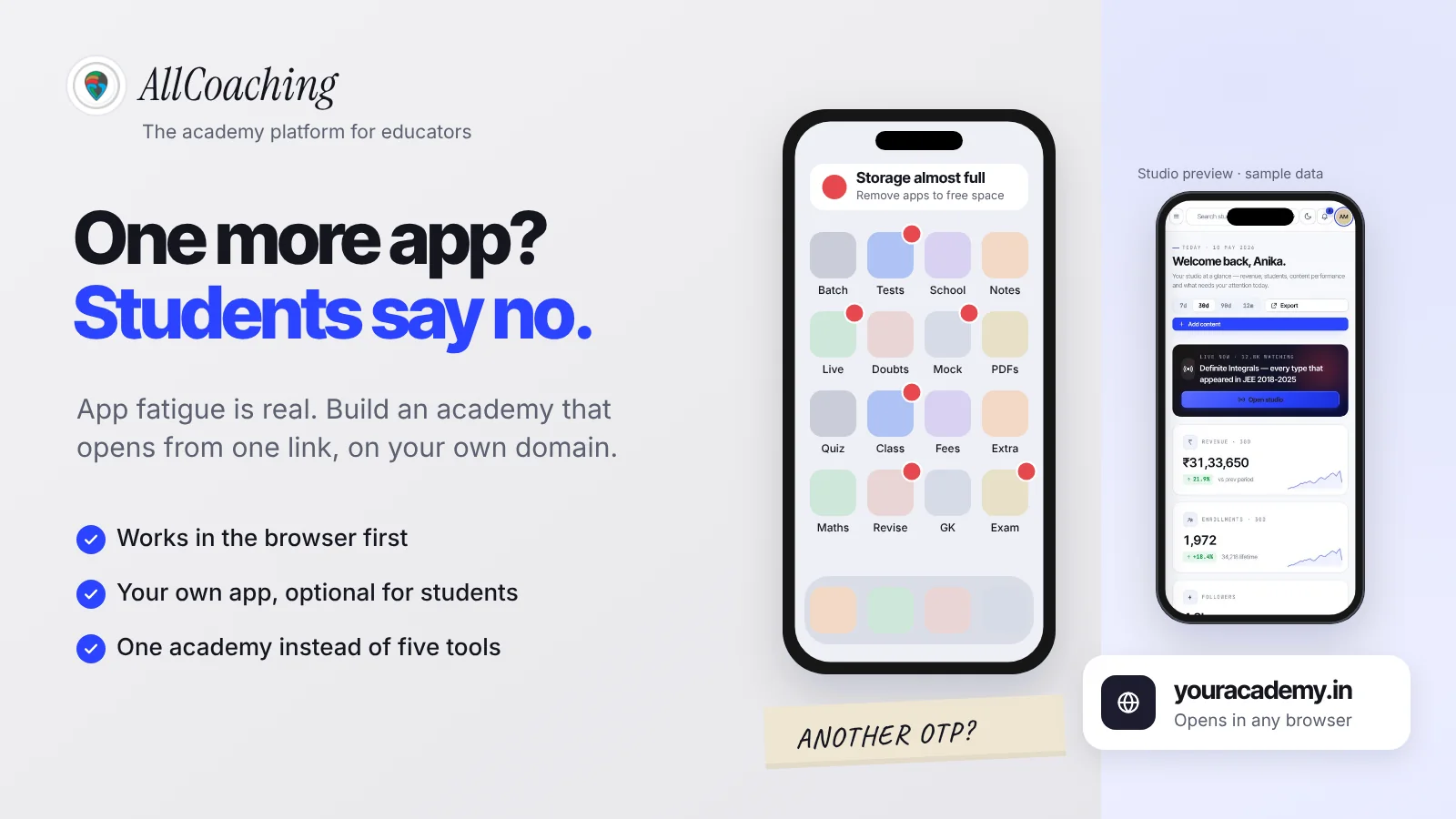
Start free trialApp fatigue is the reluctance students feel to download, sign up for and keep one more app, and in Indian online education it shows up as students who never get past your install step. The fix for an educator is not a better app pitch. It is an academy that works in the browser on your own domain first, with your own app offered to the students who want it.
Picture a Class 12 NEET student in Gaya. Her phone has 64 GB of storage, a school app, YouTube, WhatsApp, Telegram, two test-series apps and an app from a teacher she tried last year. Her monthly data pack runs out around the 20th. You send her a link to your new biology batch and the first thing it asks is to install another app. She closes it and goes back to YouTube.
This guide explains what app fatigue is, why students won't download a coaching app, what it costs you, and how to build around it: a coaching app vs website comparison, a web-first academy path, when to offer the app, how to cut the tool stack and a seven-step plan. If you are still deciding what an academy is, start with what an online academy is.
Key takeaways
- App fatigue is real: students resist installing one more app because of low storage, data limits, shared phones, repeated sign-ups and too many alerts.
- The install step is the leak: every extra step between your link and your lesson loses some students, and an app store visit is a big step.
- Web first, app optional: let a student open your link, watch a free lesson and pay by UPI in the browser; offer your app after purchase to daily learners.
- Your own domain builds trust that an unknown app link cannot: students see your name, not a download prompt.
- Fewer tools beat more apps: move lessons, notes, tests, live classes and payments into one academy and keep WhatsApp for reminders.
- On AllCoaching: sign up, choose a plan, upload your course, connect your domain and start selling, with your own Android app on every plan and iOS on Pro and Scale, after a 14-day free trial with no card.
What is app fatigue in online education?
App fatigue in online education is the tiredness and resistance students feel when every teacher, test series and school asks them to install a separate app, each with its own sign-up, OTP, notifications and storage cost. The result is that many students stop installing new learning apps at all, even from teachers they like.
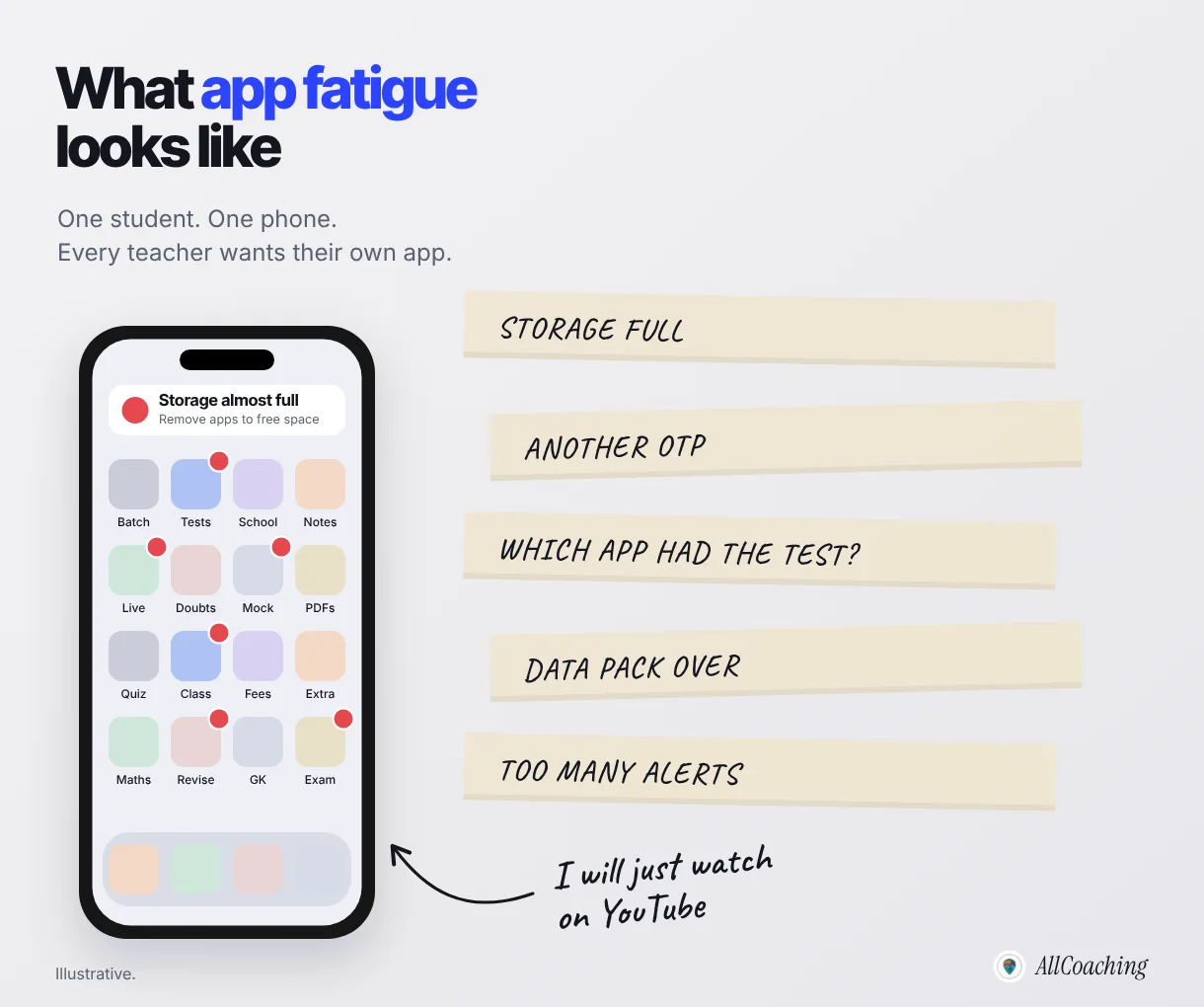
It is easy to dismiss this as a minor annoyance. It is not, for one reason: the student decides whether to try you at the exact moment you ask for the install. If that moment feels like work, she leaves before she has seen a single minute of your teaching.
How app fatigue shows up for an educator
- Link clicks without sign-ups. Students tap the link in your YouTube description, land on an app store page and never install.
- Installs without purchases. They install, hit a sign-up screen, and never return.
- Uninstalls after the batch. When storage runs low, your app is the first to go once the course ends, along with your next-batch announcements.
- "Sir, please send on WhatsApp." Students ask for PDFs and links on WhatsApp because that is the app they already open fifty times a day.
If the last point is your daily reality, our guide on students who won't download your app and only want WhatsApp goes deeper into that specific habit.
Why students won't download one more coaching app
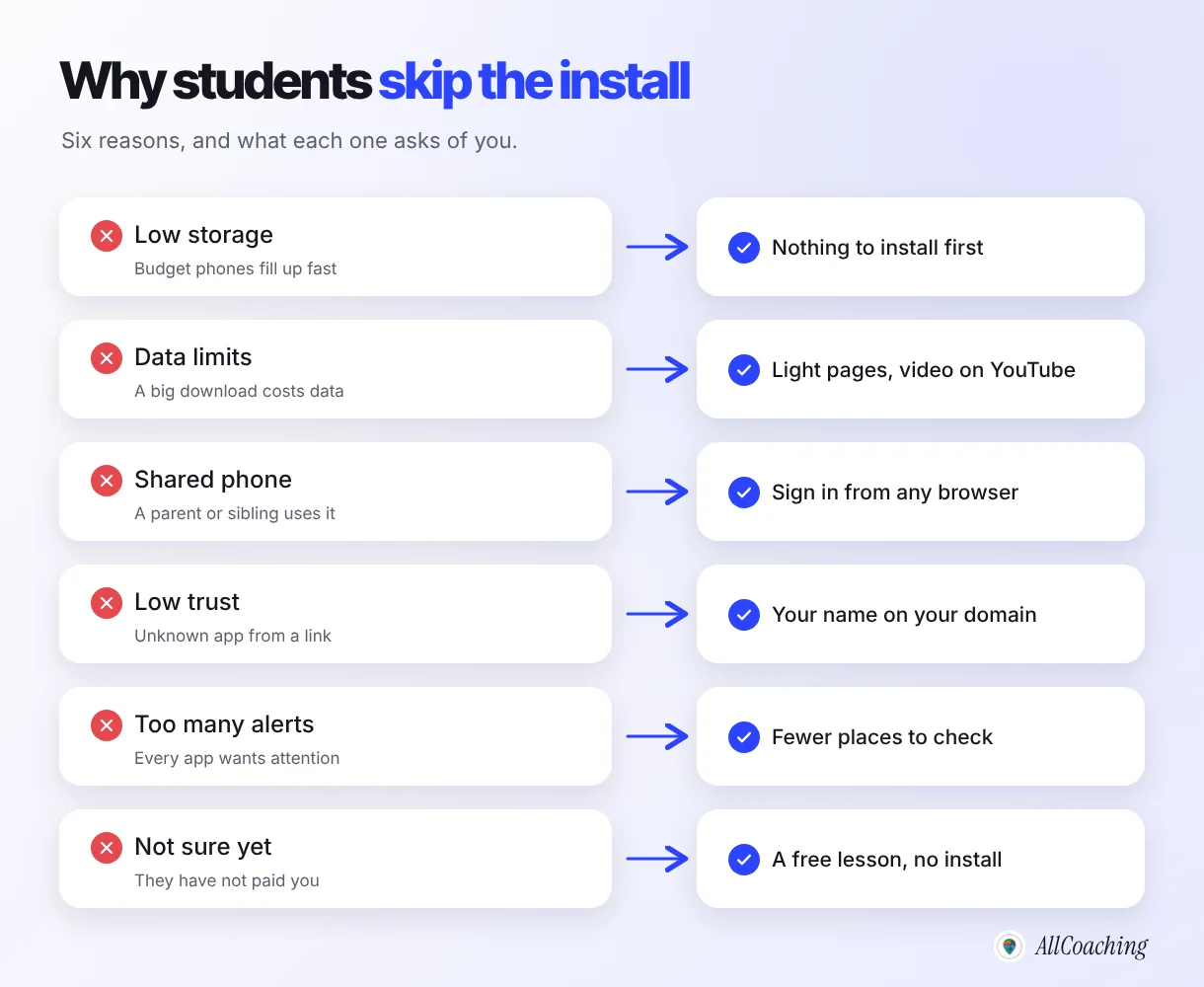
Students won't download a coaching app mainly because of low phone storage, limited data, shared family phones, low trust in an unknown app, alert overload and not yet knowing whether the teacher is worth it. None of these is about your teaching, and each has a fix that does not need the student to install anything first.
1. Storage on budget phones
Many students prepare for NEET, SSC or state exams on entry-level Android phones. When storage fills up, the phone itself nudges them to delete things: Google's Android Help page on freeing up storage has a section headed "Uninstall apps you don't use".1 A coaching app that has not earned a daily habit yet is an easy candidate.
2. Data limits
Google says this plainly in its guidance for app developers: "Users often avoid downloading apps that seem too large, particularly in emerging markets where devices connect to spotty 2G and 3G networks or work on plans with data limits."2 A student on a daily data pack weighs every download against tonight's lecture.
3. Shared phones
In many homes, a younger student studies on a parent's phone or a sibling's. Installing apps on someone else's phone needs permission. Opening a link in the browser does not.
4. Low trust in an unknown app
A link that asks for an install from an app the student has never heard of feels risky, especially when it then asks for a phone number. A web page that clearly carries your name, photo and course on your own domain feels like the teacher they already know from YouTube.
5. Too many alerts
Every app on the phone competes for attention with notifications. Students who feel buried in alerts start muting or deleting apps, not adding them.
6. They are not sure about you yet
This is the biggest one. A student who has watched two of your YouTube videos is curious, not committed. Asking for an install before she has seen your course is asking for commitment too early. Let her try you first.
What app fatigue costs an educator
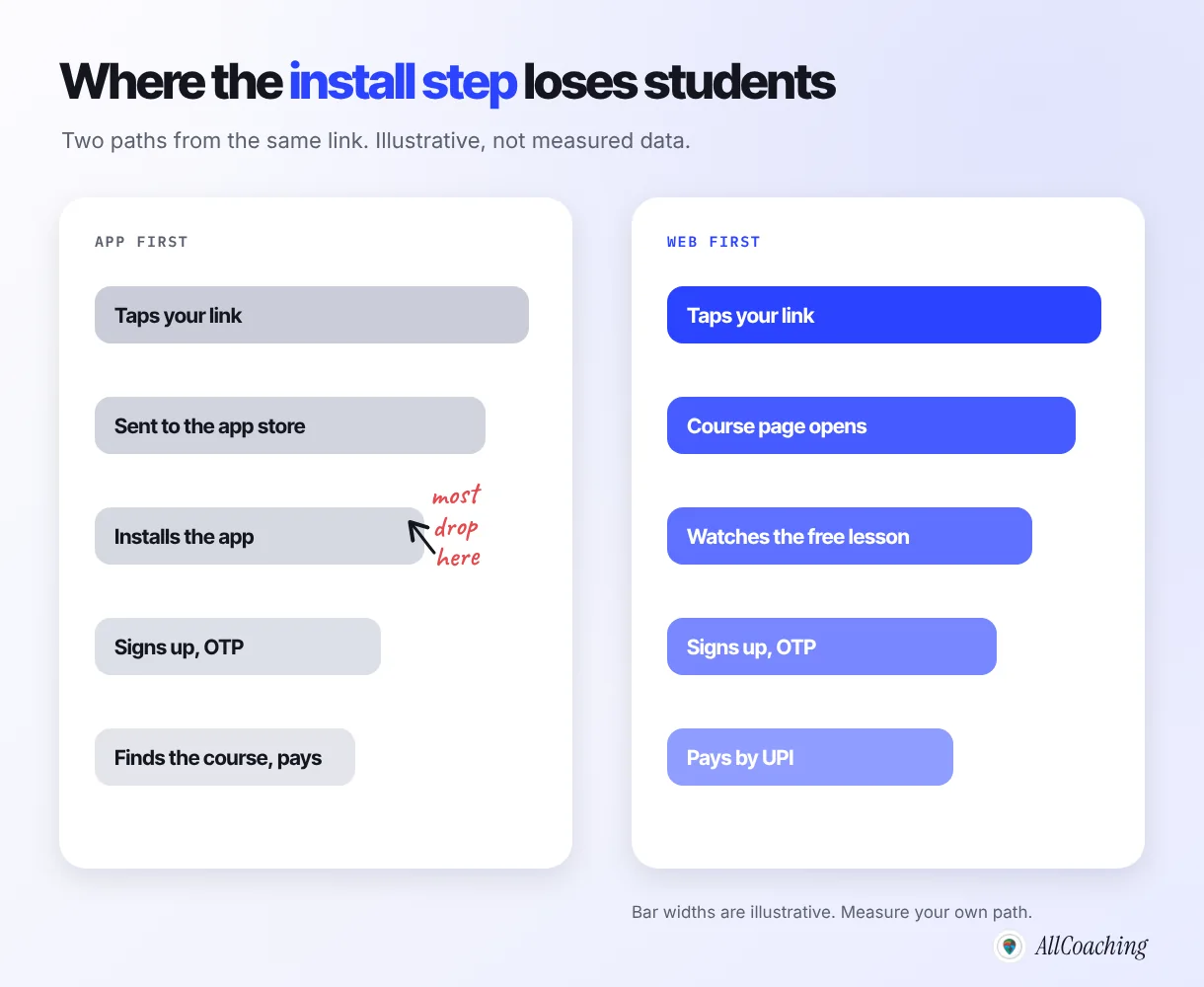
App fatigue costs an educator enrolments at the install step, and with them part of the marketing effort that brought each student to the link. You pay for traffic, whether in reels, YouTube effort or ads, and then lose part of it before the student ever sees your course page.
Lost at the install step
Think of the path from your link to a paid enrolment as a set of steps. In an app-first path the student taps your link, goes to an app store, installs, signs up with an OTP, then finds and buys the course. In a web-first path she taps the link, sees the course page, watches the free lesson, signs up and pays. Both paths have a sign-up, but only one asks for an install before the student has seen anything. Every step loses some people; the install is usually the expensive one.
Wasted marketing spend
If you run Meta ads, the cost per click is the same whether the click ends in an app store or on your course page. Sending paid clicks to a course page that opens immediately gives each click a better chance. Our guide to Meta ads for coaching institutes covers how to measure that with the Meta Pixel.
When educators move their academy to us, the change we hear about first is rarely the website itself. It is that they can send one link and stop answering the same five questions every evening.
Coaching app vs website: which do students actually use?
Students use both, at different moments: a website on your own domain is better for the first visit, search and sharing, and an app is better for daily learners in a long batch. So the question is not app or website. It is which one you put first.
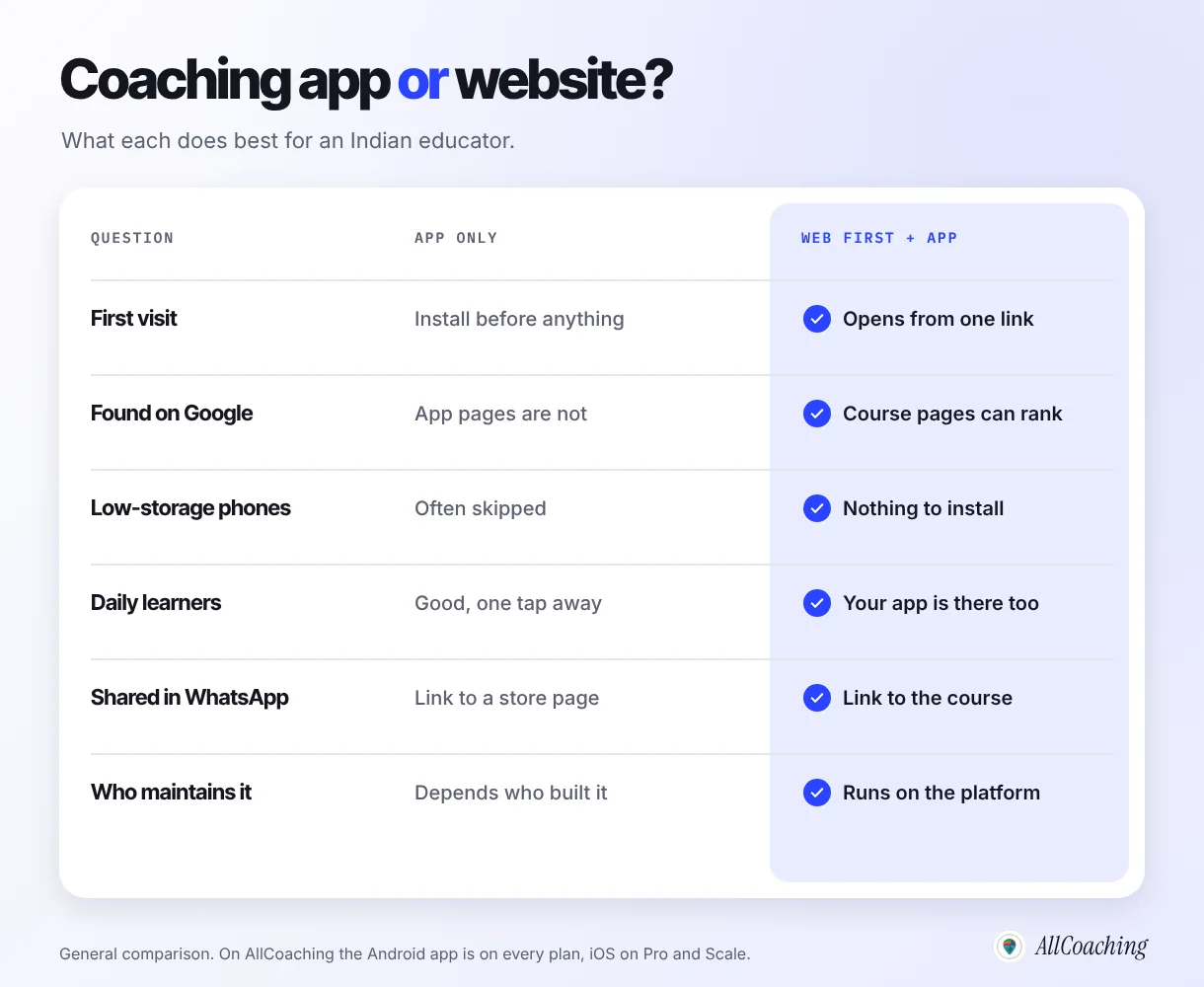
| Question | App only | Web first, app optional |
|---|---|---|
| A student's first visit | Install before seeing anything | Course page opens from one link |
| Being found on Google | App screens do not appear in search | Course and topic pages can rank |
| Low-storage or shared phones | Often skipped | Nothing to install to start |
| Daily learners in a long batch | One tap away, works well | Your own app is offered to them too |
| Sharing in WhatsApp or YouTube | Link to a store listing | Link straight to the course |
| Who looks after updates | Whoever built the app | The platform, underneath |
A website also has a quiet advantage: search. Your course pages and topic pages can be found on Google by students who have never heard of you, while the screens inside an app cannot. That is why our guide to running an LMS on your own domain treats the domain as the foundation, not an extra.
Question educators ask
Should I stop offering an app?
No. Students in a long batch, or on a daily test series, often prefer an app because it is one tap away and remembers where they stopped. Keep the app, but stop making it the front door. Let the website be the front door and offer the app inside, after the student has bought.
The fix: a web-first academy on your own domain
A web-first academy is one where a student can go from your link to your course page, a free lesson, UPI checkout and learning entirely in the browser, on your own domain, without installing anything. The app is still there for students who want it, but nobody has to install it to start.
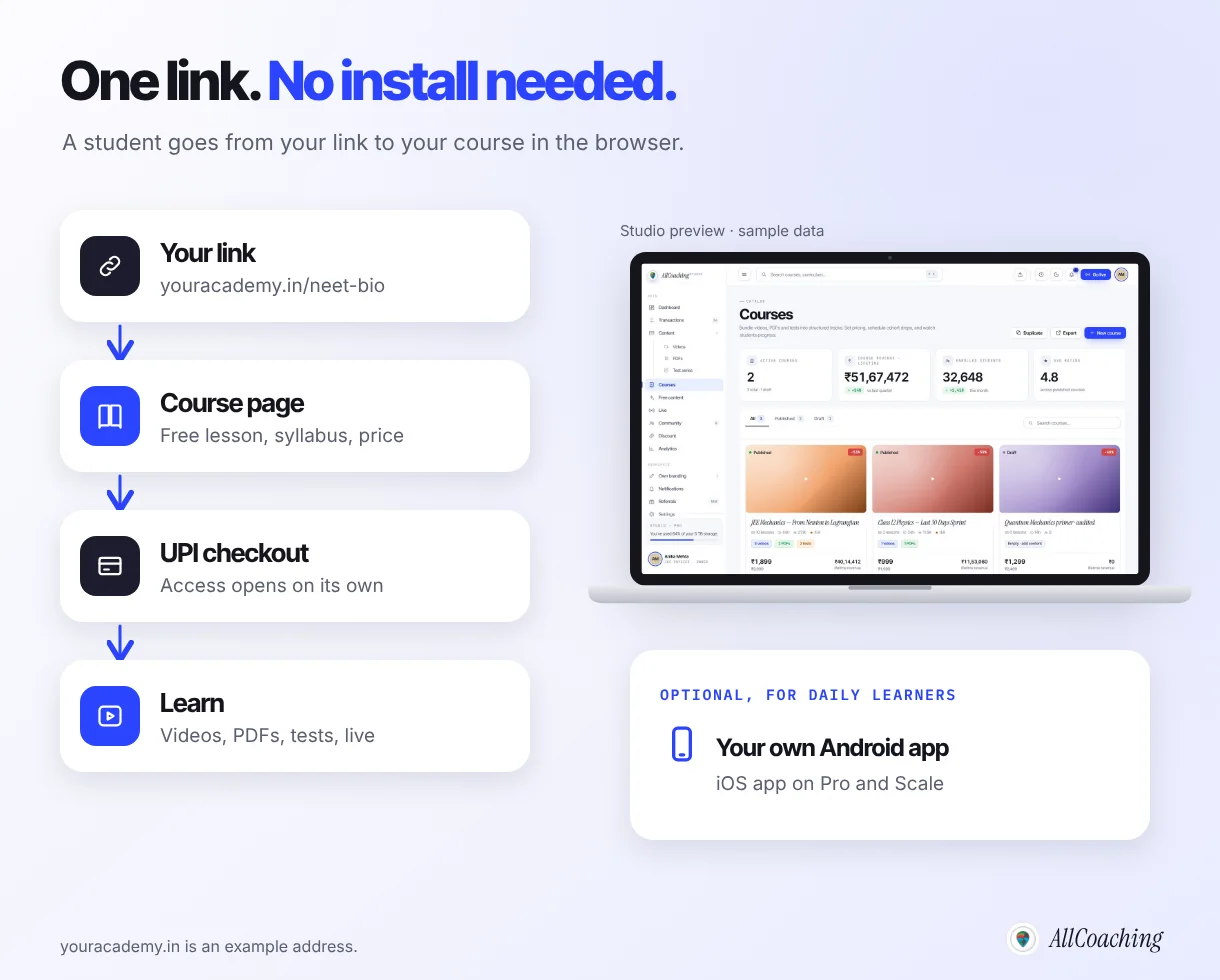
What the student sees
- Your link, for example youracademy.in/neet-biology, in your YouTube description, Instagram bio or WhatsApp message.
- Your course page with your photo, the syllabus, the language, validity, the price and a free lesson.
- UPI or card checkout on the same page. Access opens on its own once the payment goes through.
- Lessons, PDFs, tests and live classes in the browser, on any phone or laptop.
Why the web is enough for most first visits
The browser is already installed on every phone, it does not ask for storage, and a link from a teacher the student follows feels familiar. The web has also grown up: Google's web.dev describes Progressive Web Apps as web apps that reach "any web user on any device with a single codebase".3
How AllCoaching handles it
AllCoaching works like Shopify, for coaching: you sign up, choose a plan, upload your course, connect your domain and start selling. Payments, student access, apps and hosting run on their own. Your academy website runs on your own domain on every plan, students pay by UPI or card with automatic Razorpay payouts, and live classes are unlimited through YouTube Live, Zoom or the built-in live room. Our walkthrough on creating an online academy without a developer shows the build in one evening, and accepting UPI payments for online courses covers the checkout side.
Build your own academy. Try it free for 14 days.
Website on your own domain, your own Android app (iOS app on Pro and Scale), unlimited live classes and UPI checkout on every plan. Plans from ₹6,999 a year after the trial (excl. GST).
No card needed · Cancel anytime in the trial · Your data stays exportableOffer your own app, but make it optional
Offer your own app after a student has bought, to the students who learn with you every day, and never make it a condition of trying you. An optional app keeps its strengths (one tap, a home-screen icon in your name) without becoming the step that loses new students.
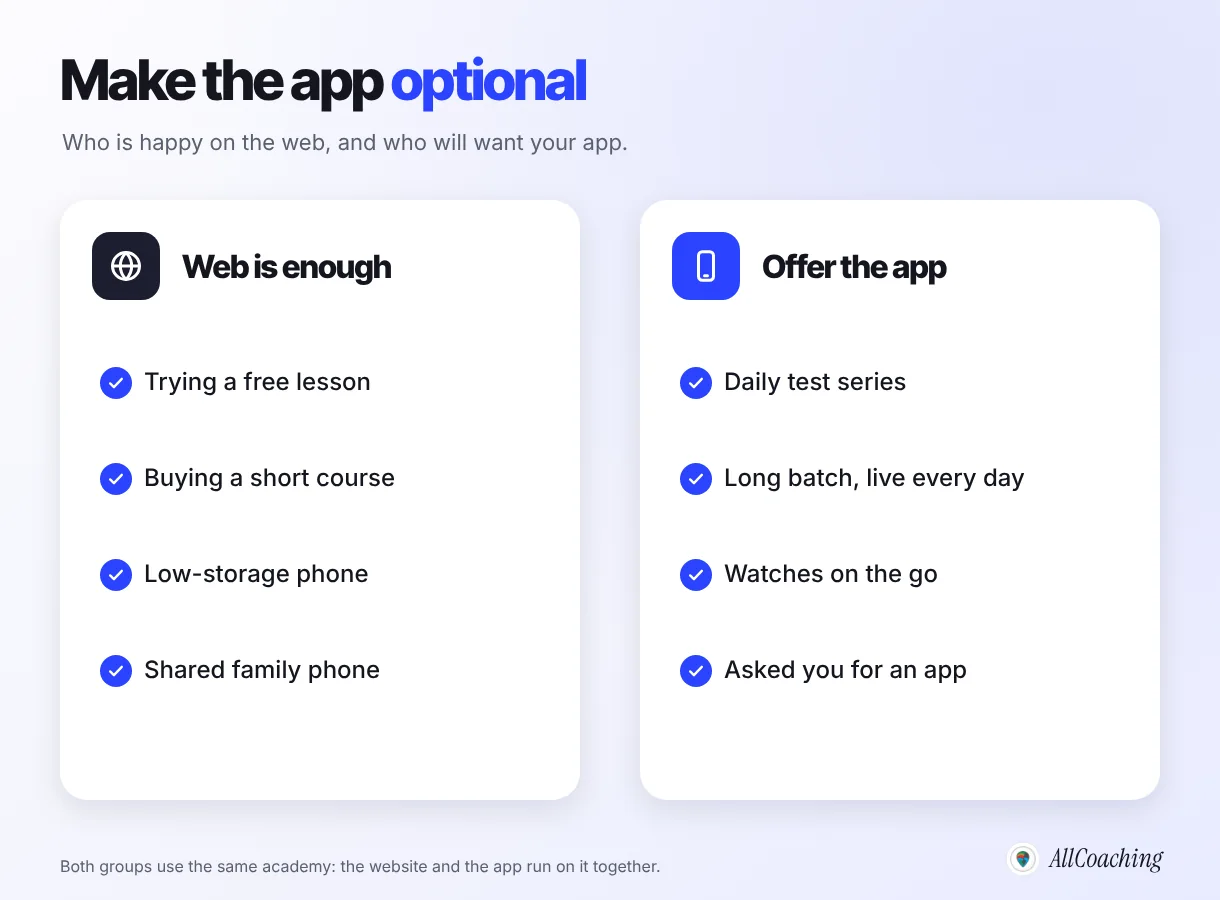
Who is happy on the web
A student trying your free lesson, someone buying a short crash course, anyone on a nearly full phone and anyone studying on a family phone. For these students the browser is not a compromise. It is the easiest way in.
Who will want your app
A student on a daily test series, someone in a year-long batch with a live class every evening, a learner who studies on the bus and anyone who simply asks for one. For them an app in your name is a convenience worth the storage, and by then they trust you.
How to offer it without pressure
- Mention the app on the thank-you message after purchase, not on the course page.
- Say what it is for: "Daily tests are quicker in the app." Not: "Download our app to continue."
- Keep every lesson reachable in the browser, so a student who deletes the app before exams can still study.
On AllCoaching, every plan includes your own white-label Android app with your name and logo, and the iOS app is included on Pro and Scale. The website and the app run on the same academy, so you upload a lesson once.
If you already have an app that nobody installs, read what to do when no one downloads your coaching app. The short version: the problem is usually the front door, not the app.
Too many education apps: cut the tool stack to one academy
The other side of app fatigue is tool fatigue: lessons on YouTube, notes in Drive, tests in a separate app, fees and links on WhatsApp and updates on Instagram. Moving the teaching into one academy and keeping the other tools only for reach makes life simpler for students and for you.
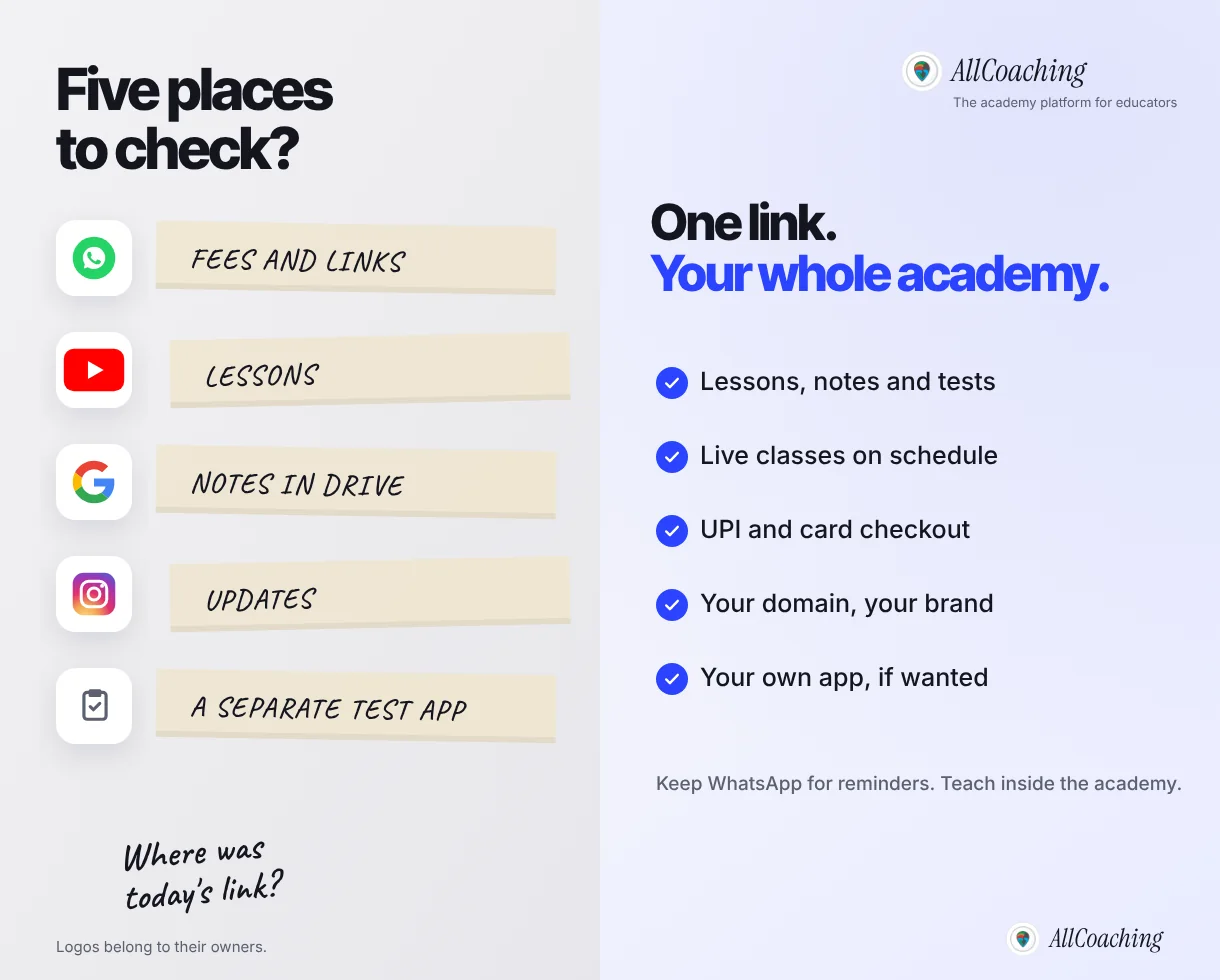
Keep
YouTube for free lessons that bring new students. Instagram for reels and updates. WhatsApp for short reminders with one link. Each of these points to your academy.
Move into the academy
Paid lessons, PDF notes, tests, live class links, fee collection and student access. Anything a student has to hunt for across apps belongs in one place.
Every AllCoaching plan includes unlimited videos via YouTube, so the lessons you already record can sit inside your course without a separate video host. Meta Pixel and Google Tag Manager are included too, so you can see which posts and ads bring students who buy.
"Students do not get tired of good teachers. They get tired of hunting for the link, the PDF and the test across five apps."
Amit Ratan, Founder & CEO, AllCoachingHow to beat app fatigue in your academy: 7 steps
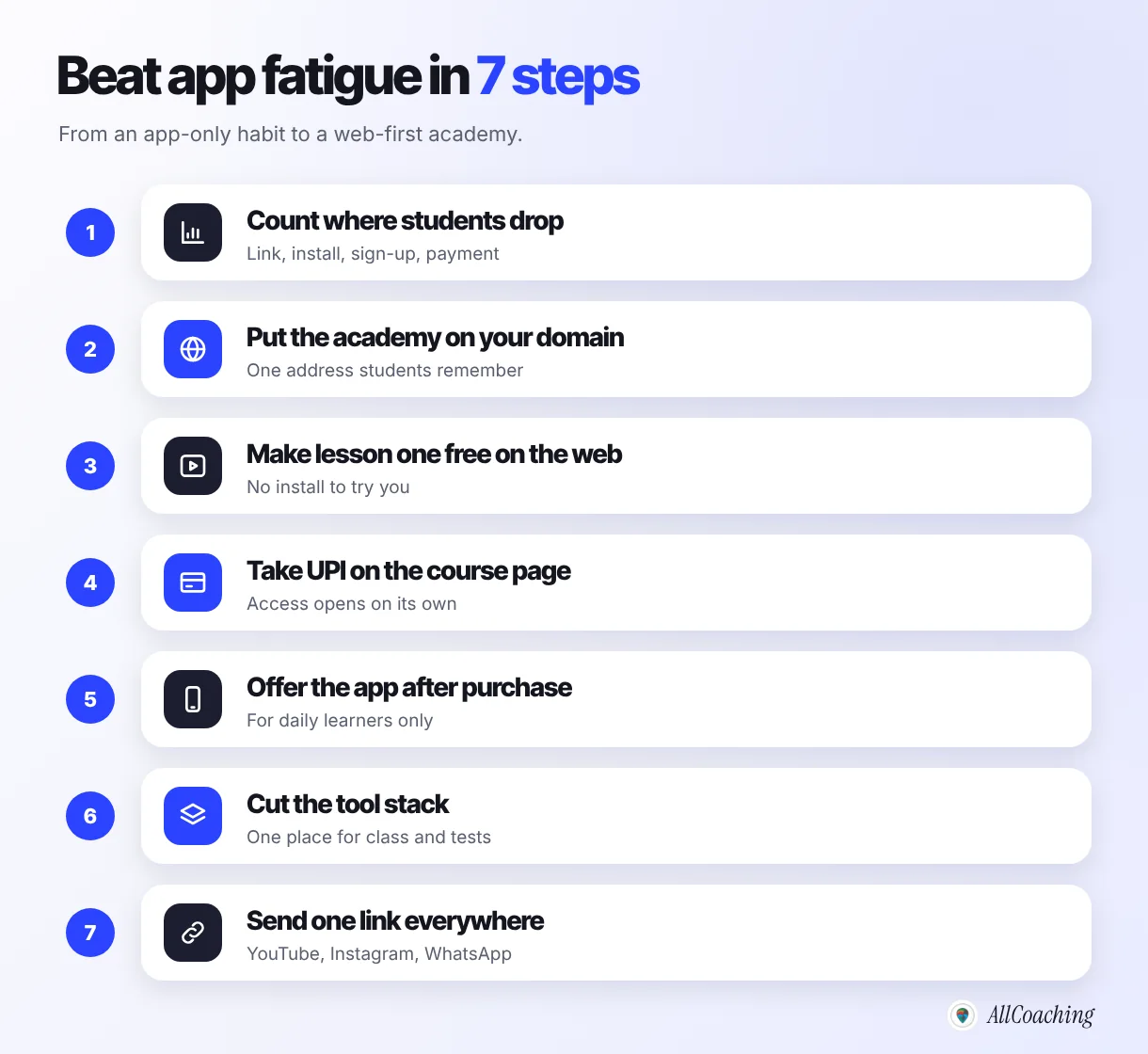
Measure where students drop, put your academy on your own domain, make the first lesson free on the web, take UPI on the course page, offer the app after purchase, cut the tool stack and send one link everywhere. Most educators can do the first four in a week.
- Count where students dropFor one week, note how many people tap your link, reach the course page, install (if you use an app-first path), sign up and pay.
- Put your academy on your own domainConnect a short domain such as youracademy.in so every link students see carries your name and opens in the browser.
- Make the first lesson free on the webLet any student watch one full lesson in the browser, without installing anything or paying.
- Take UPI on the course pageShow the price, validity and language on the course page and let students pay by UPI or card there, with access opening automatically.
- Offer the app after purchaseMention your own app in the thank-you message for daily learners, and keep every lesson reachable in the browser.
- Cut the tool stackMove paid lessons, notes, tests, live class links and fees into the academy; keep YouTube, Instagram and WhatsApp for reach and reminders.
- Send one link everywherePut the same academy link in your YouTube descriptions, Instagram bio, WhatsApp messages and Telegram channel, then recount the drop-off after two weeks.
Steps 3 and 4: a free lesson and a price on one page
A free lesson in the browser lets a student judge your teaching before committing. The price, validity and language on the same page answer the questions she would otherwise send on WhatsApp. If you have not set your price yet, see how to price online courses in India, and if your first course is not ready, start with creating your first online course.
What to tell students who won't install anything
Tell them they do not have to: send one link that opens in the browser, explain that the app is optional and say what they get in it. The message matters, because students have learned to ignore "download our app".
Messages you can adapt
- For a new student: "The first chapter is free. Open youracademy.in/neet-biology on your phone, no app needed."
- After purchase: "Your course is live in your account on the website. If you take the daily test, the app is quicker, but everything works without it."
- To a parent: "Your child can study from any browser. No app has to be installed on your phone."
Question educators ask
Is a marketplace app the answer to app fatigue?
It can help a little with discovery, because a student who already has one app can browse many teachers. AllCoaching courses can also be discovered on the AllCoaching app. But students still decide based on a teacher they trust, and most of your students will come from your own YouTube, Instagram and WhatsApp. Build your own academy as the base; treat any marketplace listing as a bonus.
For the full launch plan, from course outline to first paid batch, continue with how to start an online academy in 5 steps.
What a web-first academy with an optional app costs
On AllCoaching every plan starts with a 14-day free trial with no card needed, then one yearly plan: Starter ₹6,999, Growth ₹12,999 or Pro ₹24,999 with a 10%, 7.5% or 5% platform fee, or Scale ₹99,999 with a 0% platform fee. Prices exclude GST.
| Plan | Yearly price (excl. GST) | Platform fee on sales | Your own apps |
|---|---|---|---|
| Starter | ₹6,999 | 10% | Android |
| Growth | ₹12,999 | 7.5% | Android |
| Pro | ₹24,999 | 5% | Android and iOS, plus a premium theme |
| Scale | ₹99,999 | 0% | Android and iOS, everything in Pro |
Scale is bought through Contact us. As an illustration before GST, Pro costs less than Scale below about ₹15 lakh of yearly sales and Scale costs less above it. Before you choose, check on the pricing page how payment gateway charges for UPI and cards apply to your plan.
Glossary
- App fatigue
- The reluctance users feel to install, sign up for and keep one more app; in online education, students who stop installing new coaching apps.
- Install step
- The point in a student's path where they must download an app before they can see or buy a course.
- Web-first academy
- An online academy that works fully in the browser on the educator's own domain, with an app offered as an option.
- Custom domain
- Your own web address, such as youracademy.in, connected to your academy instead of a platform's address.
- White-label app
- A student app that carries your academy's name and logo, built and maintained on a platform's technology.
- Progressive Web App (PWA)
- A website built with modern web technology so it can behave like an app, including being installable from the browser.
- Drop-off
- The share of students who leave at a given step between your link and a paid enrolment.
- Tool stack
- The set of separate apps and services an educator uses to teach and sell, such as YouTube, Drive, WhatsApp and a test app.
Frequently asked questions
What is app fatigue in online education?
App fatigue is the reluctance students feel to download, sign up for and keep yet another learning app. In India it is driven by low phone storage, data limits, shared family phones, repeated OTP sign-ups and too many notifications, so many students stop installing new coaching apps.
Why won't students download my coaching app?
Usually because of storage, data, a shared phone, low trust in an unknown app, alert overload, or because they are not yet sure about you. None of these is about your teaching. Let them try a free lesson in the browser first and offer the app later.
Is a coaching website better than a coaching app?
For the first visit, yes: a website on your own domain opens from one link, needs no install and can be found on Google. For daily learners in a long batch an app is convenient. The best setup is web first with your own app as an option.
How do I sell courses to students who won't install an app?
Send one link to a course page on your own domain with a free lesson, the price and UPI or card checkout on the same page. Access opens automatically after payment, and the student studies in the browser.
Do I still need my own coaching app?
It helps for students who study with you every day, such as a daily test series or a year-long batch. Offer it after purchase and keep every lesson available on the web. On AllCoaching your own Android app is on every plan and the iOS app on Pro and Scale.
What is a web-first academy?
A web-first academy is an online academy where a student can find your course, watch a free lesson, pay and learn entirely in the browser on your own domain, with an app offered as an optional extra rather than a requirement.
How do I reduce the number of apps my students need?
Move paid lessons, PDF notes, tests, live class links and fee collection into one academy. Keep YouTube, Instagram and WhatsApp for free content, updates and reminders that point to your academy link.
How much does a web-first academy cost on AllCoaching?
There is a 14-day free trial with no card needed. Then Starter is ₹6,999, Growth ₹12,999 and Pro ₹24,999 a year with a 10%, 7.5% or 5% platform fee, or Scale ₹99,999 a year with a 0% platform fee, all excluding GST.
Is a marketplace app the answer to app fatigue?
Only partly. A marketplace app can help students discover teachers, but students mostly buy from a teacher they already trust. Build your own academy on your own domain as the base and treat any marketplace listing as extra discovery.
Sources
- Android Help, "Free up storage on your Android device" (section "Uninstall apps you don't use"), support.google.com, checked October 2026.
- Android Developers, "Reduce your app size", developer.android.com, checked October 2026.
- web.dev (Google), "What are Progressive Web Apps?", web.dev, checked October 2026.
- AllCoaching pricing, allcoaching.in/pricing, October 2026.
Amit builds AllCoaching, the academy platform Indian educators set up themselves: their own website on their own domain, their own app, and the tools to grow it. We rewrote this guide in October 2026: the earlier version argued that one marketplace app was the cure for app fatigue, but what we see with educators is that students follow a teacher they trust to a link that simply opens; outside facts link to their sources and example figures are marked as illustrative.