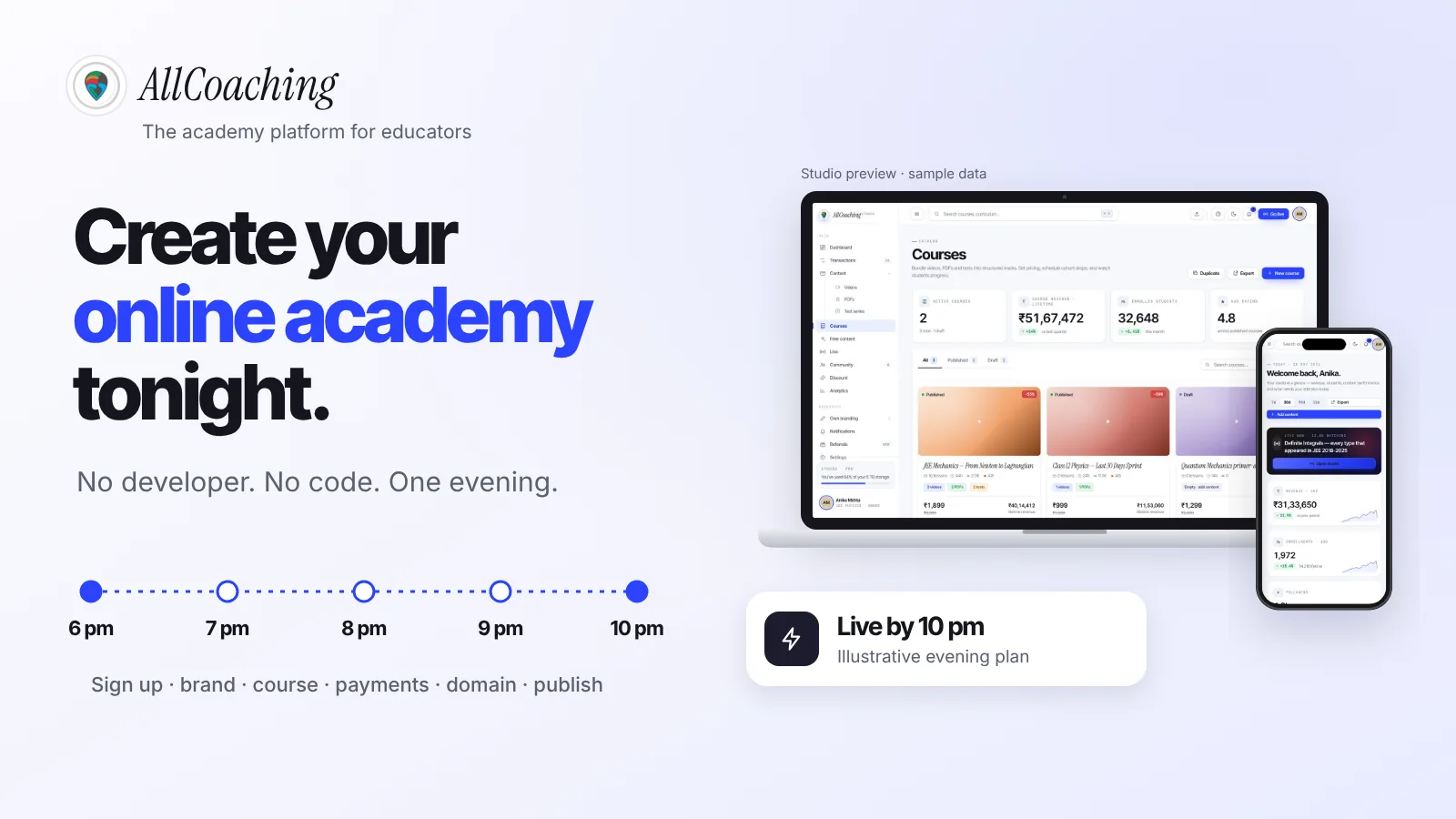

On this page
Start your online academy today. 14 days free.
Start free trialYou can create an online academy without a developer by using a no-code academy platform: sign up, pick a template, add your brand, build your first course from ready-made blocks, set up UPI checkout and connect your own domain. If your first module is already recorded, the build itself fits into one evening.
Picture a chemistry teacher in Lucknow with eighteen years of NEET and Class 12 batches behind him. Every time he thinks about going online, the same words stop him: app development, payment gateway, hosting, backend, developer. His teaching is ready. The technology, he assumes, is not something he can do himself.
This guide is for that teacher, and for the spoken English coach, the SSC maths educator and the yoga teacher in the same position. It is the hands-on version: what to have ready, an illustrative 6 pm to 10 pm plan, the six no-code building blocks, what you do not need, an honest developer vs no-code comparison and the fixes for common launch-night blockers. If you want the bigger picture first, read what an online academy is; for the full launch plan from course idea to first sale, see how to start an online academy in 5 steps.
Key takeaways
- No code, no developer: a no-code academy platform gives you the website, course builder, checkout, hosting and student app as blocks you fill in.
- One evening is realistic for the build (illustrative 6 pm to 10 pm) if your first module, logo, domain name, price and PAN and bank details are ready beforehand.
- Six building blocks: template and theme, your brand, course builder, payments, your domain and your app.
- What you skip: servers, WordPress plugins to keep updated, payment code, a separate video host and app code.
- A developer still helps for custom software beyond what any platform offers, or integrations with your own systems.
- On AllCoaching: a 14-day free trial with no card, then plans from ₹6,999 a year plus GST, with your own Android app on every plan and the iOS app on Pro and Scale.
Can you really create an online academy in one evening?
Yes, the build can fit into one evening, because a no-code platform has already built the website, checkout, hosting and app; you only fill in your content and settings. What does not fit into one evening is recording a full course, so record your first module before you start.
Ten years ago, an online academy meant a website, video hosting, a payment integration and an app, each wired together by someone technical. Today the same parts come ready-made. An academy platform works like Shopify does for shops: you sign up, choose a plan, upload your course, connect your domain and start selling, while payments, student access, apps and hosting run on their own.
So the honest answer has two halves. The software part (an academy that looks like yours, takes payments and gives students access) is an evening's work. The teaching part (lessons, notes, tests) takes as long as it takes, and that is the part only you can do.
When educators set up an academy with us, the step that runs over time is almost never the software. It is the course upload, because people try to put a whole year of lectures in on day one. Launch with one module and add the rest weekly.
What to prepare before you start building
Have six things ready before the evening: one recorded module, its PDF notes and a test, a logo and two colours, a domain name, your PAN and bank details, and a price for the course. With these on your laptop, the evening is about clicking, not deciding.
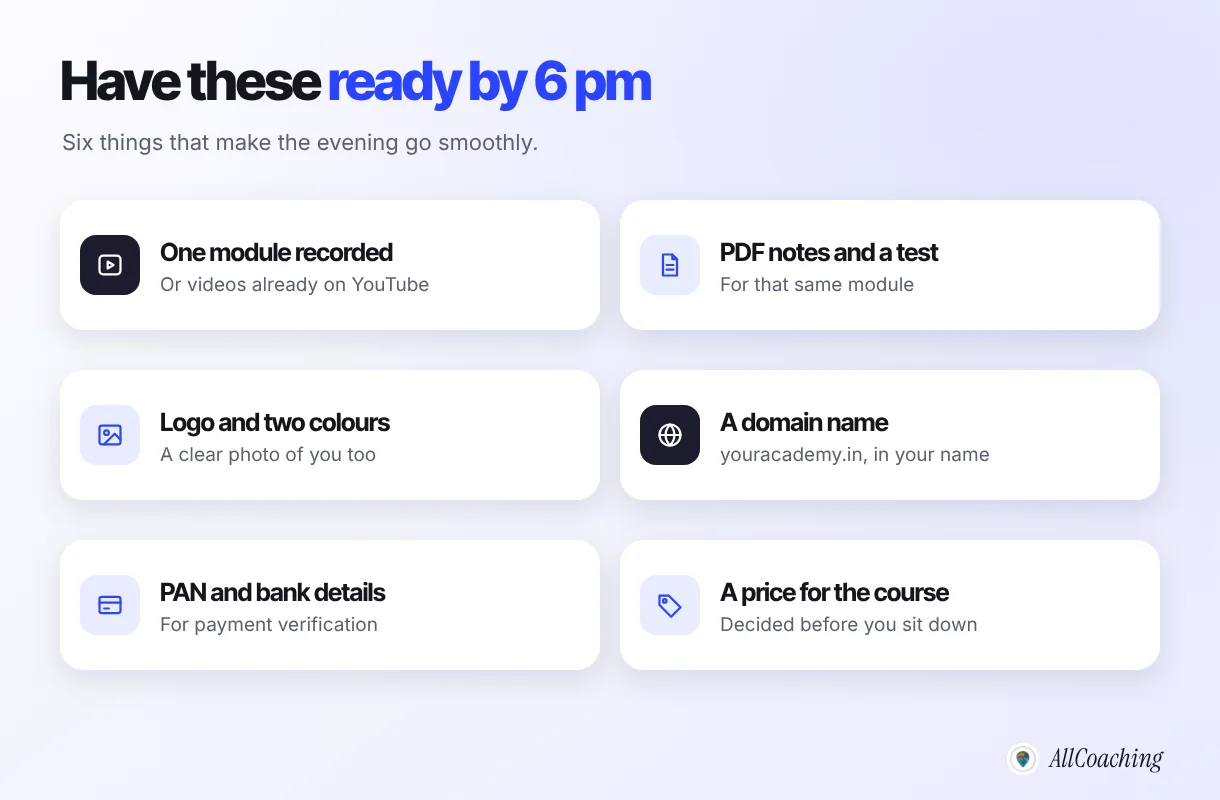
- One recorded module. Four to eight lessons of 8 to 20 minutes each, recorded on a phone with a clip-on mic. If your lessons are already on YouTube, that counts.
- PDF notes and one test. A chapter PDF and a short test for the same module. Exam students expect both.
- Logo, two colours and a photo of you. A clear photo and two lines on who you teach build more trust than an expensive logo. Do not spend weeks here.
- A domain name. Something short like youracademy.in, bought from any registrar in your own name and email, so it stays yours.
- PAN and bank details. Any payment gateway verifies your identity and bank account before it settles money to you. Our guide to accepting UPI payments for online courses lists what to keep ready.
- A price. Decide it before you sit down. Our guide on how to price online courses in India covers the methods.
How to create an online academy without a developer: the 6 pm to 10 pm plan
Sign up, pick a template, add your brand, build your first course, set up payments, connect your domain, then test, publish and share. In that order, each block takes 15 minutes to an hour.
- Sign up and start the free trial (6:00 pm)Create your academy account on a no-code academy platform. On AllCoaching the 14-day free trial needs no card.
- Pick a template and theme (6:15 pm)Choose a website template for your home and course pages, then edit the sections, text and images.
- Add your brand (6:45 pm)Upload your logo, set two colours, and add your photo and a short paragraph on who you teach.
- Build your first course (7:15 pm)Create the course and add video lessons, PDF notes and a test in syllabus order. Mark one lesson as the free demo.
- Set up payments (8:15 pm)Set the course price and complete the payment details, so students can pay by UPI or card and get access automatically.
- Connect your domain (8:45 pm)At your domain registrar, add the records your platform shows you, copying each value exactly, so youracademy.in opens your academy.
- Test, publish and share (9:15 pm)Buy your own course once on a phone, fix anything confusing, publish, and share one link with your students.
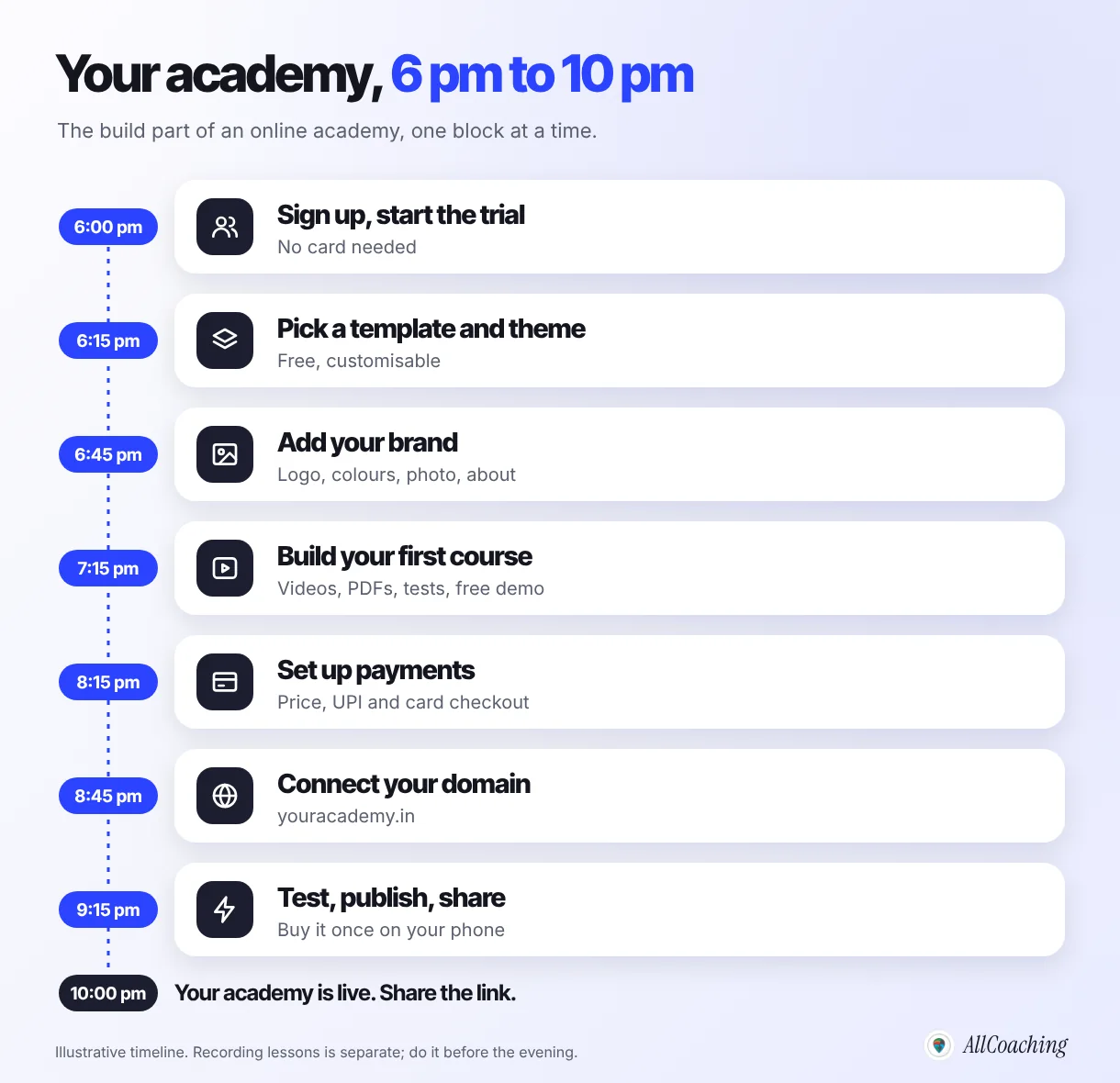
The times are illustrative. Some educators finish the brand in ten minutes and spend two hours on the course; others do the reverse. What matters is the order. Branding before the course means your course pages already look like yours as you build them. Payments before the domain means that by the time your address is live, students can buy. Testing last means you see the academy exactly as a student will.
The no-code building blocks of an online academy
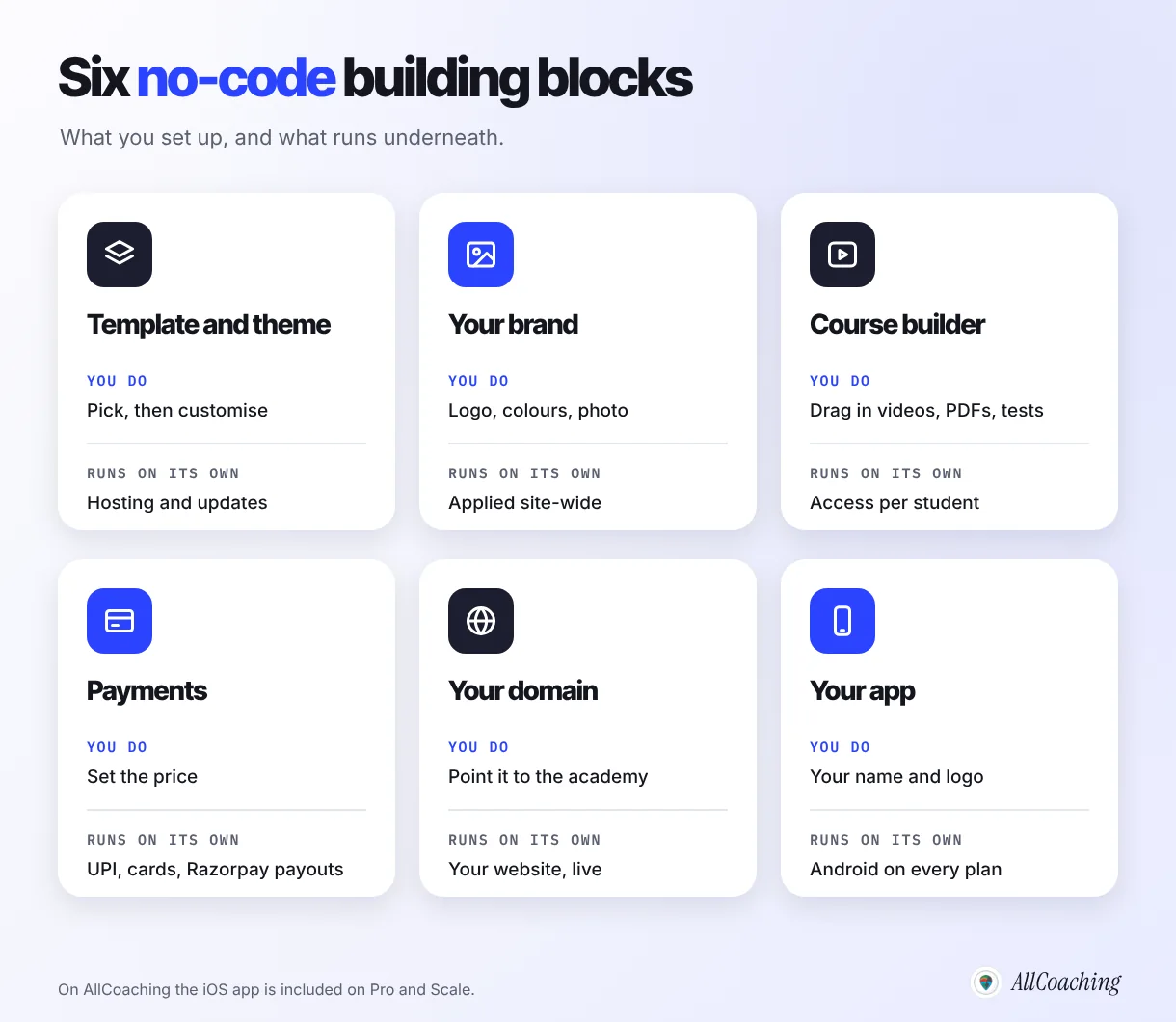
A no-code academy is six blocks: a template and theme, your brand, a course builder, payments, your domain and your app. In each one you make choices on a screen, and the platform runs the technical work underneath.
1. Template and theme
Choose a website template for your academy home page and course pages, then change sections, text and images. This replaces designing and coding a website. On AllCoaching, customisable themes and templates are included on every plan, and Pro adds a premium website template.
2. Your brand
Upload your logo, set two colours, add your photo and a short "about" paragraph. The brand carries across the website, course pages and student app, so students see your academy's name, not a platform's.
3. Course builder
This is where "Build your own LMS. In just a few clicks." becomes literal. You create a course, then drag in its parts in syllabus order: video lessons, PDF notes, tests and live classes. Mark one lesson as the free demo. Every AllCoaching plan includes unlimited videos via YouTube and unlimited live classes through YouTube Live, Zoom or the built-in live room, with no hour caps.
4. Payments
Set the course price and complete the payment details the studio asks for. Students then pay by UPI or card at checkout, their access opens automatically, and payouts reach your bank automatically through Razorpay. You never write payment code or match screenshots on WhatsApp again.
5. Your domain
Point the domain you bought to your academy by adding the records your platform shows you at your registrar. It is a copy-and-paste job, and our guide to an LMS with a custom domain walks through it with the common errors.
6. Your app
Students who come back daily prefer an app. On AllCoaching every plan includes your own white-label Android app with your name and logo, and the iOS app is included on Pro and Scale. You do not write or maintain app code.
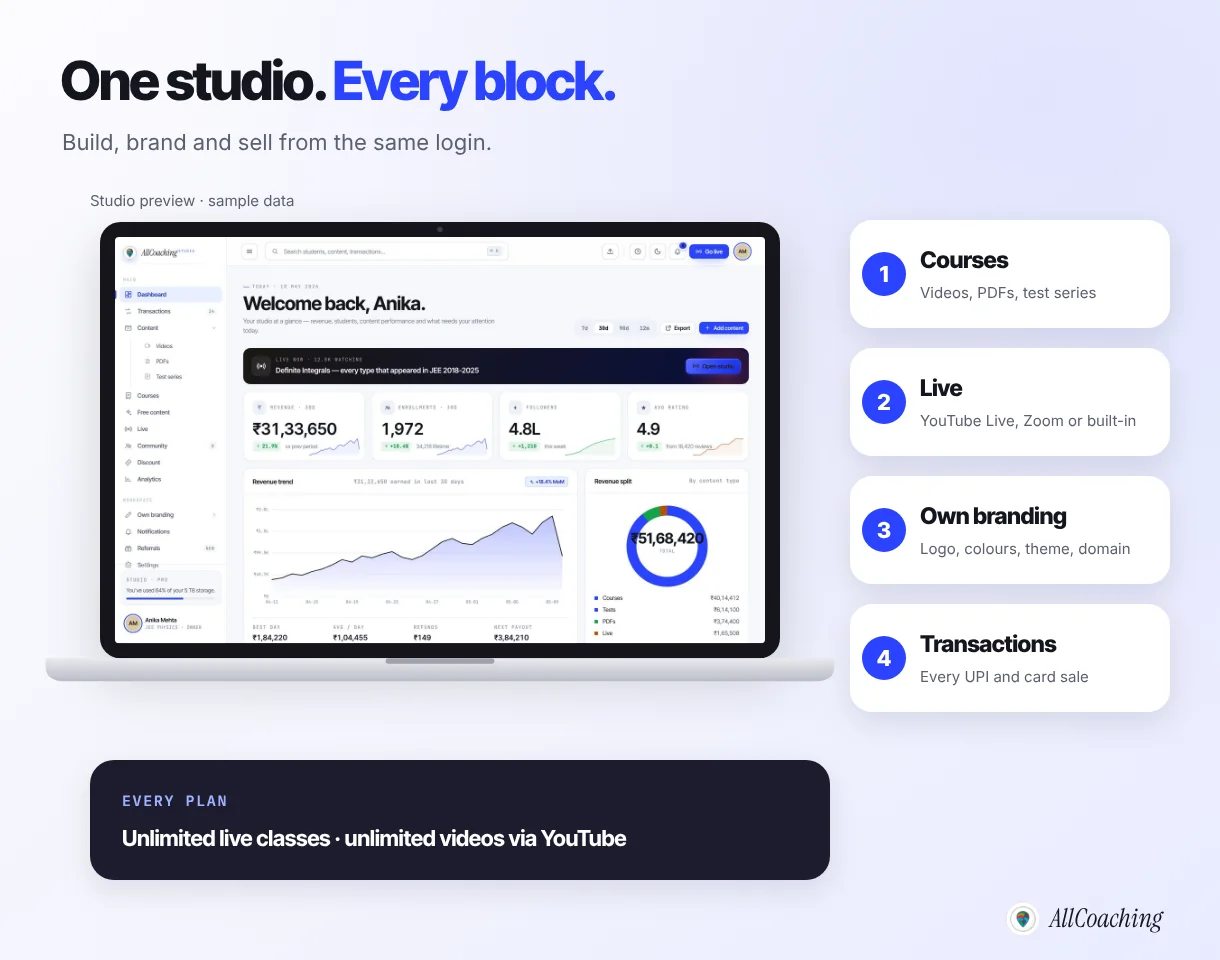
We built the studio so that the evening plan in this guide is realistic: every block above is a screen you fill in, not a project you hand to someone. Meta Pixel and Google Tag Manager are included too, so the ads and posts you run later can be measured.
Build your own academy. Try it free for 14 days.
Website on your own domain, your own Android app (iOS app on Pro and Scale), unlimited live classes and UPI checkout on every plan. Plans from ₹6,999 a year after the trial (excl. GST).
No card needed · Cancel anytime in the trial · Your data stays exportableWhat you do not need to create an online academy
You do not need a developer, a server or hosting plan, WordPress and a stack of plugins, payment gateway code, a separate video host or app code. You still need your content, your PAN and bank details for payment verification, a domain and a few hours.
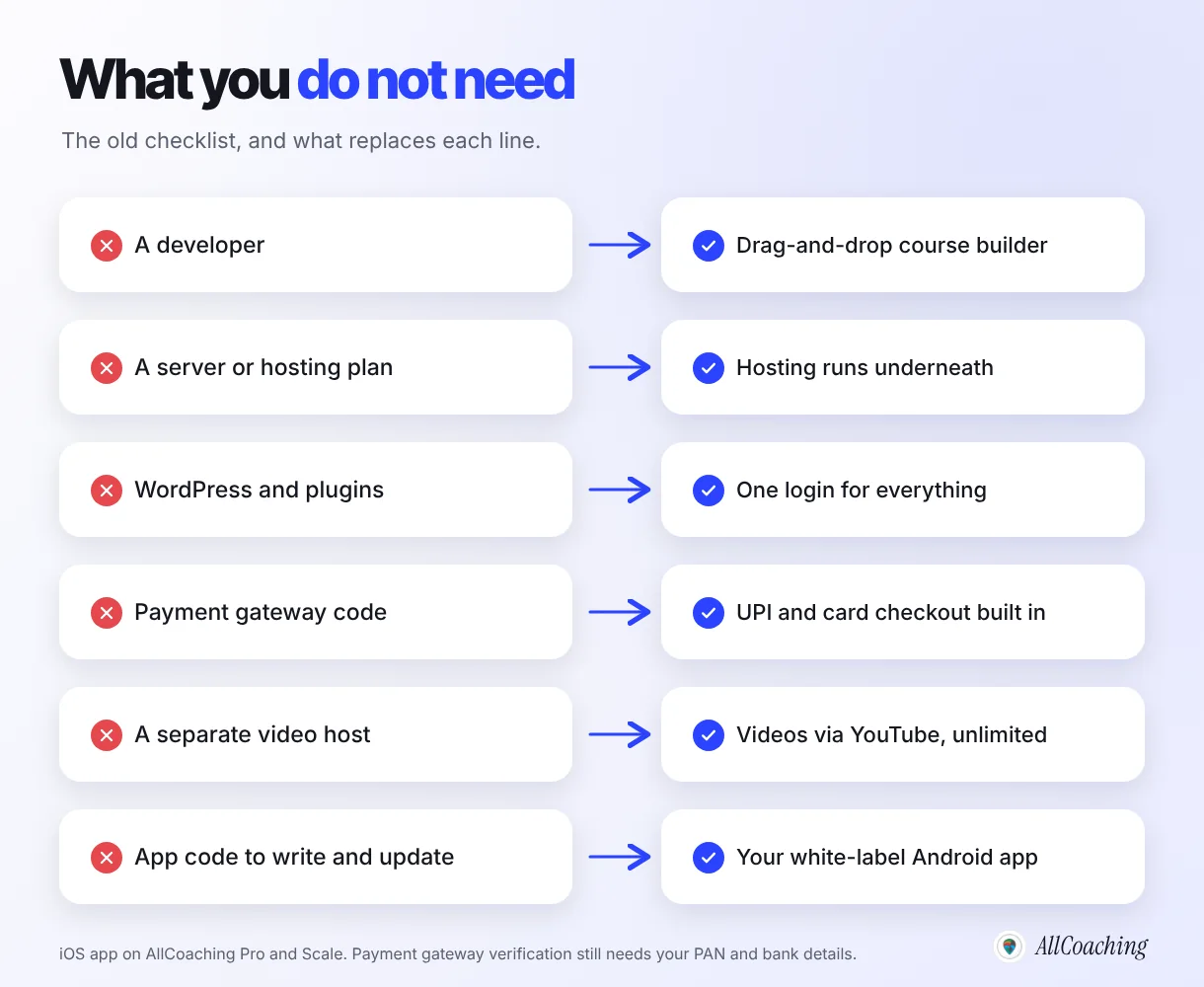
No WordPress and plugins to keep alive
Many educators first try a WordPress site with an LMS plugin, a payment plugin, a video plugin and a security plugin. It can work, but each piece is software someone has to update. WordPress's own documentation advises: "Always make sure you have a current backup of your site before updating your plugins. Sometimes problems can happen during the update process." It also notes that site problems can be "caused by a conflict with different WordPress plugins".1 That is fine for a developer; it is a second job for a teacher.
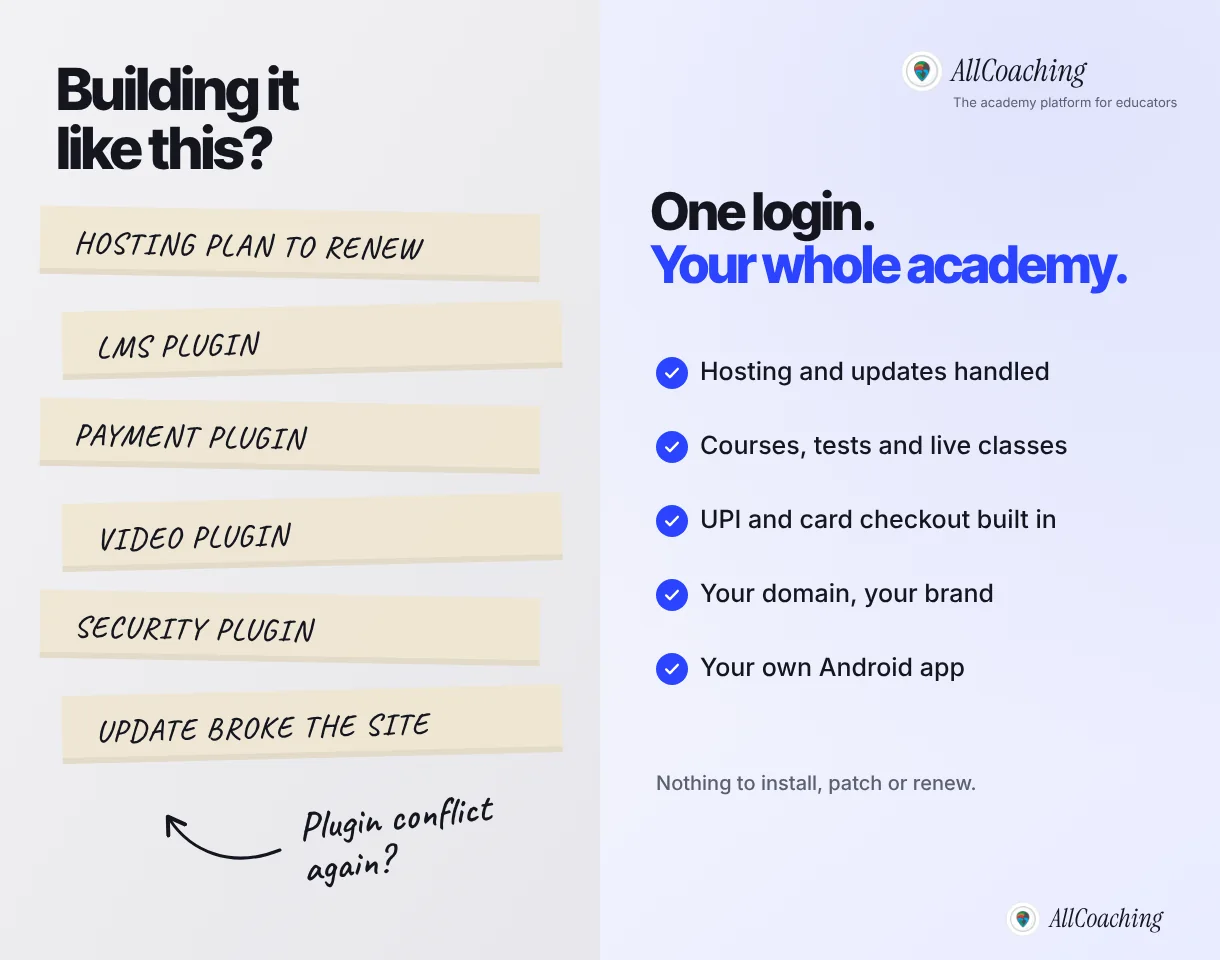
No app to build from scratch
Building your own app from scratch means more than code. Publishing on Google Play needs a developer account with a US$25 registration fee, paid once,2 and Apple's Developer Program has an annual fee of 99 USD.3 Then come store reviews, updates for new phone versions and bug fixes, usually by the developer who built it. With a white-label academy app, the app is part of your plan instead of a separate project.
No separate tools for each job
The other common setup is no website at all: fees on WhatsApp, notes in Drive, a new Zoom link every day and students in Excel. If that is where you are today, our guide to moving offline coaching online shows how to move it into one place.
Hiring a developer vs a no-code academy: cost, time and control
A developer gives you custom software on their timeline and your budget; a no-code academy gives you a working academy tonight for a published yearly price, with you making every change yourself. For one educator selling courses, no-code is usually the faster and more predictable route.
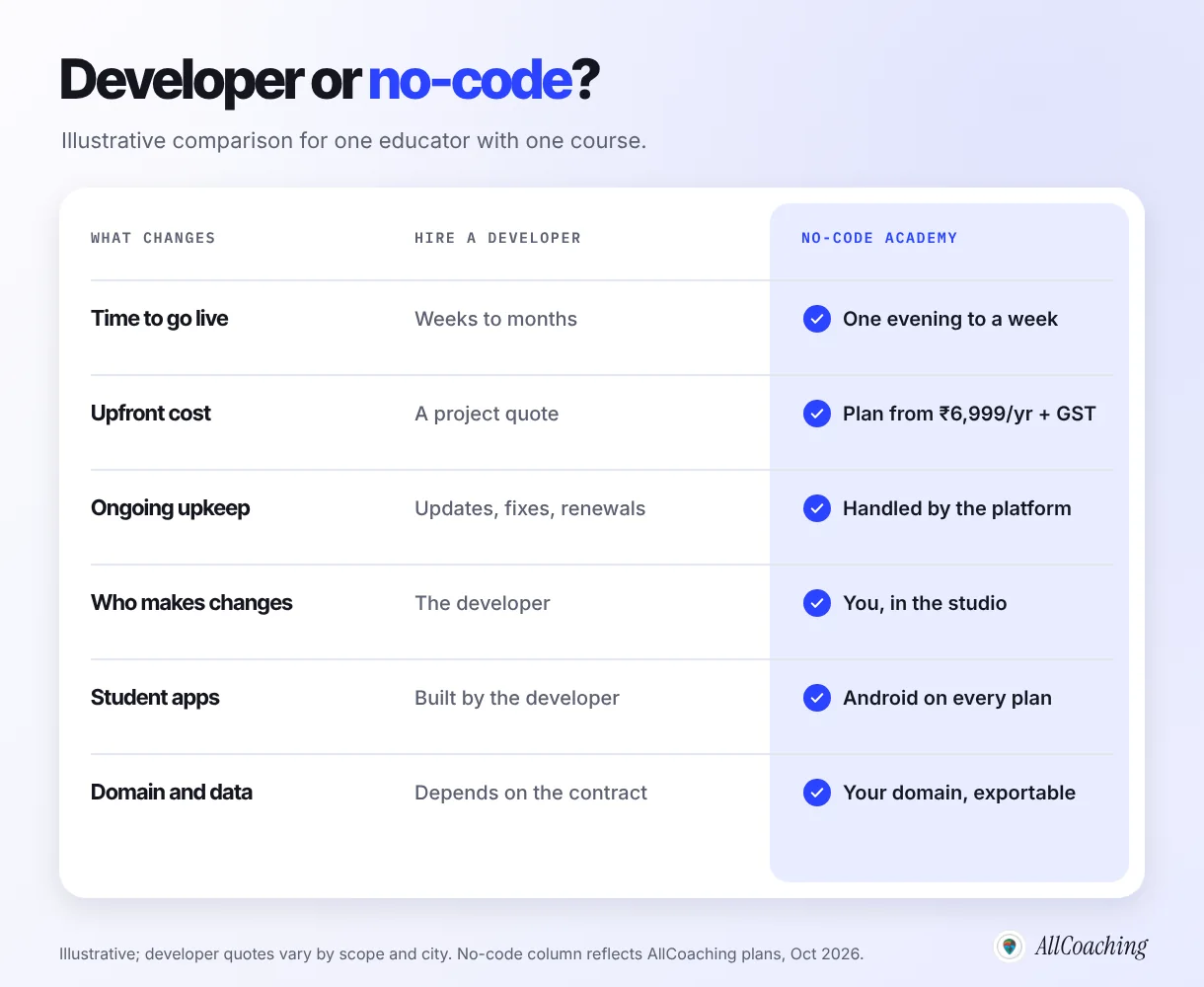
| What changes | Hire a developer | No-code academy (AllCoaching) |
|---|---|---|
| Time to go live | Weeks to months (illustrative) | One evening to a week (illustrative) |
| Upfront cost | A project quote for website, LMS, payments and apps | 14-day free trial, then from ₹6,999 a year + GST |
| Ongoing cost | Hosting, maintenance, store accounts, fixes | Yearly plan + a 10%, 7.5%, 5% or 0% platform fee |
| Who makes changes | The developer, on their schedule | You, in the studio |
| Student apps | Built, published and updated by the developer | Own Android app on every plan; iOS on Pro and Scale |
| Domain and data | Depends on the contract | Your own domain; student data exportable |
What the no-code route costs
On AllCoaching, every plan starts with a 14-day free trial and no card is needed to start. After that you choose one yearly plan (prices exclude GST): Starter ₹6,999 with a 10% platform fee, Growth ₹12,999 with 7.5%, Pro ₹24,999 with 5%, or Scale ₹99,999 with a 0% platform fee, bought through Contact us. As an illustration before GST, Pro costs less than Scale below about ₹15 lakh of yearly sales and Scale costs less above it. Full details are on the pricing page.
On either route the payment gateway charges per sale. Razorpay's standard plan, for example, lists a 2% fee per successful transaction with 18% GST on that fee (checked October 2026).4 Count it in both columns.
What the developer route costs
We are not going to put a number on it, because quotes for "website plus LMS plus app" vary too widely to be useful. Ask at least three developers for a written quote that covers the website, course access, payments, Android and iOS apps, hosting, and a full year of maintenance and updates. Our breakdown of white-label coaching app development costs in India lists the line items to ask about.
When you might still want a developer
Hire a developer when you need software no academy platform offers, such as a custom integration with your institute's own systems or a feature unique to your teaching method. For selling courses, tests and live classes under your own brand, you do not.
- Custom integrations. A large institute that already runs its own admissions software or ERP may want student records to flow between systems automatically.
- A one-of-a-kind learning tool. An interactive simulator, a custom practice engine or a special exam interface is real software work.
- An in-house tech team already exists. If you already pay developers, building on your own stack may make sense, as long as you budget for upkeep.
- A fully custom design. Templates and themes cover most needs. If you want a design no template allows, a designer (not necessarily a developer) can help, and the premium template on AllCoaching's Pro plan may already be enough.
What you do not need a developer for: the website, the course structure, checkout, the domain, the student app and day-to-day changes.
Question educators ask
I already paid an agency for an app that no student uses. Should I start again?
Not from zero. Your lessons, notes, tests and student list are the valuable part, and they move with you. Set up the no-code academy during the free trial, upload your best module, connect your domain and send existing students one link. Our guide on students who only want WhatsApp covers how to bring them across.
Common blockers on launch night, and how to fix them
Most launch-night problems are a domain that has not updated yet, payments still being verified, videos set to public, a blurry logo, too much content to upload and a test purchase that fails. Each has a quick fix, and none needs a developer.
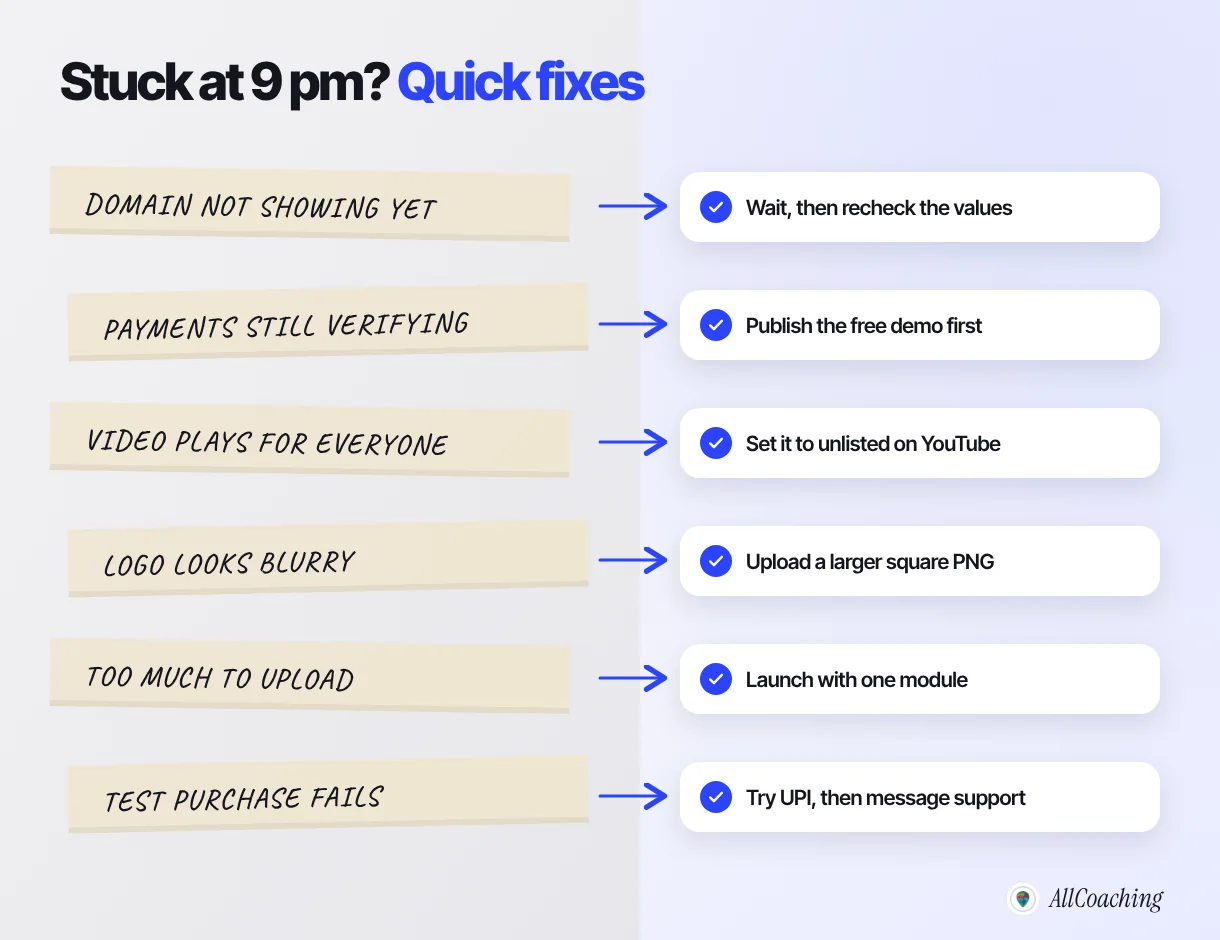
- Your domain does not open the academy yet. Domain changes usually take effect within minutes to a few hours and occasionally up to a day or two. Recheck that you copied each value exactly, with no extra spaces, then wait. Share the link tomorrow if you have to.
- Payments are still being verified. Gateway verification can take longer than an evening. Publish the academy with the free demo lesson visible, collect interest, and open sales once payments are active.
- A paid lesson plays for anyone on YouTube. Set lesson videos to unlisted on YouTube so they do not show in search or on your channel, and keep public videos for free lessons that bring new students in.
- The logo looks blurry. Upload a larger, square PNG with a transparent background instead of a screenshot or a WhatsApp-compressed image.
- The upload is taking all night. Stop at one complete module with its PDF and test. Publish, then add a module every week.
- The test purchase fails. Try again with UPI from a different app, check that payments are active, then message support with a screenshot of the error.
Question educators ask
I am not good with technology at all. Will I really manage this alone?
If you can use WhatsApp and pay by UPI, you can fill in the blocks in this guide; the screens ask for things you already know, like your course name, price and photo. Take it slower than the plan: one block per evening for a week is still a launch. And during the free trial you can reach us at contact@allcoaching.in when something is unclear.
After tonight: what to do in the first week
In the first week, buy your own course on a cheap Android phone, share one link everywhere your students already are, run a free live demo class and write down every question students ask. The academy is built; now it needs students.
- Share one link. YouTube descriptions and pinned comments, your Instagram bio, WhatsApp groups and your Telegram channel.
- Teach one live demo class. Teach one topic properly, then explain the course and share the link at the end. Our guide to running live classes from a mobile phone covers the setup.
- Fix your course page from real questions. Validity, language, doubt support and refunds are the usual ones. Answer them on the page.
- Start being found. A few helpful pages about your exam or skill bring students from Google over time. Start with our online academy SEO guide for beginners.
For the full plan from here to your first paid batch, including course structure and launch week, continue with how to start an online academy in 5 steps.
Glossary
- No-code platform
- Software that lets you build and run a website, store or academy by choosing options and dragging in content, without writing code.
- No-code LMS
- A learning management system you set up yourself through screens and drag and drop: courses, tests, notes, live classes and student access, with no developer.
- Website template
- A ready-made page design for your academy's home and course pages that you edit with your own text, images and colours.
- Course builder
- The part of an academy platform where you create a course and add video lessons, PDF notes, tests and live classes in order.
- Custom domain
- Your own web address, such as youracademy.in, connected to your academy website instead of a platform's address.
- White-label app
- A student app that carries your academy's name and logo, built and maintained on a platform's technology.
- WordPress plugin
- An add-on that extends a WordPress site, such as an LMS, payment or security plugin; each one needs updating and can conflict with others.
- Payment gateway
- The service that collects UPI, card and net-banking payments online and settles them to your bank account for a per-transaction charge.
Frequently asked questions
How do I create an online academy without a developer?
Use a no-code academy platform. Sign up, pick a template, add your logo and colours, build your first course from videos, PDF notes and tests, set up UPI and card checkout, connect your own domain, then test and publish. No coding is needed at any step.
Can I build an online coaching academy without coding?
Yes. No-code academy platforms provide the website, course builder, checkout, hosting and student app as ready-made blocks. You choose options and upload content; the platform runs the technical work underneath.
How long does it take to create an online academy without a developer?
The build can fit into one evening, roughly four hours in an illustrative plan, if your first module, logo, domain name, price and payment details are ready. Recording a full course takes longer, so launch with one module and add the rest weekly.
Do I need WordPress to create a coaching website?
No. A no-code academy platform gives you a website from templates, connected to your own domain, with courses and checkout built in. WordPress can work, but you then manage hosting, plugins and their updates yourself.
What is a no-code LMS?
A no-code LMS is a learning management system you set up by choosing options and dragging in content, without writing code. On AllCoaching you build your own LMS with courses, tests, notes, live classes and payments, then make it your brand with your logo, colours and domain.
How much does it cost to create an online academy without a developer in India?
On AllCoaching there is a 14-day free trial with no card, then a yearly plan: Starter ₹6,999, Growth ₹12,999 or Pro ₹24,999 with a 10%, 7.5% or 5% platform fee, or Scale ₹99,999 with 0%, all excluding GST. Add your domain renewal and payment gateway charges.
Can I get my own coaching app without a developer?
Yes, with a white-label academy platform. On AllCoaching every plan includes your own Android app with your name and logo, and the iOS app is included on Pro and Scale, so you do not write or maintain app code.
When should I hire a developer for my online academy?
Hire one when you need software no platform offers, such as a custom integration with your institute's own admissions system or a unique learning tool. For selling courses, tests and live classes under your own brand, a no-code platform covers it.
Can I take payments by UPI without any coding?
Yes. On a no-code academy platform you set the price and complete your payment details; students then pay by UPI or card at checkout and their access opens automatically. On AllCoaching, payouts reach your bank automatically through Razorpay.
Sources
- WordPress.org Documentation, "Manage Plugins" (Updating Plugins; Troubleshooting), wordpress.org, checked October 2026.
- Play Console Help, "Get started with Play Console" (registration fee), support.google.com, checked October 2026.
- Apple Developer Help, "Enrollment" (program fees), developer.apple.com, checked October 2026.
- Razorpay pricing, razorpay.com/pricing, standard plan, checked October 2026.
- AllCoaching pricing, allcoaching.in/pricing, October 2026.
Amit builds AllCoaching, the academy platform Indian educators set up themselves: their own website on their own domain, their own app, and the tools to grow it. We wrote this guide because the most common thing educators tell us is that the technology, not the teaching, kept them from starting; outside facts are linked to their sources and example timings are marked as illustrative.