
On this page
Start your online academy today. 14 days free.
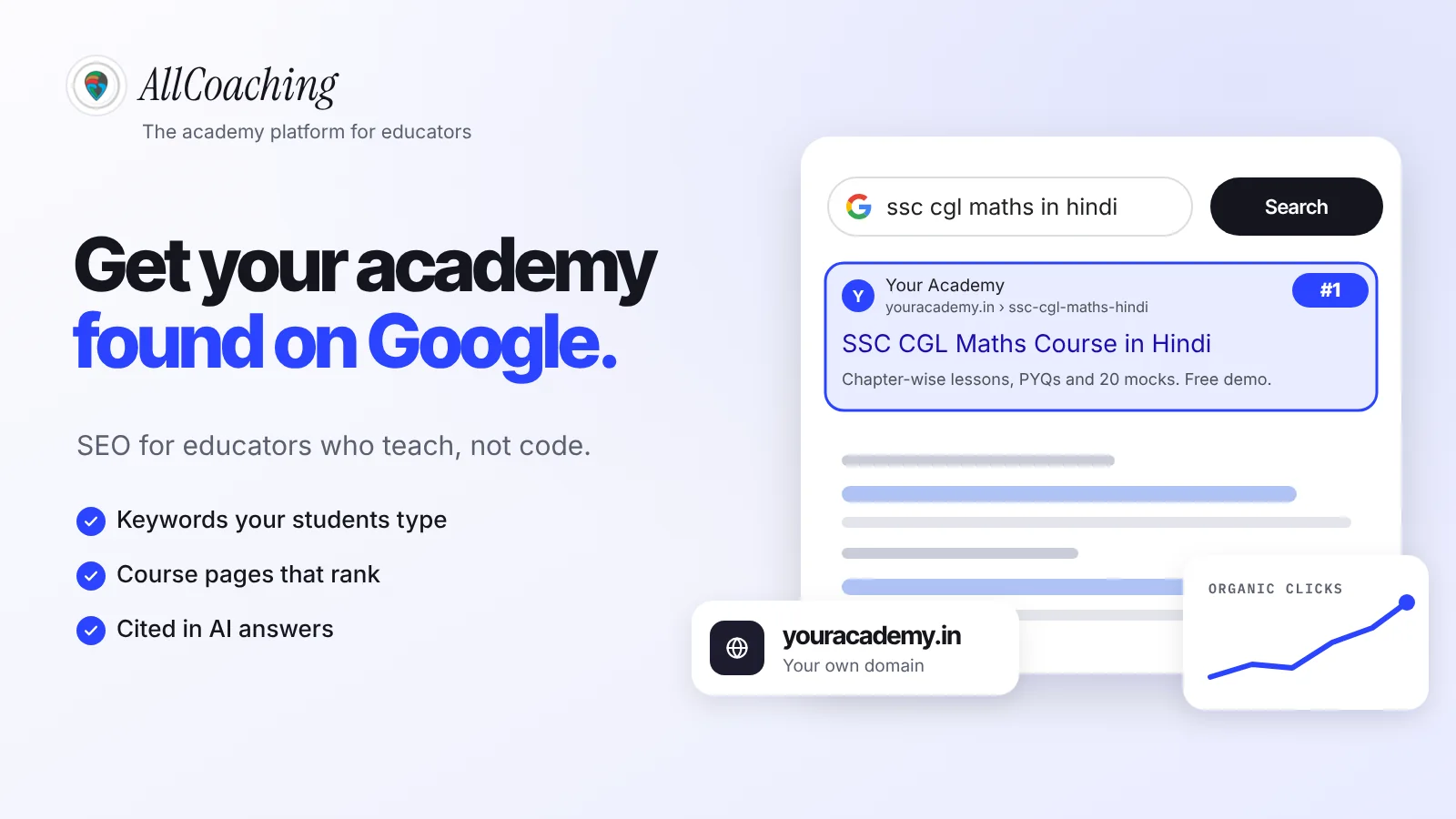
Start free trialOnline academy SEO is the work of making your course pages, free resources and academy website easy for Google to understand, so that students searching for what you teach find you without you paying for every click. If you teach SSC maths in Hindi, NEET biology for droppers or spoken English for working adults, there are students typing those exact words into Google today. SEO decides whether they land on your academy or on someone else's.
Most Indian educators grow on YouTube, Instagram and WhatsApp first. That works, but every one of those channels belongs to someone else, and the reach stops the day the feed moves on. A page on your own domain that ranks for a real student search keeps sending students for months, often years.
This guide covers the basics in the order you should do them: how Google finds pages, how to research the keywords students type, how to structure your academy, how to set up each course page, the technical checks, the content that earns traffic, local search for coaching centres, links, AI search, and how to measure all of it in Google Search Console. It ends with a 90-day plan you can follow a few hours a week.
Key takeaways
- SEO is free, slow and compounding. Google says some changes show in hours and others take several months, so start before you need the traffic.
- The educator keyword formula is subject + exam + language + format, for example "ssc cgl quant course in hindi". These long-tail phrases are easier to rank for and convert better.
- Every course needs its own page with a clear title, the full syllabus as text, a free demo lesson, real reviews and an FAQ.
- Your own domain matters. Rankings earned on youracademy.in stay yours; rankings on a platform's subdomain build the platform's brand.
- The first organic result gets about 27.6% of clicks on average (Backlinko), roughly ten times the tenth result, so the title you write is worth testing.
- AI Overviews and ChatGPT quote clear answers: a one-line answer under each question, named author, FAQs and specific facts make your page citable.
- Google Search Console is the one tool you must set up. It is free and shows the exact searches that bring students to you.
What is online academy SEO?
Search engine optimisation is defined by Google itself in plain words. In its SEO Starter Guide, Google writes that "SEO is about helping search engines understand your content, and helping users find your site and make decisions about whether they should visit your site through a search engine."[1]
For an educator, "your content" means four kinds of pages:
- Course pages: the pages where a student reads about a course, watches the demo and pays.
- Hub pages: an exam or subject page that lists all your courses and tests for that exam, such as "SSC" or "NEET Biology".
- Free resources: syllabus breakdowns, PYQ analysis, booklists, study plans and free mock tests.
- Trust pages: your About page, results, reviews and contact details.
Online academy SEO is the work of making each of these pages match a real student search and making the whole site easy for Google to crawl. It is different from ecommerce SEO in one useful way: students search with very specific intent. Nobody types "course". They type the exam, the subject, the language and often the year. That specificity is your biggest advantage as a smaller educator.
Why SEO matters for educators in 2026
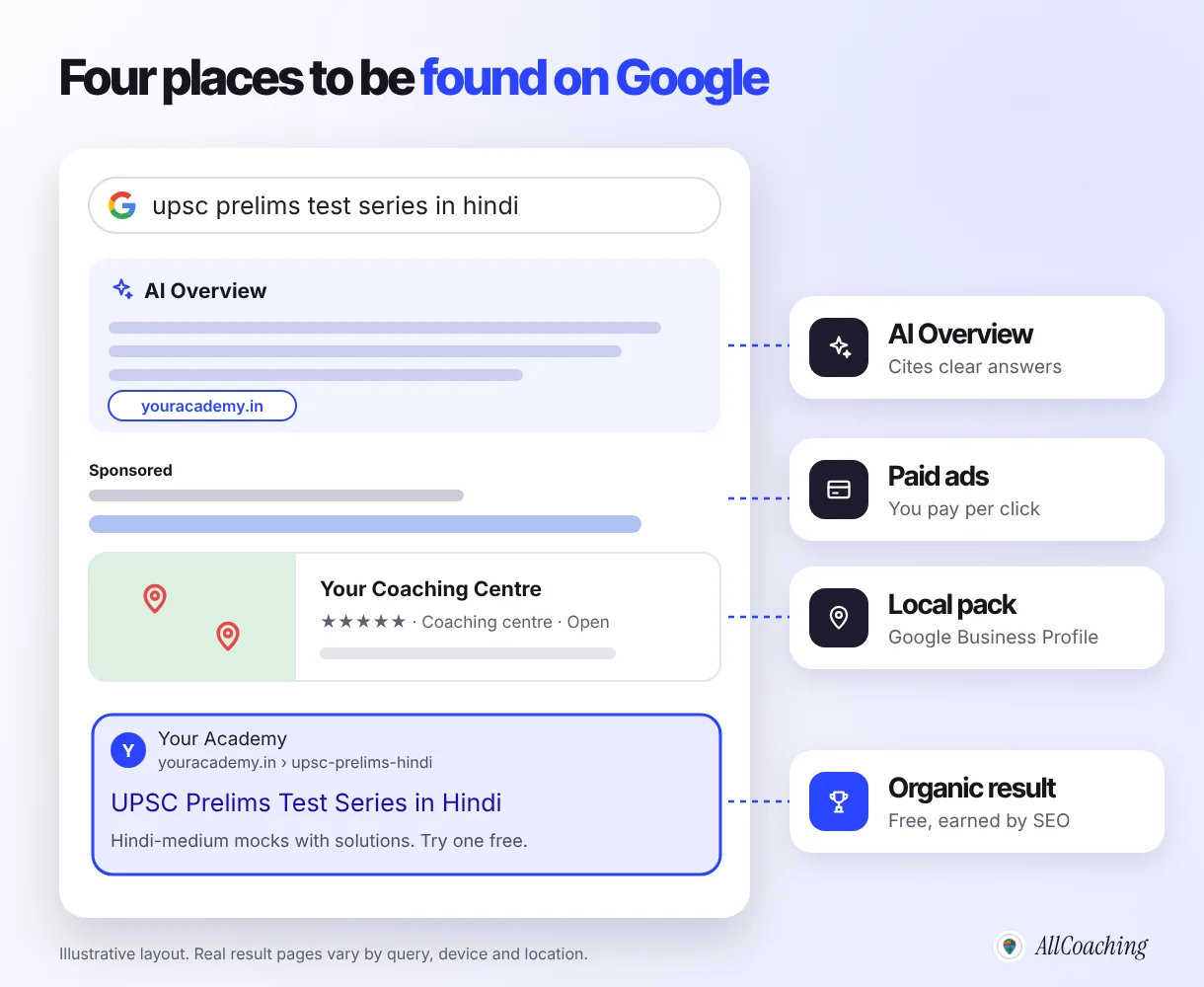
When a student searches on Google, they see a mix of results: an AI Overview at the top for many questions, a few paid ads, a map pack of nearby coaching centres for local searches, and then the organic results. Organic results are the ones you cannot buy. You earn them with SEO.
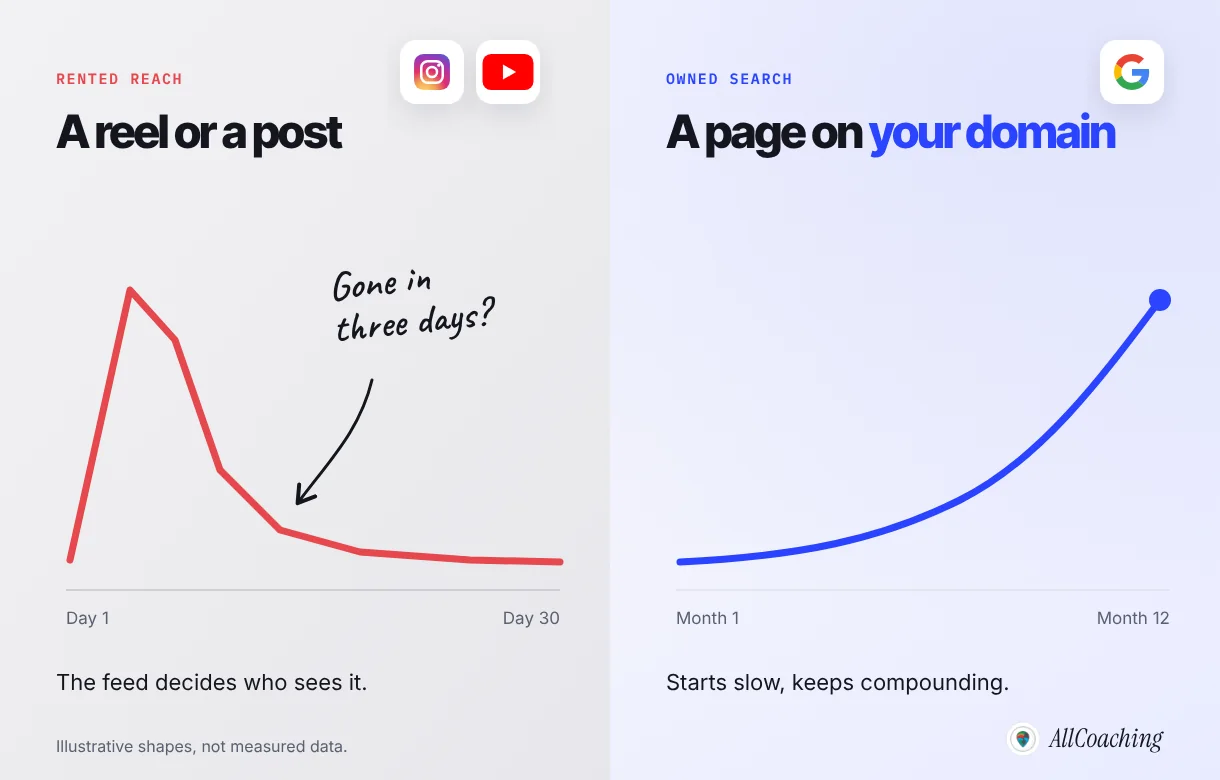
Search traffic compounds, social reach fades
A reel can bring hundreds of students in two days and nothing in the third week. A course page that ranks for "railway ntpc maths course in hindi" keeps working every day the exam is in season. This is the difference between rented reach and owned traffic.
Most pages never get search traffic, which is good news for you
Ahrefs studied its index of billions of pages and found that 96.55% of pages get no organic traffic from Google at all.[3] The main reasons are pages that target no real search, have no links pointing to them, or do not match what the searcher wanted. An educator who does the basics in this guide is already ahead of most of the web.
We see it in our own data
From the field, 2026: the AllCoaching blog grew from 183 clicks in July 2026 to 1,094 clicks in September 2026 in Google Search Console, with an average position of about 6.4, without paid promotion. The posts that grew fastest answered one specific question an educator types. Our Hinglish guide on starting an online tuition class alone collected over 9,000 impressions. The same approach works for your academy, because your students search the same way.
Your academy on your own domain, ready to rank.
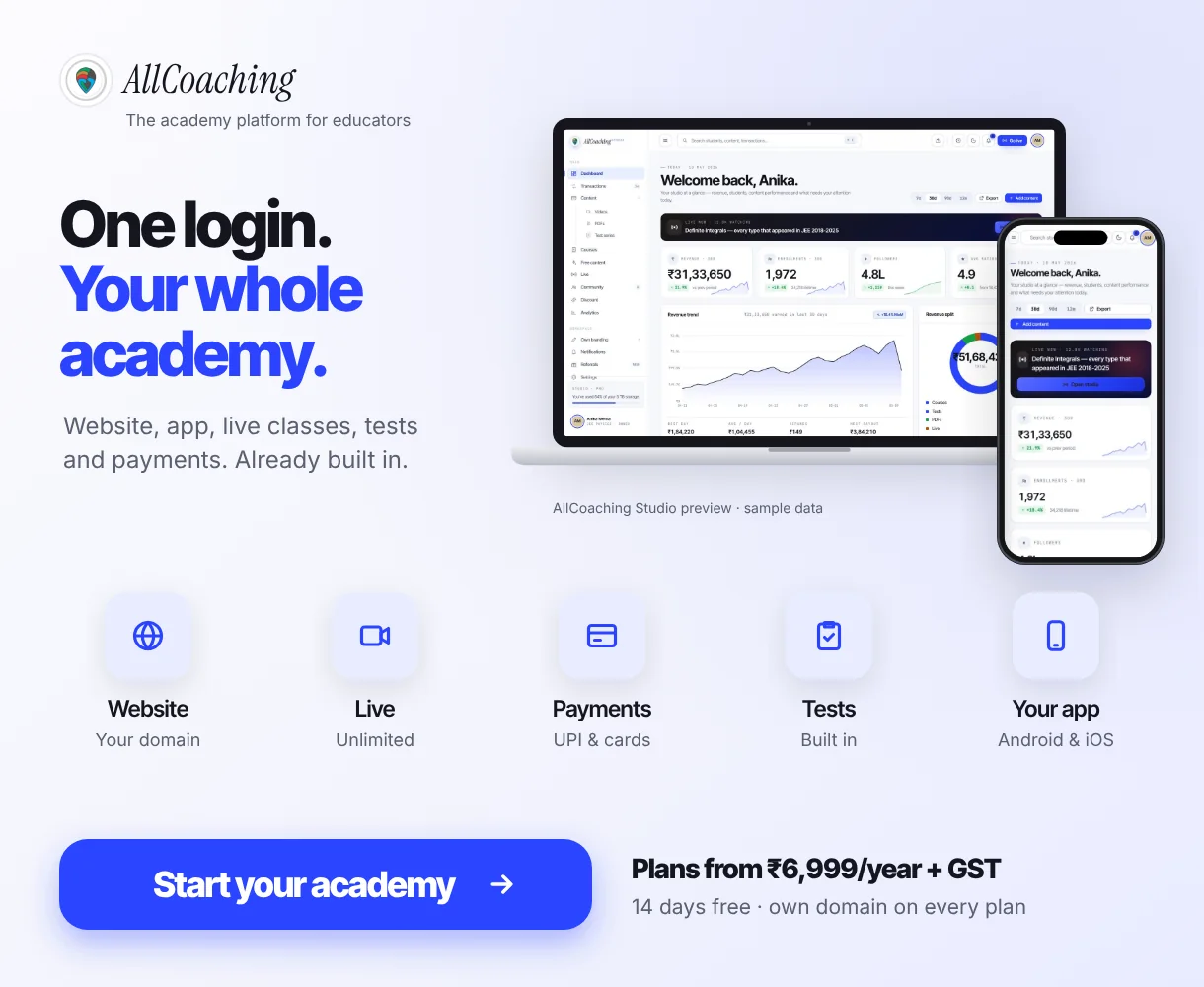
AllCoaching gives every plan an academy website on your connected domain, your own Android app (iOS on Pro and Scale), payments and Google Tag Manager. Try it for 14 days, no card needed.
How Google finds your academy
Before you change anything, it helps to know the three stages Google uses for every page on the web. Google's own documentation describes them as crawling, indexing and serving search results.[2]
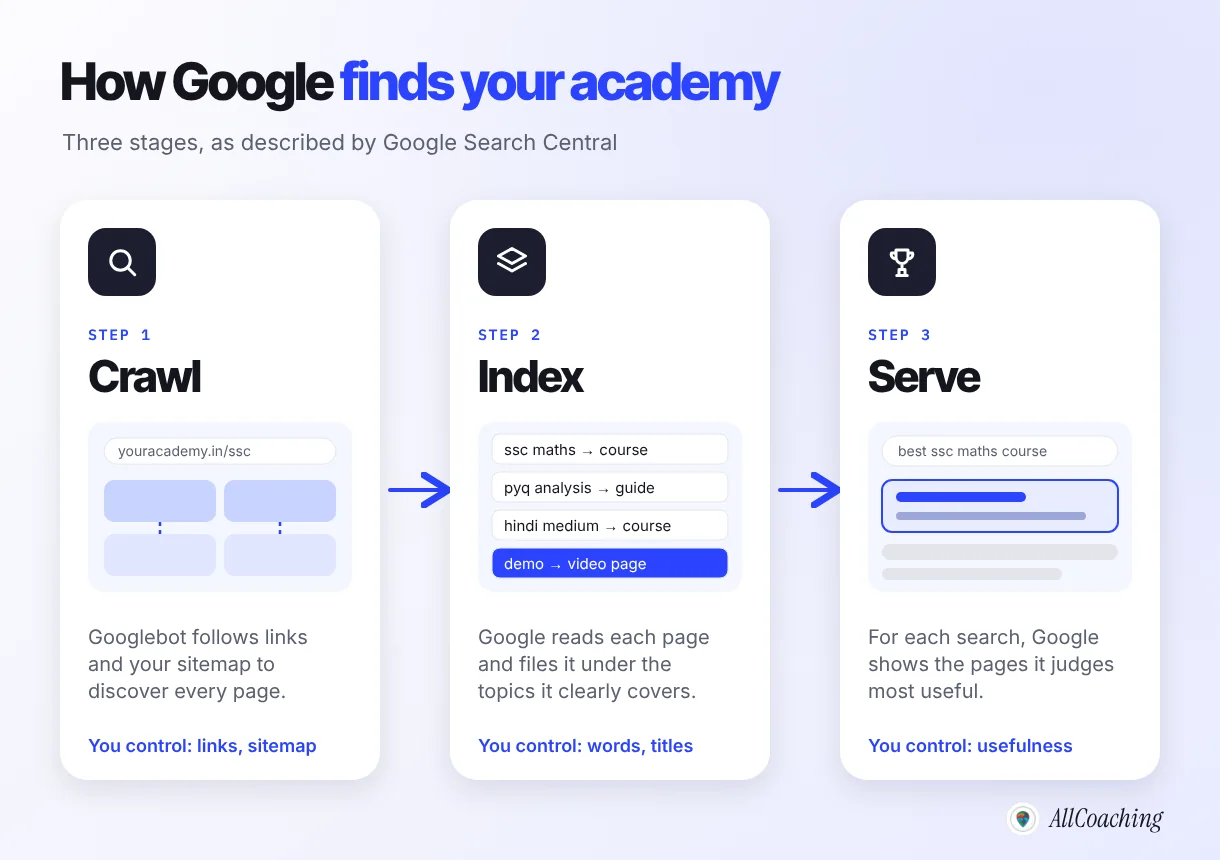
- Crawling. Google's crawler, Googlebot, downloads pages it finds through links and sitemaps. If a course page is not linked from anywhere and not in your sitemap, Google may never see it.
- Indexing. Google reads the text, images and video on the page and stores what it learned in its index. A syllabus written as text is understood; a syllabus uploaded as one image mostly is not.
- Serving. When a student searches, Google returns the pages it judges most relevant and useful for that search, in that language, on that device.
Everything else in this guide is a way to make one of those three stages easier.
Online academy SEO in 7 steps
These are the seven steps in the order we recommend. Each one builds on the last, and none of them needs a developer.
- Find the keywords your students typeCombine your subject with exam, language, format and need modifiers, then confirm each phrase in Google autocomplete and Search Console.
- Build a structure Google can followHome, then exam hubs, then course and guide pages, with every page reachable within three clicks.
- Optimise every course pageGive each course its own URL, title tag, H1, meta description, text syllabus, demo lesson, reviews and FAQ.
- Get the technical basics rightUse your own domain with HTTPS, a fast mobile layout, a sitemap submitted in Search Console and no duplicate pages.
- Publish content that brings studentsWrite one pillar guide per exam and four to six supporting posts that each answer one question and link to the course.
- Win local searchIf students come to your centre, set up and maintain a Google Business Profile with accurate details and real reviews.
- Earn links and mentionsGet your academy mentioned by schools, colleges, local news, your YouTube descriptions and educator communities.
Step 1: Find the keywords your students type
A keyword is simply the words a student types into the search box. Keyword research means finding the phrases that real students use, then choosing the ones you can realistically rank for and that lead to a course you sell.
Use the educator keyword formula
Start with the subject you teach, called a seed keyword. On its own, a seed like "quant maths" is too broad to rank for. Add one or more modifiers and it turns into the exact phrase a student types:
- Exam: SSC CGL, Bank PO, CAT, NEET, CUET, state PSC.
- Language: in Hindi, Hinglish, English medium, in Bengali or Marathi.
- Format: course, test series, PYQ PDF, live batch, crash course.
- Need: for beginners, for droppers, tricks, 2026 syllabus, last 30 days.
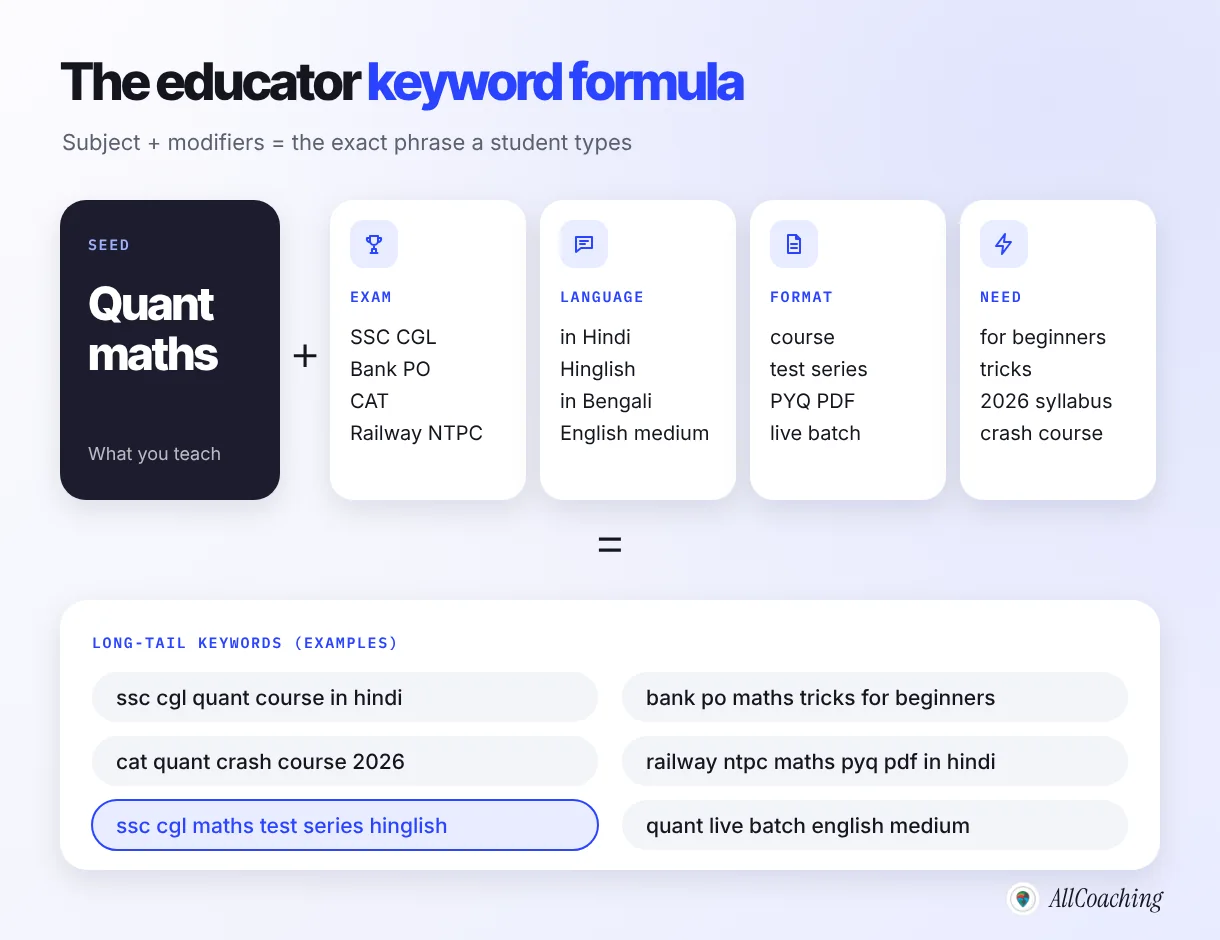
These longer phrases are called long-tail keywords. Each one is searched less often than "quant maths", but the student typing it knows exactly what they want, and far fewer academies are competing for it. For an independent educator, ten long-tail keywords you can win are worth more than one broad keyword you cannot.
Let Google autocomplete show you real searches
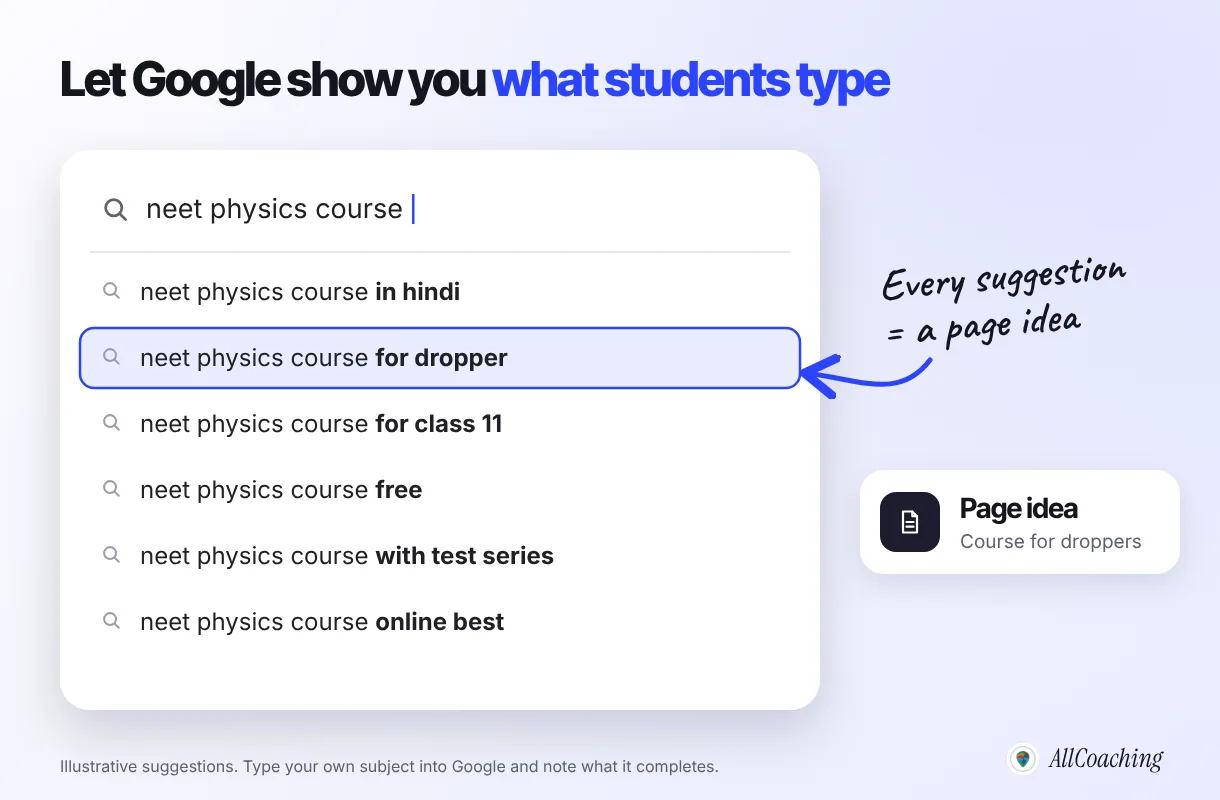
Type your seed keyword into Google slowly and note what it suggests. Autocomplete reflects what people actually search, so it is a free list of demand. Add a letter after your phrase ("neet physics course a", "neet physics course b") to see more.
Sort keywords by what the student wants
The same subject is searched with different intentions. Match the type of page to the intent, or the page will not rank no matter how good it is.
| Search intent | Example search | Page that ranks |
|---|---|---|
| Learn (informational) | ssc cgl maths syllabus 2026 | Free guide or blog post |
| Compare (commercial) | best neet physics course for dropper | Comparison guide or hub page |
| Buy (transactional) | bank po quant test series hindi | Course or test series page |
| Find nearby (local) | ssc coaching near me | Google Business Profile and contact page |
| Find you (branded) | your academy name + course | Home page and course pages |
Pick keywords you can actually win
Write 30 candidate keywords in a sheet. For each one, search it on Google and note who ranks on page one. If the top results are all large national brands, park it for later. If you see forums, thin pages or other independent educators, it is winnable now. Then map every keyword to exactly one page, so two of your pages never compete for the same search.
Question educators ask
Should I target English keywords or Hindi keywords?
Target the language your students search in, which is often not the language you teach in. Many Hindi-medium students type in English letters, for example "ssc gd math class hindi", so Hinglish and romanised Hindi phrases are often the best opportunity. Check Search Console after a few weeks: it shows the exact words people used to find you, in whatever script they typed.
Step 2: Build a structure Google can follow
Site structure is how your pages are organised and linked. A good structure helps students find the right course in a few taps and helps Googlebot reach every page. The rule of thumb: every important page should be reachable within three clicks of your home page.
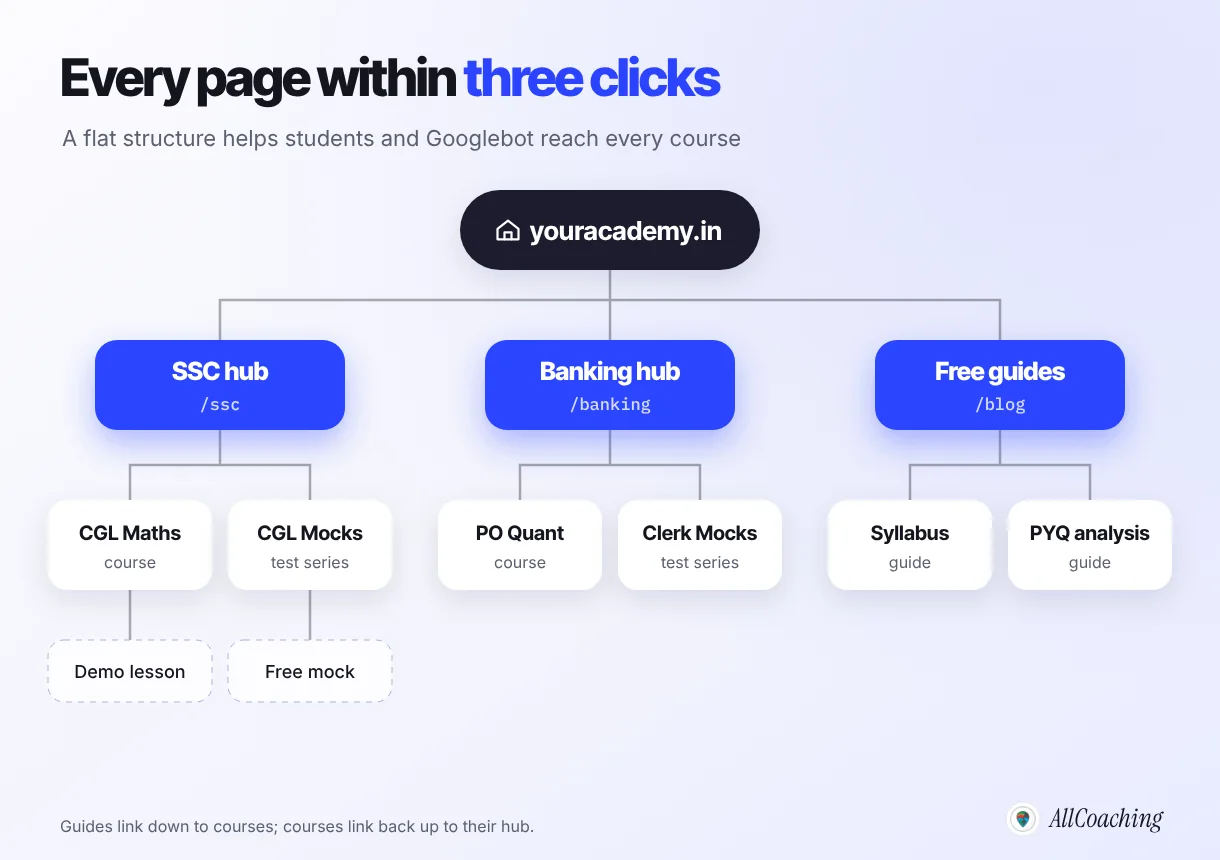
- One hub per exam or subject. An "SSC" hub lists every SSC course, test series and free guide you have.
- One page per course. Do not put three courses on one page; Google cannot rank one page for three different searches.
- Short, readable URLs. youracademy.in/ssc-cgl-maths-hindi tells students and Google what the page is. Avoid IDs like /course?id=2841.
- Link in both directions. Guides link down to the related course; each course links back to its hub and to one or two related courses.
If you are still deciding how to set up your site, our guide to an LMS with a custom domain for coaching explains how the domain and the course platform fit together, and the five steps to start an online academy cover the full setup.
Step 3: Optimise every course page
Course pages are where students decide to pay, so they are the most valuable pages on your site. On-page SEO means making each one clear to Google and convincing to a student at the same time. Here are the eight parts of a course page that ranks and sells.
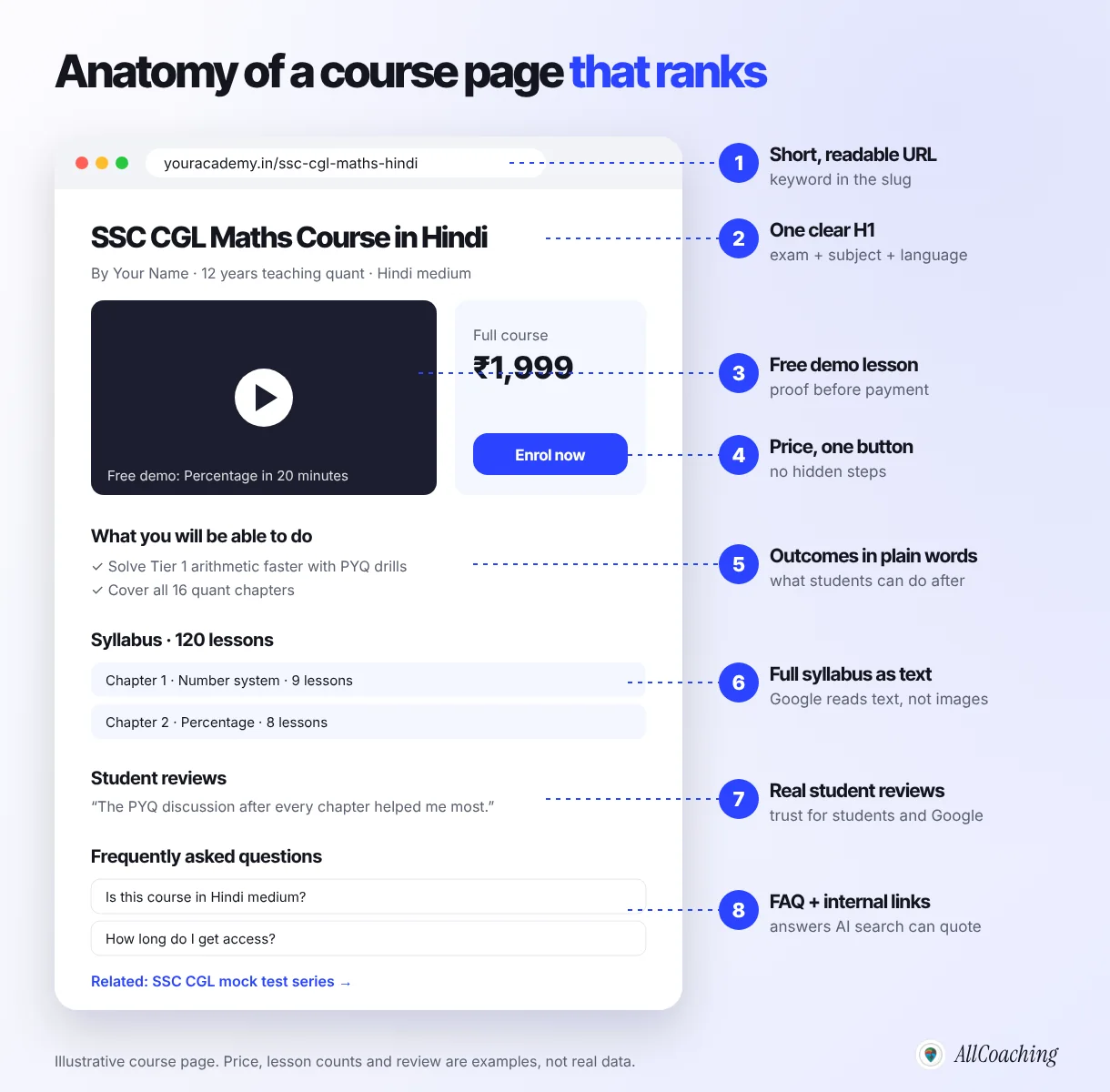
Title tag
The title tag is the blue headline in Google results. Google calls it the title link and notes that it "can help people decide which search result to click".[1] Keep it under about 60 characters and use this pattern:
Exam + subject + format + language or level | Your academy
Example: SSC CGL Maths Course in Hindi, 120 Lessons | Your Academy
Meta description
The meta description is the grey text under the title. It does not directly change your ranking, but it changes how many people click. Google's guidance is that a good meta description is short, unique to one page and includes the most relevant points.[1] Write one sentence about the outcome and one about proof: "Chapter-wise lessons, PYQ practice and 20 full mocks in Hindi. Watch a free demo lesson before you enrol."
H1 and the first paragraph
Use one H1 on the page, matching the main keyword in natural words. The first paragraph should say who the course is for, what they will be able to do after it and in which language it is taught. That paragraph is also what AI search tools are most likely to quote.
Syllabus, outcomes and the teacher
Write the full chapter list as text, not as an image. List three to five outcomes in plain words. Add a short teacher section: years of teaching, the exams you specialise in, and results you can prove. Google's quality guidelines put weight on experience and expertise, and students do too.
Demo lesson, reviews and FAQ
A free demo lesson keeps students on the page longer and answers the biggest doubt before payment. Real reviews add trust. A short FAQ (language, access period, doubt support, refunds) answers the questions students also type into Google. Write each answer as a complete sentence that makes sense on its own.
If you want a deeper walk-through of the page itself, see how to create a landing page for an online course, and for the price block, how to price your online course in India.
Question educators ask
Can I copy my course description to the marketplace, YouTube and my website?
Reusing the same text everywhere makes the pages compete with each other and leaves Google to choose which one to show. Keep the full, detailed description on the course page on your own domain, and write a shorter, different summary for YouTube and any listing elsewhere that links back to it. That way your own page stays the main one Google ranks.
Step 4: Get the technical basics right
Technical SEO sounds complicated, but for an online academy it comes down to five checks. A good LMS handles most of them for you; your job is to confirm they are in place.
- Your own domain with HTTPS. Rankings and links you earn on youracademy.in stay with you if you ever change platforms. On a platform's subdomain, they build someone else's brand. Every AllCoaching plan includes connecting your own custom domain.
- Mobile first. Most Indian students search on phones, often on slower connections. Open each course page on a budget Android phone and check that the text is readable, the buttons are easy to tap and the page loads without a long blank screen.
- A sitemap submitted in Search Console. A sitemap is a file that lists all your pages for Google. Submit it once in Google Search Console so new courses are discovered quickly.
- No duplicate or empty pages. Delete or merge test courses, drafts and pages with only a title. Thin pages make the whole site look weaker.
- Images with alt text and sensible sizes. Describe each image in a few words ("SSC CGL maths demo lesson on percentages") and keep files small so pages load fast.
If you advertise as well, set up Google Tag Manager and Meta Pixel on your academy from the start, so you can see which pages turn visitors into students. Both are included on every AllCoaching plan.
Step 5: Publish content that brings students
Course pages target students ready to buy. Free content targets the much larger group who are still preparing, comparing or stuck on a topic. Answer their questions well and a share of them will trust you enough to buy.
Build topic clusters
A topic cluster is one long pillar guide on a broad topic, surrounded by shorter posts that each answer one specific question and link back to the pillar and to the related course.
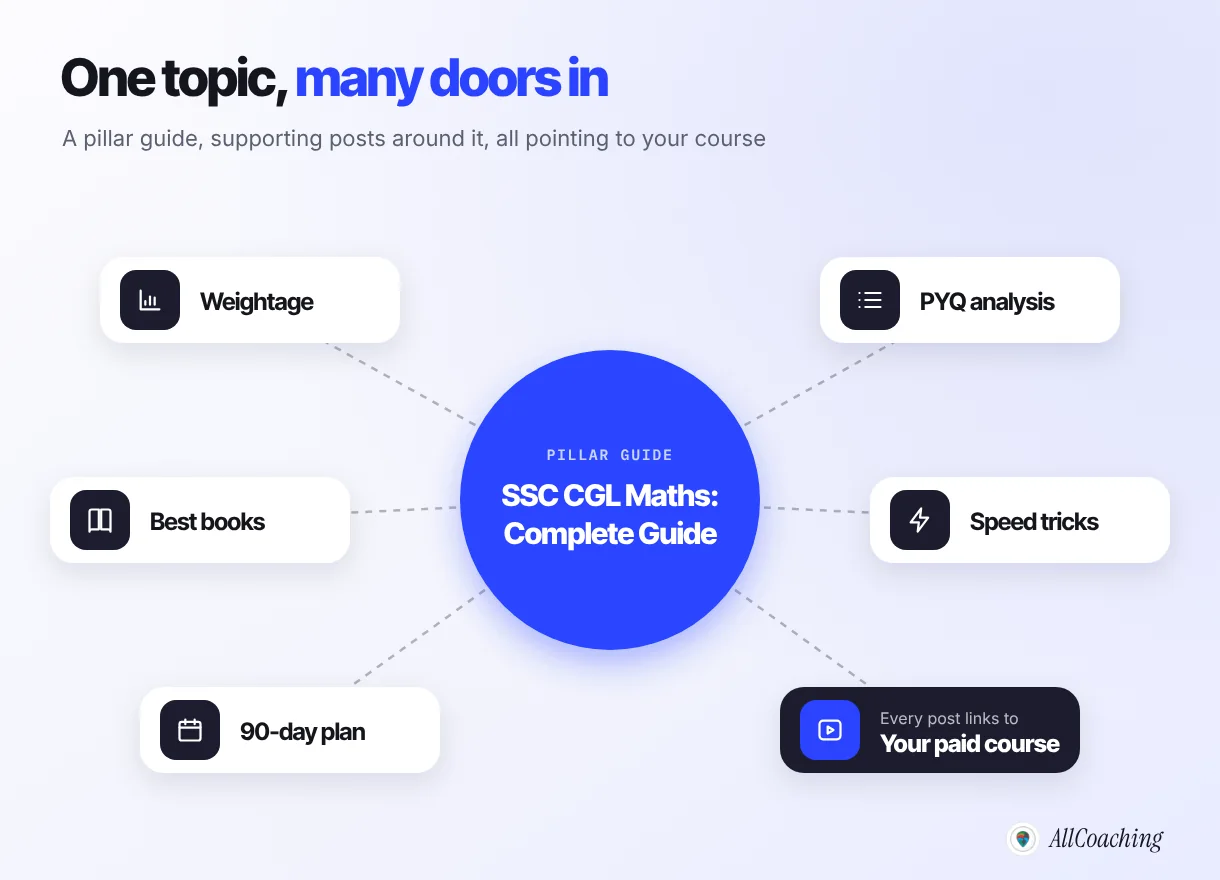
Content ideas that work for educators
- Syllabus and weightage breakdowns for the current year's exam notification.
- PYQ analysis: which chapters came up most in the last five years.
- Study plans: 30, 60 or 90 days, with a free download.
- Honest booklists and how to use each book.
- Free mock tests and topic tests, which also attract links.
- Doubt videos on YouTube, each linked to a matching page on your academy.
Publish on a steady rhythm, one useful post a week is enough, and update your pillar pages every exam cycle. A dated, current guide ("2026 syllabus") beats an old one.
"Some changes might take effect in a few hours, others could take several months."
Google Search Central, SEO Starter GuideStep 6: Win local search (for coaching centres)
If you also teach offline, local SEO brings students from your city who search "ssc coaching near me" or "neet coaching in Kota". Google shows these searches with a map and three business listings, the local pack.
- Create and verify a Google Business Profile for your centre with the right category, address, phone and timings.
- Keep your name, address and phone identical on your website, the profile and any directory.
- Ask every batch for honest reviews and reply to each one, including the critical ones.
- Post updates: new batch dates, results, free seminars. Link each post to the matching page on your academy.
Local search and your online academy support each other. Offline students find you on the map; your online courses let you keep teaching them, and students in other cities, after they leave the classroom.
Step 7: Earn links and mentions
A backlink is a link to your site from another site. Links from relevant, trusted sites tell Google that your academy is worth showing. For educators, the best links come from real relationships, not from buying them.
Do
Link your academy in every YouTube description and pinned comment. Give guest lectures at schools and colleges and ask for a link on their page. Share a genuinely useful free resource (a PYQ analysis, a mock) with educator communities. Answer questions on forums with a link only when it helps.
Avoid
Buying links or "SEO packages" that promise hundreds of backlinks. Swapping links with unrelated sites. Copying content from other educators. These can get pages ignored by Google and they damage trust with students.
Your personal brand is the engine behind most good links. Our guide to building a personal brand for educators in India covers how to become the teacher others mention. For the wider marketing mix around SEO, see digital marketing for coaching institutes in India.
SEO for AI Overviews, ChatGPT and AI search
More students now ask AI tools questions like "best Hindi medium course for SSC CGL maths" before they ever click a link. These tools read web pages and cite the ones that answer clearly. The good news: the same basics in this guide make your academy citable.
- Answer first. Put a one or two sentence direct answer at the top of each page and under each heading, then explain.
- Be specific. Name the exam, the year, the language, the number of lessons and the price. Vague pages are skipped.
- Show who is teaching. A named teacher with real experience and results is more trustworthy to students and to AI systems.
- Use FAQs and structured data. Questions and answers in plain text, marked up with FAQ schema, are easy for machines to read.
- Be mentioned elsewhere. AI tools give weight to brands they see named across the web: YouTube, forums, news and other educators' sites.
We wrote a deeper guide on this: how to optimise a coaching website for AI agents.
Question educators ask
Will AI answers stop students from visiting my academy?
For quick facts, some students will read the AI answer and stop there. But a student choosing a paid course still wants to see the teacher, the demo and the price, and AI answers link to the pages they cite. Being the cited source puts your academy in front of the student at the moment they are deciding, which is exactly where you want to be.
Measure what works with Google Search Console
Google Search Console is a free tool from Google that shows how your site performs in search. Verify your domain once, submit your sitemap, then spend 15 minutes a week on these four numbers in the Performance report:
| Metric | What it means | What to do |
|---|---|---|
| Impressions | How often your pages appeared in results | Rising impressions mean Google is testing you. Keep publishing on that topic. |
| Clicks | How often students clicked through | Your real search traffic. Track it month on month. |
| CTR | Clicks divided by impressions | Low CTR on a page with many impressions means the title or description needs a rewrite. |
| Average position | Where you usually appear | Positions 5 to 15 are your best opportunities. Improve those pages first. |
The click-through gap between positions is large. Backlinko's analysis of Google results found that the first organic result gets an average click-through rate of 27.6% and is about ten times more likely to be clicked than the tenth.[4] Moving a page from position 8 to position 3 can matter more than writing three new pages.
Search Console also shows the exact queries students used. Sort them by impressions and you will find keywords you never planned for. Each one is a new page idea or a section to add.
Free SEO tools for educators
You do not need paid software to start. These free tools cover everything in this guide.
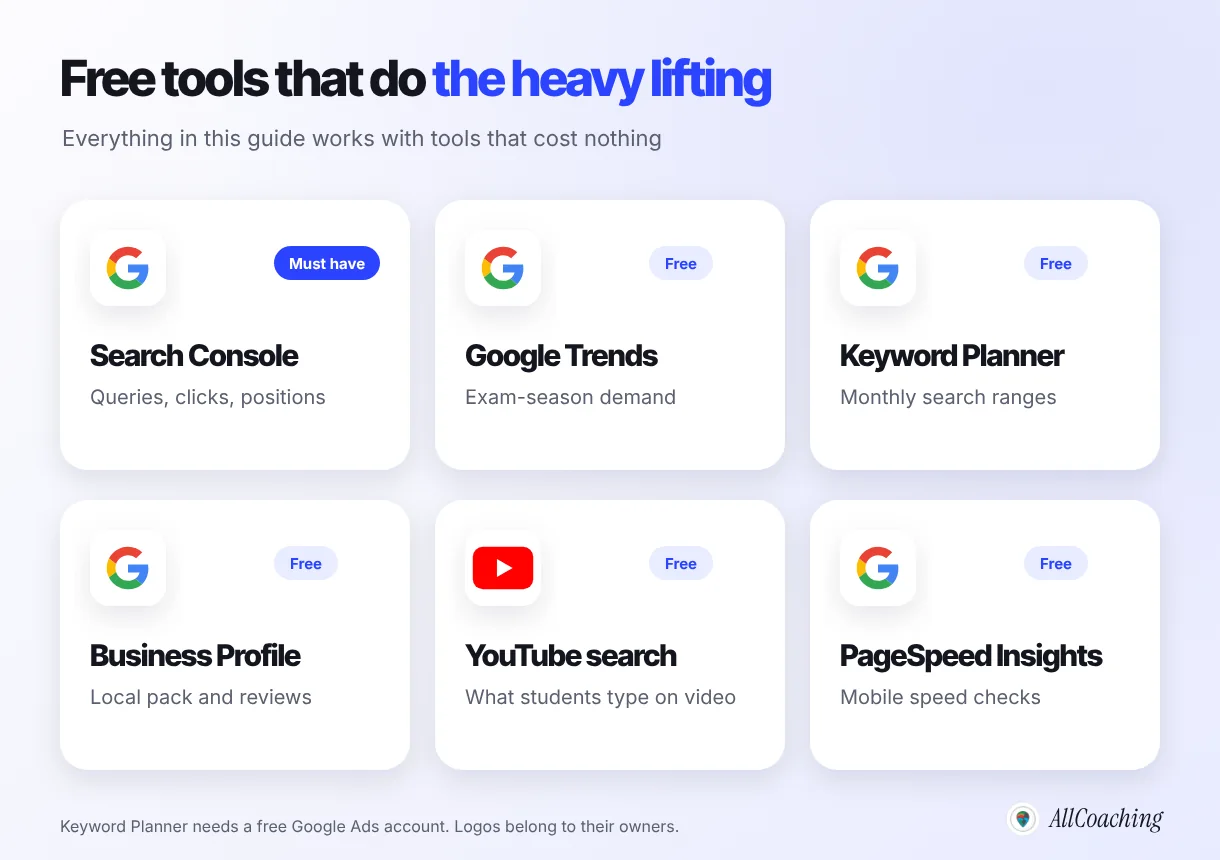
| Tool | Use it for | Cost |
|---|---|---|
| Google Search Console | Indexing, sitemaps, the queries students use, clicks and positions | Free |
| Google autocomplete | Real search phrases for any seed keyword | Free |
| Google Trends | Seasonality around exam dates and comparing two phrases | Free |
| Google Keyword Planner | Rough monthly search ranges (needs a Google Ads account) | Free to use |
| Google Business Profile | Local search and reviews for coaching centres | Free |
| YouTube search bar | What students search on video, often in Hinglish | Free |
| PageSpeed Insights | Mobile speed checks for course pages | Free |
Common SEO mistakes educators make
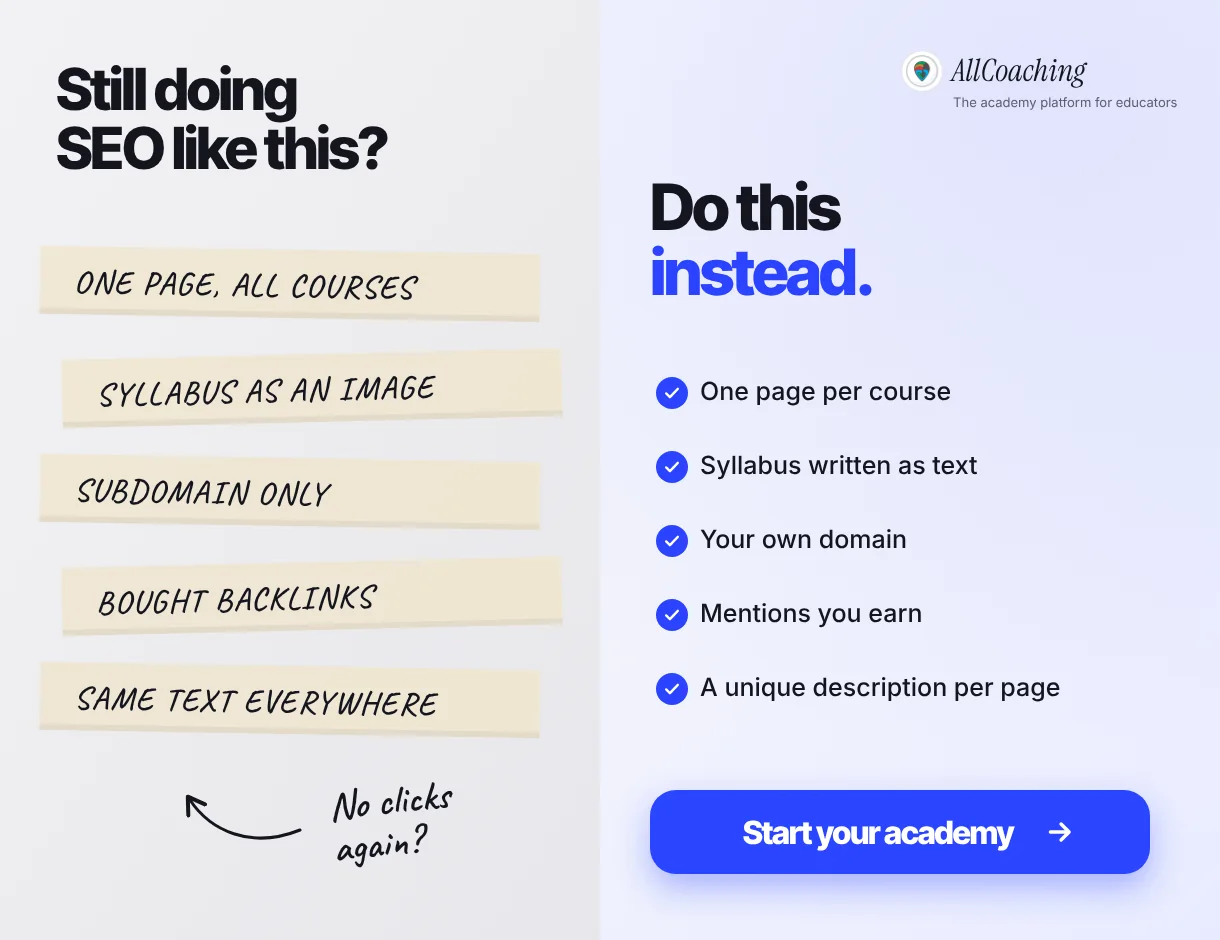
- Building only on a platform's subdomain. You do the work; the platform keeps the ranking.
- One page for all courses. Google cannot rank one page for many different searches.
- Syllabus as an image or PDF only. Google reads text best. Put the chapter list on the page.
- Targeting only broad keywords. "NEET course" is dominated by national brands. "NEET biology course for droppers in Hindi" is winnable.
- Copying descriptions everywhere. The same text on five sites splits your ranking.
- Giving up after four weeks. SEO results often take months. Measure monthly, not daily.
- Buying backlinks. It wastes money and can get your pages ignored.
If you are getting traffic but no sales, the problem is usually the offer or the page, not SEO. Our guides on how to sell courses online in India and getting paid students for online coaching cover that side.
Your 90-day academy SEO plan
Here is the whole guide as a plan you can follow a few hours a week. Do the foundation once, then repeat the content and authority months every quarter.
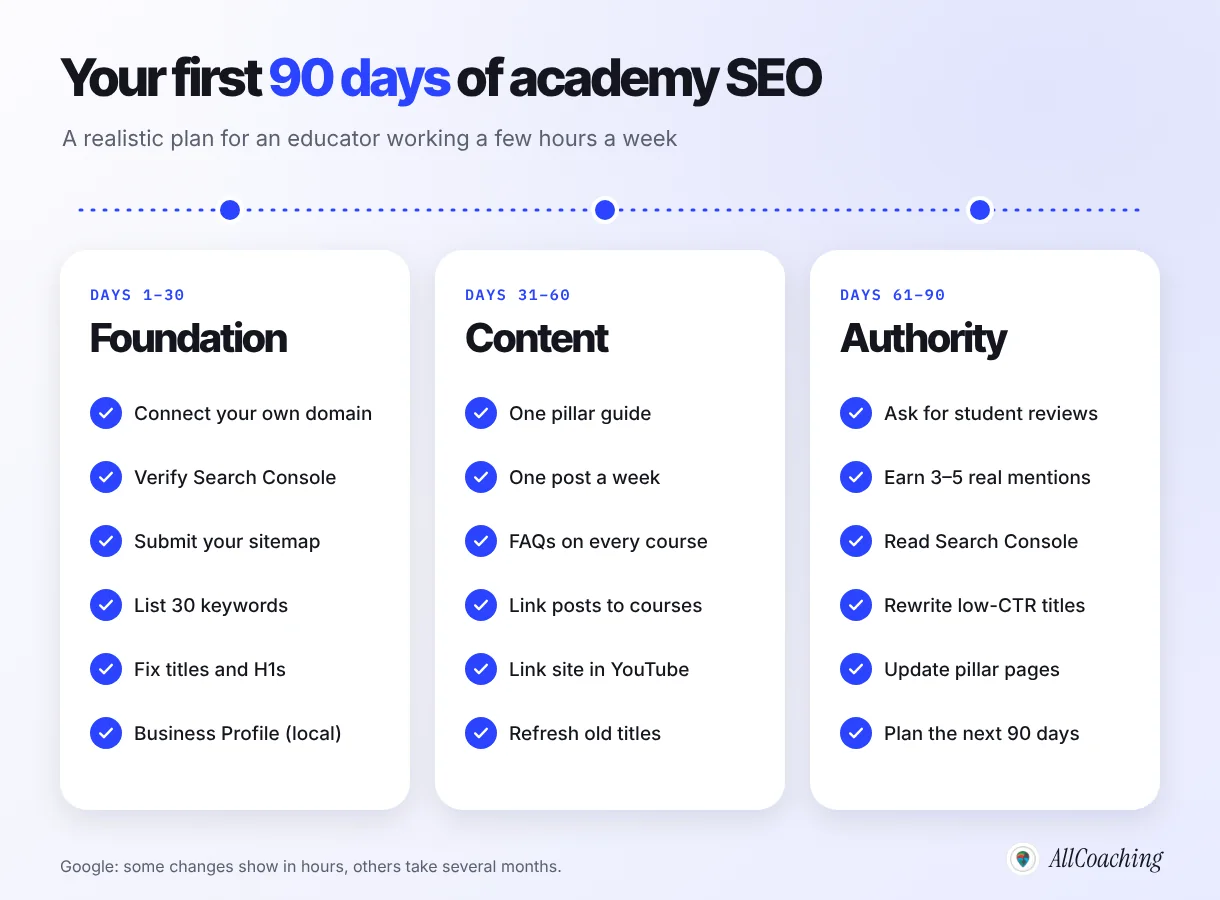
SEO is not a trick. It is the habit of making your academy the clearest, most useful answer for the students you want to teach, on a website you own. Start with one exam, one course page and one pillar guide. When that cluster brings students, repeat it for the next exam.
If you do not have an academy website yet, AllCoaching works like Shopify for coaching: sign up, choose a plan, upload your course, connect your domain and start selling. Payments, student access, your own Android app (iOS on Pro and Scale) and hosting run on their own, and your courses can also be discovered on the AllCoaching marketplace. Start with the 14-day free trial; no card is needed.
Build your own LMS. Then make Google send you students.
Own domain, own app, built-in payments and Google Tag Manager on every plan. Plans from ₹6,999 a year after the trial (excl. GST).
14 days free · No card needed · Your domain, your brandGlossary: SEO terms for educators
- Search engine optimisation (SEO)
- The practice of helping search engines understand a website's content so that people searching for it can find it in unpaid results. For an educator, it means making course pages, hubs and free resources match what students search.
- Long-tail keyword
- A longer, more specific search phrase such as "ssc cgl quant course in hindi". It has fewer searches than a broad term but clearer intent and less competition, which makes it the best target for independent educators.
- Search intent
- The goal behind a search: to learn, compare, buy, find something nearby or find a specific brand. A page ranks best when its type matches the intent, for example a course page for a buying search.
- Title tag
- The HTML title of a page, usually shown as the clickable headline in Google results, which Google calls the title link. It should describe the page in about 60 characters and include the main keyword.
- Meta description
- A short summary of a page that search engines may show under the title. It does not directly set rankings but strongly affects how many searchers click.
- Topic cluster
- A group of pages made of one broad pillar guide and several supporting posts that each cover one sub-question, all linked to each other and to the related course page.
- Backlink
- A link from another website to yours. Relevant, trusted backlinks signal to search engines that a page is worth showing; bought or spammy links do not.
- Google Search Console
- A free Google tool that shows which searches a site appears for, its clicks, click-through rate and average position, and lets the owner submit sitemaps and check indexing.
- Local pack
- The map and short list of nearby businesses that Google shows for local searches such as "coaching near me". Listings come from Google Business Profiles.
Online academy SEO FAQ
How long does SEO take for a new online academy?
Google says some changes take effect in a few hours and others take several months. For a new academy domain, expect pages to be indexed within days to weeks after you submit a sitemap, and steady clicks on long-tail keywords after two to six months of consistent work.
Can I do SEO for my coaching website myself without an agency?
Yes. The core of academy SEO is keyword research, one clear page per course, a sensible site structure, useful free content and Google Search Console, all of which an educator can do with free tools a few hours a week. Bring in help later for specific technical problems if Search Console shows them.
Which keywords should a coaching institute target first?
Start with long-tail keywords that combine your subject with an exam, a language and a format, such as "bank po quant test series in hindi". They have clearer intent and less competition than broad terms like "bank coaching", so a smaller academy can rank for them sooner.
Do I need my own domain for SEO, or is a platform subdomain enough?
A subdomain can rank, but the rankings and links you earn build the platform's domain and stay there if you leave. Your own domain keeps that value with you, which is why every AllCoaching plan includes connecting a custom domain to your academy.
Is SEO better than Instagram and YouTube for getting students?
They do different jobs. Social media and YouTube build trust and reach quickly but fade with the feed, while search traffic grows slowly and keeps coming. The strongest academies use YouTube and Instagram to build a following and link it to course pages on their own domain that also rank on Google.
How do I get my academy cited in Google AI Overviews and ChatGPT?
Put a direct one or two sentence answer at the top of each page and under each heading, use specific facts such as exam, year, language and price, show a named teacher, add FAQs with structured data, and get mentioned on other sites. AI tools cite pages that answer clearly and come from recognisable sources.
What is a good click-through rate for a course page?
It depends on position: the first organic result averages about 27.6% according to Backlinko, while lower positions get far less. Compare each page with your own average in Search Console, and rewrite titles and descriptions on pages with many impressions but a below-average click-through rate.
Does AllCoaching help with SEO?
AllCoaching gives every plan an academy website on your own connected domain, free customizable templates, your own Android app (iOS on Pro and Scale), Google Tag Manager and Meta Pixel, and marketplace discovery on the AllCoaching app. The keyword research, course page writing and content in this guide are still yours to do, and the guide shows how.
References
- Google Search Central, "SEO Starter Guide". developers.google.com (accessed 24 Oct 2026).
- Google Search Central, "In-depth guide to how Google Search works". developers.google.com (accessed 24 Oct 2026).
- Ahrefs, "96.55% of Content Gets No Traffic From Google", 1 Dec 2023. ahrefs.com.
- Backlinko, "We Analyzed 4 Million Google Search Results. Here's What We Learned About Organic Click Through Rate", updated 16 Apr 2025. backlinko.com.
- AllCoaching, Google Search Console data for allcoaching.in, July to September 2026 (first-party).
Amit builds AllCoaching, the LMS Indian educators set up themselves: their own academy on their own domain, their own app, and the tools to grow it. He writes about how independent educators can be found, trusted and paid online.