
On this page
Start your online academy today. 14 days free.
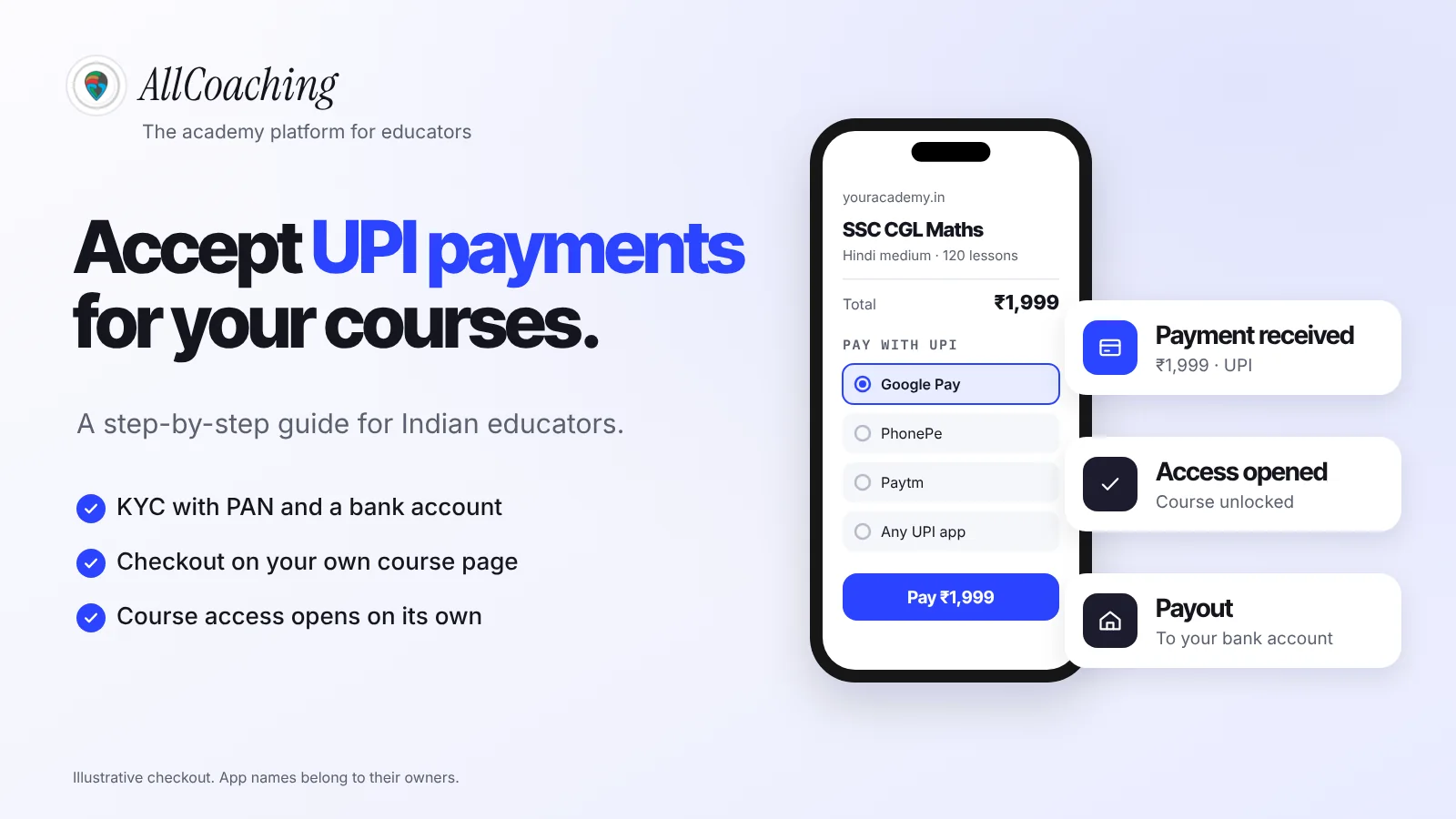
Start free trialTo accept UPI payment for online courses, you need three things: a payment route that verifies each payment, a KYC-approved account that pays out to your bank, and a link between that payment and the student's course access. The simplest reliable setup is a checkout on your own course page, run through a payment gateway such as Razorpay, that opens the course the moment UPI confirms.
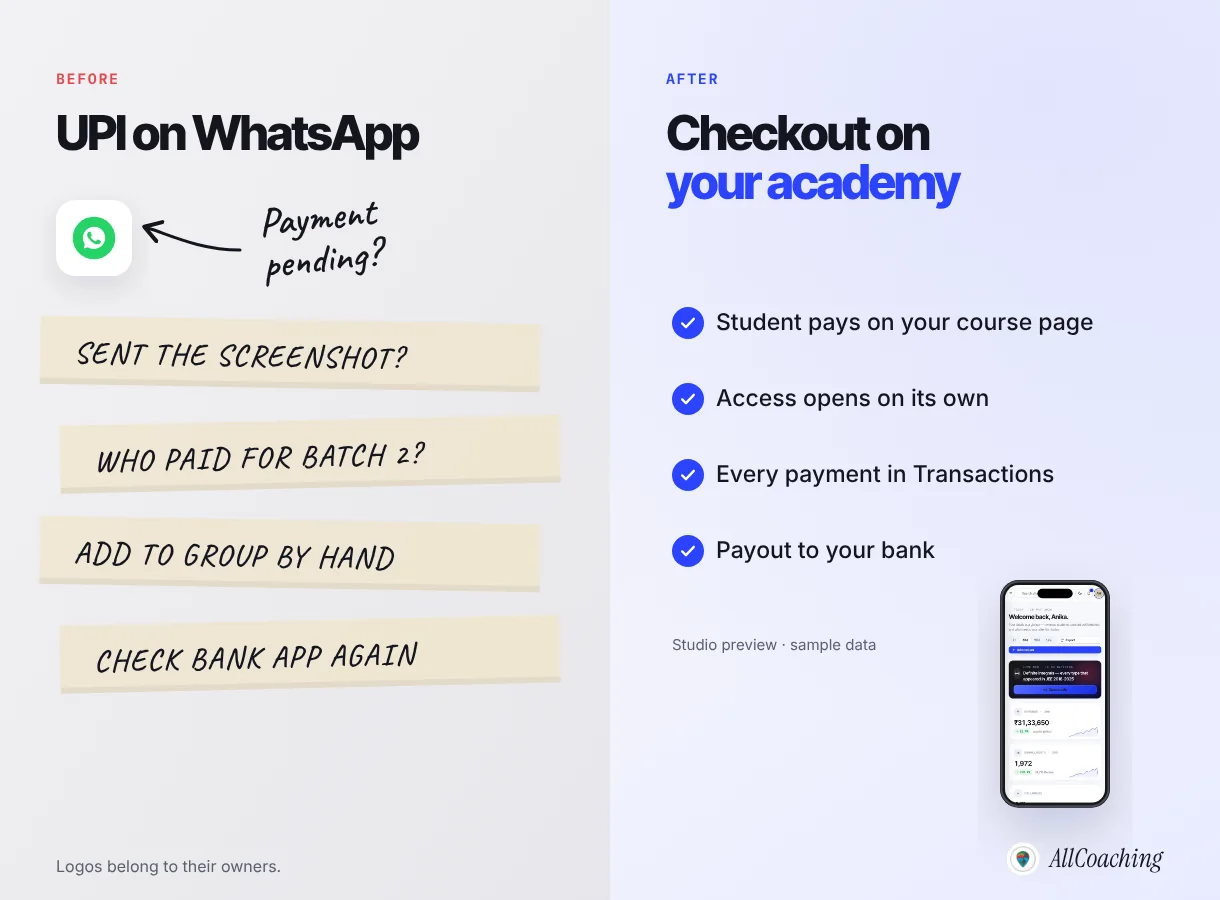
Most educators start differently. You teach SSC maths in Hindi on YouTube, students message you on WhatsApp, and you send a UPI QR code. It works for ten students. At fifty, you are matching screenshots to bank entries at midnight and adding people to groups by hand.
This guide is the how-to. To compare gateways and their charges side by side, read our UPI payment gateway comparison for online courses.
Key takeaways
- There are three ways to collect UPI for a course: a personal UPI QR, a gateway payment link, or a checkout built into your academy. Only the last one opens course access on its own.
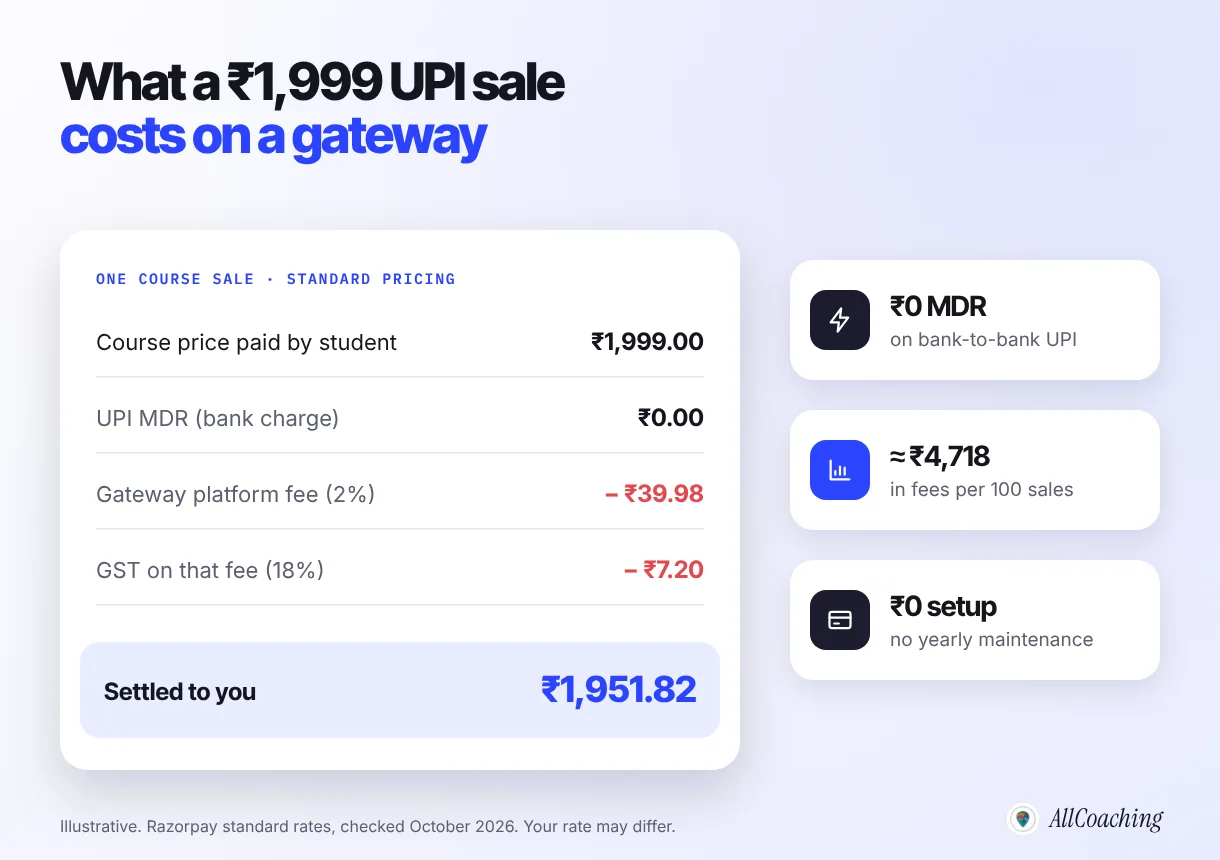
- Bank-to-bank UPI has zero MDR, but gateways charge a platform fee. Razorpay's standard rate is 2% plus 18% GST on that fee, with ₹0 setup and ₹0 maintenance (checked October 2026).
- An individual educator can complete Razorpay KYC with a personal PAN and a bank account with IFSC, verified through CKYC or DigiLocker, with video KYC as the fallback.
- UPI has transaction limits. RBI described the general cap as ₹1 lakh per transaction and proposed ₹5 lakh for payments to hospitals and educational institutions in December 2023; very high fees may need instalments or cards.
- Test every checkout from a budget Android phone on mobile data before you announce a batch, because that is how many of your students will pay.
- On AllCoaching, UPI and card checkout is part of every plan, payouts reach your bank automatically through Razorpay, and you keep 90–100% of each sale depending on the plan.
What does accepting UPI payments for online courses mean?
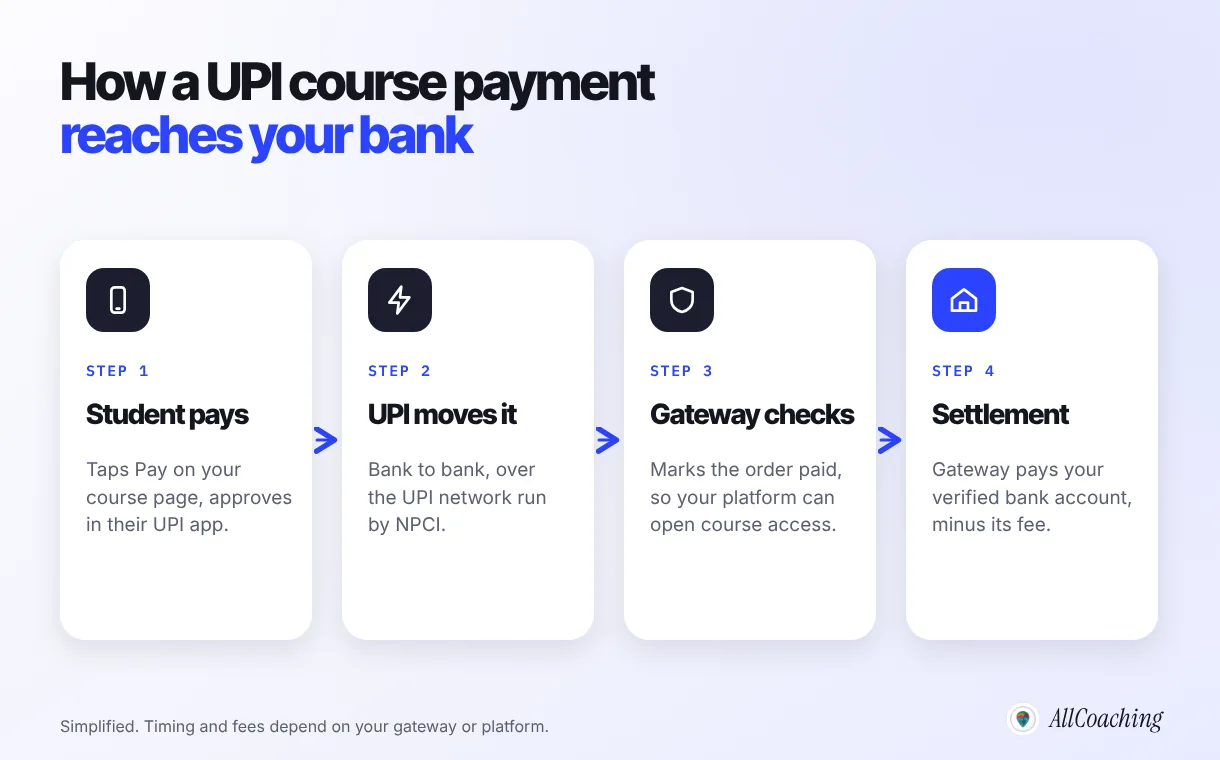
Accepting UPI payment for online courses means a student pays your course fee from any UPI app, such as Google Pay, PhonePe or Paytm, and the money reaches your bank account with a record that links the payment to that student and that course. UPI moves the money; a payment gateway or platform verifies it and settles it to you.
Three parties are involved, and it helps to keep them apart:
- UPI is the real-time bank-to-bank network run by NPCI.
- The payment gateway (also called a payment aggregator) is the company that accepts payments on your behalf, confirms them and settles the money to your bank. Razorpay, for example, describes itself as an RBI-authorised payment aggregator.[1]
- Your course platform is where the student actually buys: your website, app or academy. It decides what happens after payment, such as opening the course.
3 ways to accept UPI payment for online courses
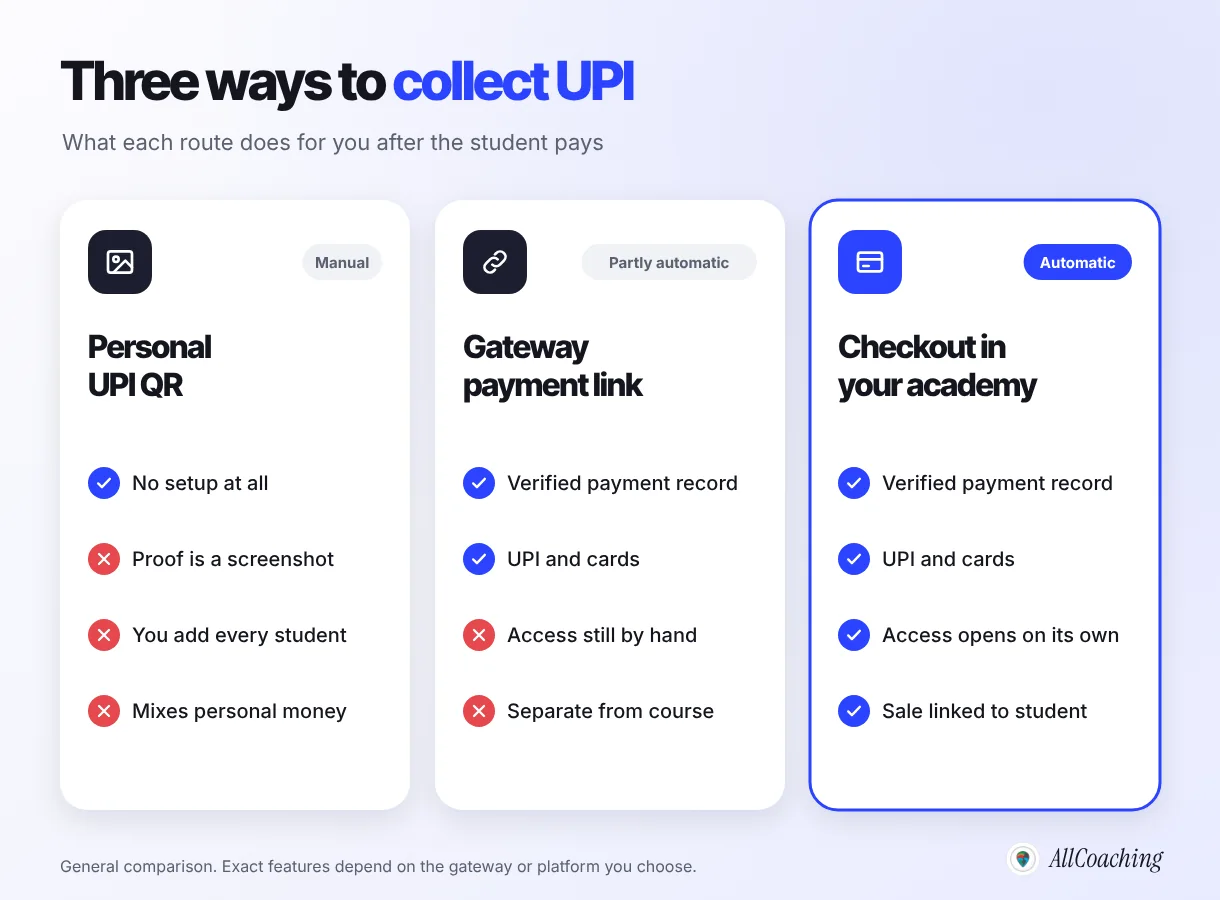
You can collect UPI for a course through a personal UPI QR, a gateway payment link, or a checkout built into your academy. They differ less in how the student pays and more in what happens after.
1. A personal UPI ID or QR code
You share your UPI QR on WhatsApp, the student pays and sends a screenshot. Nothing to set up, which is why almost everyone starts here. The cost is your time: you check every payment, add each student by hand, and course money mixes with household money.
2. A gateway payment link
After KYC with a gateway, you create a payment link for each course and share it. Razorpay states that its Payment Links let you accept payments without a website or app.[6] Every payment is verified and recorded, and students can pay by UPI or card. Course access, though, is still a separate job you do by hand.
3. Checkout inside your own academy
The student pays on your course page or app, and the platform enrols them once the payment is confirmed. This is how online shops work, and it grows with you.
| Personal UPI QR | Gateway payment link | Checkout in your academy | |
|---|---|---|---|
| Setup | None | Gateway KYC | Platform setup and KYC |
| Proof of payment | Student's screenshot | Gateway record | Gateway record, linked to the student |
| Course access | You add each student | You add each student | Opens on its own |
| Cards as well as UPI | No | Yes | Yes |
| Best for | Your first few students | One-off workshops | Courses and batches you sell for months |
When we talk to educators who move to AllCoaching, the setup we hear about most often is the first one: a UPI QR in a WhatsApp group and a notebook of who paid. It simply grew one batch at a time.
What do you need before you accept UPI payments?
Before a gateway can pay you, it must verify who you are and which bank account is yours. This is know-your-customer (KYC) checking. Keep these ready before you sign up.
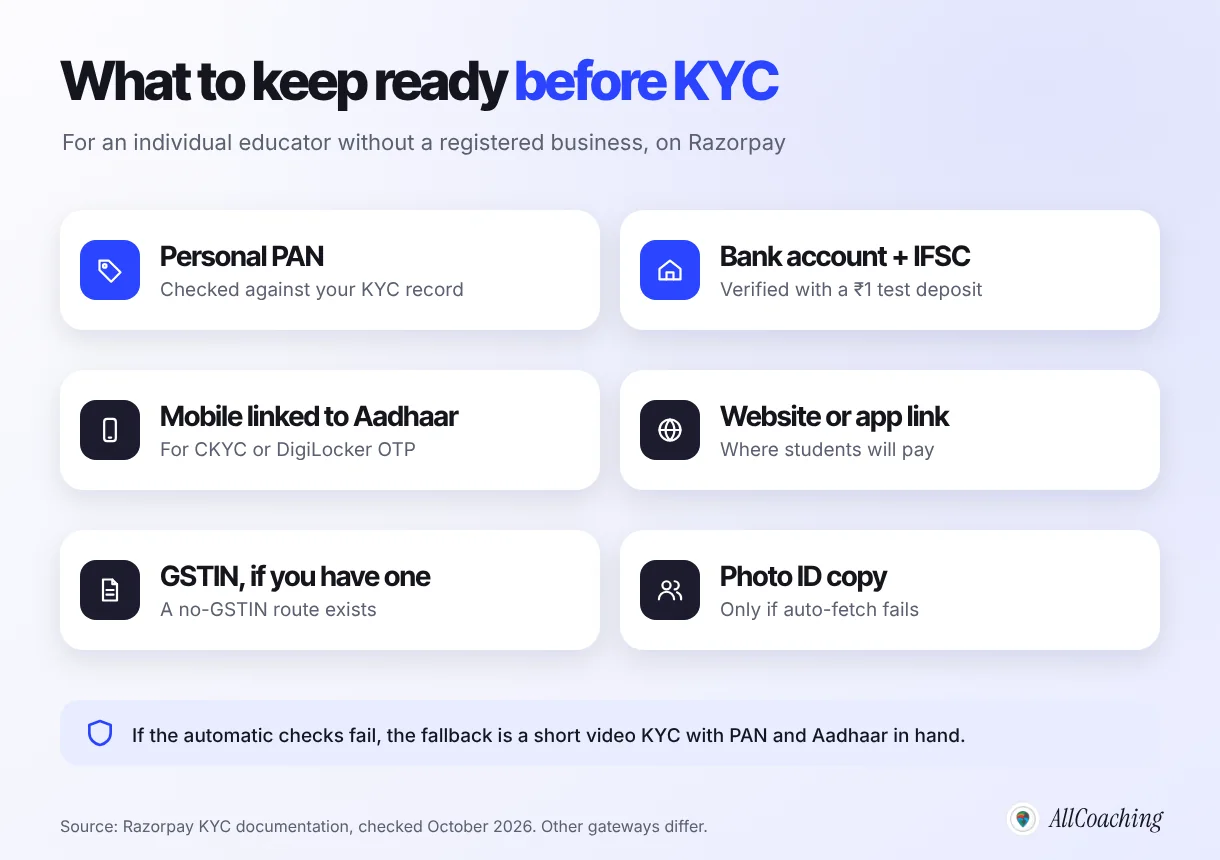
For an individual or unregistered business, Razorpay's documentation lists:[2]
- Proof of identity and address, auto-fetched from your Central KYC (CKYC) record. If that fails, you share Aadhaar details through DigiLocker or upload a photo ID.
- Bank details: account number and IFSC are mandatory. If the bank check fails, you are asked for proof such as a video of a cancelled cheque.
- Your personal PAN, which Razorpay uses to look up your details.[3]
A GSTIN is not always needed. Razorpay's setup flow has an "I don't have a GSTIN" option.[3] If you run a registered proprietorship, the list grows: Razorpay asks for two business proofs, such as a GST certificate, Udyam (MSME) certificate or shop and establishment certificate.[2]
Question educators ask
Can I use my savings account for course payments?
Gateways ask for an account in your or your business's name and verify it with a small test deposit. A separate account only for course fees makes tax work easier at year end; ask your CA which type suits you.
How to accept UPI payments for online courses: 8 steps
Here is the full setup, in the order that avoids rework. Most educators can finish it in a few days, and much of that is waiting for KYC.
- Choose how students will payPick one route: a personal UPI QR, a gateway payment link, or checkout built into your academy. For a course you will sell for months, choose a checkout that is linked to course access.
- Keep your KYC documents readyHave your personal PAN, a bank account with IFSC in your name, the mobile number linked to your Aadhaar, your course page link, and your GSTIN only if you have one.
- Complete KYC with your gateway or platformSign up, choose registered or unregistered business, confirm your PAN, finish the CKYC or DigiLocker check, and add your bank account for the small verification deposit.
- Price each course in rupeesSet one clear price per course or batch, decide whether GST is included, and show the price, contents and validity on the course page.
- Connect payment to course accessMake sure a confirmed payment enrols the student in the right course automatically, so you never add students by hand.
- Write a refund and support policyPublish a short refund policy and one support contact before the first sale, so payment questions have a clear answer.
- Test with a real paymentBuy your own course from a budget Android phone on mobile data with two or three UPI apps, then check the record, the access and the confirmation message.
- Share the course link and reconcile monthlyPut one course link in YouTube, WhatsApp and Instagram, then match payouts in your bank to sales once a month and export the records.
Step 5 in detail: connect payment to access
If a payment does not enrol the student automatically, every sale becomes a manual task: find the payment, find the student, add them, send the link. With built-in checkout, the payment confirmation itself opens the course. Our guide on automating student onboarding covers what should happen in the minutes after a payment.
Step 7 in detail: test like a student
Buy your own course from a budget Android phone on mobile data, not from your laptop on office Wi-Fi. Try Google Pay, then PhonePe, then Paytm. Check that the payment shows in your records, the course opens, and the confirmation reads well in your students' language, whether that is a Hindi-medium NEET batch or a spoken-English class for working adults.
Build your own academy. Try it free for 14 days.
Website on your own domain, your own Android app (iOS app on Pro and Scale), unlimited live classes and UPI checkout on every plan. Plans from ₹6,999 a year after the trial (excl. GST).
No card needed · Cancel anytime in the trial · Your data stays exportableHow much does it cost to accept UPI payments for courses?
UPI itself costs the merchant nothing on bank-to-bank payments, but the gateway that verifies and settles the payment charges a platform fee. On Razorpay's standard pricing, that fee is 2% of each payment plus 18% GST on the fee, with no setup fee and no yearly maintenance charge.[1]
Razorpay's own pricing page explains the split: there is zero MDR (merchant discount rate) on standard bank-to-bank UPI, "however, a standard platform or technology fee of 2% will be applied" for its dashboard, reporting and infrastructure.[1] Cashfree lists a platform fee from 1.95% on its standard payment modes and says it charges zero setup fees.[5] Rates change, so check the live page before you sign up.
For one illustrative ₹1,999 course sold by UPI on that standard rate, the fee is ₹39.98 plus ₹7.20 GST, and ₹1,951.82 is settled to you. Income tax and any GST on your own course fee are separate.
A gateway on its own gives you payments, not a website, an app or course delivery. If you use a course platform, add its price too. On AllCoaching, plans are Starter ₹6,999, Growth ₹12,999 and Pro ₹24,999 a year with a 10%, 7.5% or 5% platform fee on sales, or Scale at ₹99,999 a year with a 0% platform fee, which you buy through "Contact us" on the pricing page. All prices exclude GST. To choose a price students will actually pay, read how to price online courses in India.
Is there a UPI limit on course fees?
Yes. UPI has per-transaction limits, so a very high course fee may not go through in a single UPI payment. In December 2023, the Reserve Bank of India said the UPI transaction limit was capped at ₹1 lakh, except for a few categories, and proposed raising the limit for payments to hospitals and educational institutions to ₹5 lakh per transaction.[4]
"To encourage the use of UPI for medical and educational services, it is proposed to enhance the limit for payments to hospitals and educational institutions from ₹1 lakh to ₹5 lakh per transaction."
Reserve Bank of India, Statement on Developmental and Regulatory Policies, 8 December 2023Whether the higher limit applies to your academy depends on how your gateway classifies your business, so ask your gateway rather than assume it. Most SSC courses, UPSC test series or yoga programmes cost far less than ₹1 lakh. For an expensive year-long programme, offer instalments or card and net banking alongside UPI.
Do you need GST registration to accept UPI payments?
Not always to start. Razorpay's sign-up flow lets eligible applicants continue without a GSTIN.[3] Whether you must register for GST, and whether GST applies to your course fees, is a tax question that depends on your turnover and how you teach, not on the payment method.
Decide before launch whether your listed price includes GST and say so on the course page. Note that the 18% GST in the fee maths above is charged on the gateway's fee, not on your course price.[1] For the rules on coaching fees, read our guides on GST for coaching institutes and GST and income tax for online tutors, and confirm your case with a chartered accountant.
How to make UPI checkout work on students' phones
A UPI checkout works best when it takes one tap from the course page, opens the student's UPI app directly, and confirms access on the same screen. Most of your students will pay on a phone, often a budget Android phone on mobile data, so design for that first.
- Share a course page link, not a QR image. A student cannot scan a QR on the phone they are paying from.
- Show the price, what is included and the validity before the pay button. "₹1,999 · 120 lessons · Hindi medium · valid till the 2026 exam" answers the questions that otherwise arrive on WhatsApp.
- Keep the page light. A heavy page on a slow connection loses students. Our course landing page guide covers the layout.
- Write confirmation messages in your teaching language. A Hindi-medium student should see what to do next in Hindi or simple English.
- Put the link where students already are. YouTube descriptions, a pinned WhatsApp message, your Instagram bio. If students are reluctant to install an app, see what to do when students won't download your app.
Common UPI payment mistakes course sellers make
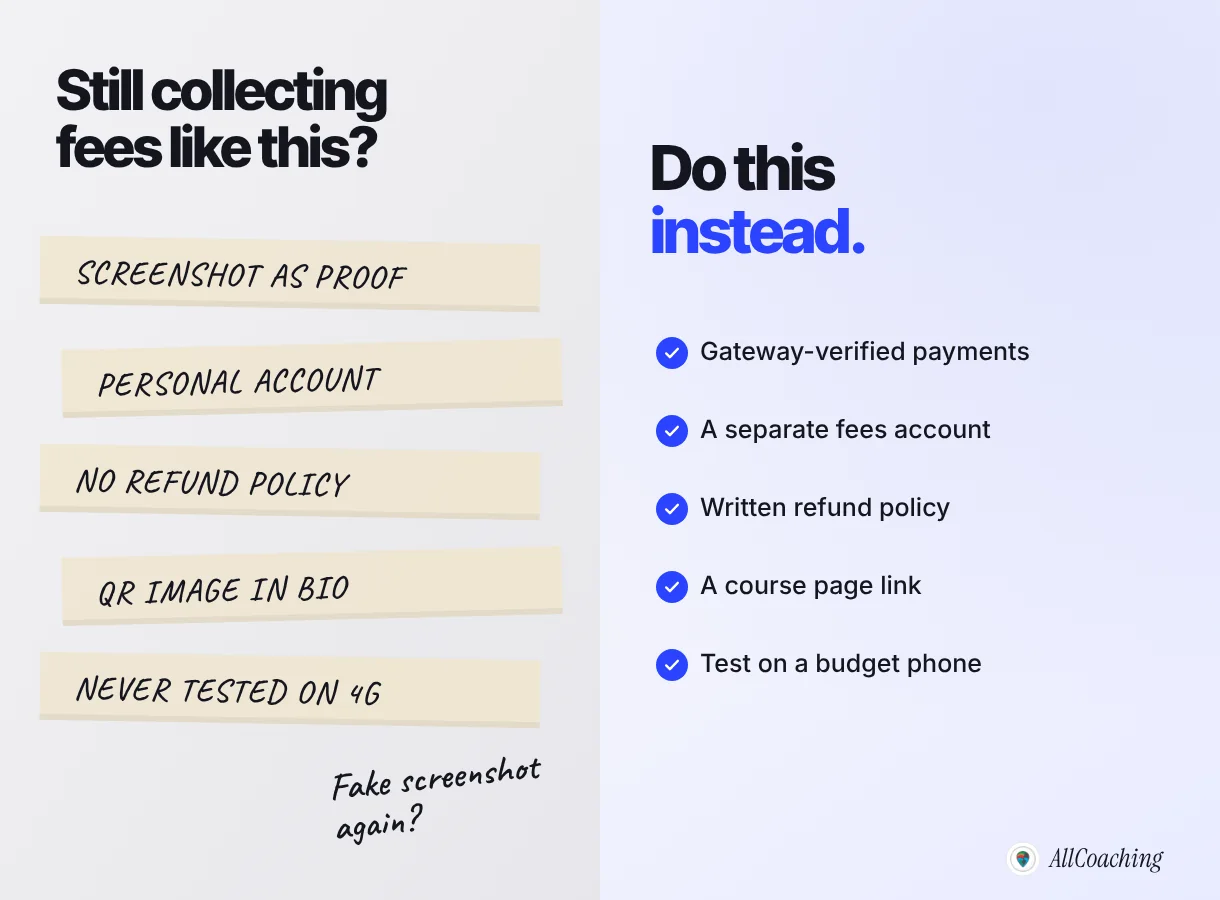
The most common mistake is treating a payment screenshot as proof of payment. Screenshots can be old or edited, and checking each one does not scale. Use payments your gateway has verified.
Do
Collect through a gateway or platform checkout. Keep a separate bank account for course fees. Publish a short refund policy before the batch starts. Share one course link everywhere. Test on a budget phone before every launch.
Avoid
Accepting screenshots as proof. Mixing fees with personal spending. Deciding refunds case by case on WhatsApp. Posting a QR image as your only way to pay. Launching a batch without a test payment.
One more: do not leave payment records only inside a chat app. When a parent asks for a receipt in March, or your CA asks for a year of sales, you want a record you can export.
How UPI payments work on AllCoaching
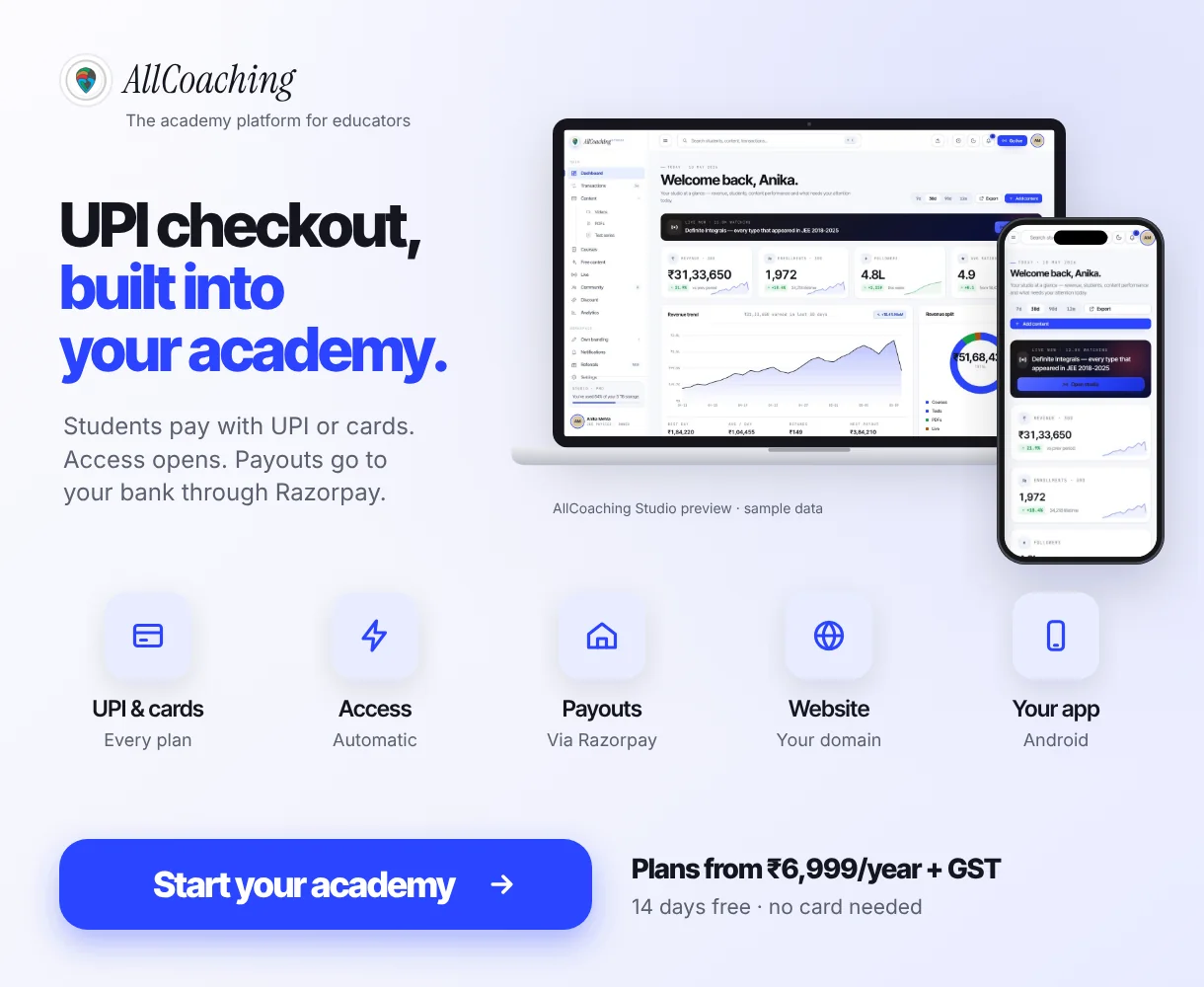
On AllCoaching, UPI and card checkout is part of every plan, and payouts reach your bank account automatically through Razorpay. You build your academy, set a price on each course, and students pay on your own academy website or Android app (iOS app on Pro and Scale). You still verify your identity and bank account during setup, because that is how regulated payments work in India.
The path is the one this guide describes: sign up, choose a plan, upload your course, connect your domain and start selling. We built checkout into every plan because the educators we work with did not start teaching to match screenshots. Every plan starts with a 14-day free trial with no card needed, and you keep 90–100% of each sale depending on the plan. For the full picture of selling online, read how to sell courses online in India and our guide to an LMS with your own domain.
Glossary
- UPI (Unified Payments Interface)
- India's real-time bank-to-bank payment network run by NPCI, used through apps such as Google Pay, PhonePe and Paytm.
- Payment gateway
- A company that accepts online payments for a business, verifies each one and settles the money to the business's bank account. Razorpay, for example, is authorised by the RBI as a payment aggregator.
- MDR (merchant discount rate)
- The charge a merchant's bank takes on a digital payment. Bank-to-bank UPI and RuPay debit card payments carry zero MDR.
- Platform fee
- A percentage a gateway or course platform keeps from each payment for its service. It is separate from MDR and usually attracts GST.
- KYC (know your customer)
- The identity and bank-account checks a payment company must complete before it can pay money out to you.
- CKYC (Central KYC)
- A central registry of verified KYC records, maintained by CERSAI, that payment companies can look up with your PAN, so you upload fewer documents.
- Settlement
- The transfer of collected payments, minus fees, from the gateway to your bank account on the gateway's settlement cycle.
Frequently asked questions
Can I accept UPI payments for online courses without a website?
Yes. You can use a personal QR code or a gateway payment link; Razorpay says its Payment Links work without a website or app. Course access then stays manual, so a checkout on your own course page saves time as you grow.
Is UPI free for course sellers in India?
Bank-to-bank UPI carries zero MDR, but payment gateways charge a platform fee for verifying and settling payments. Razorpay's standard rate is 2% plus 18% GST on that fee, with no setup or maintenance charge (checked October 2026).
What documents do I need to accept UPI payments as an individual tutor?
For an individual without a registered business, Razorpay asks for your personal PAN and a bank account number with IFSC; identity and address are fetched from your CKYC record, with DigiLocker, a photo ID upload or video KYC as fallbacks. A GSTIN is needed only if you have one.
Do I need GST registration to accept UPI payments for my courses?
Not to start on Razorpay, which offers a route for eligible applicants without a GSTIN. Whether you must register for GST, and whether GST applies to your course fees, depends on your turnover and situation, so confirm it with a chartered accountant.
Is there a maximum amount a student can pay by UPI for a course?
Yes. In December 2023 the RBI said the general UPI limit was ₹1 lakh per transaction and proposed ₹5 lakh for payments to hospitals and educational institutions. For higher fees, offer instalments or let students pay by card or net banking.
Is it safe to collect course fees on my personal UPI ID?
It works for a few students, but screenshots can be edited, each student is added by hand, and course money mixes with personal money. A gateway or platform checkout gives verified records and can open access automatically.
How do students pay by UPI on AllCoaching?
Students pay with UPI or a card on your own academy website or app, course access opens after payment, and payouts reach your bank automatically through Razorpay. UPI checkout is part of every plan: Starter, Growth and Pro carry a 10%, 7.5% or 5% platform fee, and Scale has a 0% platform fee.
Which UPI payment gateway is best for online courses?
It depends on your fees, volume and the features you need. Our separate UPI payment gateway comparison for online courses looks at the options side by side; this guide covers the setup steps.
Sources
- Razorpay, "Payment Gateway Pricing". razorpay.com/pricing, checked October 2026.
- Razorpay Docs, "KYC Documents for Companies and Businesses". razorpay.com/docs, checked October 2026.
- Razorpay Docs, "Set up a Razorpay Account". razorpay.com/docs, checked October 2026.
- Reserve Bank of India, "Statement on Developmental and Regulatory Policies", 8 December 2023. rbi.org.in, checked October 2026.
- Cashfree Payments, "Payment Gateway Charges". cashfree.com, checked October 2026.
- Razorpay Docs, "About Payment Links". razorpay.com/docs, checked October 2026.
Amit builds AllCoaching, the academy platform Indian educators set up themselves: their own website on their own domain, their own app, and the tools to grow it. This guide walks through the steps in plain words, with every outside fact linked to its source and dated.