
On this page
Start your online academy today. 7 days free.
Start free trialAn LMS with a mobile app can mean three different things: a shared app where your course sits inside the platform's own app, your own white-label app published under your name on Google Play and the App Store, or a mobile website that students open in a browser or add to their home screen as a PWA. They look similar in a sales pitch, but they differ on brand, on who owns the store listing and on what happens if you ever switch.
Maybe you teach NEET biology to students in Patna and Ranchi, and every one of them studies on an Android phone. Or you run a spoken English batch and parents keep asking, "Is there an app?". So you start comparing LMS platforms, and every pricing page says "mobile app included". The real question is: whose app?
This guide explains the three kinds of app, why the app matters for students in India, a comparison table, the 12 things to check before you pay, and 7 steps to choose an LMS and publish your app. If you have already decided you want an app in your own name, our guide to getting a white-label app for educators in India goes deeper on that one option.
Key takeaways
- "Mobile app included" has three meanings: a shared platform app, your own white-label app, or a mobile website / PWA. Ask which one before you compare prices.
- Android is where Indian students are: StatCounter puts Android at 94.84% of mobile web traffic in India for October 2026, and iOS at 5.1% (checked 5 Nov 2026).
- The developer account decides ownership: an app published on your own Google Play Console and Apple account stays your listing if you change LMS; one on the vendor's account does not.
- Payments inside an app follow store rules: Google Play's policy says apps accepting payment for digital content "must use Google Play's billing system" unless an exception applies, and Apple has a similar rule. Ask your LMS how it handles this.
- New personal Play Console accounts must run a closed test with at least 12 testers for 14 days before going live, so plan your launch around it.
- On AllCoaching, every plan includes your own white-label Android app, and your iOS app comes on Pro monthly and every yearly plan, published on your own Play Console and App Store accounts.
- Plans start with a 7-day free trial, no card needed; monthly plans take 0% commission from ₹3,999 a month, yearly plans start at ₹6,999 a year with a fee per sale, prices + 18% GST.
What does "LMS with mobile app" actually mean?
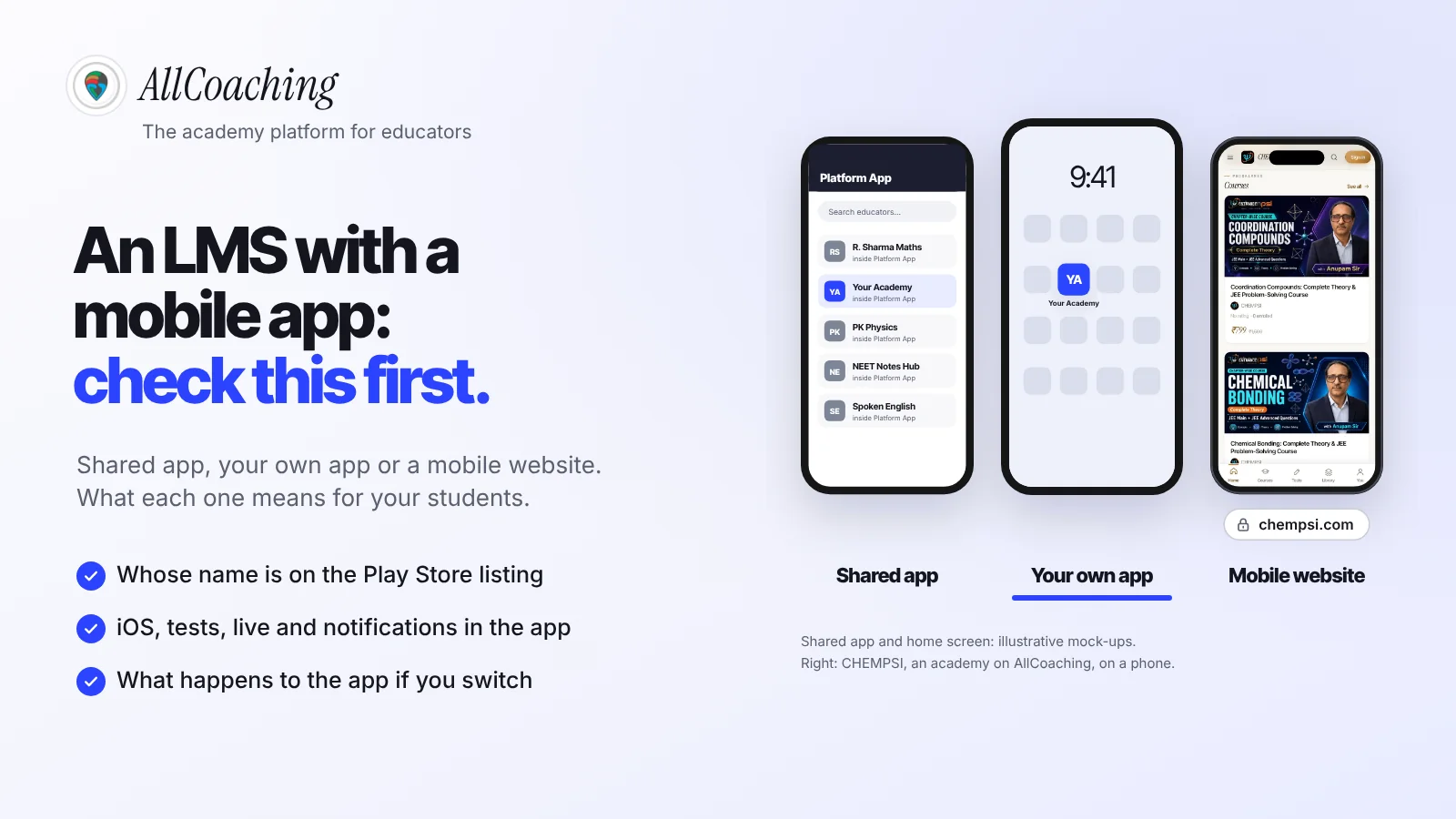
When an LMS says it comes with a mobile app, it means one of three things: a shared app owned by the platform that holds many educators' courses, a white-label app built for you and listed under your own name, or a mobile-friendly website, sometimes installable as a progressive web app (PWA). All three let a student learn on a phone. Only one puts your name on the Play Store.
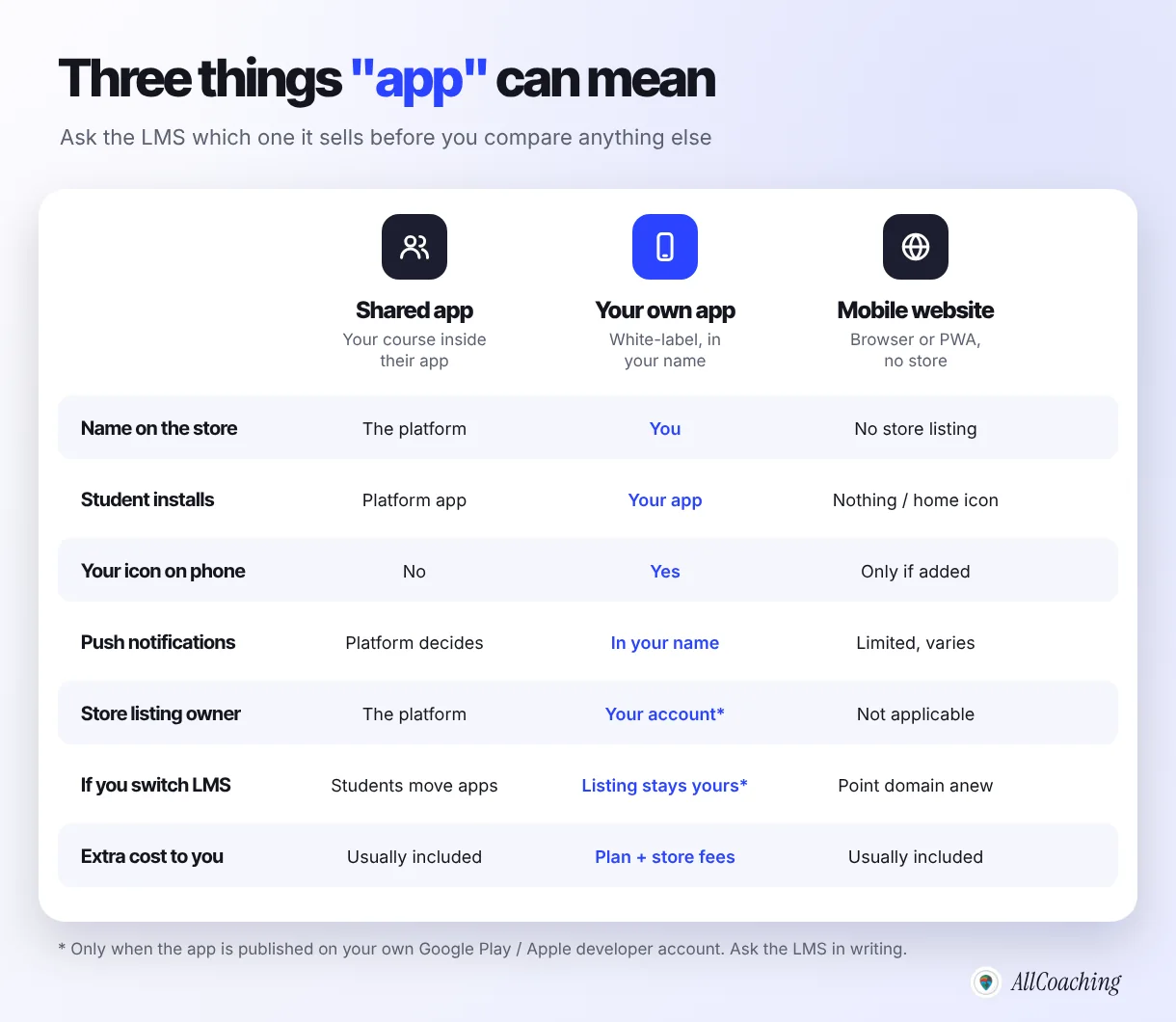
- Shared app: the student installs the platform's app, searches for you or uses a code, and finds your course next to other educators' courses. Your brand is a page inside someone else's app.
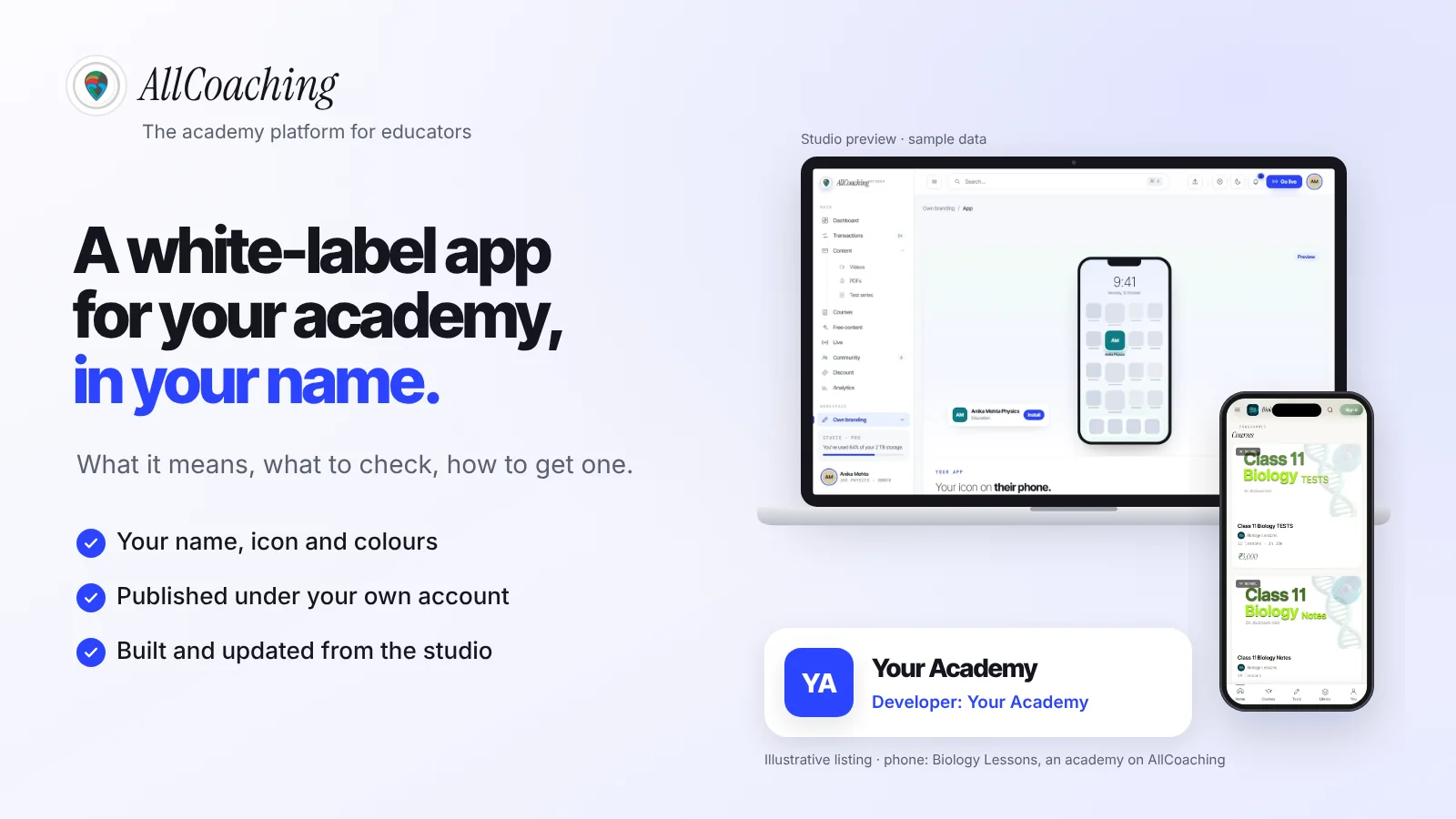
- Your own white-label app: the platform builds an app with your name, icon and colours, and it is published as a separate app on Google Play and, on some plans, the App Store. The student installs "Your Academy".
- Mobile website or PWA: the student opens your academy website in Chrome. A PWA can also be added to the home screen and behave more like an app, but there is no store listing to find.
None of these is wrong, but the choice decides who students think they are learning from and how hard it is to move later, so make it first.
Why the app matters for an LMS in India
In India the phone is the classroom: Android had 94.84% of mobile operating system share in India in October 2026 according to StatCounter, and iOS had 5.1%.1 StatCounter measures share of web traffic from mobile devices, not phones sold, but the direction is clear. If your students are on a phone, they are almost certainly on Android.
- Android first. An own Android app matters more than iOS for most Indian academies.
- Modest phones and patchy data. Many students in tier-2 and tier-3 towns use budget phones with little storage, on mobile data. Ask how video quality adjusts and how heavy the app is.
- One tap back to class. An icon on the home screen and a notification before a live class bring students back more reliably than a link buried in a WhatsApp group.
- iOS still matters for some batches, such as school students whose parents pay, professionals and metro students. Check which plan includes it.
An app does not replace your website: students find you on Google and pay on a page, then come back every day in the app. Our guide to the best LMS for coaching institutes in India covers the rest of the platform comparison.
Kind 1: a shared app, with your course inside their app
A shared app is one app, owned and published by the LMS company, that holds many educators' content; your students install the platform's app and find your course inside it. It is the simplest option for the platform to run, and Apple describes it as one acceptable model for template providers.
"Another acceptable option for template providers is to create a single binary to host all client content in an aggregated or 'picker' model."
Apple App Review Guidelines 4.2.6, checked 5 Nov 2026[4]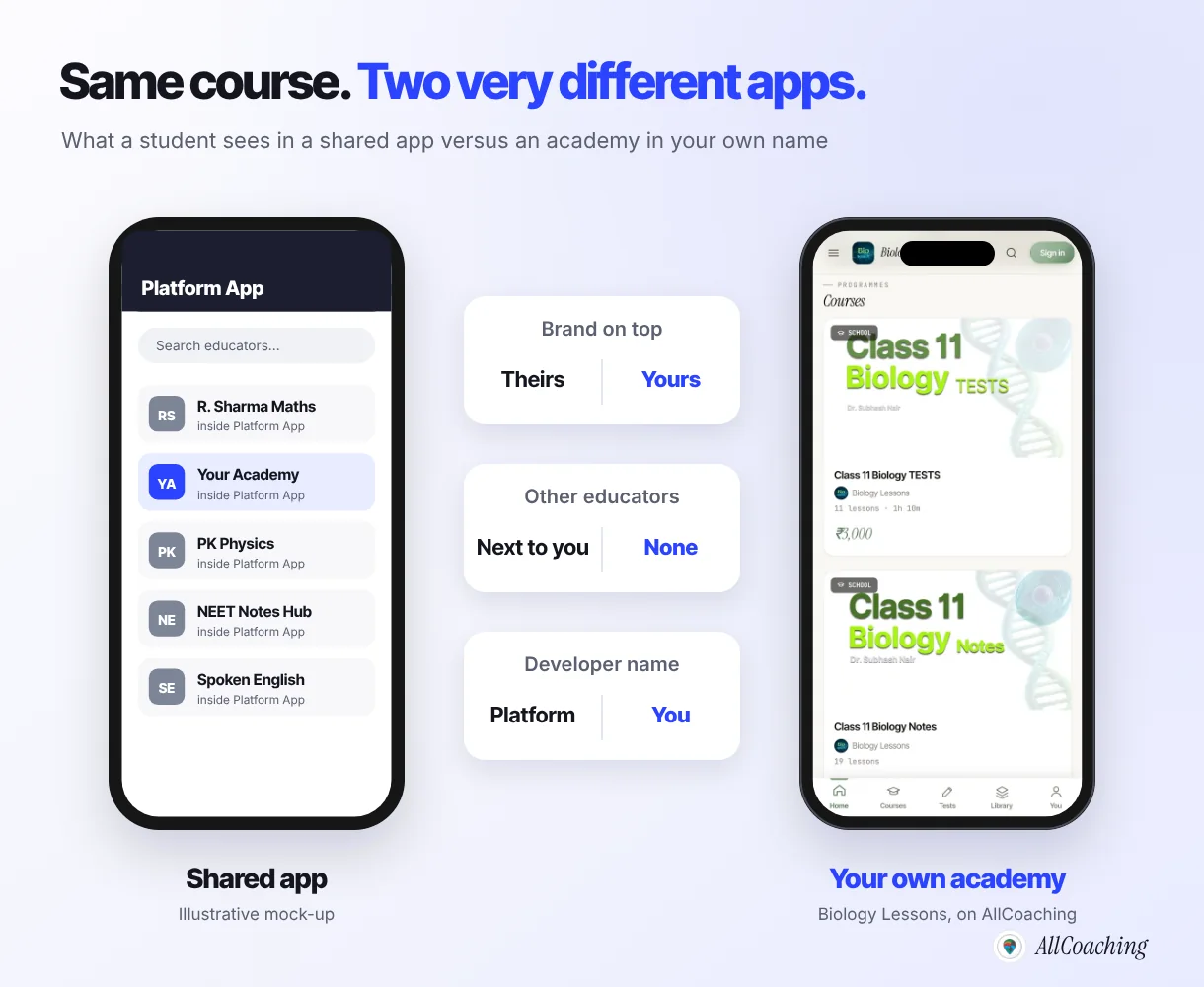
What a shared app means for you and your students
- Download: students install the platform's app, not yours. On the Play Store it shows the platform's name and reviews.
- Login: a platform account first, then your course by code or search.
- Brand: your logo appears inside a page; the icon on the phone is the platform's. Other educators teaching your subject may sit one tap away.
- Notifications: they arrive in the platform's name.
- Switching later: your students' app belongs to the platform. If you leave, they need a new app and a new login.
A shared app costs no store fees and suits a trial run of one course. For a long-term academy, remember that every install builds the platform's audience, not yours.
Kind 2: your own white-label app on Play Store and App Store
A white-label app is a separate app built from the platform's technology but published under your academy's name, icon and colours, ideally on your own Google Play Console and Apple developer accounts. To a student it is simply "your app"; the platform underneath is not visible.
What matters most is whose developer account publishes it, because the account holder is shown as the developer and controls the listing. Not every LMS publishes on your account. Learnyst's pricing page, for example, says: "Apps will be available in Google Play store & Apple App store under Learnyst's Developer Account" (learnyst.com/pricing, checked 5 Nov 2026). That is a legitimate model; it just means the listing is the vendor's.
What it takes to publish in your own name
- A Google Play developer account: Google lists a US$25 registration fee, paid once (Play Console Help, checked 5 Nov 2026).
- An Apple Developer Program membership for iOS: Apple lists the annual fee as 99 USD, in local currency where available (Apple Developer, checked 5 Nov 2026).
- A closed test for new personal Play accounts: Google says personal accounts created after 13 November 2023 must run a closed test with at least 12 testers opted in for at least 14 days before applying for production access.3
- Store review: Google and Apple review every app and update. No LMS can promise a date.
When educators move to us from an agency-built app, our first question is which Play Console account it sits in; often they do not know. If you are weighing an agency build against a platform, our breakdown of white-label coaching app development cost in India lays out the year-one numbers.
Kind 3: a mobile website or PWA
A mobile website is your academy opened in the phone's browser; a progressive web app (PWA) is a website built so it can also be installed on the home screen and work more like an app, without going through Google Play or the App Store. MDN, the web developer reference maintained by Mozilla, defines it this way:
"A progressive web app (PWA) is an app that's built using web platform technologies, but that provides a user experience like that of a platform-specific app."
MDN Web Docs, Progressive web apps, checked 5 Nov 2026[5]MDN adds that a PWA can be installed on the device and can operate while offline and in the background, but how much of that a given LMS actually builds in varies a lot.5 Ask to see it working on a real Android phone, not on a slide.
Where it works well
Nothing to install, no store fees, works on Android and iPhone, and your own domain is the address.
Where it falls short
No Play Store listing to search, many students never add it to the home screen, and notifications depend on the browser.
Every academy needs a good mobile website anyway, because that is where students land from Google and YouTube and where they pay. Our guide to an LMS with a custom domain for coaching covers the website half.
Shared app vs own app vs PWA: comparison table
A shared app is the quickest start but keeps the platform's name in front; your own app costs store fees but puts your name on the store and keeps the listing yours; a mobile website or PWA needs no store at all but is the easiest for students to forget.
| Question | Shared app | Your own app | Mobile website / PWA |
|---|---|---|---|
| What students download | The platform's app | Your academy's app | Nothing, or a home-screen icon |
| Name on Play Store | The platform | You, on your own account | No listing |
| Student login | Platform account, then your course | Your academy account | Your academy account |
| Other educators visible | Often | No | No |
| Push notifications | In the platform's name | In your name | Depends on browser and platform |
| Offline use | Depends on the platform | Depends on the platform | Possible, often limited |
| iOS | Usually, in the platform's app | Check which plan | Works in Safari |
| Store fees for you | None | Google US$25 once, Apple US$99 a year | None |
| If you switch LMS | Students need a new app | Listing stays yours if on your account | Point your domain to the new LMS |
For an academy that plans to run for years, the strongest mix is your own app plus a mobile website on your own domain, sharing one student account.
12 things to check in an LMS mobile app before you pay
Before you pay for an LMS, ask it to answer these 12 questions about its mobile app in writing: listing ownership, iOS plan, video, tests, live classes, notifications, payments, updates, login, branding, exit and extra cost. The first and the eleventh decide who really owns the app.
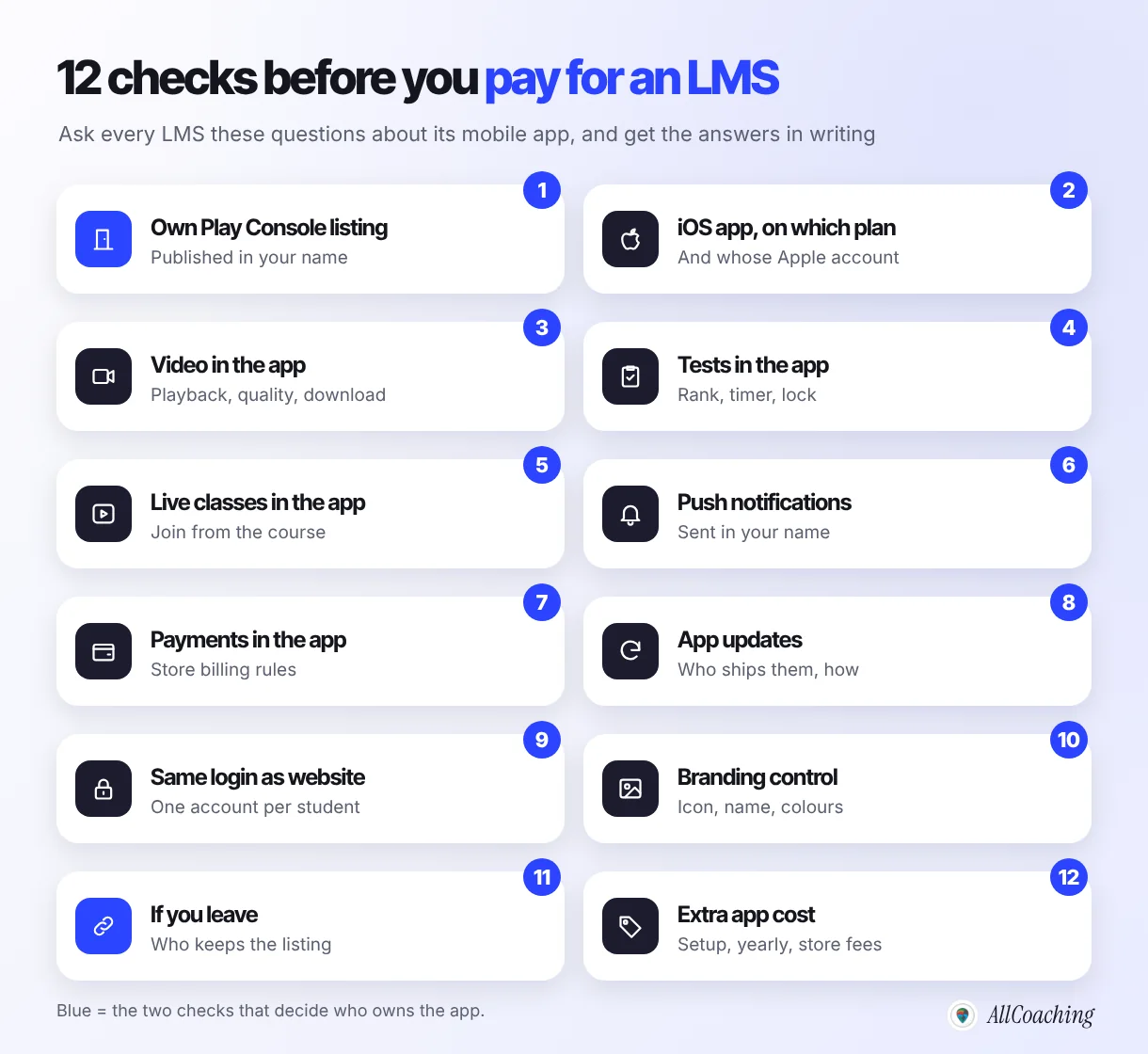
- Own Play Console listing. Is the app published on my Google Play developer account, with my academy as the developer name?
- iOS, and on which plan. Is there an iOS app, on which plan, and on whose Apple account?
- Video in the app. Do videos play smoothly on a budget phone on mobile data, and can students download lessons safely?
- Tests in the app. Can students take timed tests with ranks and a full-screen lock in the app, not only on the website?
- Live classes in the app. Can students join a live class from inside the course, or are they sent to another app with a link?
- Push notifications. Can I send notifications, and do they arrive in my academy's name?
- Payments in the app. How do students buy a course from inside the app, and how does the platform follow Google Play's and Apple's billing rules? (More below.)
- App updates. Who ships updates when Android or store rules change, and is it included?
- Same login as the website. Does a student who bought on the website see the same course in the app with one account?
- Branding control. Can I change the app name, icon and colours myself, without raising a ticket?
- If I leave. Who keeps the listing, the reviews and the installs, and how do I export my students and content?
- Extra app cost. Is there a separate setup fee, yearly app fee or per-install charge on top of the plan and the store fees?
Payments in the app: what the store rules say
Google Play requires apps that accept payment for digital content or features to use Google Play's billing system, unless one of its listed exceptions or programmes applies. Its Payments policy reads:
"Play-distributed apps requiring or accepting payment for access to in-app features or services, including any app functionality, digital content or goods (collectively 'in-app purchases'), must use Google Play's billing system for those transactions unless Section 3, 8, or 9 applies."
Google Play Console Help, Payments policy, checked 5 Nov 2026[2]The same page lists education among its examples of subscription services, and says developers in eligible countries or regions may offer an alternative billing system, or lead users outside the app, if they enrol in the applicable programme and accept its terms.2 Apple's guideline 3.1.1 says apps that sell access to features or premium content must use in-app purchase.4 The rules change and differ by country, so ask the LMS exactly how purchases work in its app on both stores.
Who owns the app and the Play Store listing if you leave?
The owner of the developer account owns the listing: if your app is published on your own Google Play Console and Apple accounts, the listing, its reviews and its install history stay with you when you change LMS; if it is on the vendor's account, they stay with the vendor. This is the question to settle before you pay, not after.
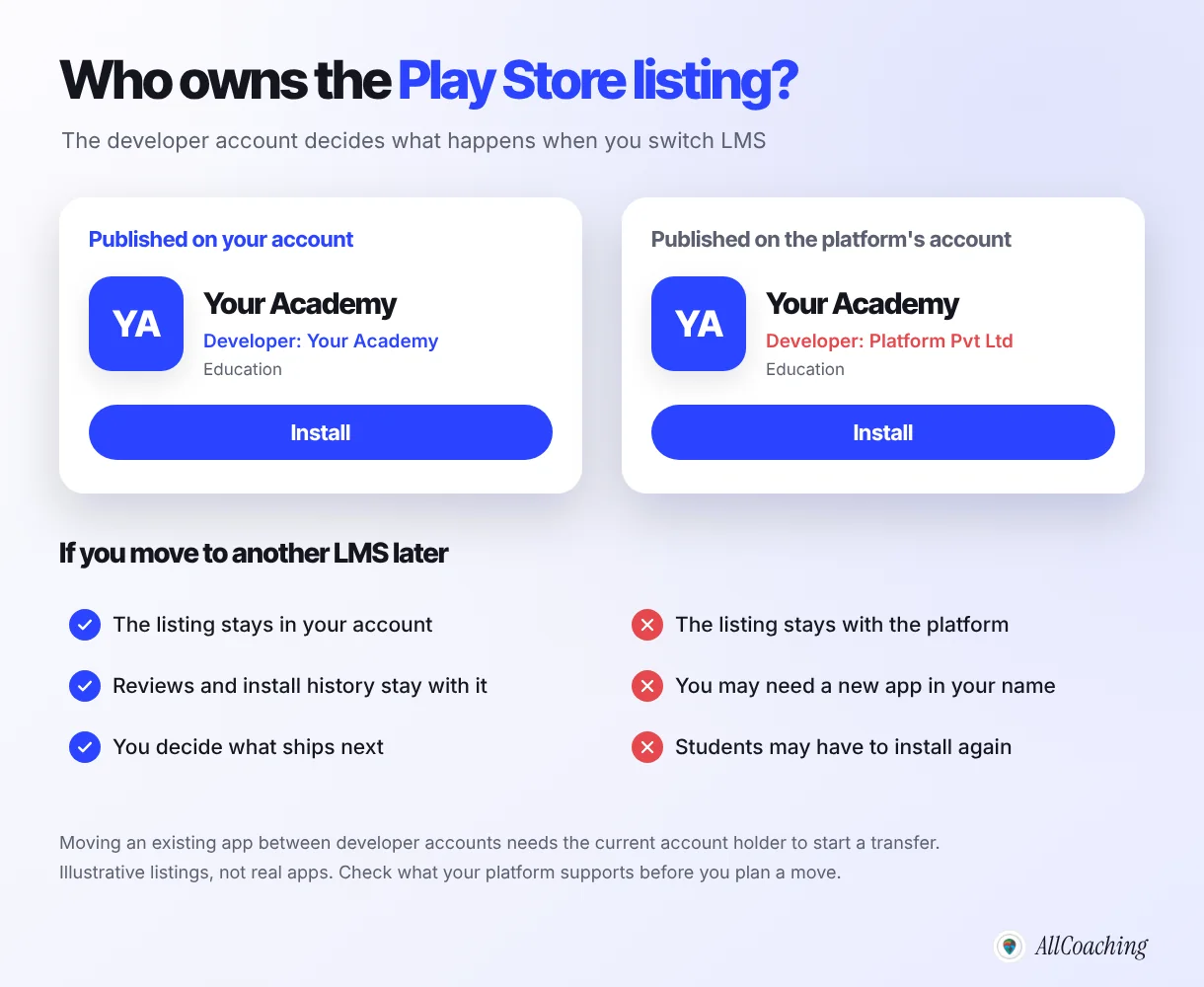
Moving an existing app from one developer account to another is possible on both stores, but the current account holder has to start the transfer. If a vendor will not, you may have to publish a fresh app in your own name and ask every student to install it again, losing the ratings you built. See switching coaching apps without losing students.
Question educators ask
Is my content safe if the app is on the vendor's account?
Your content and student data are a separate question from the app listing. Ask the LMS how you export students, courses and videos, and how long you have to do it after you stop. The listing question is only about the app on the store.
What students need from the app: login, video, tests, live and reminders
Students judge an LMS app on five things: whether they can find and install it easily, log in once, watch lessons without buffering, take tests and join live classes from the same place, and get a reminder before class. If any one of these sends them back to WhatsApp, the app loses.
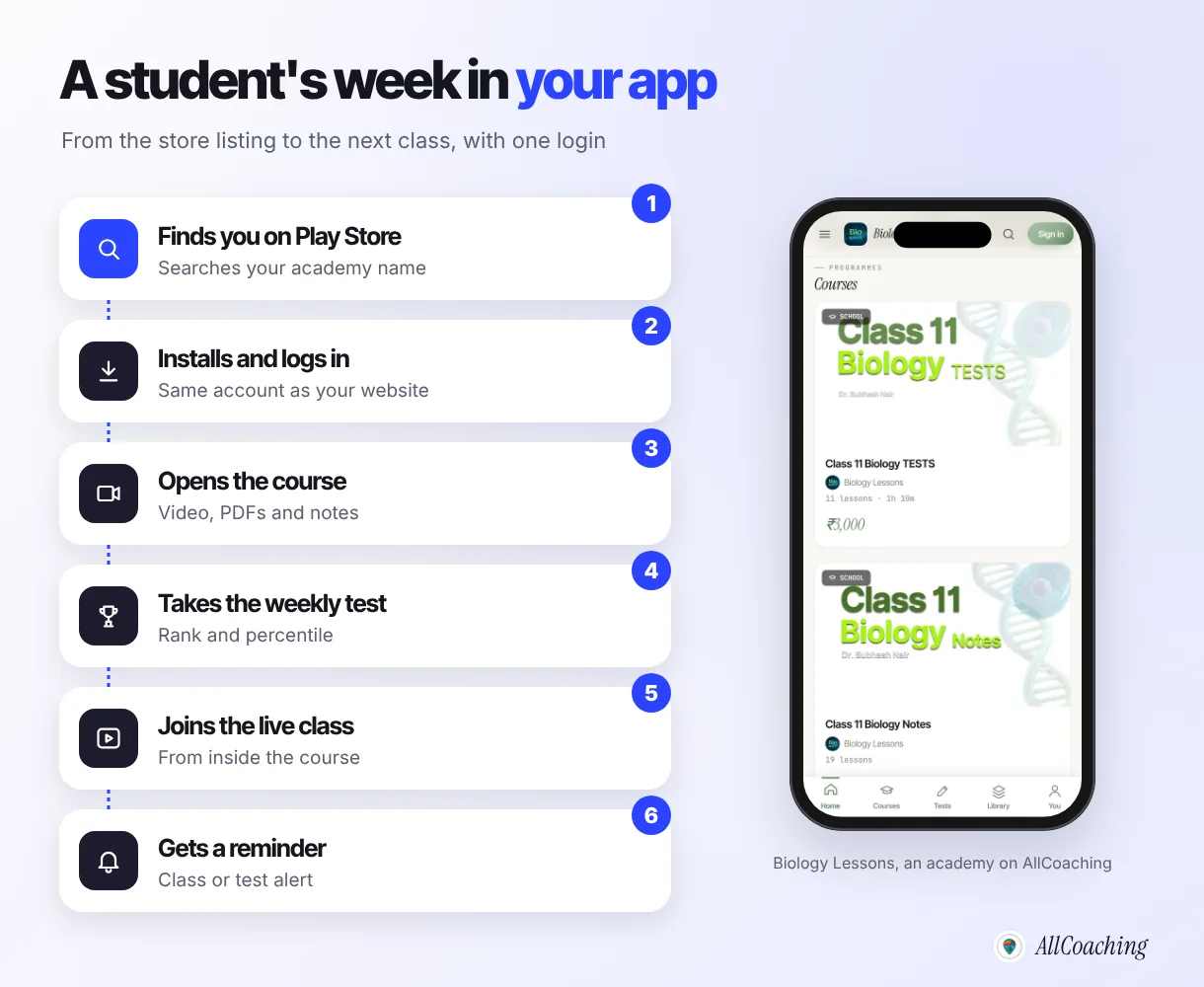
Test the app as a student before you sign: install it on the most basic Android phone in your house, switch to mobile data, play a lesson, start a test and join a live class. Ten minutes tells you more than any feature list.
Then plan the installs, because a good app still sits unused if students never hear why it beats the group chat. Our guide on what to do when students won't download your coaching app covers the reasons and the fixes.
How the mobile app works on AllCoaching
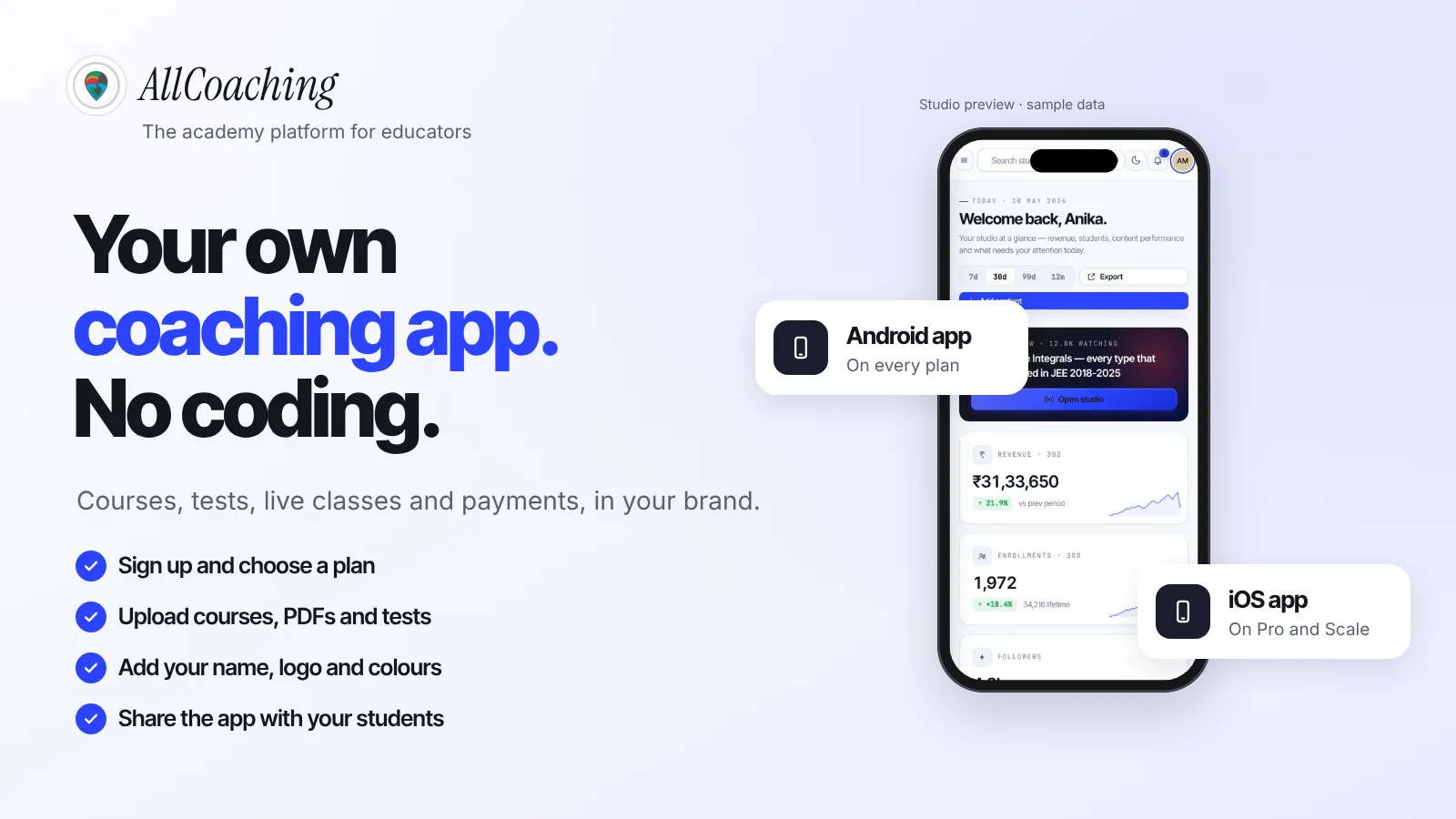
On AllCoaching, every plan includes your own white-label Android app, and your iOS app comes on Pro monthly and every yearly plan; the studio builds them from the brand you set in Own branding, and they are published on your own Google Play Console and App Store accounts, by you or by us with API access you grant. There is no shared app standing between you and your students, and no separate app project to buy.
The app runs on the same academy as your website, so a student who buys on your site finds the course in the app with one account, with your test series (all-India rank and percentile, full-screen anti-cheat lock, random question order), live classes and notes. You change the name, icon or colours in the studio; the Google Play Console and App Store Connect plugins connect your developer accounts, and you pay the store fees directly to Google and Apple. Google and Apple review each app, so we never promise an approval date.
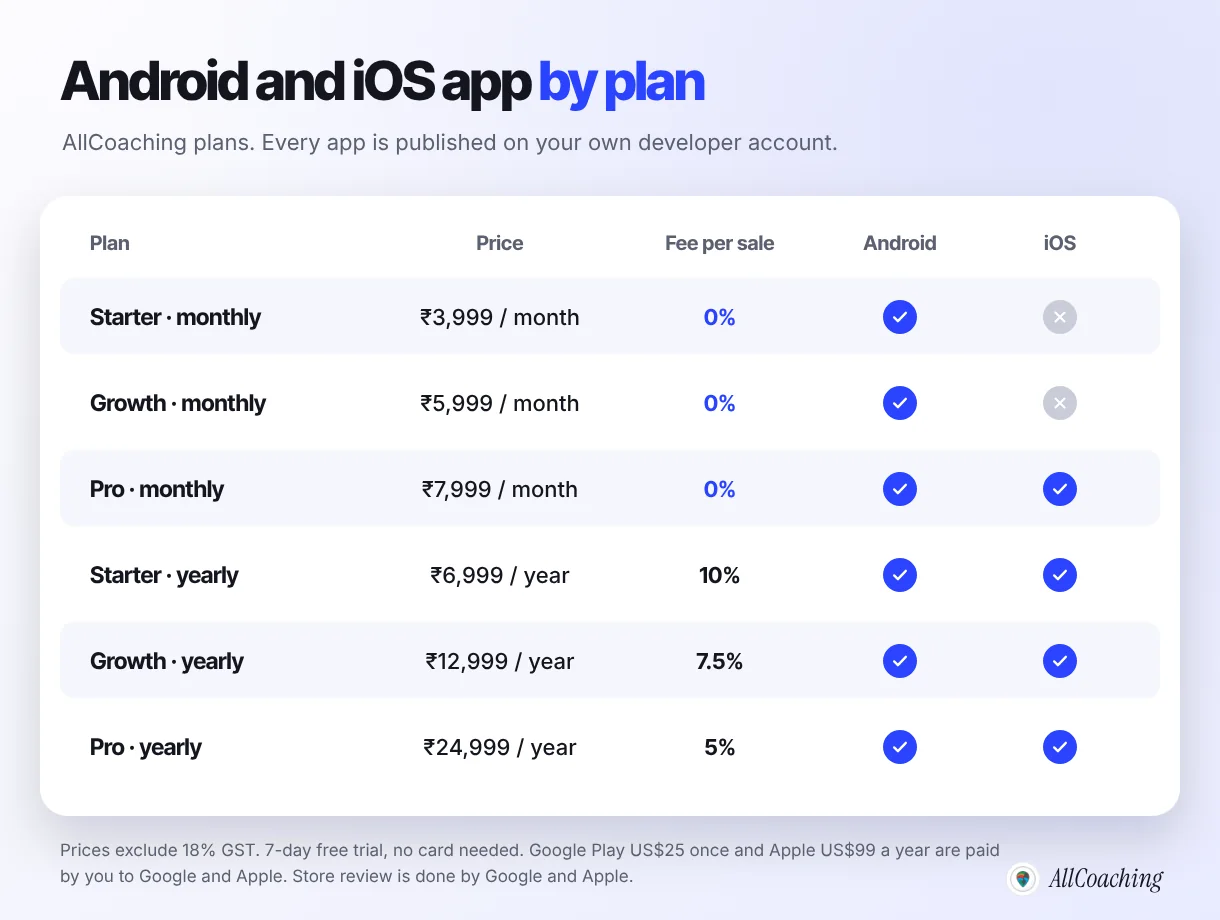
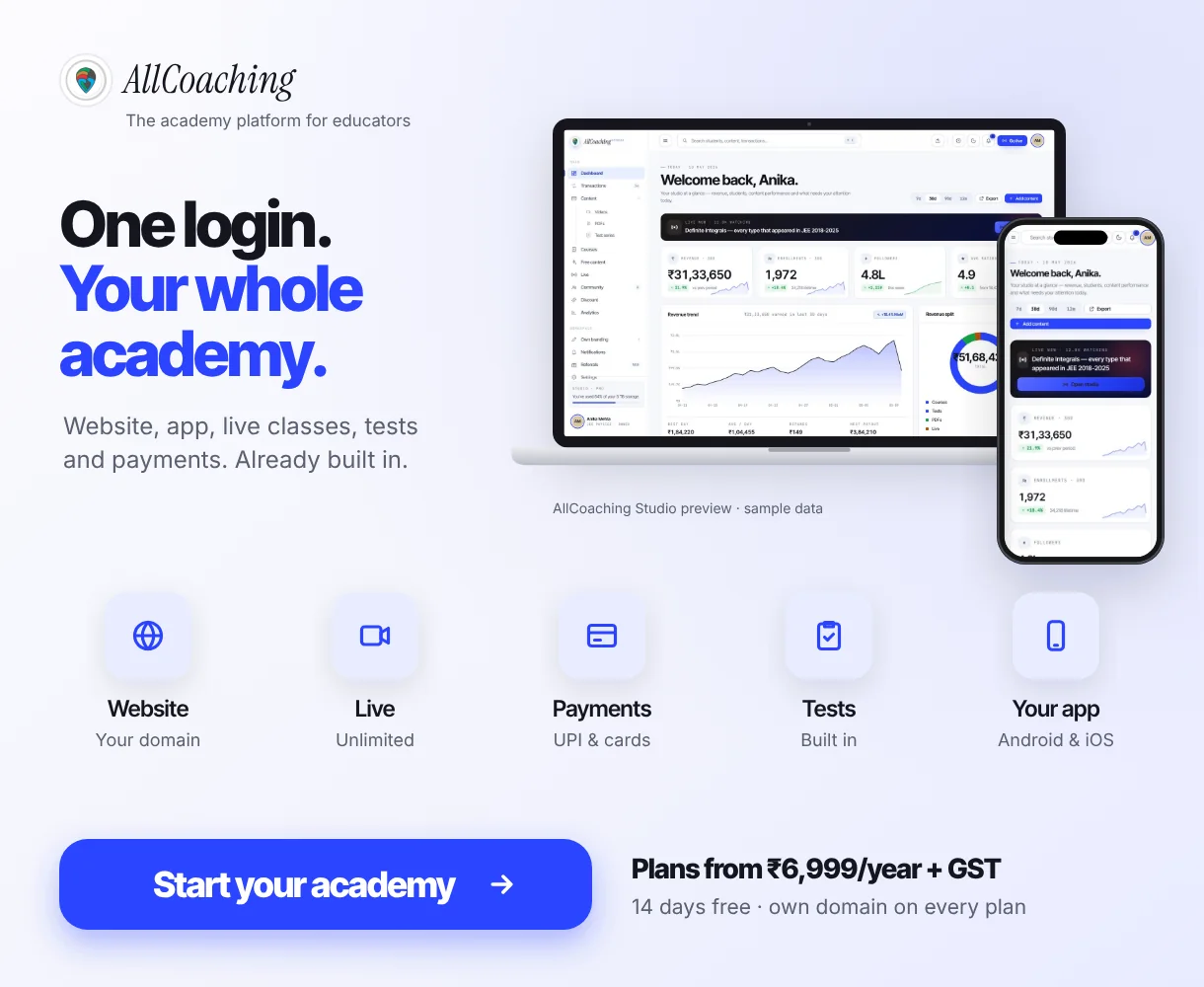
Every plan starts with a 7-day free trial, no card needed. After that, monthly plans take 0% commission: Starter ₹3,999, Growth ₹5,999 or Pro ₹7,999 a month. Yearly plans cost ₹6,999, ₹12,999 or ₹24,999 a year with a 10%, 7.5% or 5% fee per sale. No plan has a sales limit or a setup fee, and prices exclude 18% GST. The path is the same as for the whole academy: sign up, choose a plan, upload your course, connect your domain and start selling. The pricing page lists every feature by plan.
Build your own academy. Try it free for 7 days.
Website on your own domain, your own Android app, unlimited live classes and UPI checkout on every plan. 0% commission on every monthly plan from ₹3,999 a month, or yearly from ₹6,999 (excl. GST).
No card needed · Cancel anytime in the trial · Export your data any timeHow to choose an LMS with a mobile app and publish it: 7 steps
Decide which kind of app you need, shortlist LMS platforms with the 12 questions, check iOS and the full cost, create your own developer accounts, set your brand and build the app, run testing and submit for review, then launch it to your students. Most of the waiting is store testing and review, so start the accounts early.
- Decide which kind of app you needChoose between a shared platform app, your own white-label app and a mobile website or PWA. For a long-term academy, aim for your own app plus a mobile website on your own domain.
- Shortlist LMS platforms and ask the 12 questionsSend each shortlisted LMS the 12-point checklist and ask for written answers, especially on whose developer account the app is published and what happens if you leave.
- Check iOS and the full costNote which plan includes iOS, any setup or yearly app fee, and the store fees: Google Play US$25 once and Apple US$99 a year. Compare the total for a full year.
- Create your own developer accountsRegister a Google Play developer account and, if you need iOS, an Apple Developer Program membership, as an individual or as your organisation.
- Set your brand and build the appStart the trial, add your academy name, logo, icon and colours, upload a first course, and let the platform build the app from that brand.
- Run testing and submit for reviewIf your Play account is a new personal account, run a closed test with at least 12 testers for 14 days, then submit to Google and Apple and answer any review questions.
- Launch to your studentsShare the store link in your WhatsApp groups, YouTube descriptions and website, and give students a reason to install: tests, live class reminders and notes in one place.
If you have never built an app, the walk-through in how to make a coaching app without coding shows each screen in more detail.
Common mistakes when choosing an LMS with a mobile app
The common mistakes are reading "app included" as "my own app", never asking about iOS, letting the listing sit in the vendor's account, ignoring store billing rules for paid courses, and launching an app with no reason for students to install it. Each takes one question to avoid.
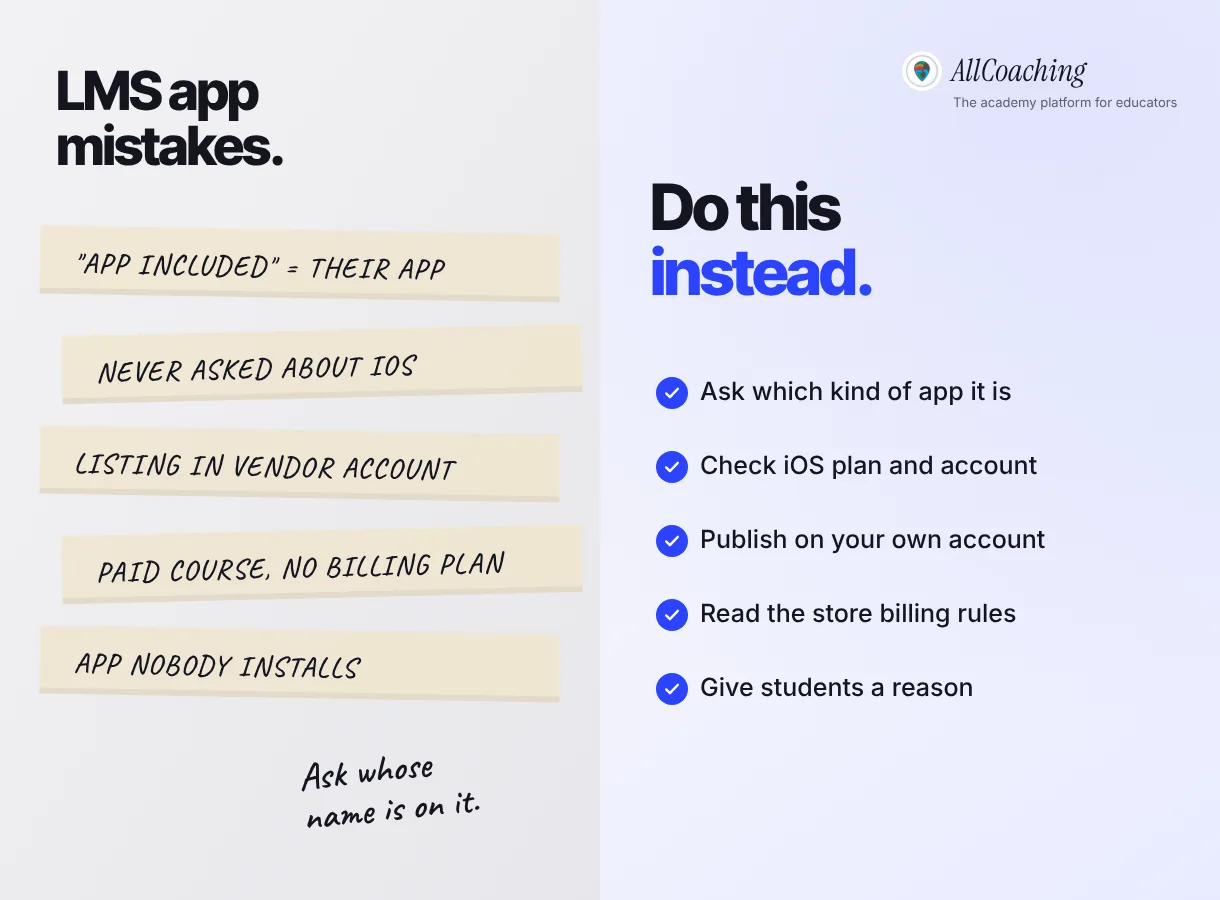
- "App included" means their app. Ask which of the three kinds it is.
- Never asked about iOS. Check the plan and the Apple account before a parent asks.
- Listing in the vendor's account. Publish on your own developer accounts from day one.
- No plan for in-app payments. Read Google's and Apple's current rules and ask how the LMS follows them.
- An app nobody installs. Give students a reason: tests with rank, live class reminders and every note in one place.
An app will not fill a batch on its own. It keeps the students you already have close to your teaching, in your name.
Glossary
- White-label app
- An app built on a platform's technology but published with your academy's name, icon and colours, so students see your brand and not the platform's.
- Shared app
- A single app owned by an LMS company that holds many educators' courses. Students install the platform's app and find your course inside it.
- Play Console
- Google's tool for publishing and managing Android apps on Google Play. The account holder is shown as the developer and controls the listing.
- App Store Connect
- Apple's tool for submitting and managing iOS apps on the App Store, used with an Apple Developer Program membership.
- PWA
- A progressive web app: a website built with web technologies that can be installed on the home screen and behave more like an app, without a store listing.
- Push notification
- A message an app sends to the phone's notification area, such as a reminder that a live class starts in 15 minutes.
- APK and AAB
- Android app file formats. An APK is the file installed on a phone; an Android App Bundle (AAB) is the publishing format Google Play requires for new apps, from which it generates APKs for each device.
- Closed testing
- A Google Play test track where only invited testers can install an app. New personal developer accounts must run one with at least 12 testers for 14 days.
- App Store review
- The check Apple, and Google for Play, run on every new app and update before it is published, against their store guidelines.
- In-app purchase
- A payment made inside an app for digital content or features, which Google Play and the App Store require to go through their own billing systems unless an exception applies.
Frequently asked questions
What is an LMS with a mobile app?
It is a learning management system that lets students learn on a phone through an app. That app can be a shared app owned by the platform, your own white-label app published under your name, or a mobile website or PWA. Ask which one an LMS includes before you compare prices.
Which is better, a shared app or my own app?
A shared app is quicker to start and has no store fees, but students install the platform's app and see its name. Your own app puts your name and icon on the phone and, if it is published on your own developer account, the listing stays yours if you change LMS. For a long-term academy, your own app is usually the better choice.
Is a PWA as good as a native app for an LMS?
A PWA can be installed on the home screen and can work offline, but it has no Play Store listing, so students cannot find it in the store, and many never add it to the home screen. It works best alongside an app, as your mobile website.
Do I need an iOS app for my coaching institute?
Most Indian students use Android: StatCounter puts Android at 94.84% of mobile operating system share in India for October 2026. An iOS app matters more for batches with many iPhone users, such as school students whose parents pay, professionals and metro students.
Who owns the app if I leave the LMS?
Whoever owns the developer account owns the listing. If the app is published on your own Google Play Console and Apple accounts, the listing, reviews and installs stay with you. If it is on the vendor's account, they stay with the vendor, and you may need to publish a new app.
Can students pay for courses inside an LMS app?
It depends on the store rules. Google Play's Payments policy says apps accepting payment for digital content must use Google Play's billing system unless a listed exception or programme applies, and Apple's guideline 3.1.1 has a similar rule. Ask the LMS exactly how purchases work in its app on both stores.
Why does Google ask for 12 testers before my app goes live?
Google requires developers with personal Play Console accounts created after 13 November 2023 to run a closed test with at least 12 testers opted in for at least 14 days before they can apply for production access.
Does AllCoaching include a mobile app on every plan?
Yes. Every AllCoaching plan includes your own white-label Android app, and the iOS app comes on Pro monthly and every yearly plan. The apps are published on your own Google Play Console and App Store accounts, by you or by AllCoaching with API access.
How much does an LMS with my own app cost on AllCoaching?
Monthly plans take 0% commission: Starter ₹3,999, Growth ₹5,999 and Pro ₹7,999 a month. Yearly plans cost ₹6,999, ₹12,999 or ₹24,999 a year with a 10%, 7.5% or 5% fee per sale. Prices exclude 18% GST, and every plan starts with a 7-day free trial, no card needed. Store fees are paid to Google and Apple.
Sources
- StatCounter Global Stats, "Mobile Operating System Market Share India" (October 2026). gs.statcounter.com, checked 5 November 2026.
- Google, "Payments", Play Console Help (Google Play Payments policy). support.google.com, checked 5 November 2026.
- Google, "App testing requirements for new personal developer accounts", Play Console Help. support.google.com, checked 5 November 2026.
- Apple, "App Review Guidelines", guidelines 3.1.1 and 4.2.6. developer.apple.com, checked 5 November 2026.
- MDN Web Docs, "Progressive web apps". developer.mozilla.org, checked 5 November 2026.
Amit builds AllCoaching, the academy platform Indian educators set up themselves: their own website on their own domain, their own app, and the tools to grow it. We build and publish educators' own Android and iOS apps from the AllCoaching studio, and the most common confusion we see is about which kind of app an LMS actually includes; every Google, Apple, StatCounter and competitor fact here links to its own page, checked 5 November 2026.