
On this page
Start your online academy today. 7 days free.
Start free trialA Google Business Profile for a coaching centre is the free listing that puts your centre on Google Search and Google Maps, with your address, phone, hours, photos, reviews and website, so students searching "coaching near me" can find, call and visit you. If students come to your classroom, it is the first piece of local SEO to get right.
Maybe you run a NEET and JEE centre in Patna, or a spoken English institute in Indore, and parents keep saying they "searched on Google but couldn't find you". Or you made a profile years ago and never touched it again. Either way, the profile is free, and getting it right is mostly about following Google's rules and keeping it current.
This guide covers eligibility, setup and verification, the name and category rules, what to fill in, how to earn genuine reviews, which website to link, and how to connect your centre to an online academy. It builds on our beginner's guide to online academy SEO.
Key takeaways
- A Google Business Profile is a free listing on Google Search and Maps with your centre's name, address, phone, hours, photos, reviews and website.
- Your centre is eligible if students can visit it in person during its stated hours; home tutors can use a service-area profile, and online-only academies are generally not eligible.
- Use your real-world name, no keywords or taglines, and the most specific primary category; Google can suspend profiles that break its guidelines.
- List office hours, real photos and each course with its fee, and keep them identical to your website.
- Ask every student and parent for an honest review and reply to all of them; discounts or gifts for reviews and asking only toppers break Google's policy.
- Link the profile to your own academy website and course pages, tag the link, and check calls, directions and website clicks every month.
What is a Google Business Profile for a coaching centre?
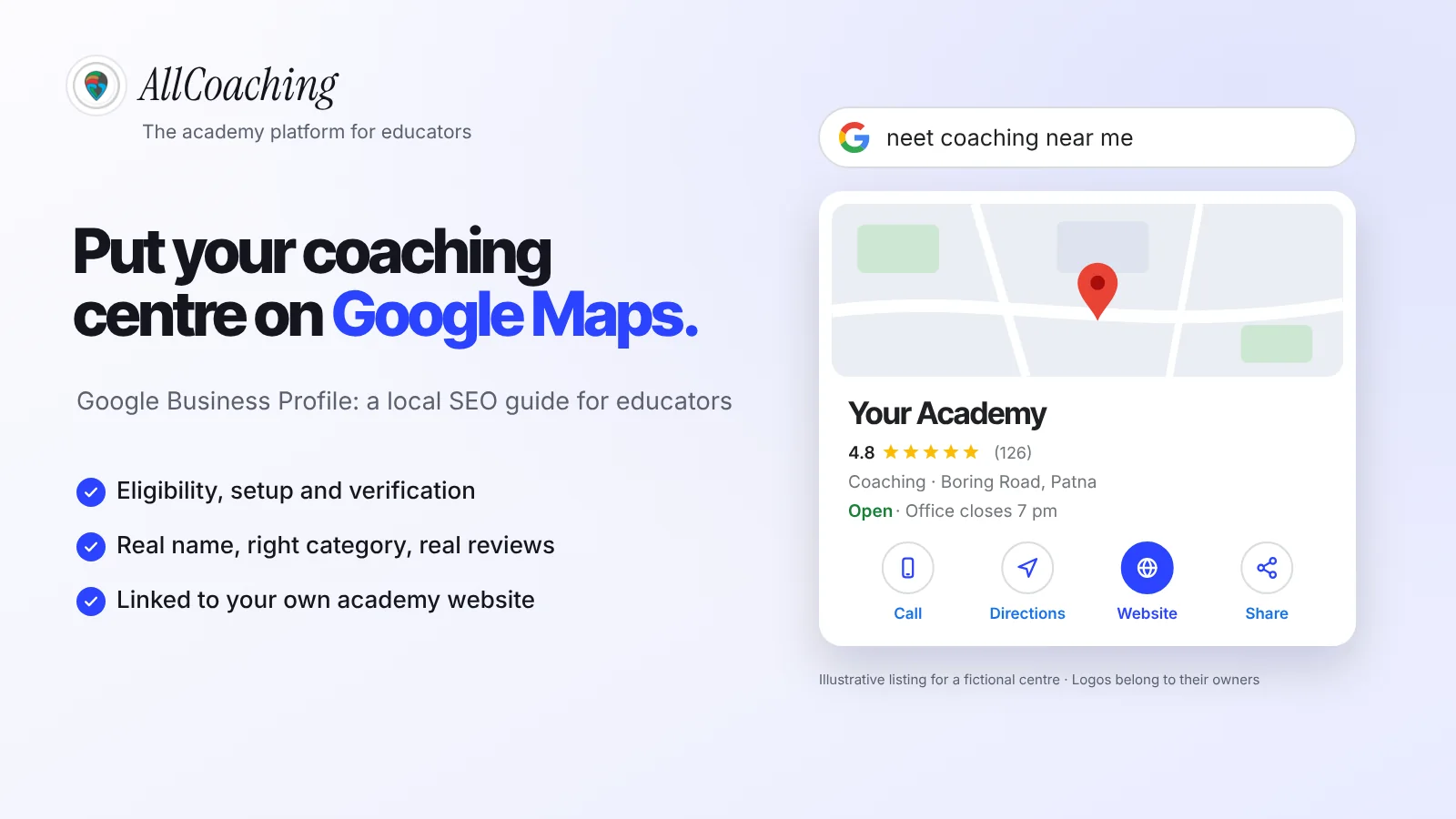
A Google Business Profile is the free listing that shows your coaching centre on Google Search and Google Maps, with its name, address, phone, hours, photos, reviews and a link to your website. It is what a parent sees when they search "neet coaching near me" and tap a result on the map.
For local searches, Google usually shows a small map with a few nearby businesses, often called the local pack. Those listings come from Business Profiles, not websites, so the map listing is something you claim, verify and keep current yourself.
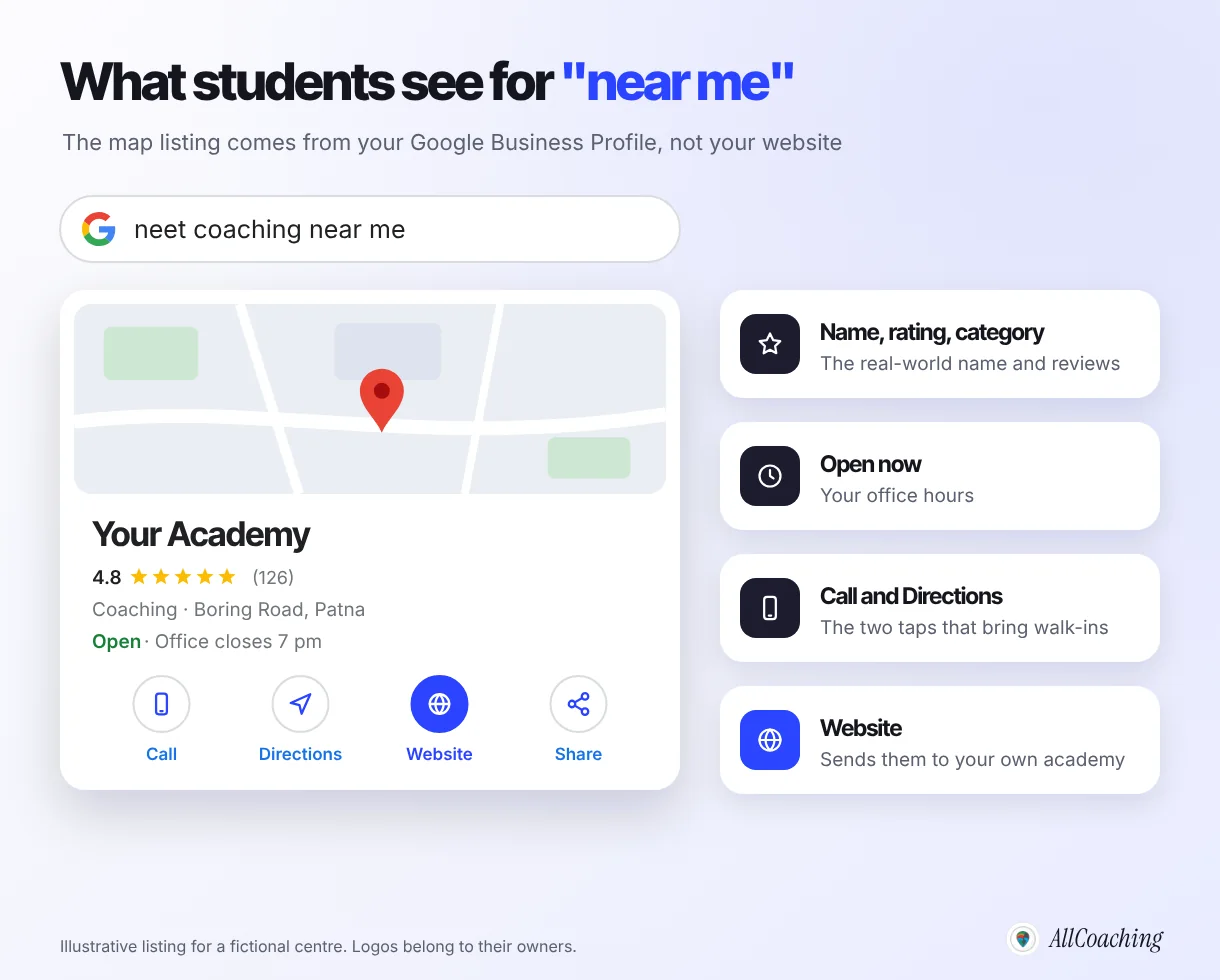
A profile does three jobs for a centre:
- It gets you found by students nearby, on the map and in local results, including searches that never mention your name.
- It answers the practical questions: where you are, when the office is open, how to call, what the classroom looks like.
- It sends people to your website, where they can see courses, fees and batch dates, and enrol.
This guide goes deep on the profile itself. For the wider picture, keywords, course pages and site structure, read our online academy SEO guide for beginners; local search is one step in it.
Is your coaching centre eligible for a Google Business Profile?
A coaching centre is eligible if students or parents can visit it in person during its stated hours; a home tutor who travels to students can use a service-area profile; an academy that teaches only online is generally not eligible. Google sets this rule, and it applies to every kind of business.
"To qualify for a Business Profile, a business must make in-person contact with customers during its stated hours."
Google Business Profile Help, Business eligibility and ownership guidelines, checked November 2026[1]The same page lists businesses that are not eligible, including "brands, organizations, artists, and other online-only businesses" and "an ongoing service, class, or meeting at a location that you don't own or have the authority to represent".1 Google's representation guidelines add that a rented mailing address you do not operate from, a virtual office, is not eligible either.2
| Your situation | Can you have a profile? | How to set it up |
|---|---|---|
| Coaching centre with a classroom students visit | Yes | Show the centre's address |
| Home tutor who goes to students' homes | Yes, as a service-area business | Hide your address, set the areas you serve |
| Centre that also teaches at students' homes | Yes | Show the address and add a service area |
| Batch held in a hall or school you do not run | Generally no | Use the address of a centre you do run |
| Online-only academy (no place students visit) | Generally no | Put your effort into your website and SEO |
If you teach only online, do not invent an address to get on the map; profiles that break the guidelines can be suspended. Your route to search is your own academy website, and our SEO guide covers it step by step.
How to create and verify a Google Business Profile for your coaching centre: 8 steps
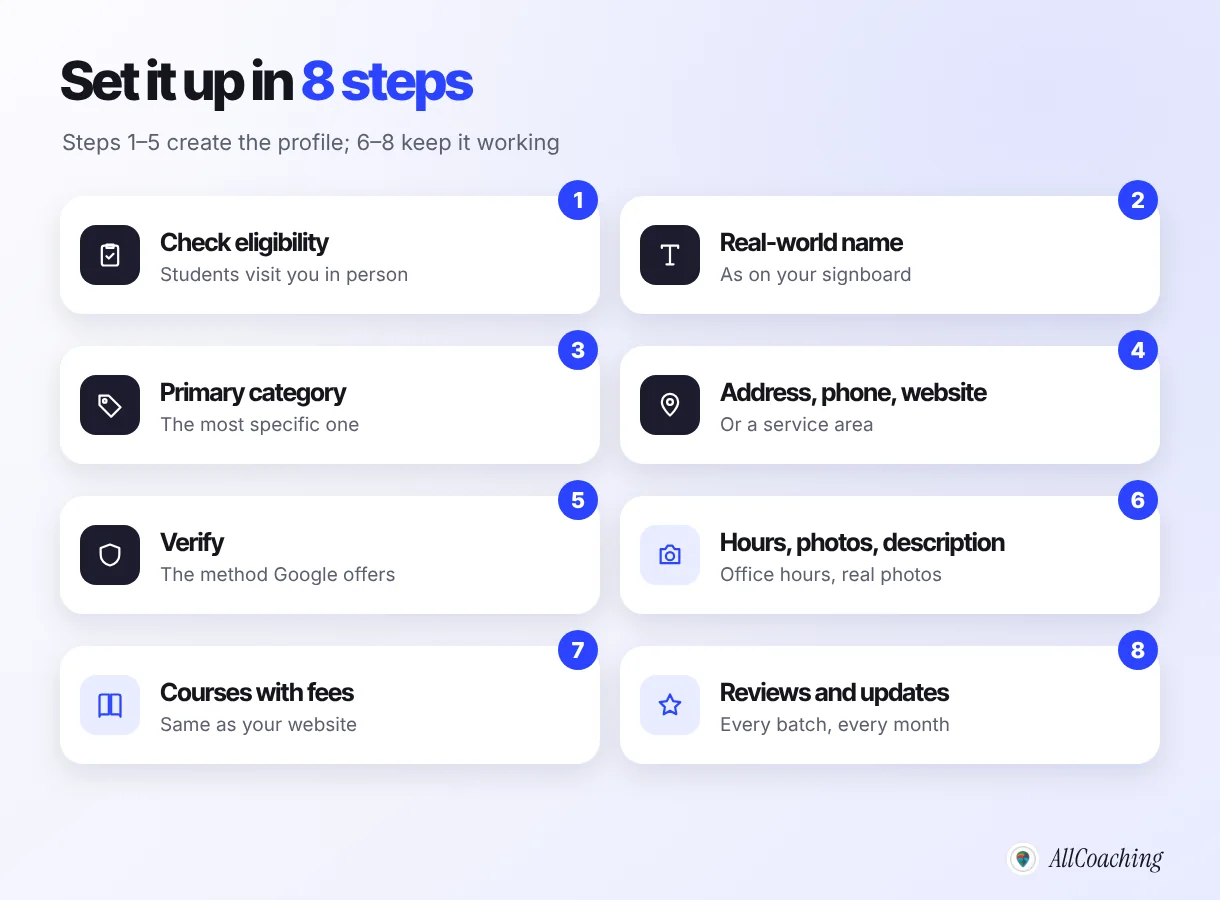
Check that your centre is eligible, sign up with its real name, choose the most specific category, add the address or service area, phone and website, verify, then fill in hours, photos, services, reviews and updates. Most of the work is in the first sitting; the rest is a weekly habit.
- Check that your centre is eligibleConfirm that students or parents can visit your centre in person during its stated hours, or that you travel to students as a service-area business. Online-only academies are generally not eligible.
- Sign up with your real-world nameGo to Google Business Profile, search for your centre in case a profile already exists, and add the name exactly as it appears on your signboard, without keywords or taglines.
- Choose the most specific primary categoryType words like tutoring, coaching or test preparation and pick the closest category Google offers for your main business. Add a secondary category only if it is a large part of what you do.
- Add your address or service area, phone and websiteShow the centre address if students visit; hide it and set a service area if you teach at students' homes. Add a phone your centre answers and your academy website on your own domain.
- Verify the profileComplete the verification method Google offers you, such as phone or text, email, a video recording or a live video call. Reviews can take up to five business days.
- Add office hours, photos and a descriptionList the hours your office is staffed, upload real photos of the signboard, classroom and reception, and write a plain description of what you teach, for whom and where.
- List your courses with feesAdd each course as a service or product where your category allows it, with the same fee and name as on your website, and link it to the course page.
- Build a routine for reviews, updates and trackingAsk every student and parent for an honest review, reply to every review, post an update when a batch opens, and note calls, directions and website clicks each month.
Verification is the step that surprises people. Google decides which methods you are offered, such as phone or text, email, a video recording or a live video call, and the methods "depend on your business type, public info, region, or business hours".3 Google says verification reviews can take up to five business days. Keep your signboard up in case you are asked to show the centre on video.
Business name and category: the rules that matter most
Use your centre's real-world name exactly as it appears on your signboard, website and receipts, and pick the most specific category that describes your main business. These two fields decide which searches you appear for and whether the profile stays live.
Name: no keywords, no taglines
"Your name should reflect your business's real-world name."
Google Business Profile Help, Guidelines for representing your business on Google, checked November 2026[2]The guidelines say adding unnecessary information to the name is not permitted and could lead to suspension.2 So if your board says "Sharma Classes", the profile says "Sharma Classes", not "Sharma Classes Best NEET JEE Coaching in Patna". The words "NEET", "JEE" and "Patna" belong in your category, description, services and website, where Google reads them anyway.
Question educators ask
Can I add "NEET" or my city to the name if everyone else does?
Only if it is part of your real-world name, printed on your signboard and used on your website. Competitors stuffing keywords into their names is a reason to report them through Google's tools, not a reason to copy them.
Category: as few as possible, as specific as possible
Google asks you to choose "the fewest number of categories it takes to describe your overall core business", and to make them "as specific as possible, but representative of your main business".2 The primary category matters most. Start typing words like "tutoring", "coaching" or "test preparation" in the category box and pick the closest match Google offers; the list differs by country and changes over time, so choose from what the box shows you.
- A centre that mainly prepares students for one entrance exam should look for a test-preparation type category.
- A centre teaching school subjects to many classes is usually closer to a tutoring category.
Add a secondary category only when it is a real, large part of what you do.
What to fill in: hours, photos, courses, updates and questions
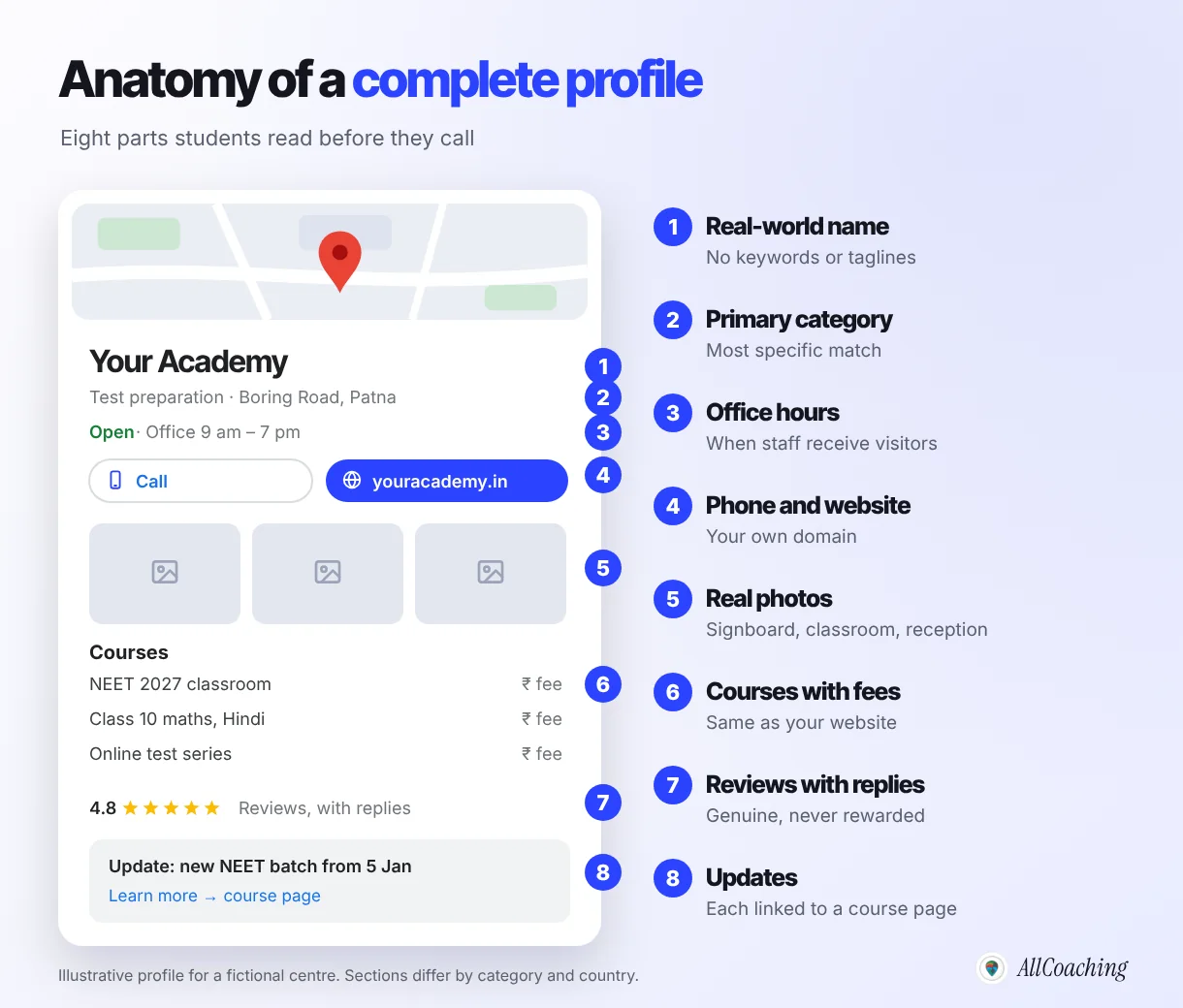
Fill in every section students use to decide: office hours, real photos, a plain description, each course with its fee, regular updates and answers to common questions. A complete, accurate profile helps both the student and Google understand what you offer.
Hours
List the hours your office is open and staffed for walk-in enquiries. Google asks for "regular customer-facing hours" and says businesses with varied schedules, such as classes, should not list those schedules as hours.2 Put batch timings in your services, updates and on your website instead, and add special hours for festivals and exam-day closures.
Photos
Upload real photos: the signboard from the street, the classroom, the reception and the study material. Avoid stock images, and never post students' photos without their and their parents' permission.
Description
Write two or three plain sentences: what you teach, for which exams or classes, in which language, and where. Google's guidelines do not allow links of any kind in the description, so keep the website link in its own field.
Services or products: list your courses with fees
Where your category offers services or products, add each course: "NEET 2027 two-year classroom programme", "Class 10 maths, Hindi medium", "Online test series". Add the fee if you publish it on your website, and keep both in sync. Illustrative: a course listed at ₹24,000 on the profile and ₹26,000 on the website makes a parent call to ask which is right, or not call at all.
Updates (posts)
Post short updates when something changes: a new batch, a free orientation session, a holiday schedule, a new test series. Link each update to the matching course page on your website, not only the home page.
Questions
Google has changed how questions appear on profiles over time. Wherever your profile lets people ask, answer the common ones (fees, batch size, medium, parking) yourself, and repeat them on your website FAQ.
How to get genuine reviews for your coaching centre
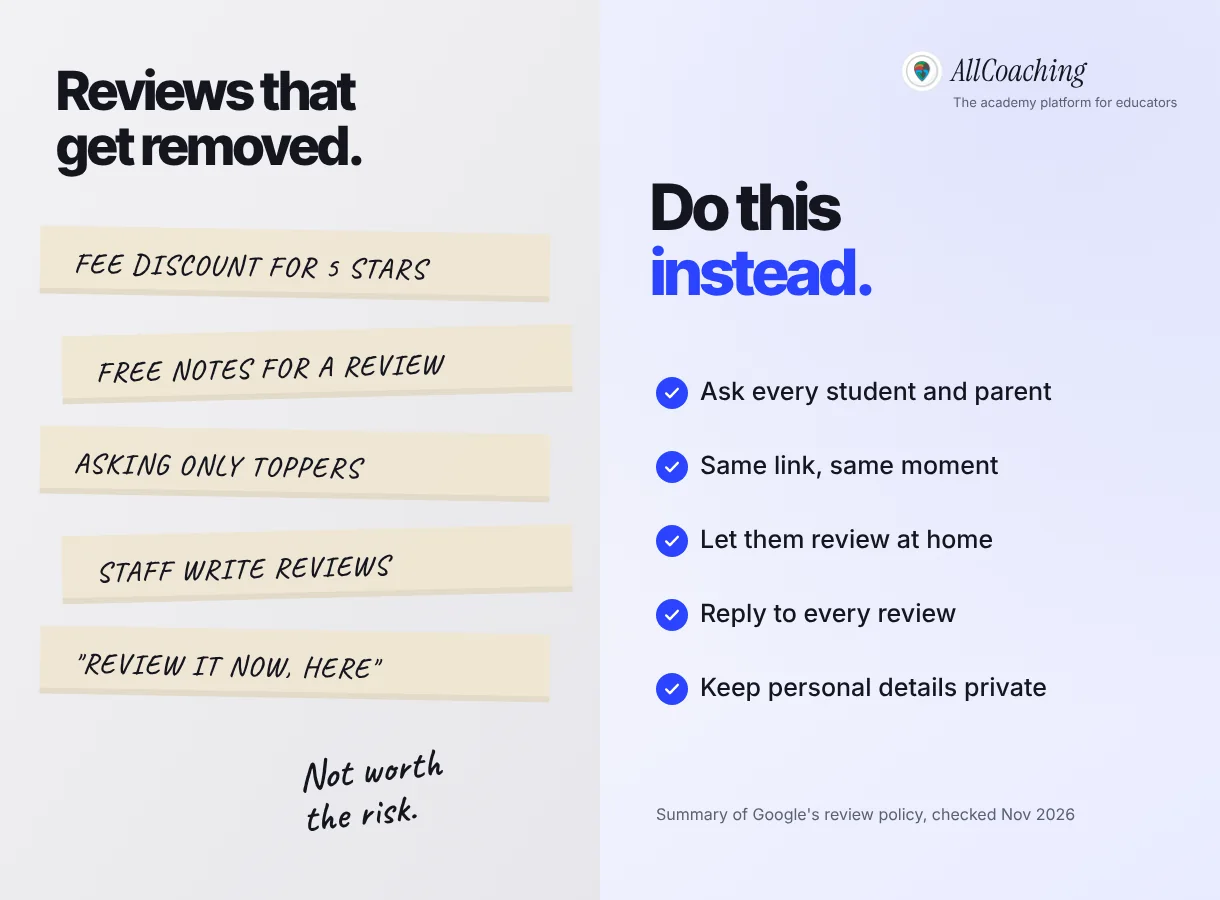
Ask every student and parent for an honest review, in the same way and at the same moment, and never offer anything in return or ask only the happy ones. Google removes reviews that break its policy, and a profile built on them is a risk, not an asset.
"Fake engagement is not allowed and will be removed."
Google Maps user-generated content policy, Prohibited and restricted content, checked November 2026[4]The policy names the practices to avoid. Businesses should not offer incentives "such as payment, discounts, free goods and/or services" in exchange for reviews, should not "discourage or prohibit negative reviews, or selectively solicit positive reviews", and should not require or pressure people to review while they are on the premises.4 For a coaching centre, that rules out a fee discount for a five-star review, a free test series for reviewers, and asking only the toppers.
Do
Share your profile's review link with every batch at the same point, for example after the first month or after results. Send it once in your WhatsApp group with a simple line: "If you have a minute, an honest review on Google helps other students find us." Put a QR code at reception.
Avoid
Discounts, gifts or free material for reviews. Asking only students who scored well. Standing beside a student while they type. Reviews written by staff, relatives or a paid service. Copying the same text into many reviews.
Reply to every review
Reply to every review, the kind and the critical, within a few days. Thank people by name, mention the course where it helps, and answer a complaint calmly with what you will change and how to reach you. Never share a student's marks or personal details in a public reply.
Which website should your Google Business Profile link to?
Link your profile to your own academy website on your own domain, and link updates and courses to the matching course pages, so a student moves from the map to your fees, batches and enrolment in one tap. Avoid linking to a social media page or a marketplace listing as your main website.
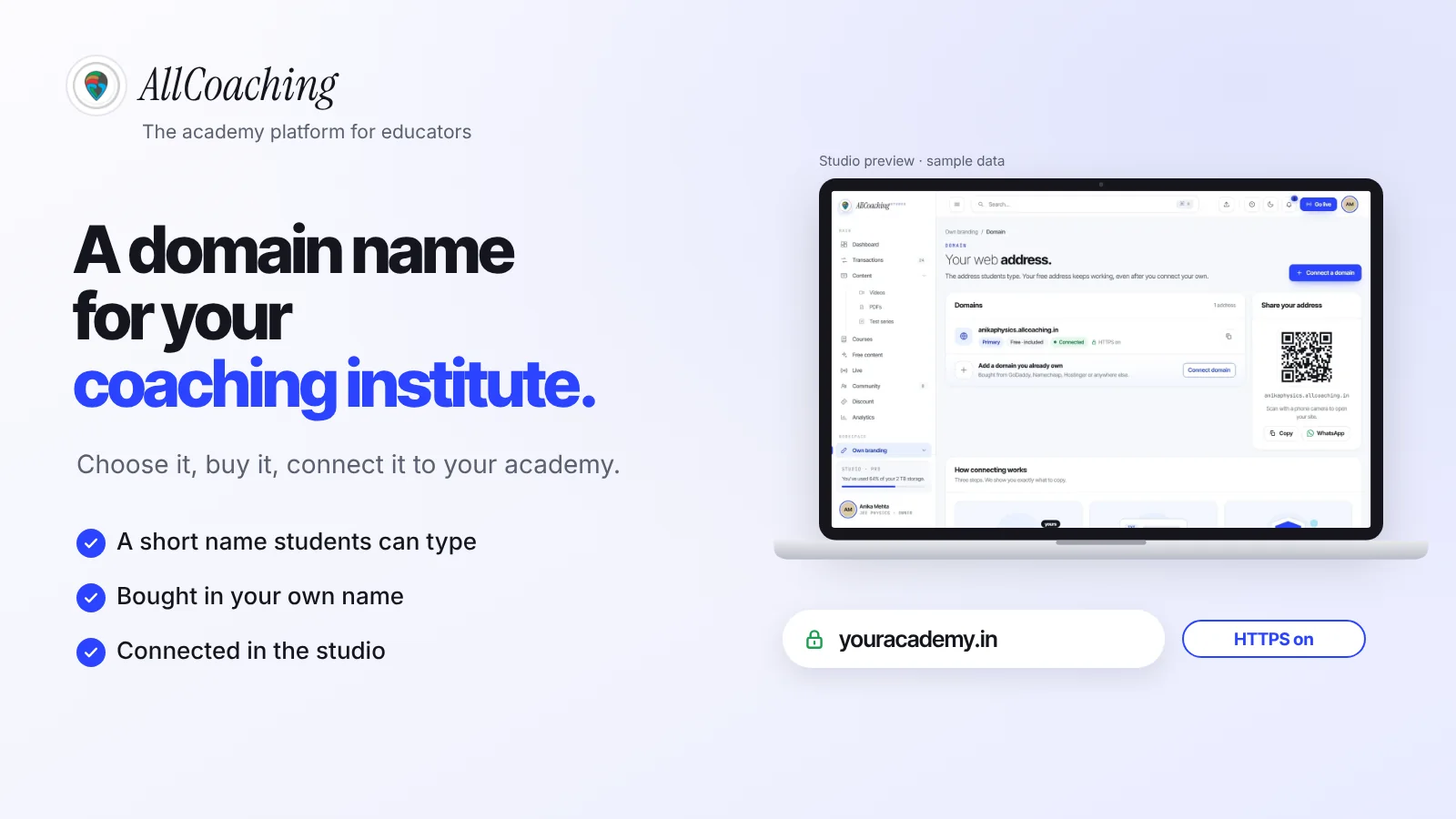
Your own domain is the address you print on your signboard, so pick one you will keep. Our guide to choosing a domain name for a coaching institute covers the choice and the connection.
- Website field: your home page, or a page for this centre if you run more than one.
- Services and updates: the course page for that exact course, with fees, syllabus and a way to enrol.
- Phone: a number your centre answers, the same one on your website and signboard.
Keep your name, address and phone number identical on the profile, your website and any directory. That consistency is usually called NAP, and it helps people and search engines trust that the listings are the same centre.
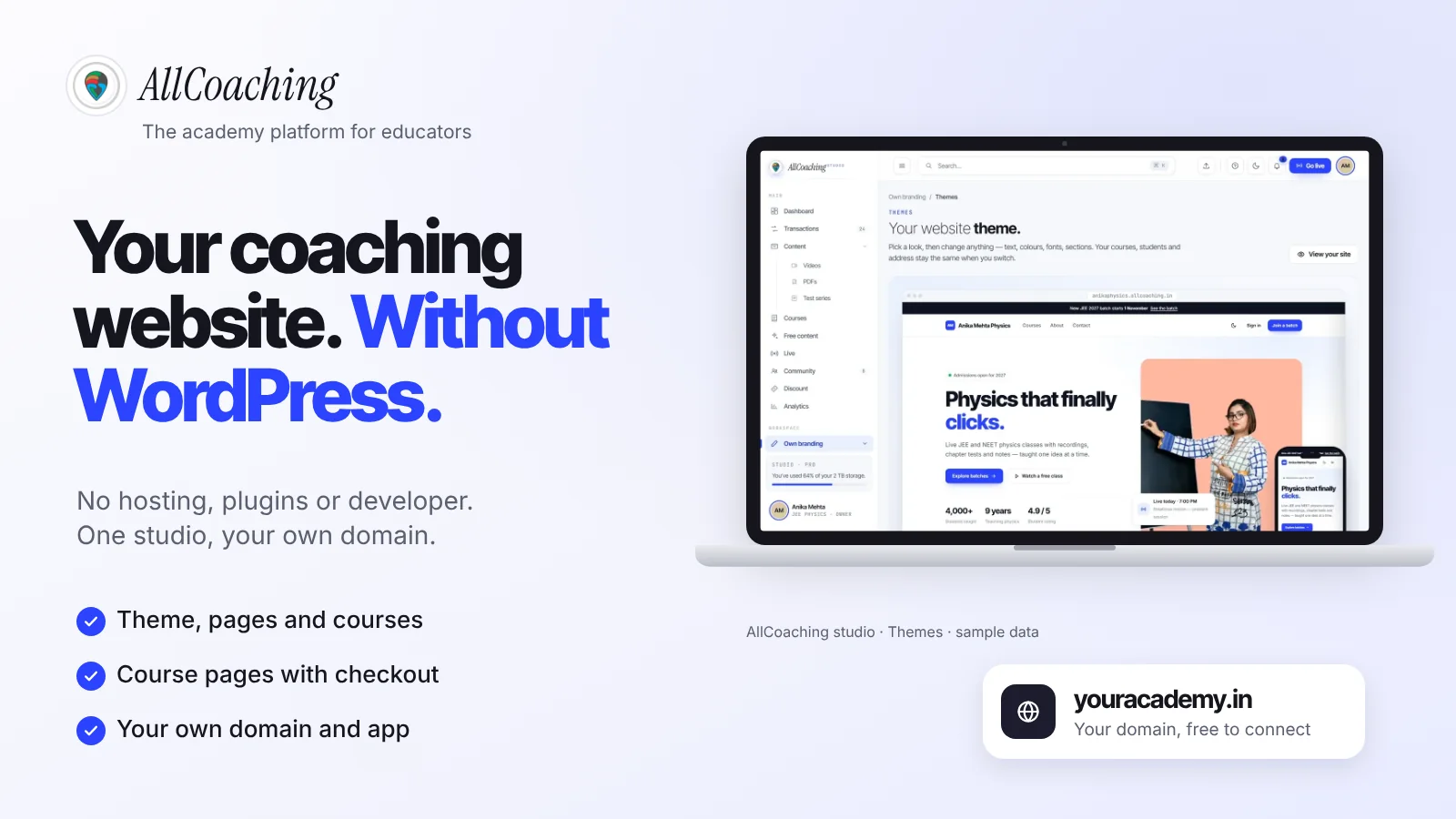
On AllCoaching, your academy website runs on your own domain, and every course you save gets its own course page with SEO tags, schema and a checkout, so each service on your profile can link to a page where a student can pay by UPI or card and start. If your current site is a WordPress build you struggle to keep updated, our guide to a coaching institute website without WordPress explains the alternative.
How to use local keywords without stuffing them
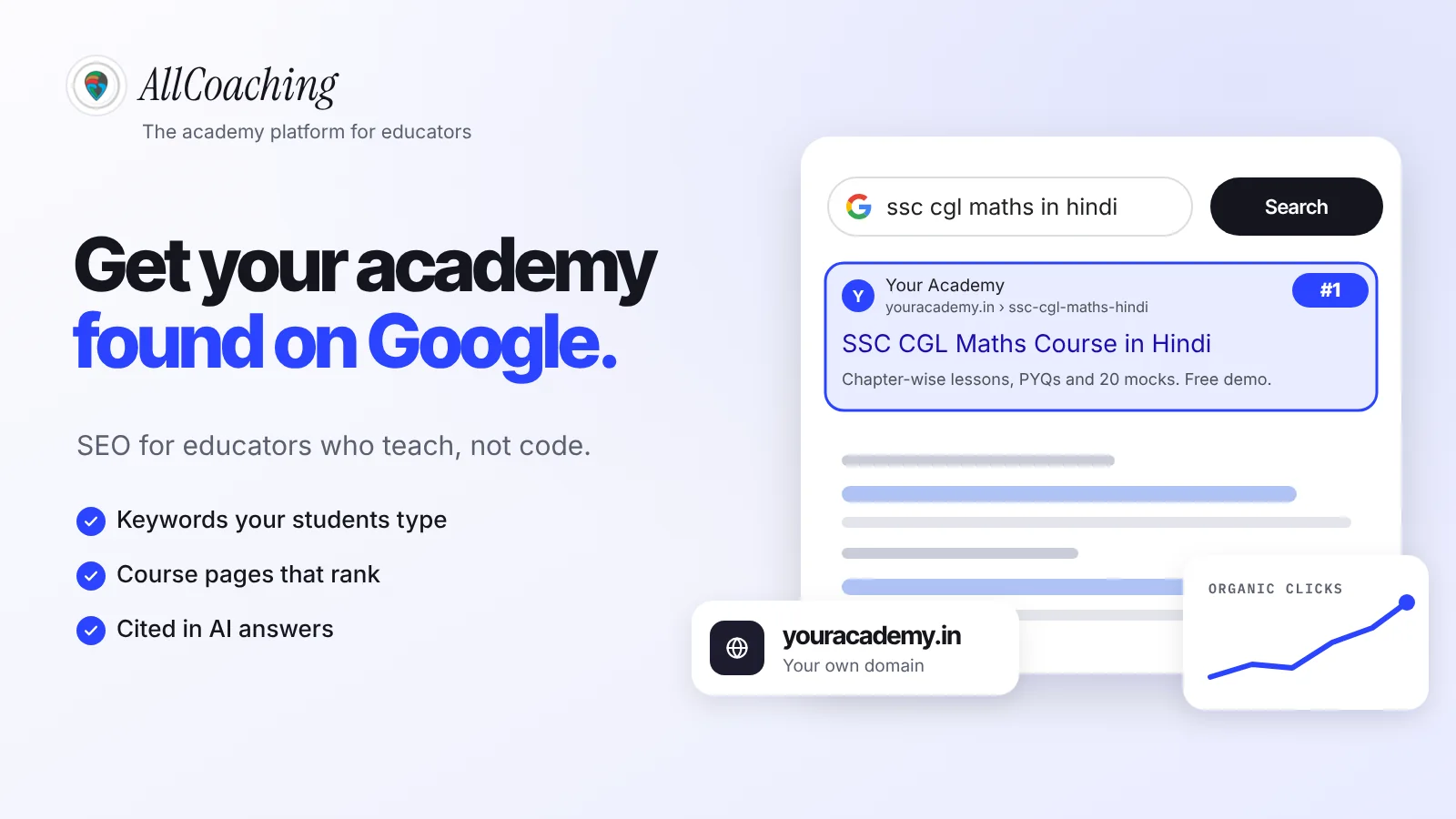
Use the words students type, subject, exam, class, language and locality, in your category, description, services, updates and website pages, never in the business name. Students search "ssc coaching in Lucknow", "class 12 physics tuition Kankarbagh" and "spoken English classes near me".
- Description: "NEET and JEE classroom coaching for Class 11 and 12 in Hindi and English, near Boring Road, Patna."
- Services: one service per course, named the way students say it.
- Updates: "New SSC CGL batch at our Aliganj centre from 5 January" (illustrative).
Write for the parent reading it. A description that repeats "best coaching" six times reads as spam.
How to track calls, directions and website clicks
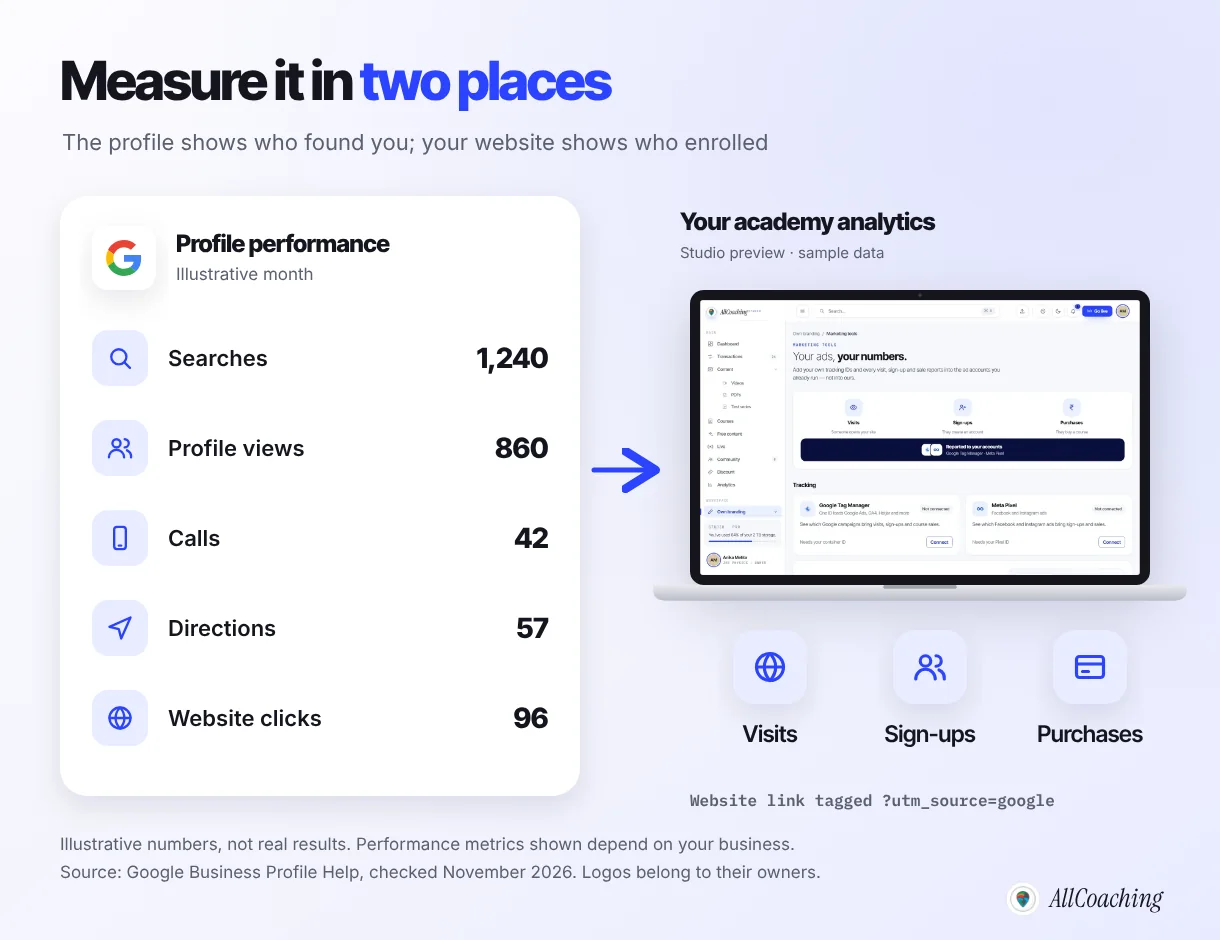
Open the performance view of your profile each month to see searches, views, calls, direction requests and website clicks, and tag the website link so your analytics shows what those visitors did next. The profile tells you who found you; your website tells you who enrolled.
Google's performance report includes the search terms people used to find you, the number of people who viewed the profile, calls, directions and website clicks, and it shows only the metrics relevant to your business.5 Note the numbers once a month in a simple sheet alongside admissions.
Tag the website link
Add UTM tags to the website link so your analytics can separate profile visits from other traffic, for example utm_source set to google, utm_medium to organic and utm_campaign to gbp. Then, with Google Tag Manager or Google Analytics on your academy site, you can see whether those visitors signed up or bought a course. Also ask every new admission "how did you find us?"; many local students call or walk in without visiting the site.
If you also run ads, the same tagging tells you which channel brings enquiries. Our Meta ads guide for coaching institutes covers that side.
How to connect your offline centre to an online academy
Your Google profile brings local students to your door; an online academy lets you keep teaching them between classes and reach students who cannot come to your city. The profile and the academy should point to each other.
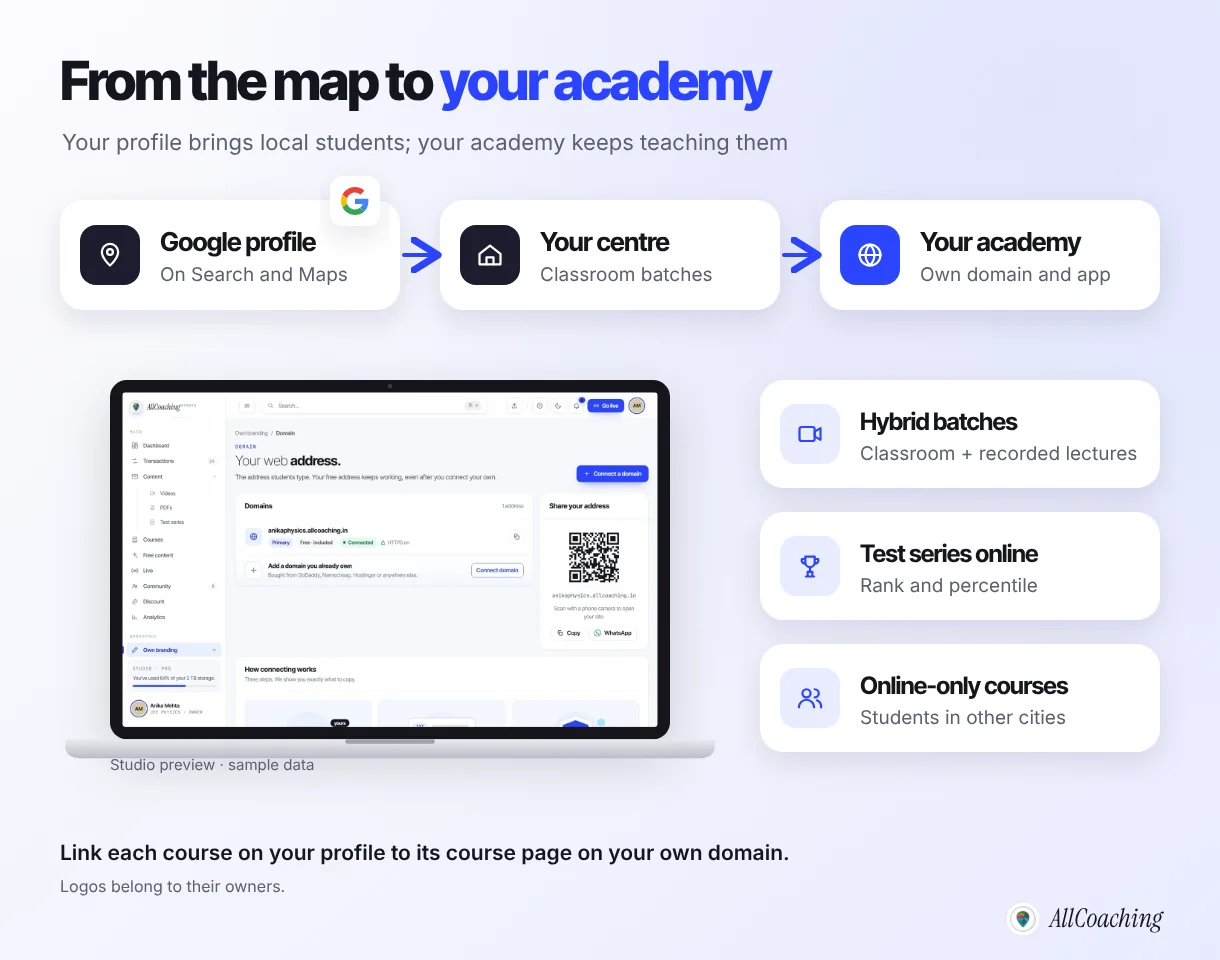
- Hybrid batches: classroom students get recorded lectures of every class for revision and missed days.
- Test series online: weekly tests with rank and percentile, open to classroom and online students alike.
- Online-only courses: the same teaching for students in other districts who found you on YouTube or Google.
List the online courses as services on the profile too, each linked to its course page.
This is what AllCoaching is built for: your own academy website and app on your own domain, with recorded courses, live classes and a test series with all-India rank and percentile, anti-cheat lock and random question order. Every plan starts with a 7-day free trial, no card needed. After that, monthly plans take 0% commission, from ₹3,999 a month, or yearly plans start at ₹6,999 a year with a fee per sale; prices exclude GST. See the pricing page for every plan.
Build your own academy. Try it free for 7 days.
Website on your own domain, your own Android app, unlimited live classes and UPI checkout on every plan. 0% commission on every monthly plan from ₹3,999 a month, or yearly from ₹6,999 (excl. GST).
No card needed · Cancel anytime in the trial · Export your data any timeCommon Google Business Profile mistakes coaching centres make
The common mistakes are keywords in the business name, a fake or virtual address, buying or rewarding reviews, a profile that is never updated, and a website link that goes to an old page. Each one is easy to avoid.
- Keyword stuffing the name. It breaks the guidelines and can lead to suspension.
- Listing a place you do not run. A rented hall for a weekend batch or a friend's office is not your centre.
- Duplicate profiles. One profile per real centre; if a staff member made one years ago, claim it rather than starting again.
- Old hours and fees. If the profile says open and the shutter is down, you lose the student and gain a bad review.
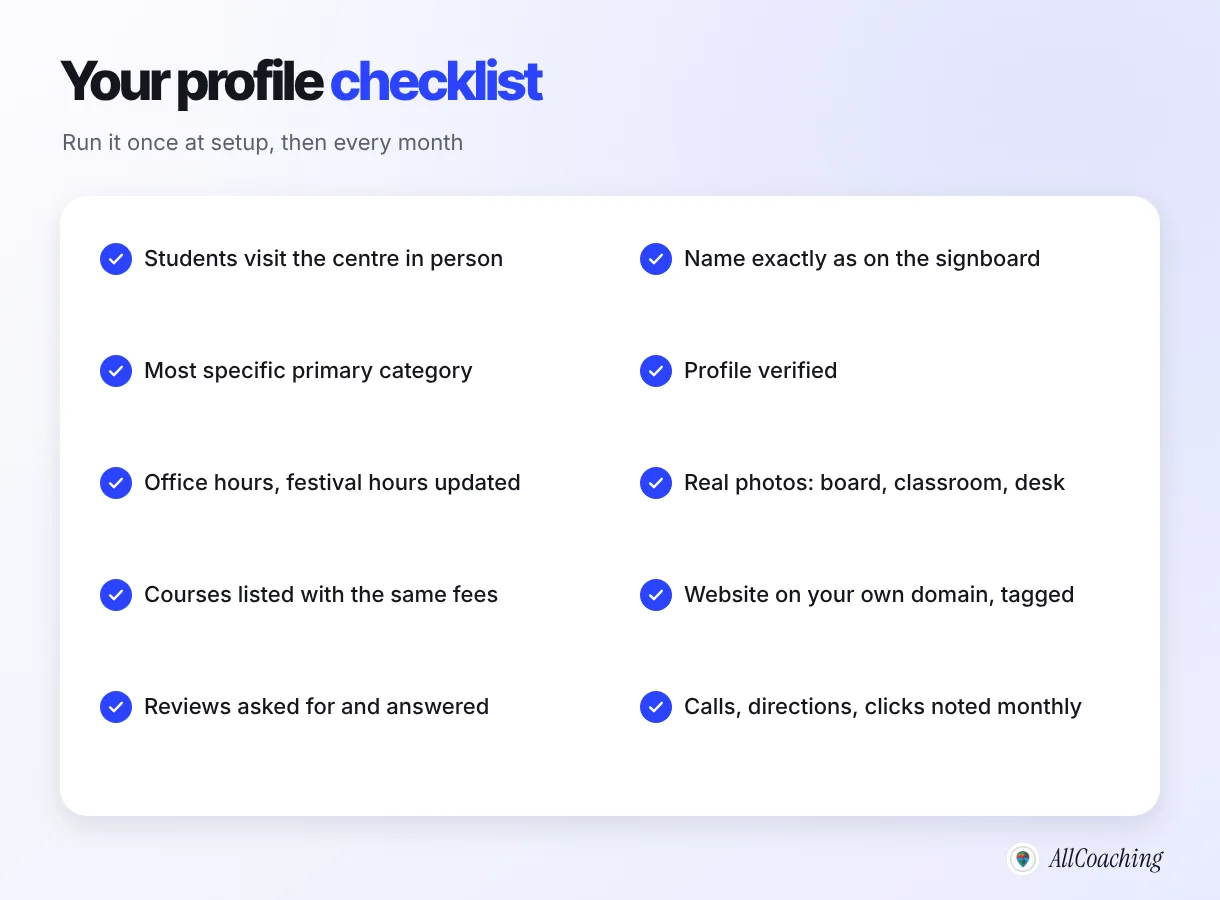
None of this guarantees a position on the map. Google decides what to show based on the search and the searcher. What you control is an accurate, complete, active profile that links to a website students can enrol on.
Glossary
- Google Business Profile (GBP)
- A free listing that shows a business on Google Search and Google Maps with its name, address, phone, hours, photos, reviews and website. It was earlier called Google My Business.
- Local pack
- The map and short list of nearby businesses that Google shows for local searches such as "coaching near me". The listings come from Business Profiles.
- NAP
- Name, address and phone number. Keeping them identical on a profile, website and directories helps people and search engines match the listings to one business.
- Service-area business
- A business that serves customers at their locations, such as a home tutor. Its profile hides the address and shows the areas it serves.
- Verification
- Google's check that you own or manage the business before your profile goes live, using a method Google offers, such as phone, text, email or video.
- Primary category
- The one category that best describes a business's main activity on its profile. It strongly affects which searches the profile appears for.
- Review gating
- Asking only satisfied customers for reviews, or discouraging negative ones. Google's review policy does not allow it.
- UTM tags
- Short labels added to a link, such as utm_source, that let analytics tools show which channel a visitor came from.
Frequently asked questions
What is a Google Business Profile for a coaching centre?
A Google Business Profile is the free listing that shows a coaching centre on Google Search and Google Maps, with its name, address, phone, hours, photos, reviews and website link. It is how a centre appears when students search for coaching near them.
Is a Google Business Profile free?
Yes. Creating and managing a Google Business Profile is free. You only need a Google account and a centre that meets Google's eligibility guidelines.
Can an online-only academy create a Google Business Profile?
Generally no. Google requires a business to make in-person contact with customers during its stated hours, and its eligibility guidelines list online-only businesses as not eligible. An online academy should focus on its own website and SEO instead.
Can a home tutor without a centre have a Google Business Profile?
Yes, if the tutor travels to students. Google allows a service-area profile for businesses that serve customers at their locations; the home address is hidden and the areas served are shown instead.
Which category should a coaching centre choose on Google?
Choose the most specific category that describes your main business. Type words like tutoring, coaching or test preparation into the category box and pick the closest option Google offers, then add a secondary category only if it is a large part of what you do.
Can I add keywords like NEET or my city to my business name?
Only if they are part of your real-world name on your signboard and website. Google's guidelines say the name should reflect the real-world name, and adding unnecessary information can lead to suspension.
Can I offer a discount to students who leave a review?
No. Google's policy does not allow businesses to offer incentives such as payment, discounts, free goods or services in exchange for reviews, or to ask only happy customers. Ask every student and parent for an honest review instead.
How long does Google Business Profile verification take?
Google says verification reviews can take up to five business days, and sometimes longer. The methods offered, such as phone, text, email or video, depend on your business type, region and other details.
Which website should my Google Business Profile link to?
Link it to your own academy website on your own domain, and link each course or update to its matching course page. Keep the name, address and phone the same on the website and the profile.
Sources
- Google, "Business eligibility and ownership guidelines", Google Business Profile Help. support.google.com, checked November 2026.
- Google, "Guidelines for representing your business on Google", Google Business Profile Help. support.google.com, checked November 2026.
- Google, "Verify your business on Google", Google Business Profile Help. support.google.com, checked November 2026.
- Google, "Prohibited & restricted content", Maps user-generated content policy. support.google.com, checked November 2026.
- Google, "Understand your Business Profile performance & insights", Google Business Profile Help. support.google.com, checked November 2026.
Amit builds AllCoaching, the academy platform Indian educators set up themselves: their own website on their own domain, their own app, and the tools to grow it. We help educators connect their own domains and course pages, which is where a Google profile sends its visitors, so this guide is written from that side; every rule is linked to Google's own help pages, checked November 2026.