
On this page
Start your online academy today. 7 days free.
Start free trialYou can create a coaching institute website without WordPress or a developer by using a hosted academy platform: pick a theme, edit the text, colours and logo, add your courses with prices, connect your own domain and publish. Hosting, security updates, course pages, student login and UPI checkout come built in, so there are no plugins to install or patch.
Maybe you run a JEE and NEET centre in Kota with three batches and a WhatsApp number painted on the board. Maybe you teach spoken English or yoga online, and a cousin once set up a WordPress site that now shows an update warning every time you log in. Either way, students ask the same three questions before they join: what do you teach, what does it cost, and how do I pay. A good coaching website answers all three on a phone, in under a minute.
This guide covers the pages a coaching website needs, the build steps, how course pages get found on Google, how payments work, the legal pages to add, what it costs, and when WordPress is still the better choice. If you want a full academy with courses, tests and live classes, read how to start an online academy in 5 steps alongside it.
Key takeaways
- A coaching institute website needs seven pages: home, courses with prices, about the teacher, results (only if real), free content, contact with WhatsApp, and policies.
- WordPress itself is free software, but a coaching site on it is a stack: hosting, a theme and page builder, an LMS plugin, a payment plugin, video hosting, security and updates, and a separate app.
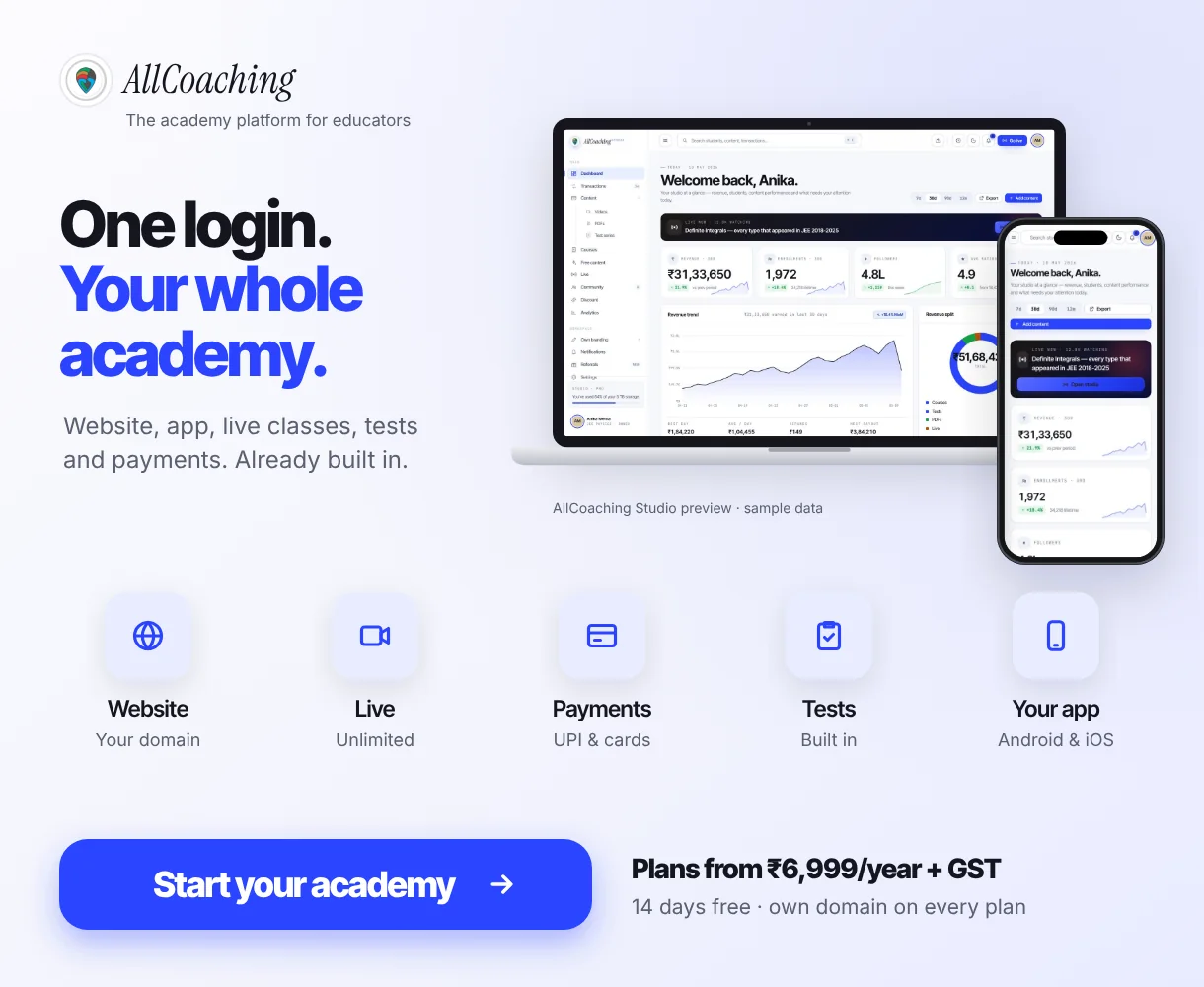
- A hosted academy platform replaces the stack with one login: pick a theme, edit text, colours and logo, add courses, connect your domain and publish.
- Course pages can be SEO-ready by default: on AllCoaching, a course page with SEO meta, schema and checkout is created when you save a course.
- Build for the phone first. Google indexes the mobile version of a site, and most students in tier-2 and tier-3 towns will open your link on a phone.
- Add privacy, terms and refund pages before you sell. Payment gateways and students both look for them.
- On AllCoaching: a 7-day free trial with no card, then monthly plans at 0% commission from ₹3,999 a month or yearly plans from ₹6,999 plus a fee per sale, plus GST, with your own domain free to connect and your own Android app on every plan.
Why build a coaching website without WordPress?
Because a coaching website is not just pages: it has to sell courses, take payments, log students in and play videos, and on WordPress each of those is a separate plugin or service you must set up and keep updated. A hosted academy platform does those jobs in one place, so the educator only works on content.
WordPress is a good, widely used tool. W3Techs reports that WordPress is used by 58.2% of websites whose content management system it can identify, which is 39.5% of all websites (October 2026).1 The software is free. The work is in what you add around it.
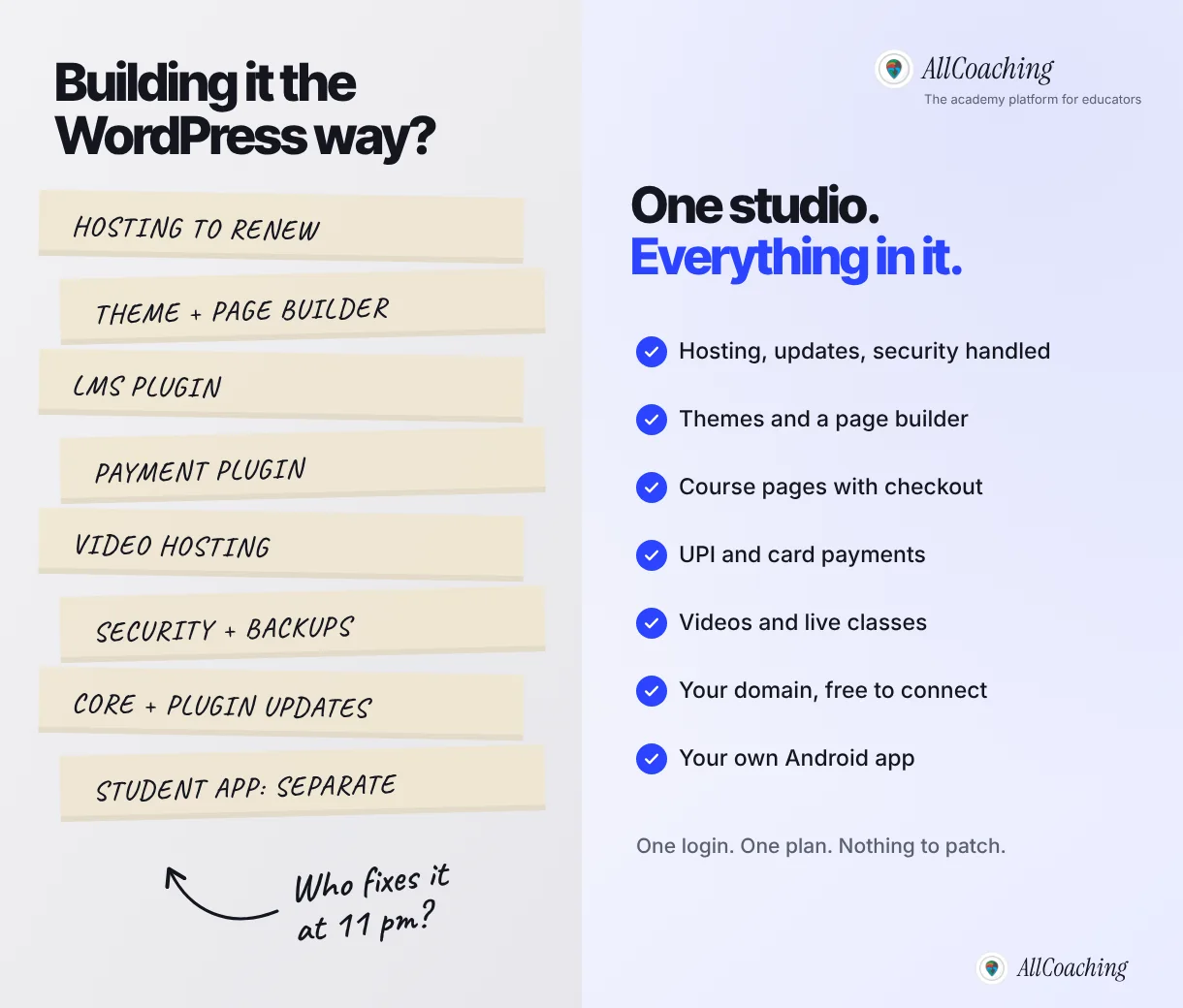
What the WordPress route asks of you
| Job | WordPress route | Hosted academy platform |
|---|---|---|
| Hosting and server | Buy, configure and renew a hosting plan | Included and run for you |
| Design | A theme, often plus a page-builder plugin | Themes and a drag-and-drop page builder |
| Courses and student login | An LMS plugin to install and configure | Built in: courses, tests, PDFs, student login |
| Payments | A payment plugin wired to a gateway | UPI and card checkout built in |
| Video lessons | A separate video host or embeds | YouTube in a branded player, or uploads within plan storage |
| Updates and security | Core, theme and plugin updates are your job | Handled by the platform |
| Student app | A separate project | Own Android app on every AllCoaching plan |
The updates row is the one most educators underestimate. WordPress's own documentation says "You should always update WordPress to the latest version",2 and its security handbook starts its plugin advice with "make sure your plugins are always updated".3 That is sound advice, and it is also a recurring job. When a plugin update breaks the checkout during admission season, someone has to fix it.
We run this marketing site ourselves as a hand-maintained static site, so we know first-hand how many small jobs any website creates: titles, schema, sitemaps, image sizes, mobile checks. We built AllCoaching because a physics teacher should not have to learn domain settings, payment gateways and plugin updates to teach online.
What pages does a coaching institute website need?
A coaching institute website needs seven pages: a home page, course pages with prices, an about-the-teacher page, a results page only if your results are real, free content, a contact page with WhatsApp, and policy pages. Everything else is optional at the start.
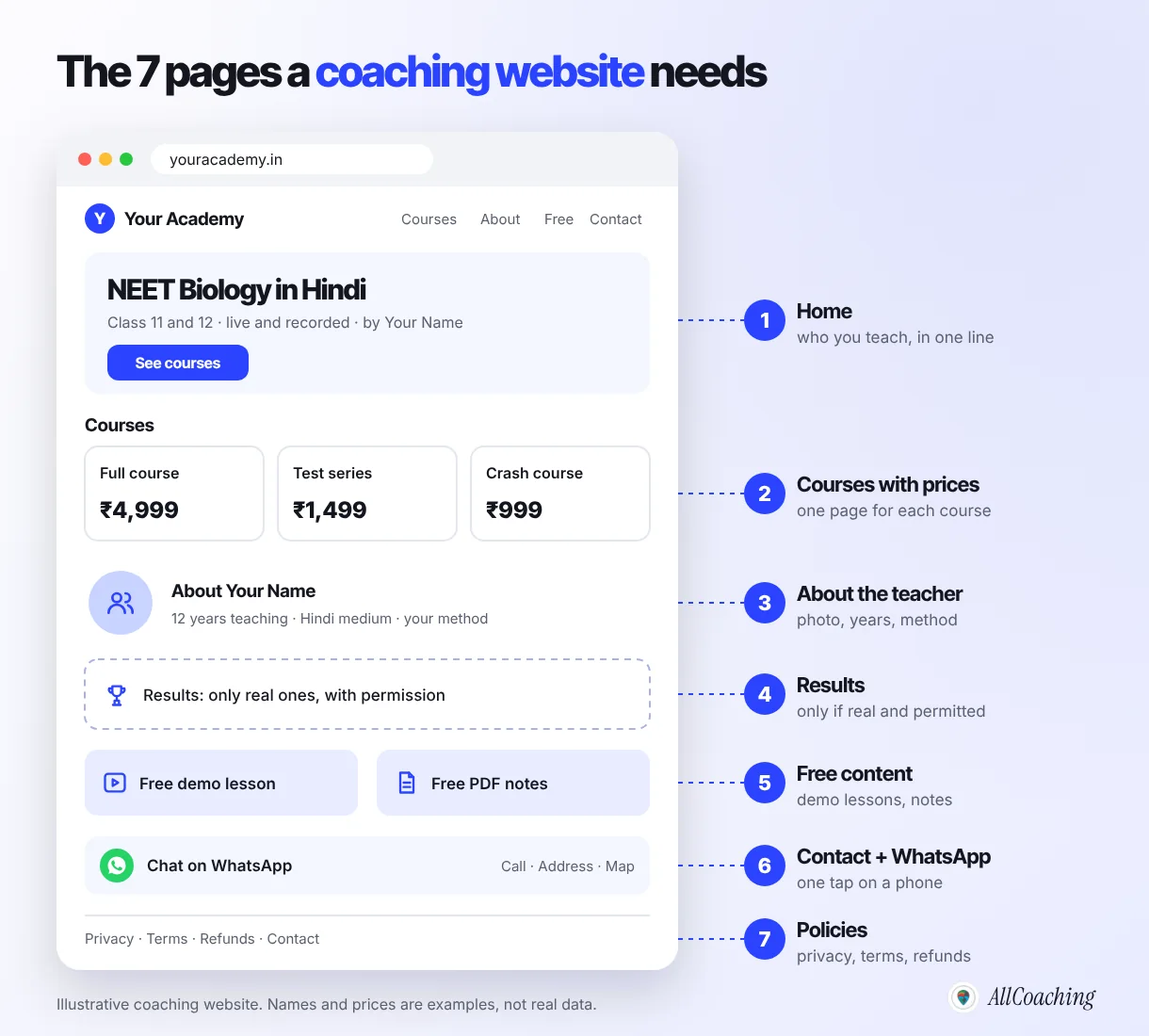
1. Home
Say who you teach, what, and in which language in the first line: "NEET Biology in Hindi for Class 11 and 12". Add one button to your courses and your WhatsApp number. A student should know within five seconds whether this site is for them.
2. Courses with prices
One page per course: who it is for, what is inside (lessons, PDFs, tests, live classes), validity, language, price and a buy button. Hiding the price behind "call for fees" costs you the students who browse at 11 pm and never call. Our guide to pricing online courses in India helps you set it.
3. About the teacher
A clear photo, your years of teaching, the exams or skills you cover, and your method in plain words. Parents read this page more carefully than any other.
4. Results, only if real
Show selections, scores or student reviews only when they are real, recent and shared with the student's permission. Borrowed topper photos and invented numbers damage trust the moment a parent checks. If you are new, skip this page and let free content do the work.
5. Free content
A free demo lesson, a chapter PDF or a short test lets a student judge your teaching before paying. It also gives Google something useful to index.
6. Contact and WhatsApp
A WhatsApp button that opens a chat in one tap, a phone number, your centre's address and a map if you teach offline. Many Indian students will message before they buy.
7. Policies
Privacy policy, terms of use and a refund policy, linked in the footer. More on these in the legal pages section below.
Question educators ask
Should I put student testimonials on my coaching website?
Yes, if they are real. Ask the student in writing, use their actual words, and add their exam and year. A short WhatsApp message from a real student, shared with permission, builds more trust than a polished quote nobody can verify. Never write testimonials yourself or reuse photos of toppers from other institutes.
How to create a coaching institute website without WordPress: 7 steps
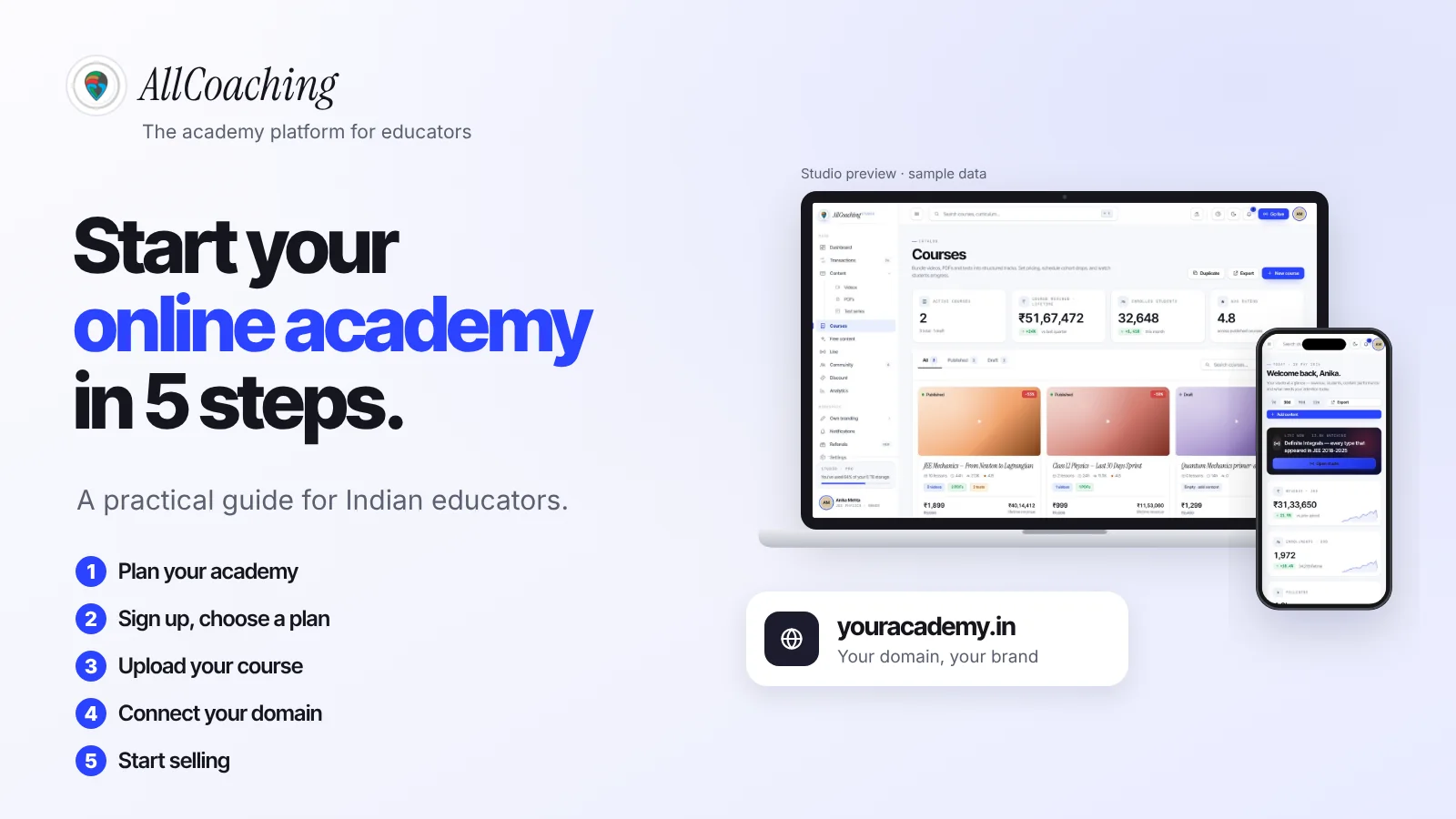
Plan your pages, start a trial on a hosted academy platform, pick a theme, edit the text, colours and logo, add your courses, connect your domain, then test on a phone and publish. The order matters: content first, design second, domain last.
- Plan your pagesWrite the home page line, your course list with prices, an about paragraph and your refund rules, and keep your logo, photo and one demo lesson ready.
- Start a free trialSign up on a hosted academy platform with a free trial and choose your academy name, so you build with your real content rather than sample content.
- Pick a themeChoose a website theme that suits your students and subject; you can switch later without losing courses, students or your address.
- Edit text, colours and logoReplace the sample text with your own words, set your brand colours, upload your logo and favicon, and add your photo.
- Add your coursesCreate each course with videos, PDFs and tests, set the price and save, so its course page with SEO, schema and checkout is created.
- Connect your domainBuy a domain in your own name at any registrar and add the DNS records the platform shows you.
- Test on a phone and publishAdd privacy, terms and refund pages, make a test purchase by UPI on an Android phone, then publish and share one link everywhere.
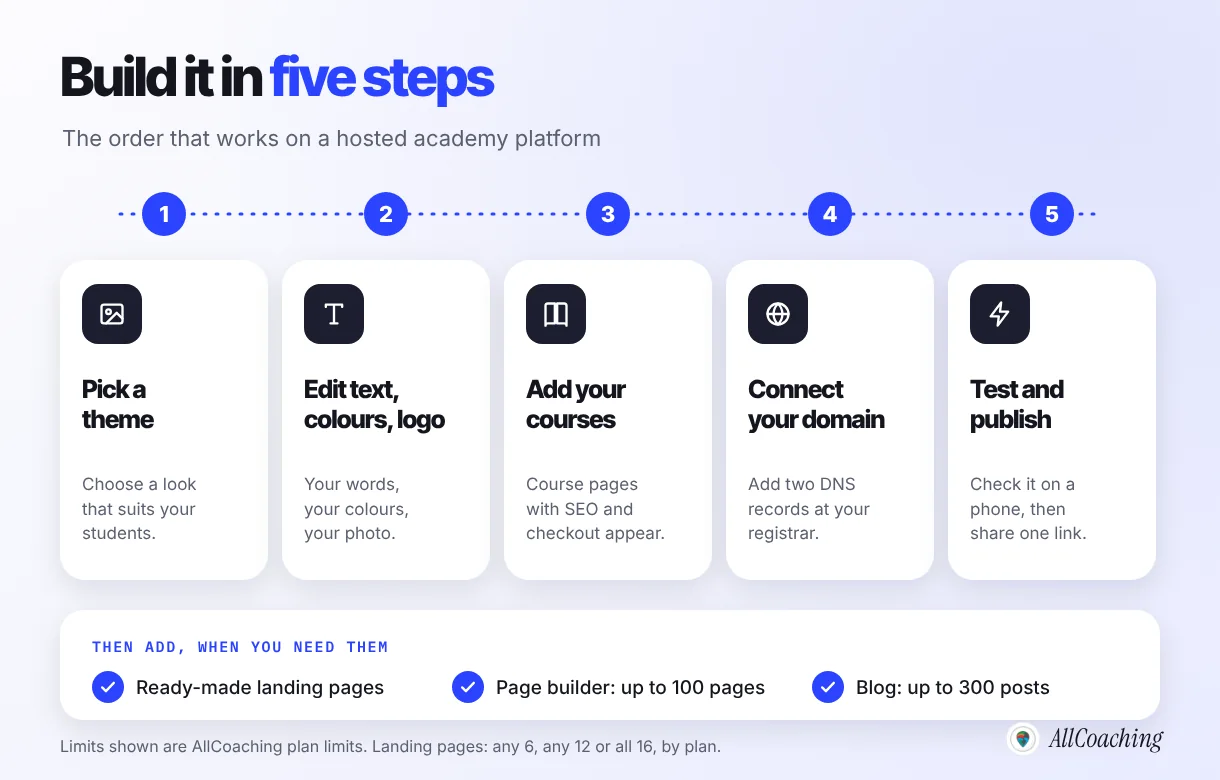
Before you start: gather your content
Write the home page line, the course list with prices, a 150-word about paragraph and your refund rules in one document. Keep your logo, a photo of yourself and one demo lesson ready. Most of the time in building a coaching website goes into these words, not into the software.
Adding courses
Create each course with its videos, PDFs and tests, set the price and save. On AllCoaching, saving a course creates its course page with SEO meta, schema and checkout, and you can edit the title, description and URL. Our guide to creating your first online course covers structure and lesson length.
Connecting your domain
Buy a domain such as youracademy.in in your own name at any registrar, then add the DNS records the platform shows you. The change usually takes effect within minutes to a few hours, and occasionally up to a day or two. Our guide to an LMS with a custom domain walks through it.
Build your own academy. Try it free for 7 days.
Website on your own domain, your own Android app, unlimited live classes and UPI checkout on every plan. 0% commission on every monthly plan from ₹3,999 a month, or yearly from ₹6,999 (excl. GST).
No card needed · Cancel anytime in the trial · Export your data any timeThemes, landing pages and the page builder
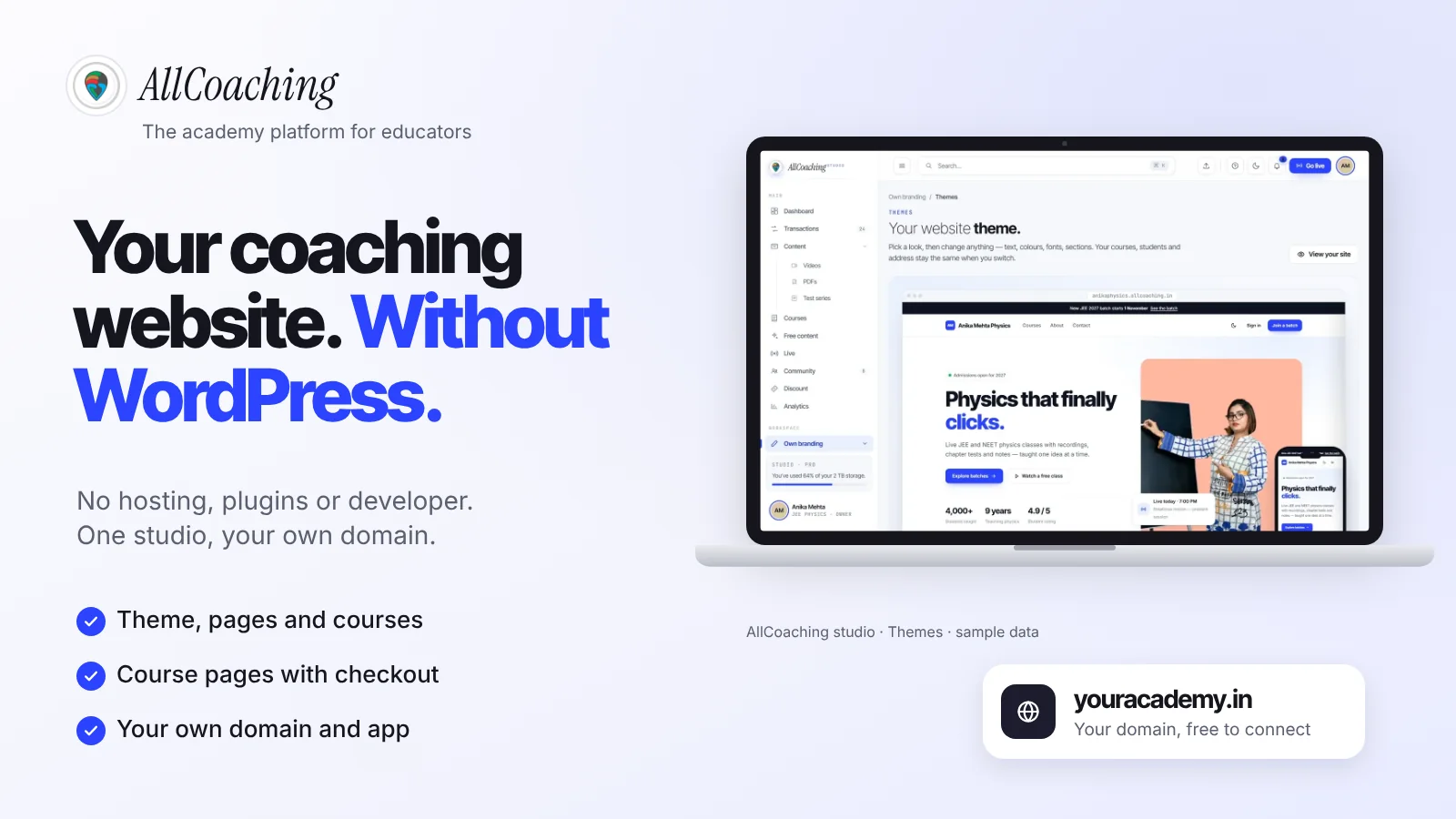
On a hosted academy platform you design by choosing a theme and editing it, not by installing plugins: change the text, colours, fonts and sections, and your courses, students and address stay the same when you switch. Extra pages come from ready-made templates or a page builder.
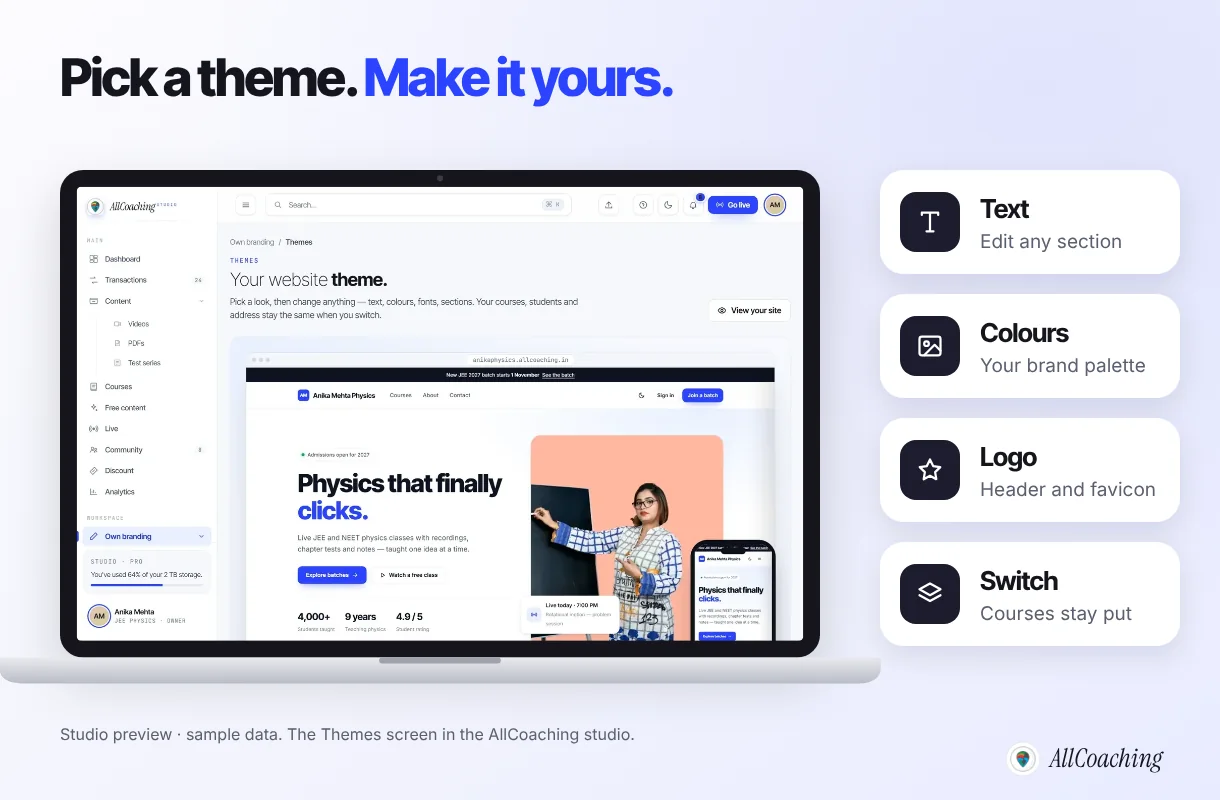
In the AllCoaching studio this lives under Own branding. Themes set the look of the whole academy website. Ready-made landing pages cover webinars, workshops, course sales and admissions: any 6 on Starter, any 12 on Growth and all 16 on Pro. Every plan includes a drag-and-drop page builder for up to 100 pages and a blog for up to 300 posts, and premium themes are free for the first 2 months.
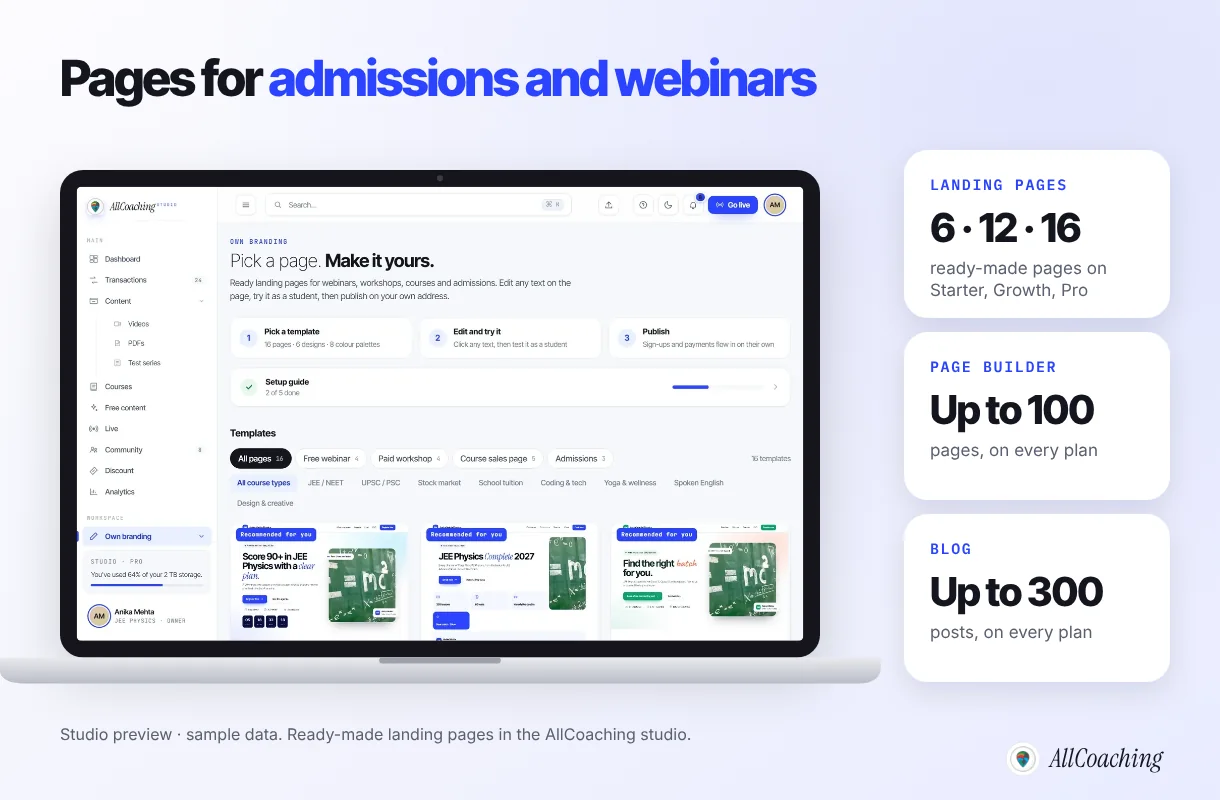
Use a landing page when you run one campaign: an admission drive for a new batch, a free webinar before the exam, or a crash course. Point your ads and WhatsApp messages at that page, not the home page. Our guide on how to create a landing page for an online course shows what to put on it.
How does a coaching website get found on Google?
A coaching website gets found on Google through clear course pages that match what students type, a plain title and description on every page, structured data, and helpful free content that links to your courses. You do not need plugins for any of this.
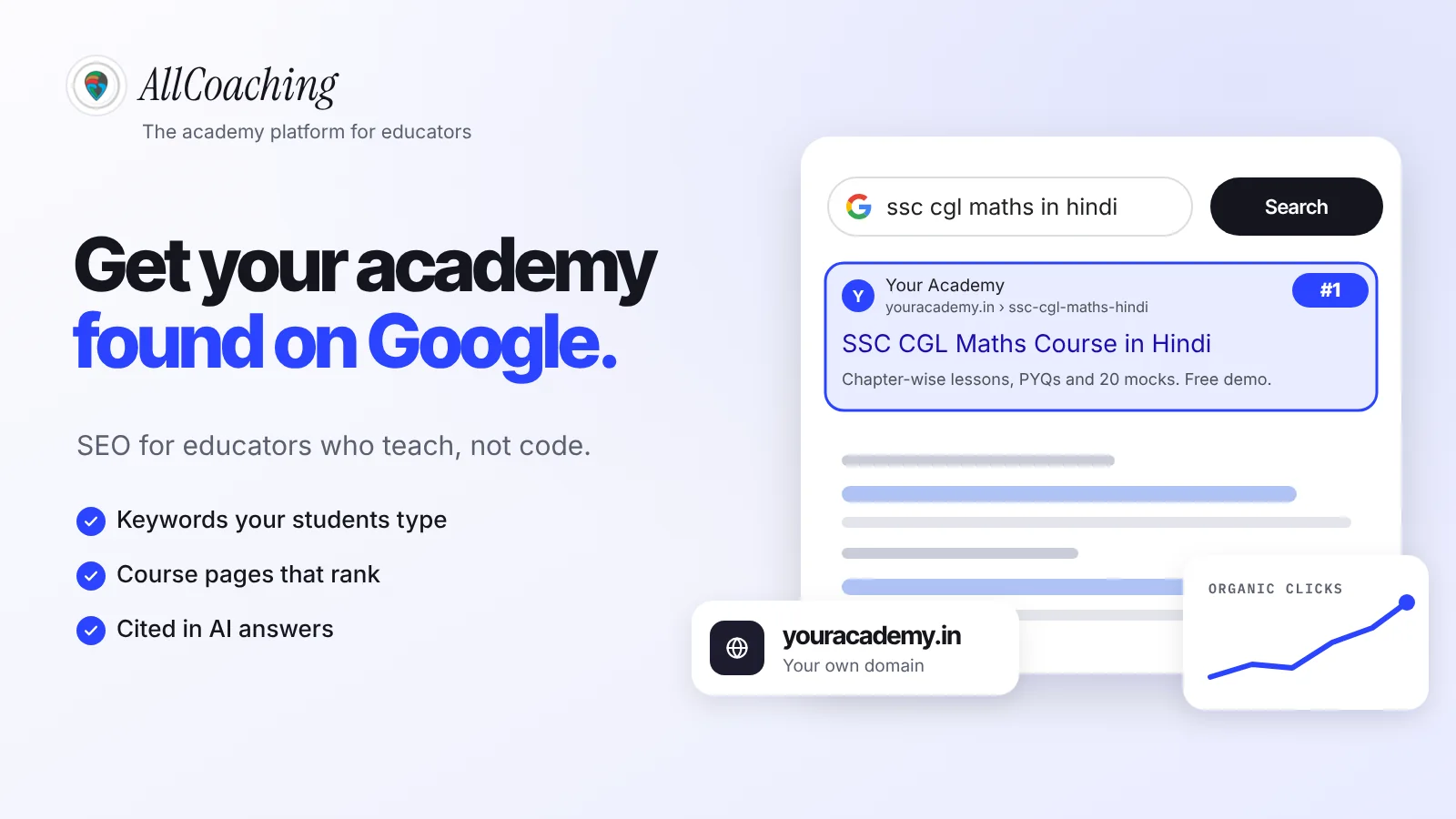
Start with the course page. Name it the way students search: "SSC CGL Maths Course in Hindi", not "Batch 7 Premium". Google's documentation explains that it "uses structured data that it finds on the web to understand the content of the page".4 On WordPress, that usually means another SEO plugin. On AllCoaching, every course page gets SEO meta and schema when you save the course, and the academy-wide SEO title, description and sharing image sit in the studio's preferences.
- One page per course, with the exam, subject and language in the title.
- Syllabus as text, not an image, so Google and students can read it.
- A short FAQ on each course page answering validity, language and doubt support.
- Blog posts that answer exam questions (syllabus, cut-offs, study plans) and link to the course.
- A Google Business Profile if you also teach from a physical centre.
Our SEO guide for online academies goes deeper into keywords, site structure and AI search.
How do students pay on a coaching website?
Students pay through a checkout on your course page: they choose UPI or card, the payment gateway confirms it, course access opens, and the money is paid out to your bank. No payment screenshots, no manual adding to groups.
On WordPress this means a payment plugin, a gateway account, and testing that the two keep working after every update. On AllCoaching, UPI and card checkout through Razorpay is built in, and payouts go to your bank automatically. The gateway still verifies you once with PAN and bank details, and its charges on student payments are separate from your plan. Coupons and lead forms are included for launch offers and enquiries.
Before you share the site, buy one of your own courses with UPI on your phone. It is the fastest way to catch a confusing step. Our guide to accepting UPI payments for online courses lists the documents and charges.
Why a coaching website must be mobile-first
Your students, especially in tier-2 and tier-3 towns, will open your website on a phone, often an inexpensive Android phone on mobile data, and Google also judges your site by its mobile version. Design and check for the phone first, then the laptop.
Google Search Central puts it plainly: "Google uses the mobile version of a site's content, crawled with the smartphone agent, for indexing and ranking."5 If your course details or prices are hidden on the phone view, Google may not see them either.
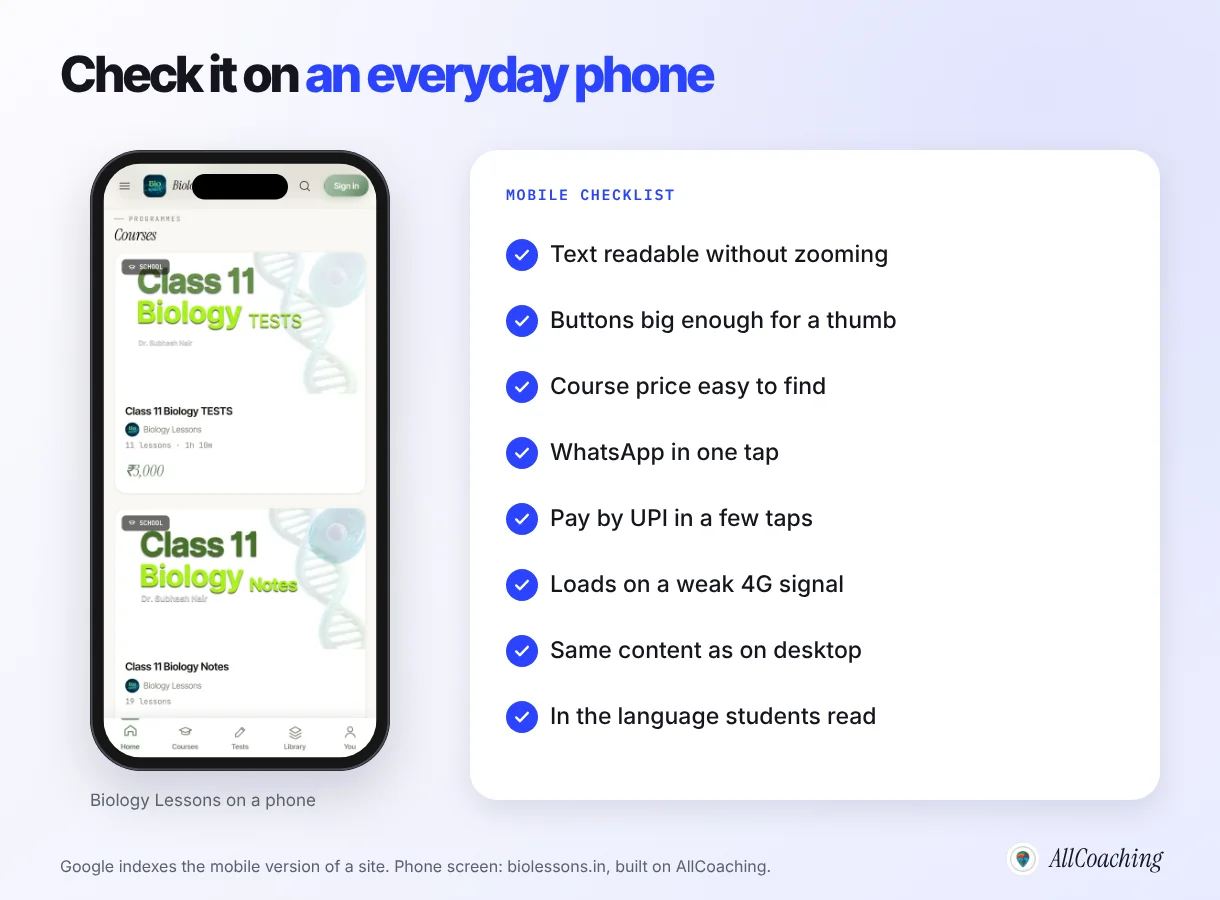
Open your site on the oldest phone in your family, on mobile data. Can you read the text without zooming? Is the price easy to find? Does WhatsApp open in one tap? Can you pay by UPI without getting lost? If a Hindi-medium student is your audience, are the key lines in Hindi?
The next step on a phone is an app. Students who study daily come back more easily from an icon than a bookmark. Every AllCoaching plan includes your own Android app, published on your own Play Store account, and the iOS app is included on Pro monthly and every yearly plan. On WordPress, an app is a separate project.
Which legal pages does a coaching website need?
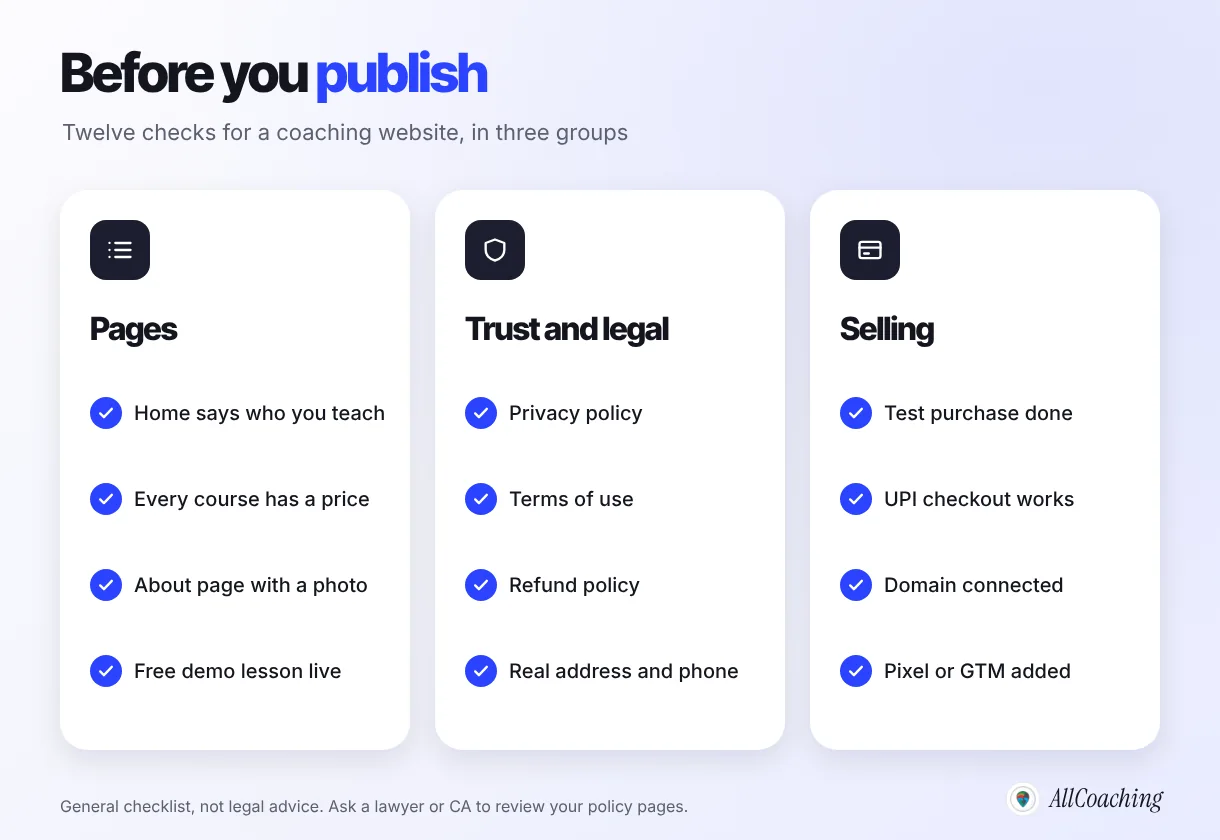
Before you sell, add a privacy policy, terms of use, a refund and cancellation policy, and a contact page with your real name, address, phone and email. Payment gateways often ask for these pages when they review your website, and parents look for the refund policy before paying a large fee.
- Privacy policy: what student data you collect (name, phone, email, payments), why, and how a student can ask you to correct or delete it. India's Digital Personal Data Protection Act, 2023 applies to how you handle that data.
- Terms of use: course validity, account sharing, recording rules and what happens if a batch is rescheduled.
- Refund and cancellation policy: whether refunds are possible, within how many days, and how to ask. Clear rules prevent most disputes.
- Contact: a real address and phone number. A website with only a form looks less trustworthy than one with a person behind it.
Create these as normal pages with the page builder and link them in the footer. Have a lawyer or CA review them once; a template copied from another institute may promise things you do not do.
Real coaching websites built without WordPress
Biology Lessons, CHEMPSI and DigiteKM are three academies that run their websites on AllCoaching, each on its own domain, with its own logo, colours and course catalogue. None of them installed WordPress or a plugin to get there.
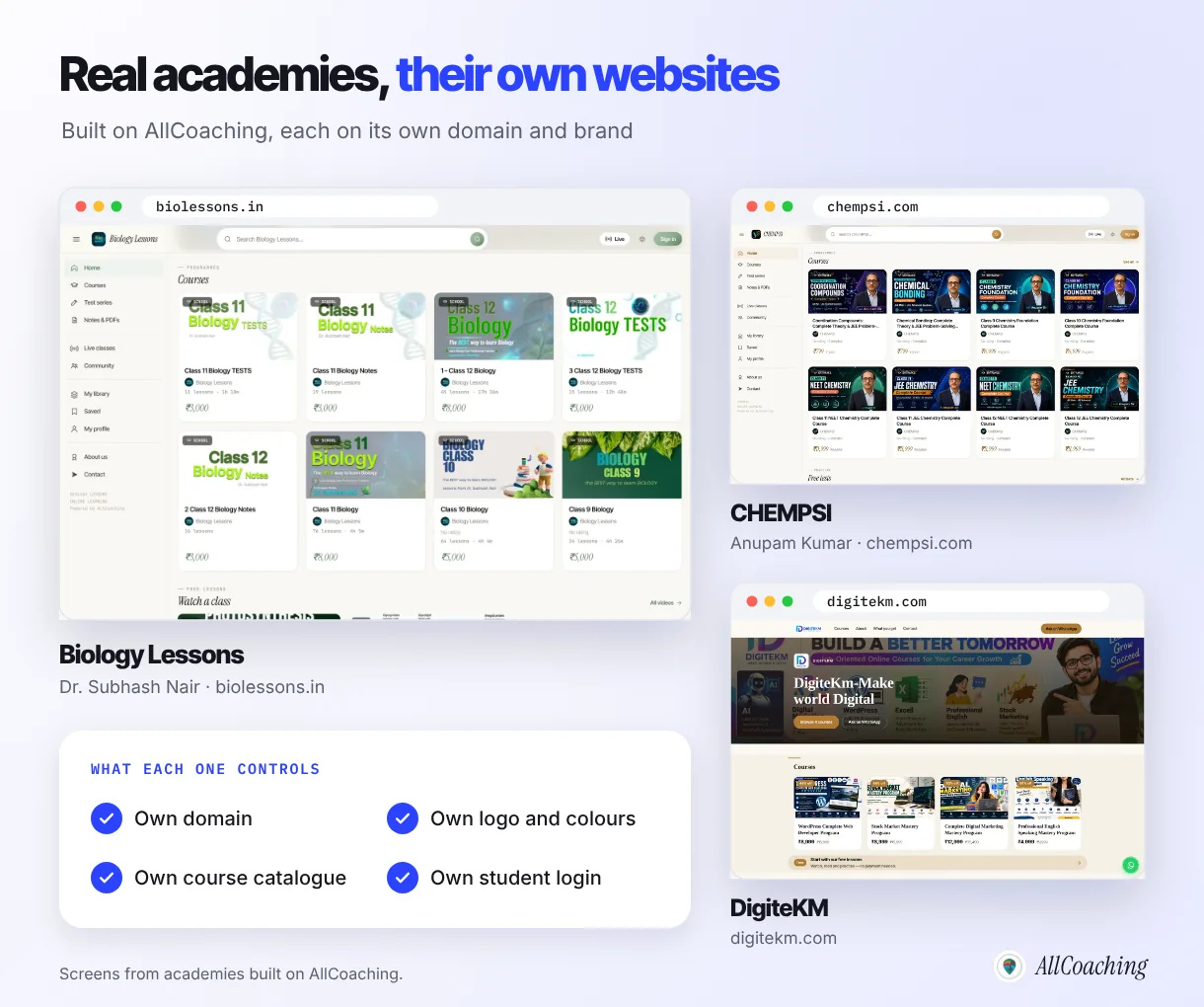
Look at what they have in common. Biology Lessons, run by Dr. Subhash Nair, lists school biology courses, test series and notes, each with a clear price. CHEMPSI, run by Anupam Kumar, organises chemistry courses by class and exam. DigiteKM leads with a large hero, its course cards and an "Ask on WhatsApp" button. Three different looks, the same structure underneath: courses with prices, free lessons, and a direct way to ask a question.
How much does a coaching website cost without WordPress?
Without WordPress, a coaching website costs one platform plan, a domain at your registrar, payment gateway charges on sales and GST, with no hosting, plugin licences or developer bills on top. With WordPress, the software is free but hosting, premium themes or page builders, an LMS plugin, a payment setup, backups and any developer time add up separately.
Here is how AllCoaching prices it. Every plan starts with a 7-day free trial, and no card is needed to start. Monthly plans take 0% commission, so you keep 100% of every sale: Starter ₹3,999, Growth ₹5,999 or Pro ₹7,999 a month, with no lock-in. Yearly plans cost less up front with a fee per sale: Starter ₹6,999 a year plus 10%, Growth ₹12,999 plus 7.5%, or Pro ₹24,999 plus 5%. Prices exclude 18% GST. There is no setup fee and no sales limit, connecting your own domain is free on every plan, and every plan includes your own Android app. Full details are on the pricing page.
- Domain: bought by you at any registrar, typically around ₹600 to ₹1,200 a year for a .in or .com.
- Payment gateway: a per-transaction charge on student payments, separate from the plan.
- Which plan: illustrative, before GST: below about ₹4 lakh of yearly sales, yearly Starter usually costs least; above that, a monthly plan usually leaves you more because its cost stays fixed as sales grow.
If you ever stop, your academy goes offline at the end of the paid period, you get 30 days to export your content and data or come back, and uploaded videos are then deleted. Your domain stays yours because you registered it.
When does WordPress still make sense for a coaching institute?
WordPress still makes sense if you already have a developer who maintains it, if your site is mainly a large blog or news publication, or if you need a specific plugin no academy platform offers. It is a flexible tool; the question is whether you want to run it yourself.
WordPress fits when
- A developer or agency already maintains your site and you are happy with it.
- Your site is mostly articles, news or exam updates, with few paid courses.
- You need a niche plugin or custom feature for your institute.
- You enjoy managing hosting, themes and updates yourself.
A hosted academy fits when
- You want to sell courses, tests and live classes, not only publish pages.
- Nobody on your team wants to handle updates and security.
- You want your own Android app without a separate project.
- You want one login for website, payments, students and content.
A middle path also works: keep an existing WordPress site for news and articles, and link its "Courses" button to your academy for courses, payments and student login. When you are ready to move everything, copy your page text across, bulk-import your students from Excel or Google Sheet, recreate important course URLs where it makes sense, and point your domain at the academy.
Glossary
- Content management system (CMS)
- Software for creating and editing website pages without writing code, such as WordPress.
- Plugin
- An add-on installed into WordPress to add a feature such as courses, payments or SEO, which must be updated along with WordPress.
- Hosted academy platform
- A service that runs your academy website, courses, student login, payments and hosting for you, so there is nothing to install or update.
- Landing page
- A single page built for one campaign, such as an admission drive or a free webinar, with one clear action.
- Structured data (schema)
- Code on a page that describes its content, such as a course name and price, in a standard format search engines read.
- Mobile-first indexing
- Google's practice of using the mobile version of a page for indexing and ranking.
- Refund policy
- A page that states whether, when and how students can get their fees back.
- Custom domain
- Your own web address, such as youracademy.in, connected to your academy website instead of a platform's address.
Frequently asked questions
Can I create a coaching institute website without WordPress?
Yes. A hosted academy platform gives you themes, pages, course pages, student login and UPI checkout in one place. You pick a theme, edit the text, colours and logo, add your courses, connect your domain and publish, with no WordPress, plugins or hosting to manage.
Do I need a developer to build a coaching website?
No. On a hosted academy platform you edit pages visually, course pages are created when you save a course, and connecting a domain means copying DNS records at your registrar. A developer is only needed if you want custom features the platform does not offer.
What pages should a coaching institute website have?
Seven: a home page that says who you teach, course pages with prices, an about-the-teacher page, a results page only if your results are real, free content such as a demo lesson, a contact page with WhatsApp, and privacy, terms and refund policy pages.
Is WordPress free for a coaching website?
The WordPress software is free, but a coaching site on it also needs hosting, a domain, usually a premium theme or page builder, an LMS plugin, a payment plugin and regular updates. Those costs and the maintenance time are separate.
How much does a coaching institute website cost in India without WordPress?
On AllCoaching, after a 7-day free trial with no card, monthly plans cost ₹3,999, ₹5,999 or ₹7,999 a month with 0% commission, or yearly plans ₹6,999, ₹12,999 or ₹24,999 with a 10%, 7.5% or 5% fee per sale, all excluding GST. Add a domain from any registrar and payment gateway charges.
Can students pay fees by UPI on my coaching website?
Yes. Students pay on the course page by UPI or card, access opens automatically and the payout goes to your bank. On AllCoaching the checkout runs through Razorpay and is built in, and gateway charges on student payments are separate from the plan.
Will my coaching website show up on Google?
It can, if each course has its own page with a clear title, the syllabus as text and helpful free content linking to it. On AllCoaching, course pages get SEO meta and schema automatically when you save a course. Rankings take time and are never guaranteed.
Can I use my own domain for my coaching website?
Yes. Buy a domain such as youracademy.in in your own name at any registrar and connect it with the DNS records the platform shows you. Connecting your own domain is free on every AllCoaching plan.
Can I get a mobile app with my coaching website?
Yes. Every AllCoaching plan includes your own Android app published on your own Play Store account, and the iOS app is included on Pro monthly and every yearly plan. On WordPress, an app is usually a separate project.
Sources
- W3Techs, "Usage statistics and market share of WordPress", w3techs.com, checked 31 October 2026. Figures update daily.
- WordPress.org Documentation, "Updating WordPress", wordpress.org, checked October 2026.
- WordPress Developer Resources, Advanced Administration Handbook, "Hardening WordPress", developer.wordpress.org, checked October 2026.
- Google Search Central, "Introduction to structured data markup in Google Search", developers.google.com, checked October 2026.
- Google Search Central, "Mobile site and mobile-first indexing best practices", developers.google.com, checked October 2026.
Amit builds AllCoaching, the academy platform Indian educators set up themselves: their own website on their own domain, their own app, and the tools to grow it. We run this marketing site ourselves, so the advice on titles, schema and mobile checks comes from doing the work; outside facts are linked to their sources and example figures are marked as illustrative.