
On this page
Start your online academy today. 7 days free.
Start free trialThe best LMS for private tutors is one login that runs small-batch live classes, recordings, notes, tests and UPI fee collection under your own name, at a price that fits one person rather than an institute. If you teach fewer than about 10 one-to-one students and sell nothing recorded, you may not need one yet.
Maybe you teach Class 9 and 10 maths at home in the evenings, a few JEE students one-to-one on weekends, or spoken English to working adults on Zoom. Your notes live on WhatsApp, your recordings in Drive, your fees in UPI screenshots. It works, until a parent asks for last month's marks or a student in another city asks how to join.
This guide lists what a solo tutor actually needs from an LMS, what to skip, when it is worth paying for, the cost maths with illustrative numbers, the four kinds of option, and a one-week plan to move.
Key takeaways
- A tutor needs nine things: live classes for small batches, recordings, notes and PDFs, tests with results, UPI fee collection, something parents can see, your own brand and app, certificates and bulk import of existing students.
- Skip institute features such as branches, staff payroll, transport and hostel modules; a solo tutor pays for them and never uses them.
- Rule of thumb, not a statistic: under about 10 one-to-one students in one city, with nothing recorded to sell, a spreadsheet and WhatsApp are still enough.
- Open links leak: Google says anyone with an "Anyone with the link" Drive link can open the file without signing in, and YouTube says unlisted videos can be shared by anyone with the link.
- Children's data needs care: the DPDP Act, 2023 requires verifiable parental consent before processing the personal data of anyone under eighteen.
- Cost maths on AllCoaching (illustrative, + 18% GST): a tutor starting out usually pays least on yearly Starter at ₹6,999 + 10% of sales; above about ₹4 lakh of yearly sales, monthly Starter at ₹3,999 with 0% commission usually leaves more.
- Move in a week, one batch first: trial, brand, one course, fees, student import, one live class, then a switch date for parents.
What is the best LMS for private tutors?
The best LMS for a private tutor is one login that runs live classes for small batches, keeps recordings and notes in each course, grades tests, collects fees by UPI and opens access on payment, under your own name and app. It should not charge you for branches, staff payroll or hostels you do not have. For most solo tutors that means an own-academy LMS, started small.
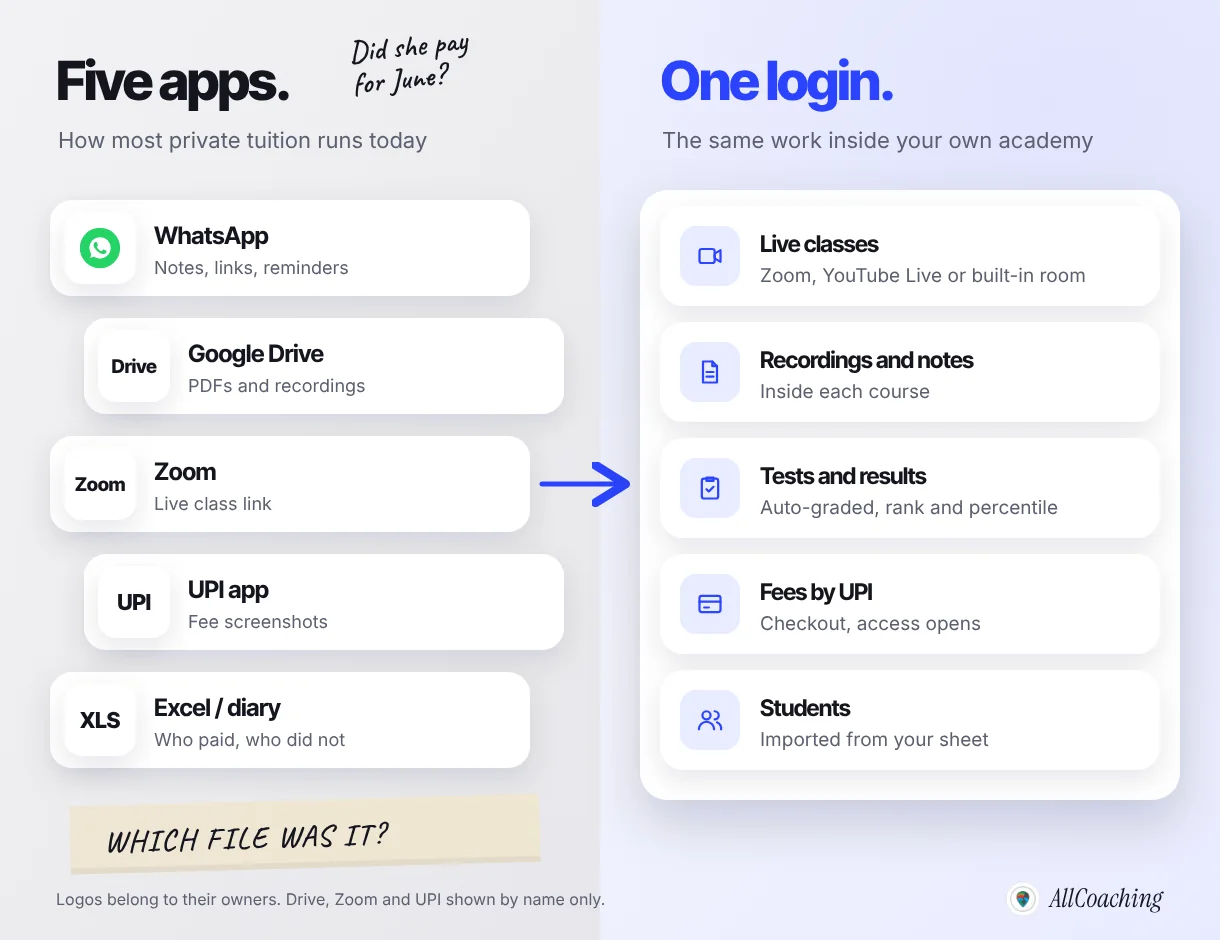
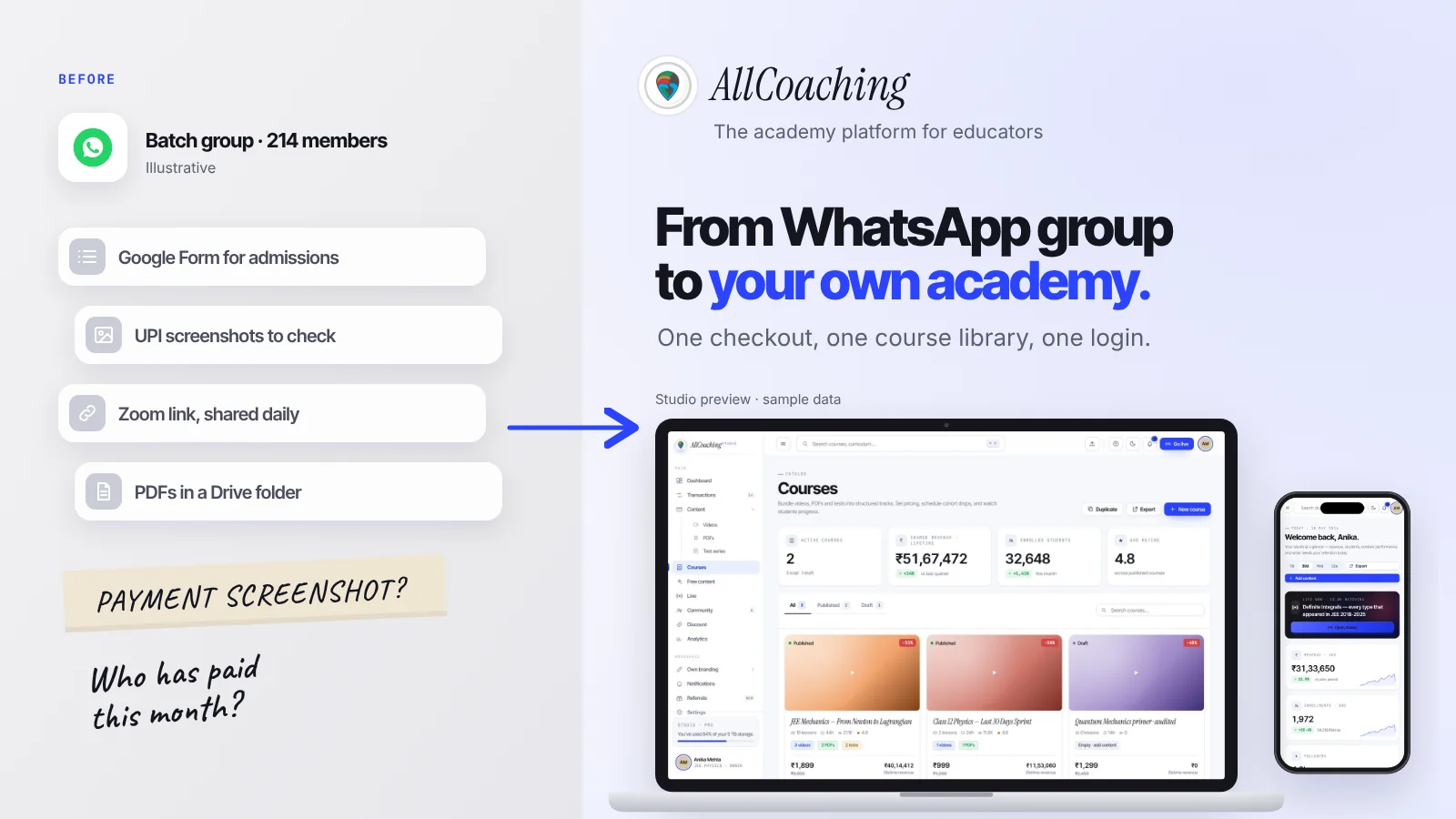
Picture a Class 10 CBSE maths tutor with 25 students: PDFs on WhatsApp, recordings in a Drive folder, the same Zoom link every evening, fees by UPI checked against a notebook. Each tool is fine alone. Together they are five places to search.
An LMS puts that week in one place: a course per batch, with its classes, recordings, notes, tests and payments inside it.
Who this guide is for: the solo private tutor
This guide is for an independent tutor who teaches roughly 5 to 60 students alone and wants to move from WhatsApp, Drive and Zoom to one LMS, to sell recorded courses, notes and tests alongside one-to-one or small-batch live classes and to reach students beyond their city.
- Home tuition, Class 6 to 12: CBSE, ICSE or a state board, usually maths, science or English, often with parents paying monthly.
- JEE or NEET one-to-one: fewer students, higher fees, heavy on tests and doubt sessions.
- Spoken English and interview practice: small live groups, speaking time, a certificate at the end.
- Music, art or coding for kids: weekly classes, practice videos, parents watching progress.
If your main problem today is keeping track of who owes you money, start with our guide to the best app for home tutors to manage students and fees; this one is about the teaching platform. If you have not taught online yet, read how to become an online tutor in India first. And if you run a centre with staff and branches, the LMS guide for coaching institutes fits you better.
What a private tutor actually needs from an LMS
A private tutor needs nine things from an LMS: live classes for small batches, recordings, notes and PDFs, tests with results, fee collection by UPI, something parents can see, your own brand and app, certificates for skill courses, and bulk import of the students you already have. Check these nine and ignore the rest of the feature list.
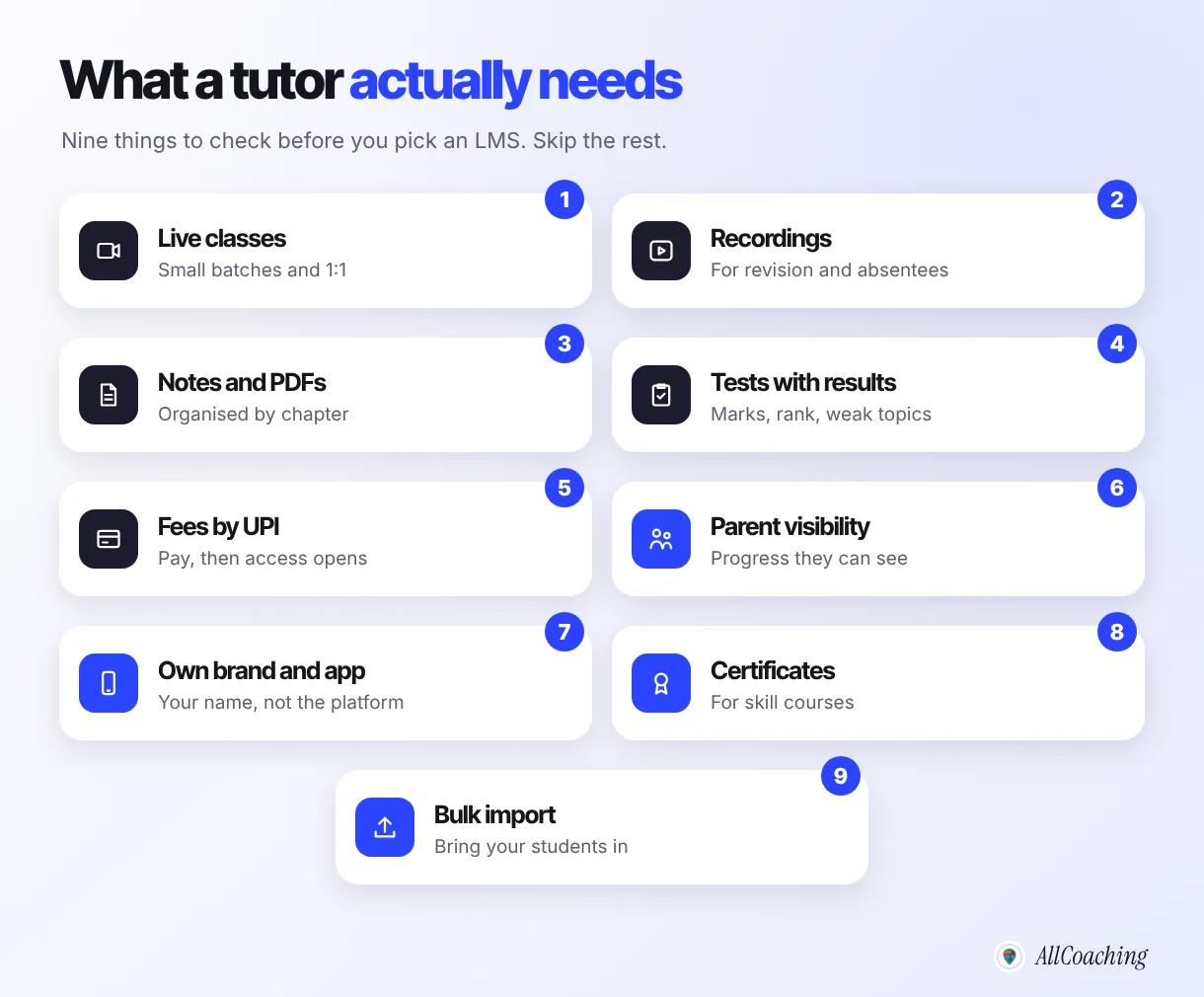
| Need | Why a tutor needs it | What to check |
|---|---|---|
| Live classes | Most private tuition is still live, 1:1 or 4 to 15 students | Zoom or YouTube Live inside the course, or a built-in room; who can join |
| Recordings | Absent students and revision before exams | Recording saved inside the course, not on your laptop |
| Notes and PDFs | Your notes are a product in themselves | Organised by chapter, visible only to enrolled students |
| Tests with results | Parents judge progress by marks | Auto-grading, negative marking, rank, topic-wise results |
| Fees by UPI | No more matching screenshots | Checkout with UPI and cards; access opens on payment; payouts to your bank |
| Parent visibility | The parent pays, the child studies | What a parent can see, and how you share it |
| Own brand and app | Students should remember your name | Your logo and domain; an Android app in your name |
| Certificates | Spoken English, music and coding students want proof | Auto-issued on completion, with a unique ID |
| Bulk import | You already have students | Upload from Excel or Google Sheet in one go |
One thing worth knowing about free links: Google's Drive help says that with "Anyone with the link", anyone on the internet who has the link can open the file without signing in to a Google account.2 That is fine for a free worksheet and a problem for notes that parents paid for.
What big-institute LMSs sell that a tutor does not need
Institute software is built for many teachers, branches and staff, so much of its price pays for multi-branch reports, staff roles and payroll, transport and hostel modules, biometric attendance and admission desks; a solo tutor uses none of these. Paying for them does not make your classes better.
Worth paying for as a tutor
Courses with video, PDF and tests; live classes; UPI checkout that opens access; your own website and app; certificates; student import; a clear monthly or yearly price.
Usually not needed yet
Multiple branches, ten staff roles, teacher salary modules, transport and hostel, front-desk admission CRM, timetable engines for 40 classrooms, a sales call before you can see the price.
Institute systems also assume an admin who configures everything. A tutor sets things up on a Sunday, so pick something you can set up yourself, without a developer.
Question educators ask
Do I need team seats as a solo tutor?
Not at the start. A second seat helps later, when a family member handles fees or an assistant uploads tests, so it is a nice extra rather than a reason to choose a platform.
Can parents see their child's progress?
Parents want three things: attendance, test marks and whether the fee is paid. Most LMSs give the student a login with their results, and many tutors simply share that login or send a short monthly summary; check exactly what a platform shows before you promise parents anything.
For school-age students the parent is the buyer, so parent updates are part of the product. A simple routine works on any platform: one message after each test with the score and what to practise, and one monthly note on attendance.
There is also a legal reason to be careful with children's data. India's Digital Personal Data Protection Act, 2023 defines a child as anyone who has not completed eighteen years, and says that before processing a child's personal data the data fiduciary must obtain the verifiable consent of a parent or lawful guardian.1 Its provisions are coming into force in phases, so check the current rules, but the habit is easy: collect students' details from parents, with their agreement, and keep them inside one system instead of scattered across phones.
"A Data Fiduciary shall not undertake tracking or behavioural monitoring of children or targeted advertising directed at children."
Digital Personal Data Protection Act, 2023, Section 9(3), as published by MeitY[1]For marketing, the safe line is to advertise to parents, not to the children you teach.
When an LMS is not worth it yet
As a rule of thumb, not a statistic: if you teach fewer than about 10 students, all one-to-one, all in your city, and you have nothing recorded to sell, a spreadsheet and WhatsApp are still enough. An LMS starts paying for itself when you have batches, notes or tests you can sell more than once, or students outside your city.
The reasoning: with under ten one-to-one students you know every parent, fees are a handful of UPI payments and nothing you make is reused, so there is little admin for an LMS to save. Our home-tutor guide puts the point where a diary breaks at roughly 15 to 25 students; that is when chasing fees and resending notes starts eating teaching time.
The line moves earlier if any of these are true:
- You want to sell something that is not your hour: a recorded chapter course, a notes pack, a test series for board exams or JEE.
- You teach students in other cities who find you online and pay before they meet you.
- Your notes or recordings are being forwarded to students who never paid.
- Parents keep asking for marks and you rebuild the same report by hand every month.
If none apply, wait, and spend the month writing better notes.
The honest cost maths: illustrative platform fee vs revenue
On AllCoaching, a tutor just starting usually pays least on yearly Starter at ₹6,999 a year plus 10% of each sale; once sales through the academy pass about ₹4 lakh a year, monthly Starter at ₹3,999 a month with 0% commission usually leaves more. Prices exclude 18% GST. The table uses three illustrative tutors.
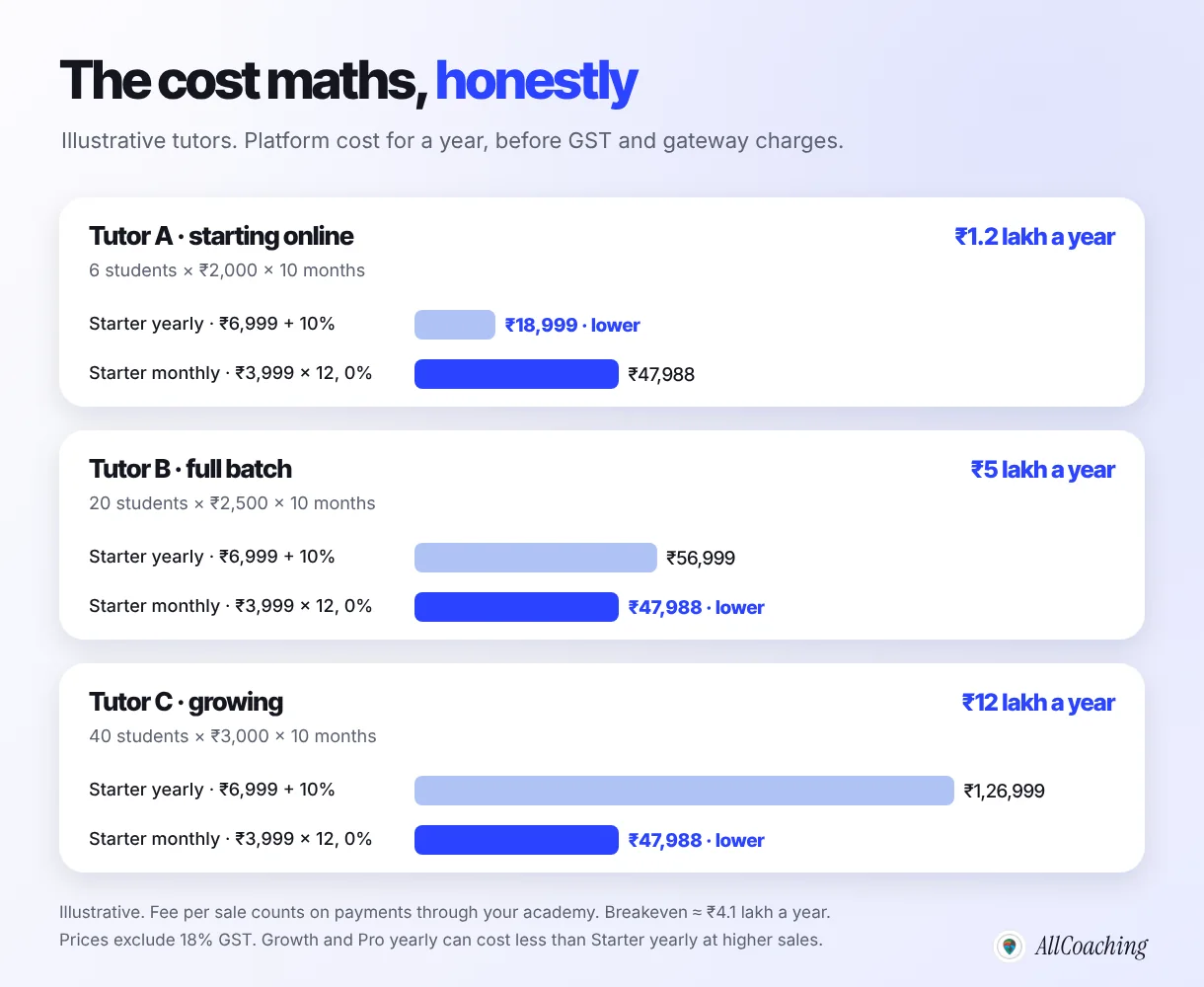
| Illustrative tutor | Sales through the academy in a year | Starter yearly (₹6,999 + 10%) | Starter monthly (₹3,999 × 12, 0%) | Lower |
|---|---|---|---|---|
| A: 6 students × ₹2,000 × 10 months | ₹1,20,000 | ₹18,999 (15.8% of sales) | ₹47,988 (40%) | Yearly Starter |
| B: 20 students × ₹2,500 × 10 months | ₹5,00,000 | ₹56,999 (11.4%) | ₹47,988 (9.6%) | Monthly Starter |
| C: 40 students × ₹3,000 × 10 months | ₹12,00,000 | ₹1,26,999 (10.6%) | ₹47,988 (4%) | Monthly Starter |
Two notes make the table honest. First, at Tutor B's level the yearly Growth plan (₹12,999 + 7.5%) comes to ₹50,499 and yearly Pro (₹24,999 + 5%) to ₹49,999, both close to monthly Starter, so choose by what you need: storage, live-room hours, or an iOS app. Second, GST is added on top: ₹6,999 plus 18% GST is about ₹8,259.
Also price the time it replaces: three evenings a month of resending notes and matching payments, at your hourly rate. For a deeper look at fees on sales and add-ons across platforms, see what an LMS really costs an independent educator; for setting your own fees, our online course pricing guide has a calculator.
Your options by type: from WhatsApp to your own academy
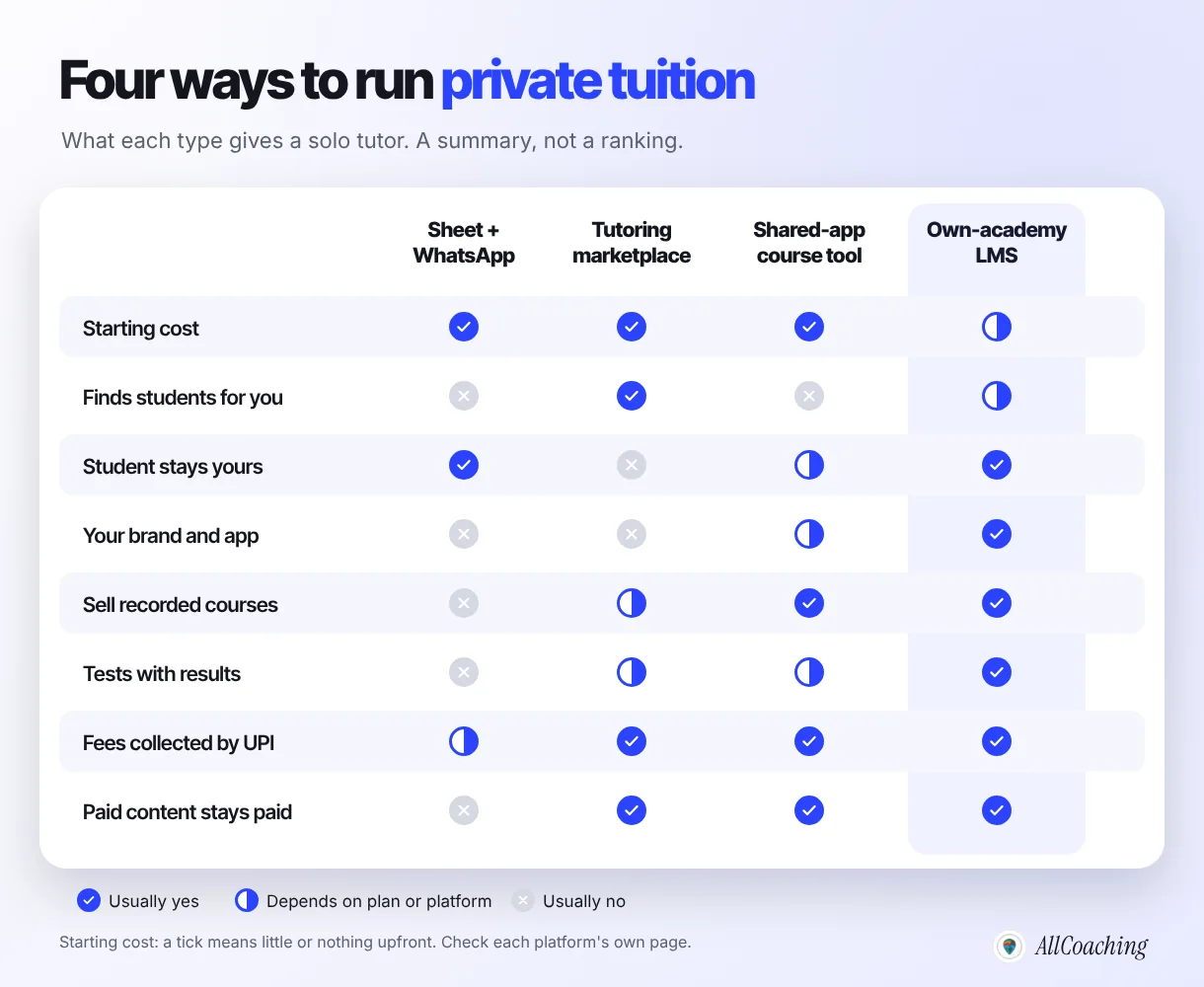
A private tutor has four kinds of option: a spreadsheet with WhatsApp, a tutoring marketplace, a course tool with a shared app or a fee on each sale, and an own-academy LMS; they differ most in who owns the student relationship and whose name the student sees.
1. Spreadsheet + WhatsApp + Drive + Zoom
Pros: little or no cost, everyone already uses it, nothing to learn. Cons: notes travel freely, fees are matched by hand, there is no test analysis, and nothing works when you are not there. Fine below the rule-of-thumb line above.
2. Tutoring marketplaces
Directories and apps where parents search for tutors and the platform sends enquiries. Pros: enquiries you would not get alone. Cons: the platform owns the listing, the reviews and often the relationship; many charge for leads, memberships or a share of fees. Read the tutor terms first.
3. Course tools with a shared app or a fee per sale
These let you sell courses and sessions with little upfront cost, in exchange for a fee on each sale; some put your course inside the platform's common app rather than one in your name. Two Indian examples publish their numbers. Exly lists its Starter plan with no annual upfront fee and 10% commission, Pro at ₹30,000 billed annually with 6%, and a mobile app add-on at ₹60,000 a year (exlyapp.com/pricing, checked 5 Nov 2026). TagMango lists Basic with zero fixed fee, 10% commission and a 200-student limit, and Pro at ₹5,000 + GST a month with 5.5% commission (tagmango.com/pricing, checked 5 Nov 2026). Pros: quick to start. Cons: the fee grows with your sales, and an app or custom domain can be a paid add-on.
4. An own-academy LMS
Your own website on your own domain, your own app, and your courses, tests, live classes and payments inside it. Pros: students see your name, the student list is yours, paid content stays behind a login. Cons: a plan fee from the start, and you bring your own students; no platform does the marketing for you.
If you already run a batch on WhatsApp, our step-by-step guide to moving a WhatsApp group to an online academy covers the student messages in detail.
How AllCoaching fits a private tutor
AllCoaching gives a private tutor their own academy: a website on your own domain and your own Android app on every plan, with courses that hold video, PDFs and tests, live classes and UPI checkout in one studio. It works like Shopify for coaching: sign up, choose a plan, upload your course, connect your domain and start selling.
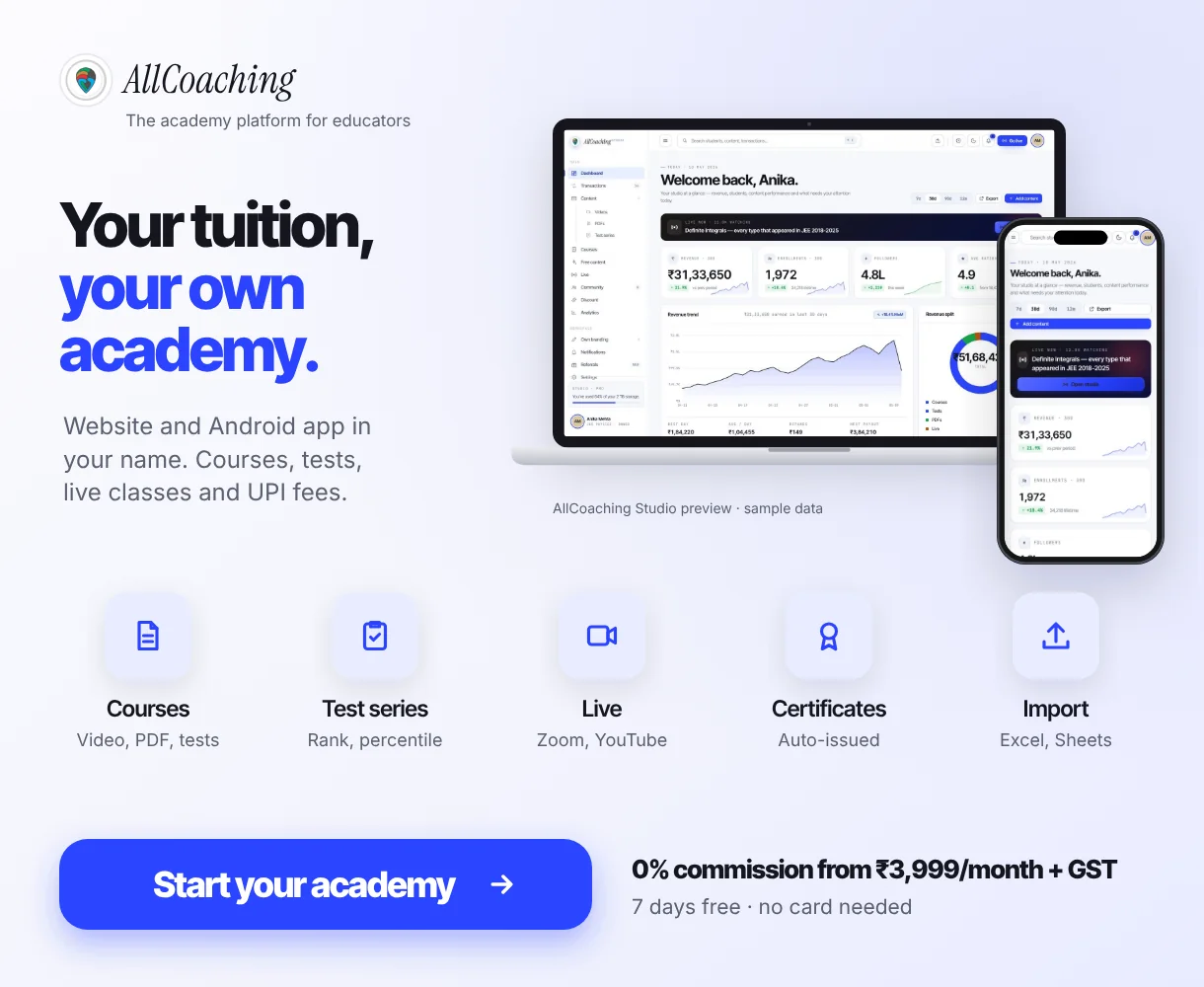
For the tutor's nine needs: live classes run on YouTube Live or Zoom from inside the course, unlimited on every plan, plus built-in live classroom hours (20, 50 or 90 hours a month on monthly plans and 5, 10 or 15 on yearly plans). Test series have auto-grading, all-India rank and percentile, a full-screen anti-cheat lock and random question order. Certificates are branded, auto-issued and carry a unique ID. You can bulk-import your students from Excel or a Google Sheet. Students pay by UPI or card, with automatic Razorpay payouts to your bank. The iOS app comes on Pro monthly and every yearly plan. For parents, use the update routine above.
Pricing is published: a 7-day free trial with no card needed, then monthly plans at 0% commission (Starter ₹3,999, Growth ₹5,999, Pro ₹7,999 a month) or yearly plans with a fee per sale (Starter ₹6,999 + 10%, Growth ₹12,999 + 7.5%, Pro ₹24,999 + 5%), all + 18% GST. A tutor just starting usually fits yearly Starter; move to monthly when your sales pass about ₹4 lakh a year. More than 500 educators already sell on AllCoaching. The pricing page lists every plan.
Build your own academy. Try it free for 7 days.
Website on your own domain, your own Android app, unlimited live classes and UPI checkout on every plan. 0% commission on every monthly plan from ₹3,999 a month, or yearly from ₹6,999 (excl. GST).
No card needed · Cancel anytime in the trial · Export your data any timeHow to move your tuition onto an LMS in one week: 7 steps
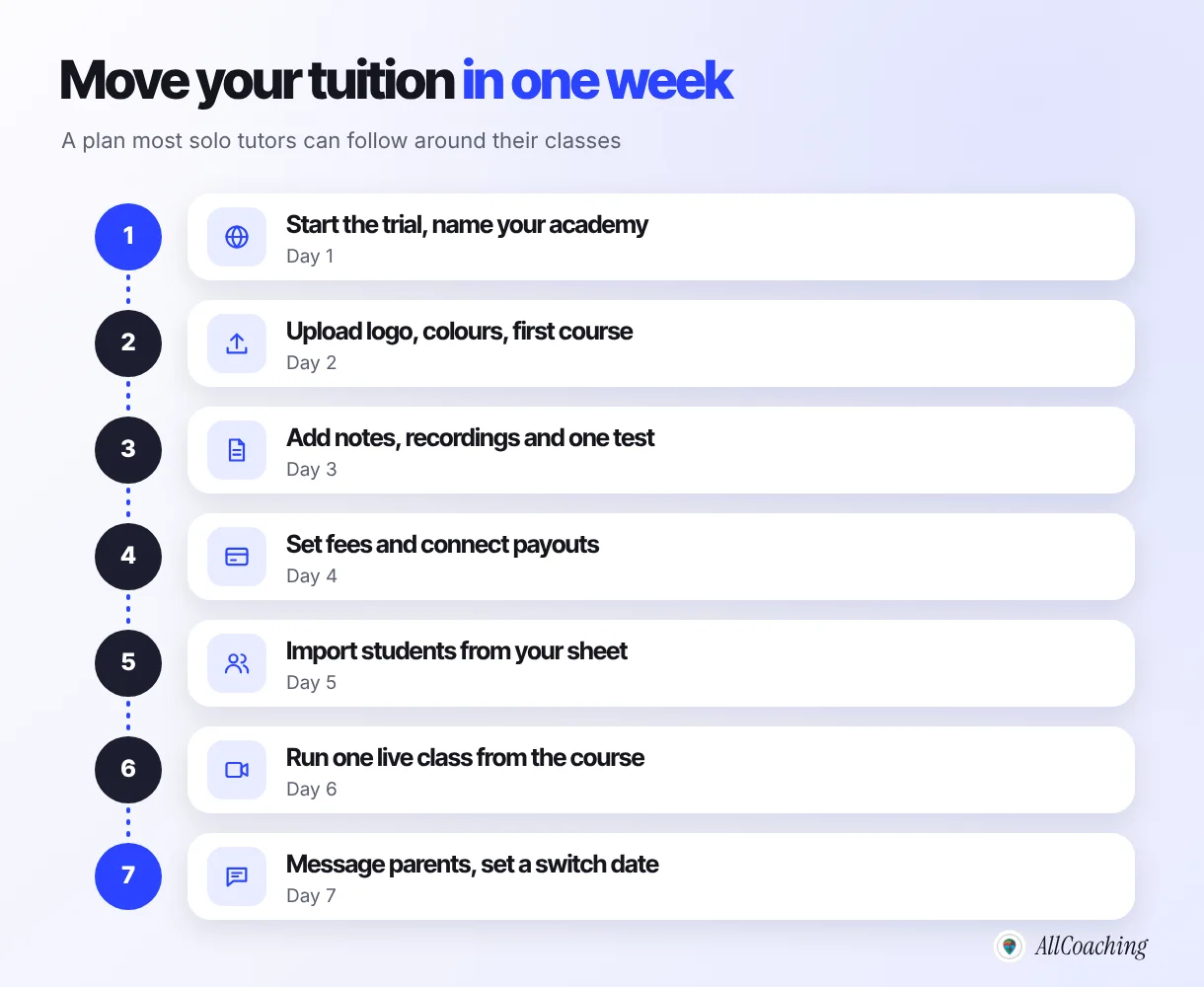
Start a trial and set up your brand, upload one batch's notes, recordings and a test, set fees and payouts, import your students, run one live class from the course, then tell parents the switch date. Keep WhatsApp as an announcement channel; move the teaching.
- Start a trial and name your academySign up, choose your academy name and web address, and note what each plan includes before the trial ends.
- Add your brand and first courseUpload your logo and colours, then create one course for one batch, for example Class 10 Maths 2026-27.
- Upload notes, recordings and one testAdd chapter-wise PDFs, last month's recordings and one chapter test with marks, so the course is useful on day one.
- Set fees and connect payoutsSet the monthly or course fee, connect your payout account, and make one small test payment yourself.
- Import your studentsClean your student sheet (name, class, phone, parent contact) and bulk-import it from Excel or Google Sheet.
- Run one live class from the courseSchedule the next class inside the course on Zoom, YouTube Live or a built-in room, and add the recording the same day.
- Tell parents and set a switch dateSend one WhatsApp message with the academy link, how to log in and the date after which notes and links move there.
Keep free material public and paid material behind the login. If you publish your own Android app on Google Play, Google charges a US$25 one-time registration fee for the developer account, and says personal developer accounts must complete specific app testing requirements before distributing apps on Google Play.5
For live classes, do not plan a 90-minute batch on a free tier: Zoom's pricing page lists 40 minutes and 100 participants per meeting on the free Basic plan, with local recording only.3 Our comparison of YouTube Live vs Zoom for teachers covers which to use for which class, and the online tuition app guide for Class 10 and 12 CBSE teachers shows how to plan a board-exam year around it.
Mistakes private tutors make when choosing an LMS
The common mistakes are buying institute software, paying before you have enough students, keeping paid notes on open links, letting a marketplace own your students, and moving every batch overnight. Each has a simple fix.
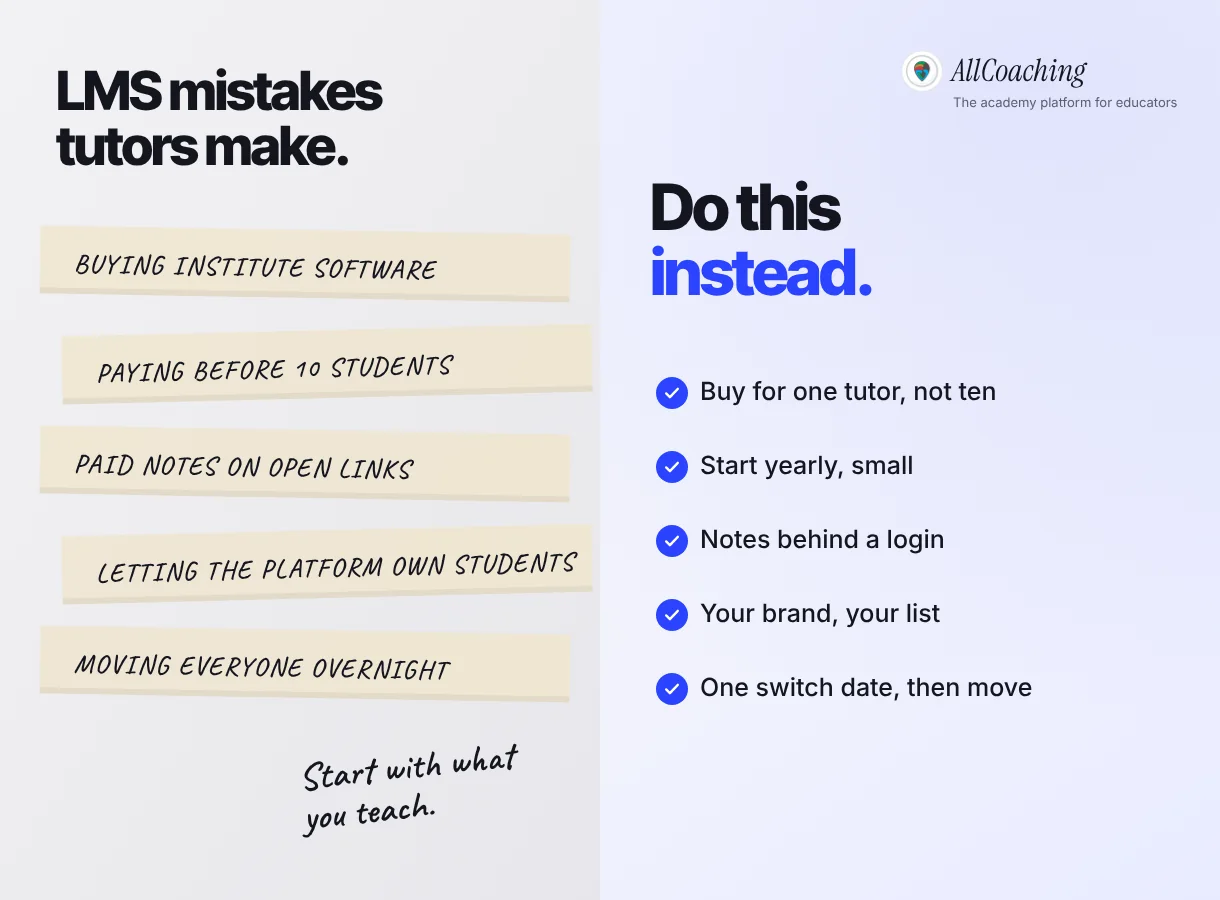
- Buying for ten teachers when you are one. Pay for courses, tests, live and payments, not branches and payroll.
- Paying too early. Below about 10 one-to-one students with nothing to sell, wait. When you start, start on a small yearly plan.
- Paid notes on open links. YouTube says unlisted videos can be seen and shared by anyone with the link;4 Drive links set to "Anyone with the link" behave the same way. Put paid content behind enrolment.
- Letting the platform own the relationship. If students only know you through someone else's app, its rules decide your business.
- Moving everyone at once. Move one batch, fix what breaks, then set one switch date for the rest.
Move one batch well and keep teaching the way parents already trust; that is the hard part done.
Glossary
- LMS (learning management system)
- Software that holds your courses, classes, notes, tests and students in one place, with logins and access control.
- Own-academy LMS
- An LMS that runs on your own website and app under your brand, so students see your name and the student list stays yours.
- Tutoring marketplace
- A platform where parents and students search for tutors; it usually controls the listing, reviews and first contact.
- Fee per sale
- A percentage the platform keeps from each payment made through your academy, on top of or instead of a fixed plan fee.
- UPI
- Unified Payments Interface, India's real-time bank-to-bank payment system used through apps such as Google Pay, PhonePe and Paytm.
- Payment gateway
- The service that processes online payments at checkout, such as Razorpay, and charges its own fee on each payment.
- Bulk import
- Adding many students at once by uploading a spreadsheet instead of typing each one.
- Test series
- A set of exam-pattern tests with automatic grading and results such as rank, percentile and topic-wise scores.
- Verifiable parental consent
- Consent from a parent or lawful guardian, obtained in a checkable way, which the DPDP Act, 2023 requires before processing a child's personal data.
Frequently asked questions
What is the best LMS for private tutors in India?
For most private tutors, the best LMS is one that runs live classes, recordings, notes, tests and UPI fee collection in one login under your own name, without charging for institute features like branches and staff payroll. An own-academy LMS on a small yearly plan suits a tutor starting out; compare total cost at your real sales level.
Do private tutors really need an LMS?
Not always. As a rule of thumb, a tutor with fewer than about 10 one-to-one students in one city and nothing recorded to sell can manage with a spreadsheet and WhatsApp. An LMS becomes worth it when you have batches, notes or tests to sell more than once, or students in other cities.
How much does an LMS cost for a tutor?
It depends on the plan and your sales. On AllCoaching, yearly Starter is ₹6,999 a year plus 10% of each sale and monthly Starter is ₹3,999 a month with 0% commission, both plus 18% GST, after a 7-day free trial with no card needed. Below about ₹4 lakh of yearly sales the yearly plan usually costs less.
Can parents see their child's progress on an LMS?
Most LMSs show results to the student's login, and many tutors share that login with parents or send a monthly summary of attendance and test marks. Check what a platform shows parents before you promise it, and collect a child's details from the parent with their agreement.
Can I take live classes on an LMS?
Yes. Many LMSs connect to Zoom or YouTube Live, and some have a built-in live room. AllCoaching includes unlimited live classes on YouTube Live or Zoom on every plan, plus built-in live classroom hours by plan.
Can I collect tuition fees by UPI through an LMS?
Yes. An LMS with a payment gateway lets students or parents pay by UPI or card at checkout, and access opens after payment. On AllCoaching, payments go through Razorpay and payouts go to your bank automatically; gateway charges on student payments are separate.
How do I move my existing students onto an LMS?
Clean your student list in a sheet, bulk-import it, move one batch first, and send parents one message with the link, how to log in and a switch date. Keep WhatsApp for announcements while teaching moves into the course.
Should a tutor join a tutoring marketplace or build their own academy?
A marketplace can bring enquiries, but the platform usually owns the listing and the relationship and may charge for leads or a share of fees. Your own academy keeps your name and student list, but you bring the students. Many tutors use a marketplace for enquiries and their own academy for teaching.
Can I get my own app as a private tutor?
Yes. On AllCoaching every plan includes your own Android app, and the iOS app comes on Pro monthly and every yearly plan. Apps are published on your own developer accounts; Google Play charges a one-time US$25 registration fee.
Sources
- Ministry of Electronics and Information Technology, "The Digital Personal Data Protection Act, 2023" (No. 22 of 2023), Sections 2(f) and 9. meity.gov.in, checked 5 November 2026.
- Google, "Share and manage access to files and folders in Google Drive", Google Drive Help. support.google.com, checked 5 November 2026.
- Zoom, "Plans & Pricing". zoom.us/pricing, checked 5 November 2026.
- YouTube, "Change video privacy settings", YouTube Help. support.google.com, checked 5 November 2026.
- Google, "Get started with Play Console", Play Console Help. support.google.com, checked 5 November 2026.
Amit builds AllCoaching, the academy platform Indian educators set up themselves: their own website on their own domain, their own app, and the tools to grow it. We set up academies for independent tutors every week, and most of them arrive from the same mix of WhatsApp, Drive, Zoom and UPI screenshots, so this guide is written from that move; competitor prices link to their own pages, checked 5 November 2026.