
On this page
Start your online academy today. 7 days free.
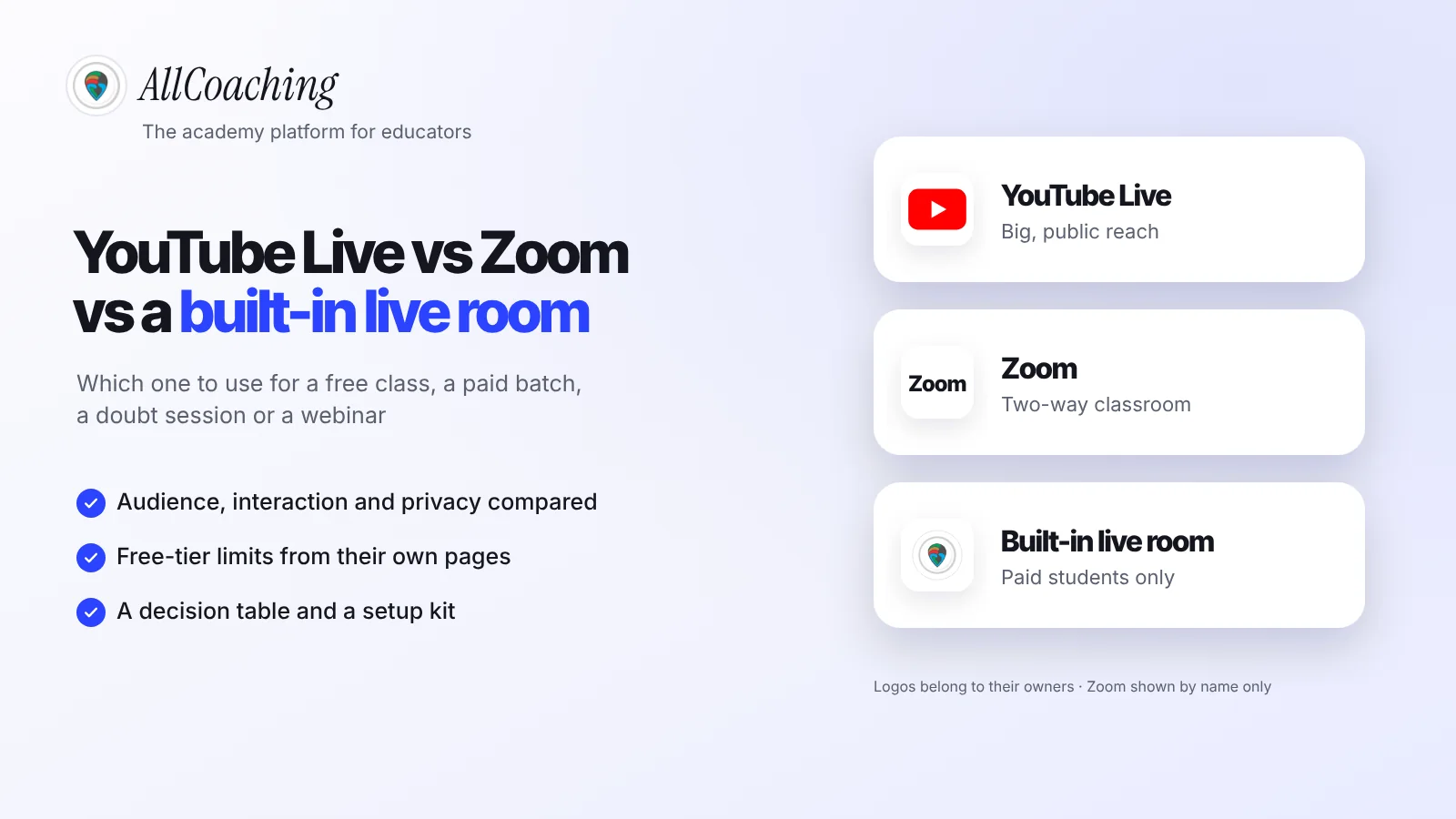
Start free trialFor most teachers, YouTube Live is best for free public classes and large webinars, Zoom is best for small sessions where students need to speak, and a built-in live room inside your own academy is best for paid batches, because only enrolled students can join and attendance and recordings stay in the course. Most educators end up using two of the three, each for a different job.
Maybe you teach Class 12 physics in Hindi and your free YouTube lives get a few hundred viewers, but your paid batch is still a Zoom link on WhatsApp. Or you teach spoken English and the free Zoom call cuts you off mid-sentence. The question is not which tool is better; it is which tool fits this class.
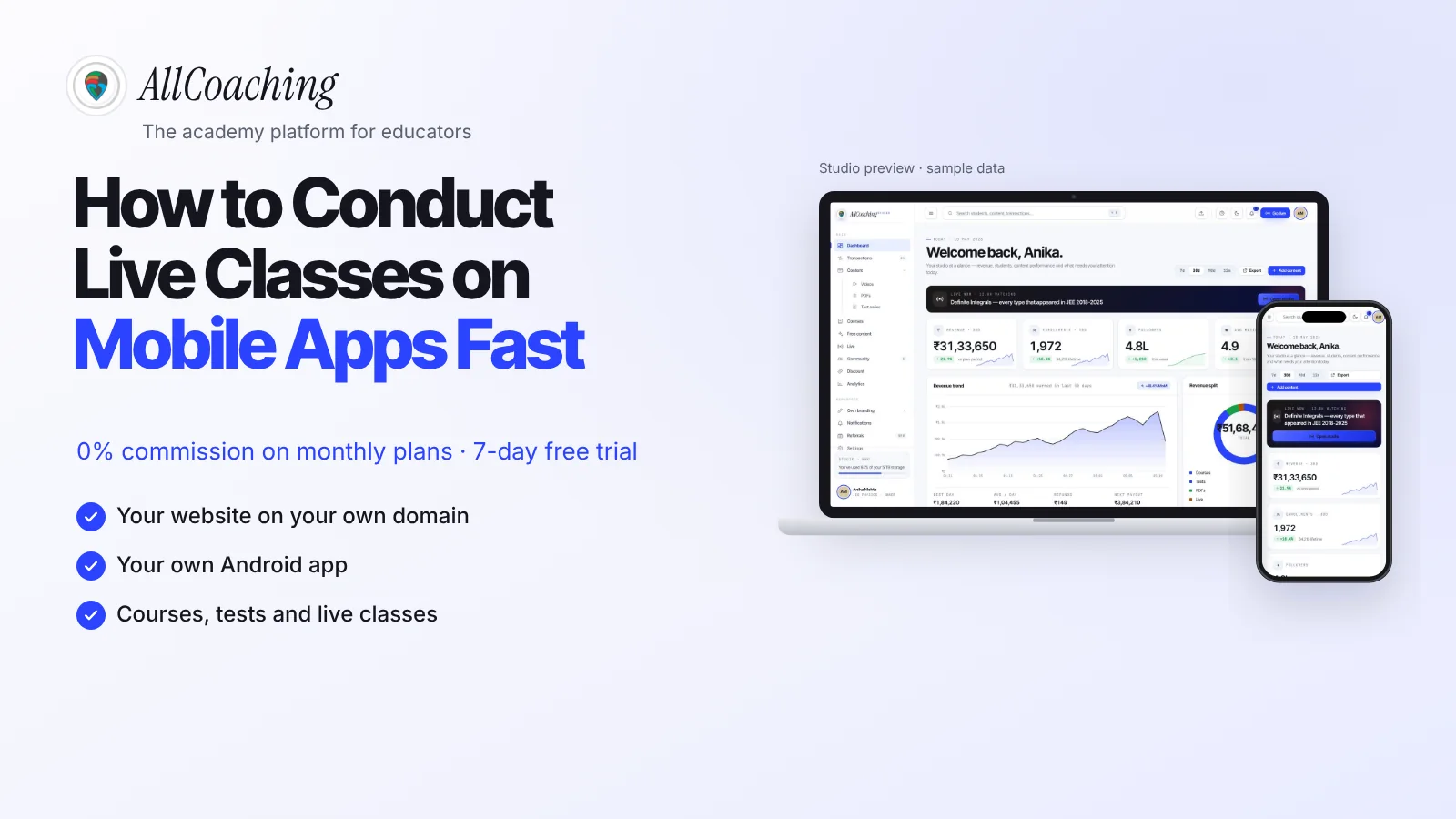
This guide compares the three on audience, interaction, privacy, recordings, low-bandwidth students and cost, using YouTube's and Zoom's own pages, then gives a decision table and a setup kit. If you mainly teach from a phone, read our companion guide on how to conduct live classes on mobile apps; this one is the decision guide.
Key takeaways
- YouTube Live reaches the most people and suits free public classes and webinars; to go live you need a verified channel and no live streaming restrictions in the past 90 days.
- Zoom is built for two-way talk: microphones, cameras, chat and breakout rooms. Its free Basic plan allows 40 minutes and 100 participants per meeting, with local recording only (zoom.us/pricing, checked 4 Nov 2026).
- An unlisted YouTube live is not private: YouTube says unlisted videos can be seen and shared by anyone with the link, so it does not protect a paid batch.
- A built-in live room inside your academy admits only enrolled students and adds attendance, recordings, each student's name watermarked on the video and captions in Hindi, Punjabi and English.
- Choose by the job: free public class or webinar → YouTube Live; small interactive session or doubt session → Zoom or the built-in room; paid batch → the built-in room.
- Sound matters more than the camera. A wired mic, light in front of you, a stable connection and a 10-minute test run fix most problems on any platform.
- On AllCoaching every plan includes unlimited live classes on YouTube Live or Zoom, plus built-in live classroom hours by plan: 20, 50 or 90 hours a month on monthly plans and 5, 10 or 15 on yearly plans.
YouTube Live vs Zoom for teachers: the short answer
YouTube Live is a broadcast: one teacher, any number of viewers, chat as the only way back. Zoom is a meeting: everyone can unmute, share a screen and split into rooms, but the group is smaller and the free tier is short. A built-in live room is a classroom inside your own academy: it is made for the students who paid.
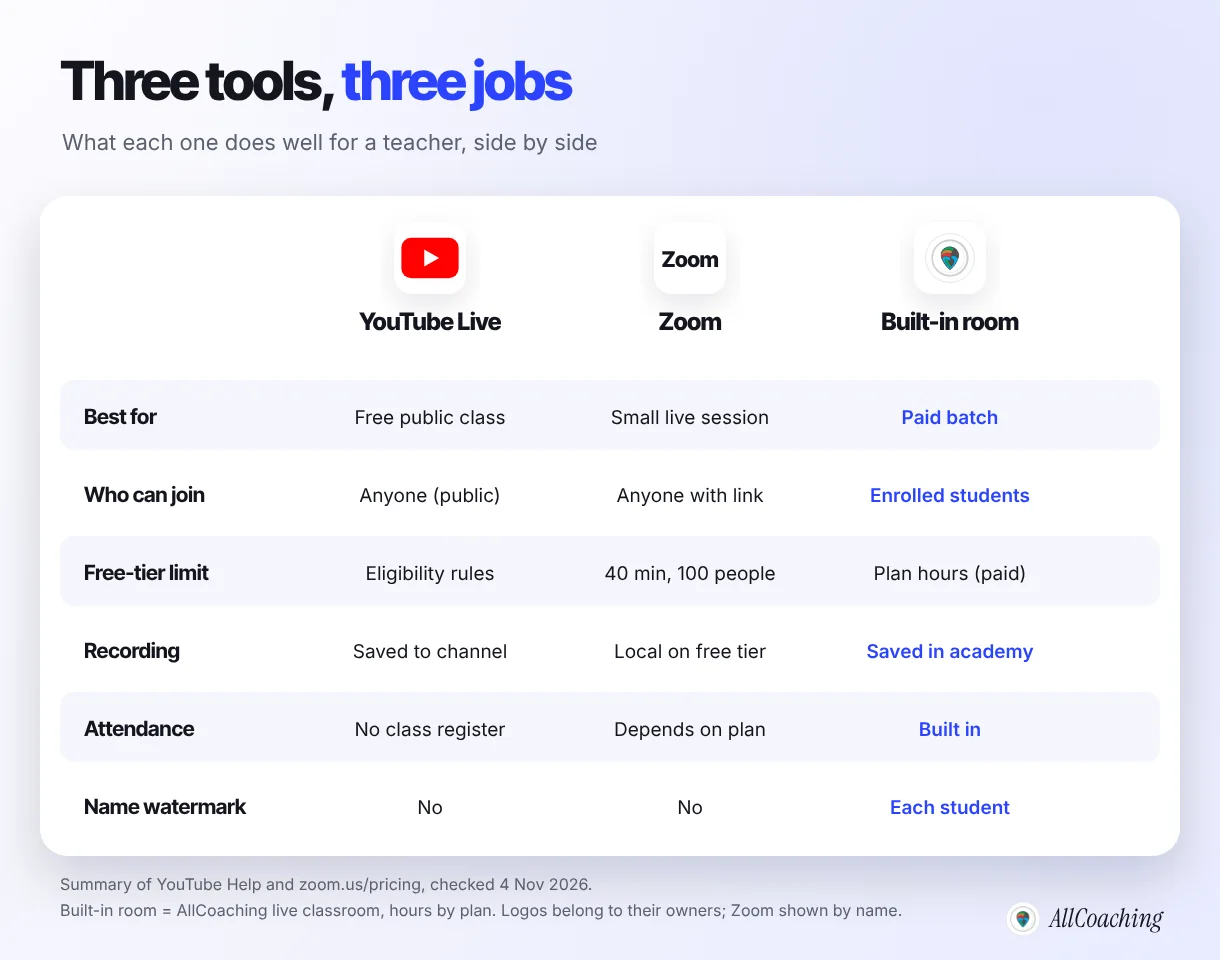
The question we hear most from educators setting up their academy is "YouTube or Zoom?". The honest answer is usually "both, for different classes". A free Sunday revision class for anyone preparing for NEET wants reach, so it belongs on YouTube. A 25-student paid batch wants attendance and a door that only opens for those 25, so it does not.
The rest of this guide goes factor by factor, so you can make the call for your own subject, batch size and students.
Audience size: how many students can join each one?
YouTube Live is a broadcast built for large audiences, which is why it suits free public classes and webinars; Zoom's free Basic plan allows 100 participants per meeting, and so does its Pro plan.5 Zoom's pricing page lists 300 participants on its Business plan and mentions a Large Meeting add-on for bigger groups.
Audience also means discovery. A public YouTube live can appear on your channel, in search and in recommendations, so a strong free class can bring students who have never heard of you. A Zoom meeting is invisible to anyone without the link; you bring every participant yourself, usually from a WhatsApp group or Instagram.
- Hundreds or thousands of viewers, mostly listening: YouTube Live.
- Up to around 100, and they need to talk: Zoom.
- Your paid batch, whatever its size: a live room that checks enrolment before it lets anyone in.
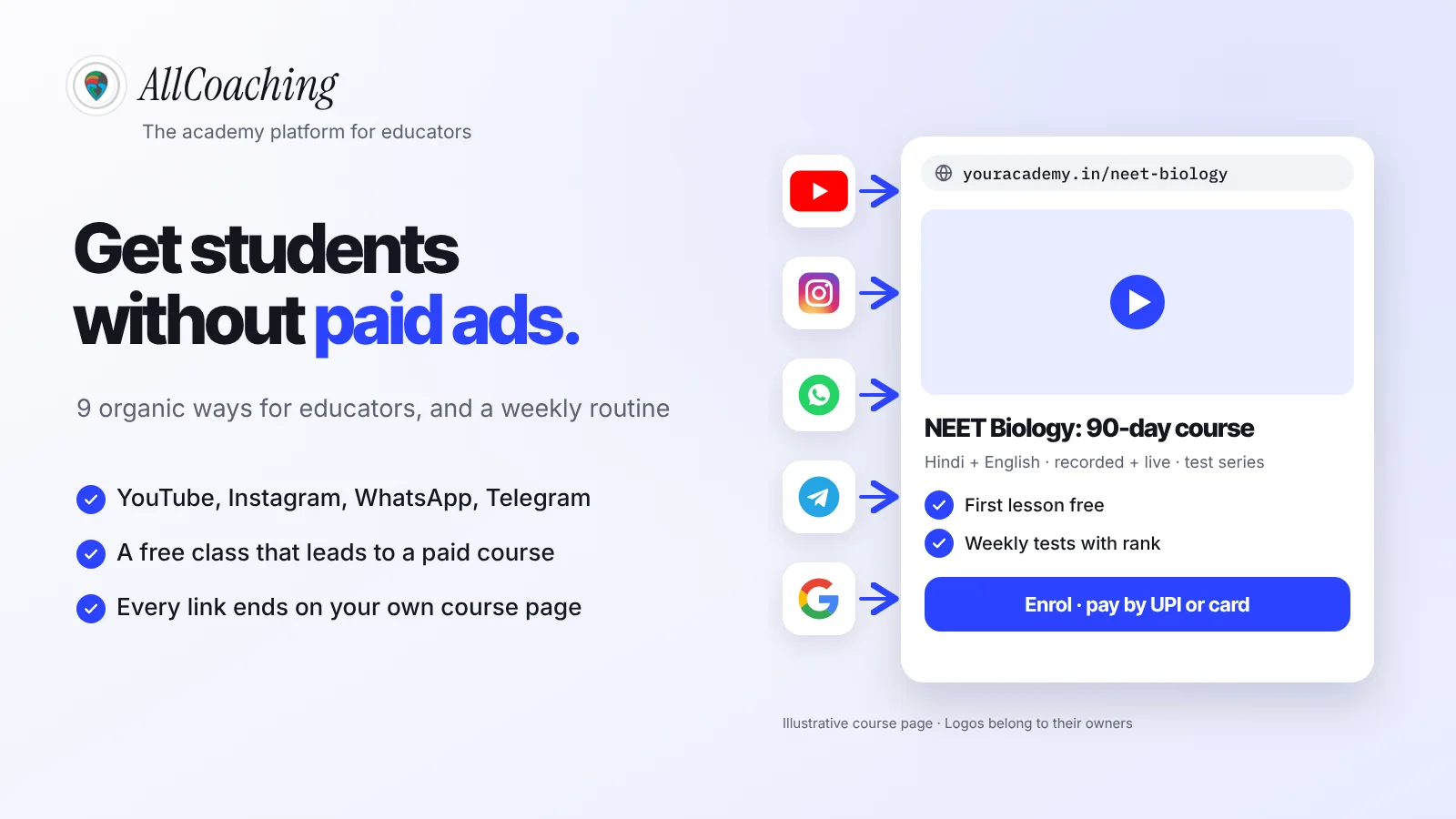
If your free classes are the top of your funnel, our guide to getting paid students for online coaching without ads shows how to turn those viewers into enrolments.
Interaction: chat, polls, breakout rooms and whiteboard
Zoom gives students a voice and a camera, plus breakout rooms and whiteboards even on the free tier; YouTube Live gives them a chat box and a delay, so questions arrive a few seconds after you finish the sentence. For a doubt session, that difference decides everything.
Zoom's pricing page lists breakout rooms and three editable whiteboards on the free Basic plan; polling is listed on Pro and higher plans, not on Basic.5 Students can raise a hand, unmute to ask a doubt, or work in small groups and come back.
On YouTube, the gap between you speaking and students seeing it is called latency. YouTube offers three settings when you stream with an encoder.
"Most viewers of an ultra-low latency stream will experience latency less than 5 seconds."
YouTube Help, Understand live streaming latency, checked 4 Nov 2026[3]For low latency, YouTube says most viewers see a delay of less than 10 seconds, and neither low nor ultra-low latency supports 4K.3 Webcam and mobile streams are always set up for interactivity, so you cannot choose a latency for them. For a class, pick ultra-low latency if you take questions in chat, and normal latency for a lecture where quality matters more than replies.
Question educators ask
Can I run a doubt session on YouTube Live?
You can, through chat, and it works for quick questions. For doubts that need a student to explain their working or share a photo of their notebook, a meeting-style room such as Zoom or a built-in live classroom is easier, because the student can speak.
Privacy and paid access: who can actually join your class?
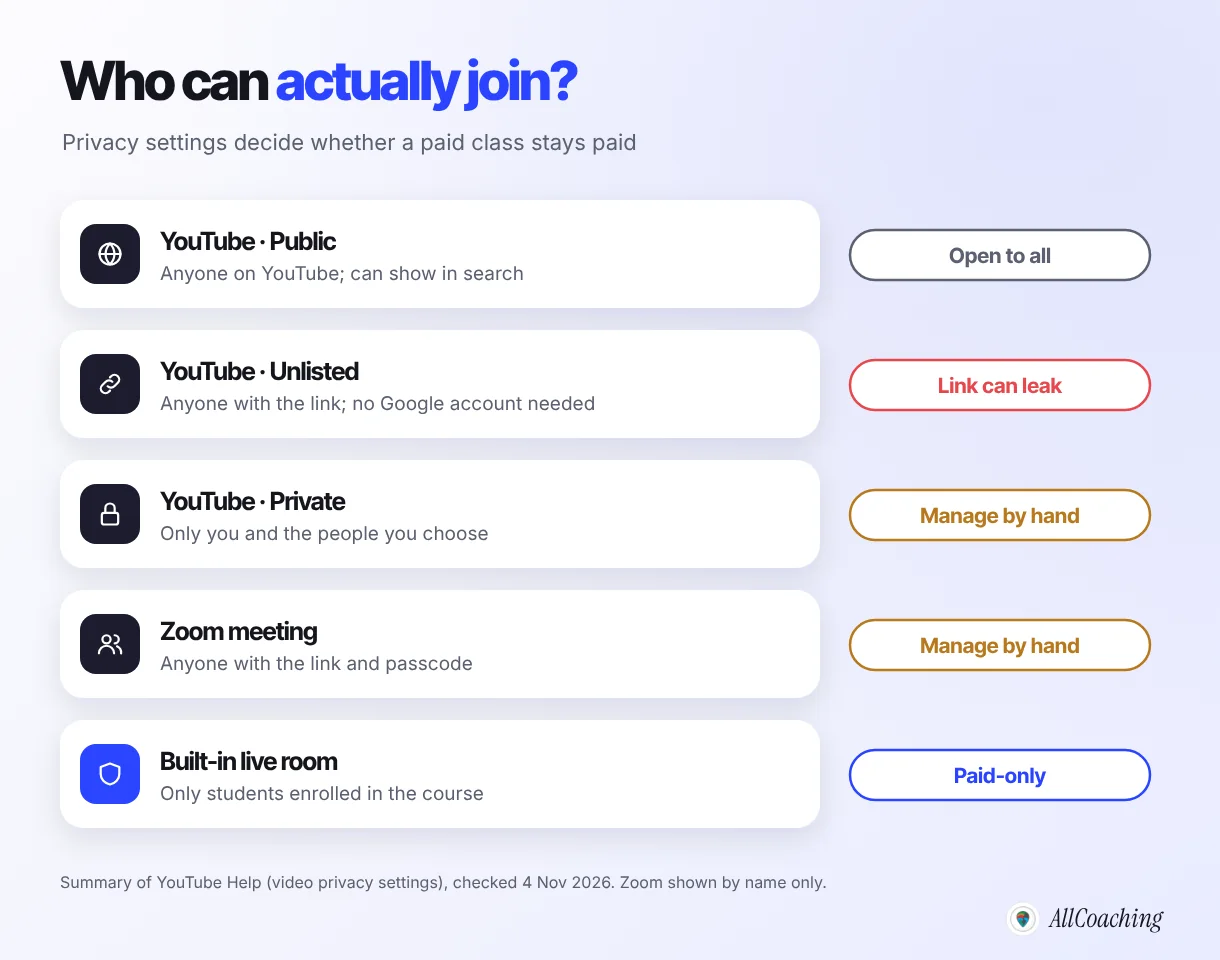
A public YouTube live is open to everyone, an unlisted one is open to anyone who has the link, and a Zoom meeting is open to anyone with the link and passcode; only a live room that checks enrolment keeps a paid batch paid. This is the factor most teachers discover late, usually when the link turns up in a Telegram channel.
"Unlisted videos and playlists can be seen and shared by anyone with the link."
YouTube Help, Change video privacy settings, checked 4 Nov 2026[4]The same page says people you share an unlisted video with do not need a Google account to watch it, and that private videos can only be seen by you and the people you choose.4 Private works for a handful of known accounts, but you add and remove people by hand, which does not scale to a batch that changes every month.
Fine on an open link
Free sample classes, orientation sessions, a free chapter, a webinar for parents, an Instagram or YouTube audience you want to grow.
Needs a locked door
Paid batches, test discussions, premium doubt sessions and anything a student paid for. Here, access should follow enrolment, not a link.
Recordings and students on low bandwidth
A YouTube live is saved to your channel once it ends, Zoom's free tier records only to your own computer, and a built-in live room saves the recording inside the academy where enrolled students can rewatch it.5 Where the recording lives decides whether a student who missed class can catch up without you sending files around.
On Zoom's free tier, a local recording means a large video file on your laptop that you then upload somewhere and share. That is fine once a week; it gets heavy with three batches a day.
Students on slow mobile data
Many of your students join from a phone on mobile data, in a hostel or a small town. A broadcast is lighter on them than a meeting: on YouTube a student only receives video and can lower the quality in the player, while in a meeting every camera that stays on uses upload and download on both sides.
- In meetings, ask students to keep cameras off unless they are speaking.
- Teach with large, clear slides or a dark-on-white board, so a low-quality stream is still readable.
- Always offer the recording for students whose connection drops; for many, the replay is the real class.
What each one costs: free-tier limits and eligibility
YouTube Live costs nothing but has eligibility rules; Zoom's free Basic plan limits every meeting to 40 minutes and 100 participants; a built-in live room comes with an academy plan. Here are the rules as each company states them, checked on 4 November 2026.
YouTube Live eligibility
"To live stream, you need to have no live streaming restrictions in the past 90 days and you need to verify your channel."
YouTube Help, Get started with live streaming, checked 4 Nov 2026[1]The same page says you must be at least 16 years old to live stream.1 Going live from a phone has extra requirements: YouTube's mobile page asks for at least 50 subscribers, a verified channel, live streaming turned on, no restrictions in the last 90 days, and an Android 8.0+ or iOS 8+ device, and says you may need to wait 24 hours before your first live stream.2 So enable live streaming at least a day before your first class, and if your channel is new, start from a laptop with a webcam or an encoder instead of the phone.
Zoom's free tier
| Zoom plan (as listed) | Meeting length | Participants | Recording |
|---|---|---|---|
| Basic (free) | 40 minutes per meeting | 100 per meeting | Local |
| Pro (paid) | 30 hours | 100 per meeting | Local and 10 GB cloud (per licence) |
A 40-minute cap is enough for a short doubt session, but a 90-minute coaching class would need three separate meetings and three links. If Zoom is your main classroom, budget for a paid plan.
What a built-in live classroom inside your academy adds
A built-in live classroom runs inside your own academy, so the class opens only for students enrolled in that course, attendance is recorded, the recording stays in the course, and each student's name is watermarked on the video. It solves the paid-access problem that open links cannot.
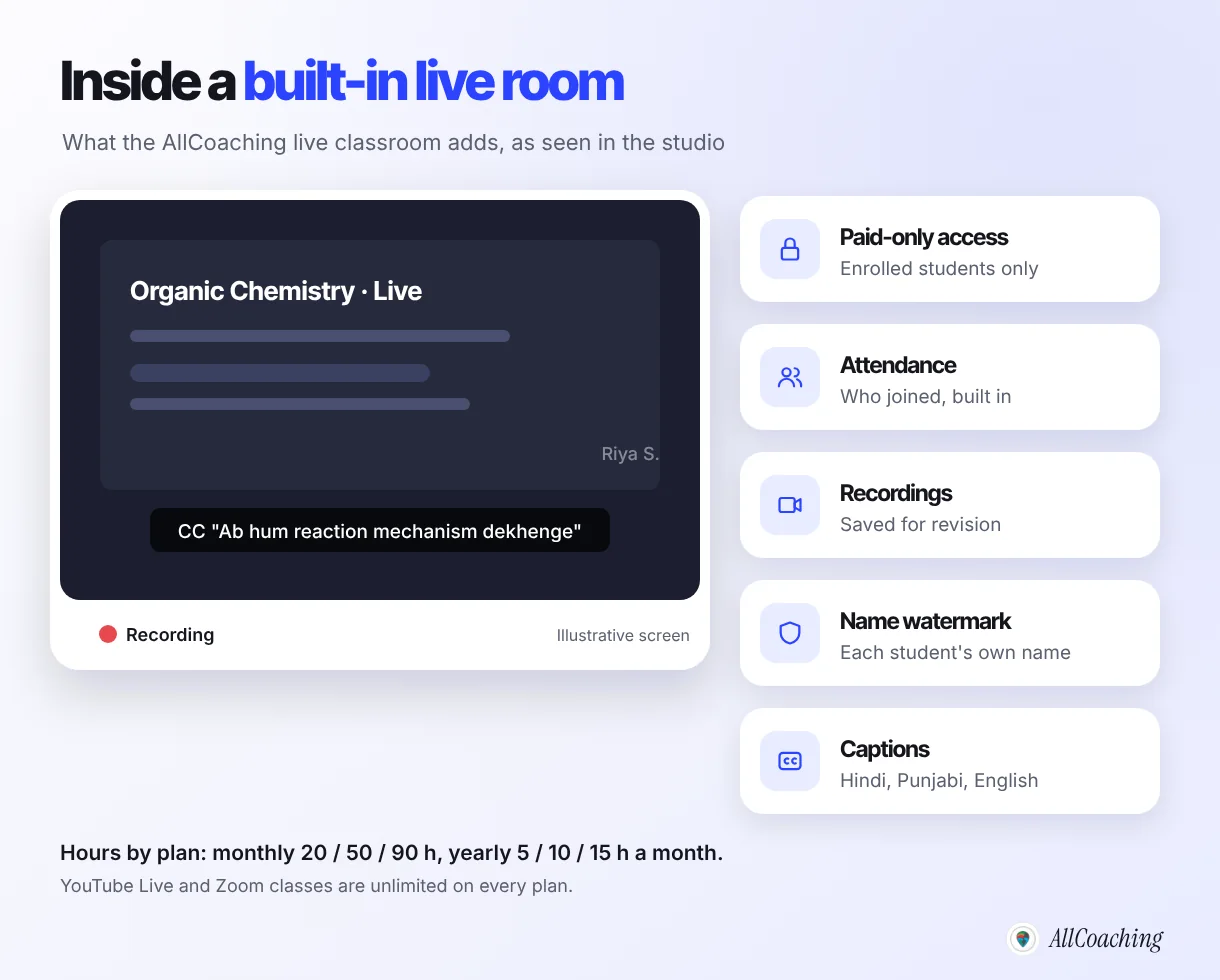
- Paid-only access: students join from their course, after logging in, so a forwarded link does not let a stranger in.
- Attendance: you can see who joined each class without taking a roll call.
- Recordings: each class is saved for revision inside the same course.
- Name watermark: each student's own name appears on the video, so a reshared screen recording shows whose account it came from.
- Captions: in Hindi, Punjabi and English, useful for noisy rooms, low volume and revision.
On AllCoaching, every plan includes unlimited live classes on YouTube Live or Zoom through the built-in integrations, plus built-in live classroom hours by plan: Starter, Growth and Pro monthly plans include 20, 50 and 90 hours a month, and the yearly plans 5, 10 and 15 hours a month. So you can keep free classes on YouTube, run doubt sessions on Zoom, and put the paid batch in the built-in room, all from one studio.
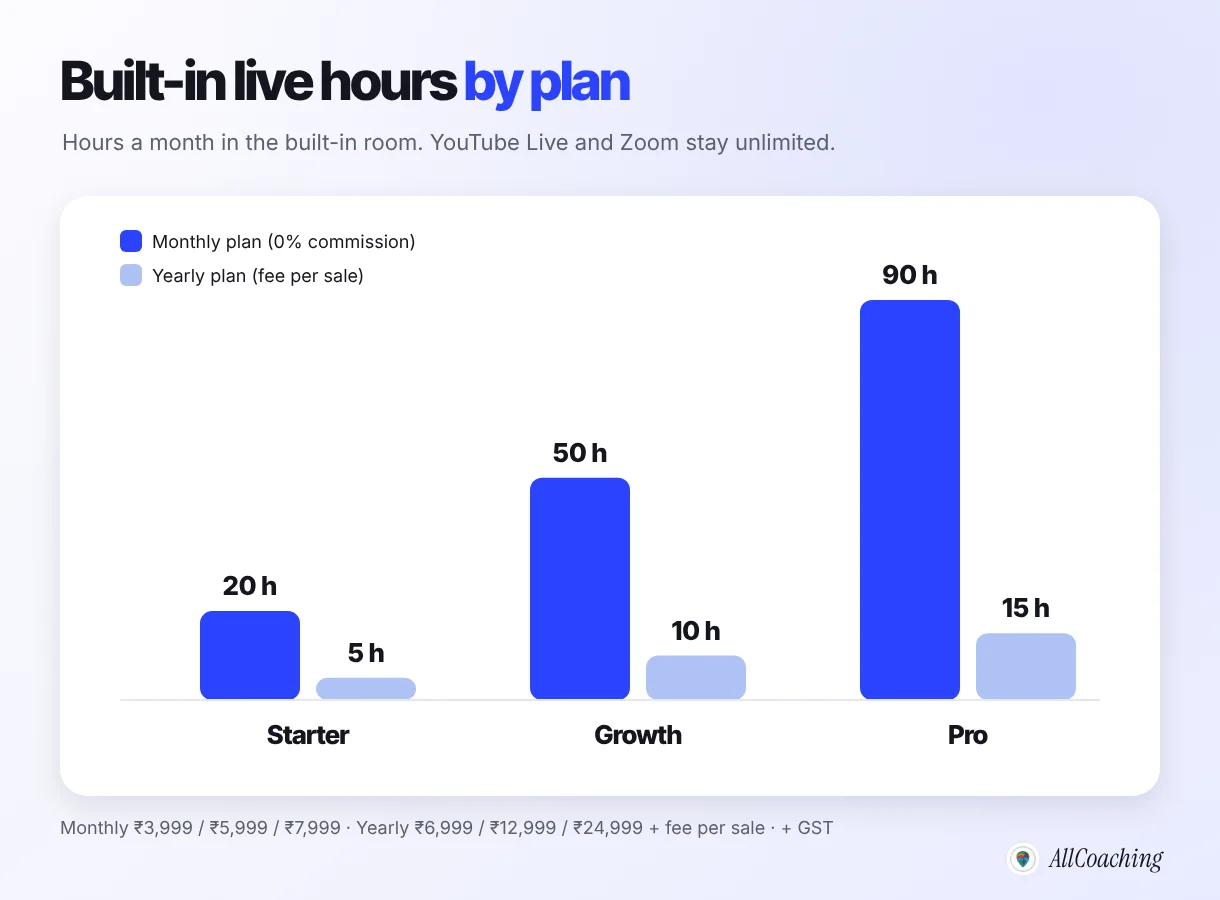
Every plan starts with a 7-day free trial, no card needed. After that, monthly plans take 0% commission, from ₹3,999 a month, or yearly plans start at ₹6,999 a year with a fee per sale; prices exclude GST. The pricing page lists every plan.
Build your own academy. Try it free for 7 days.
Website on your own domain, your own Android app, unlimited live classes and UPI checkout on every plan. 0% commission on every monthly plan from ₹3,999 a month, or yearly from ₹6,999 (excl. GST).
No card needed · Cancel anytime in the trial · Export your data any timeWhich to use: free class, paid batch, doubt session or webinar
Use YouTube Live for free public classes and large webinars, Zoom for small sessions where students must speak, and a built-in live room for paid batches; a doubt session can go to Zoom or the built-in room depending on whether it is paid. The table below covers the classes most educators run.
| Kind of class | Use | Why |
|---|---|---|
| Free public class or free chapter | YouTube Live (public) | Reach and discovery; the recording keeps working on your channel |
| Large webinar or orientation for parents | YouTube Live | Many viewers, mostly listening; questions in chat |
| Small free class with discussion | Zoom | Students can unmute; fine within the free tier's 40 minutes |
| Paid batch, daily or weekly | Built-in live room | Enrolled students only, attendance, recording in the course, name watermark |
| Paid doubt session | Built-in room, or Zoom with the link shared only inside the course | Two-way talk, and the session stays behind enrolment |
| Group activity, speaking practice | Zoom (breakout rooms) | Small groups, then back together |
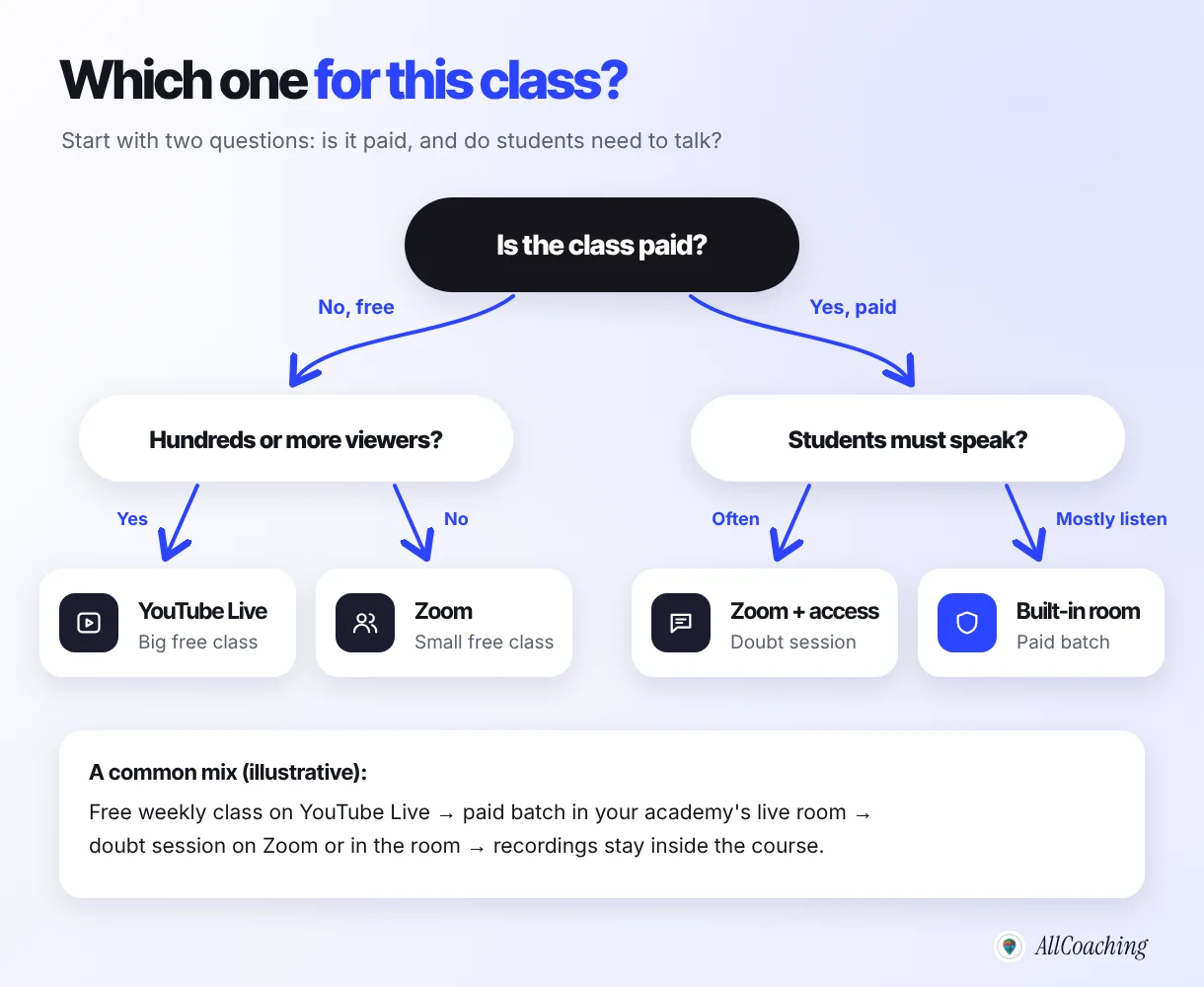
A pattern that works for many educators: a free weekly class on YouTube Live brings new students, a paid batch runs in the academy, and the free class ends with one clear link to the course. Our 30-day online course launch plan shows how to schedule those free lives around a launch.
How to set up your first live class: 7 steps
Decide the job of the class, check the platform's eligibility and limits, fix sound and light, set up your camera and screen in the app or OBS, set access, do a test run, then go live and file the recording. None of it needs expensive equipment.
- Decide the job of the classWrite down whether the class is free or paid, how many students you expect and whether they need to speak. Free and large points to YouTube Live, small and interactive to Zoom, paid to a live room that checks enrolment.
- Check eligibility and limitsFor YouTube, verify your channel and turn on live streaming at least a day early; mobile streaming has extra requirements. For Zoom, check the meeting length and participant limit of your plan.
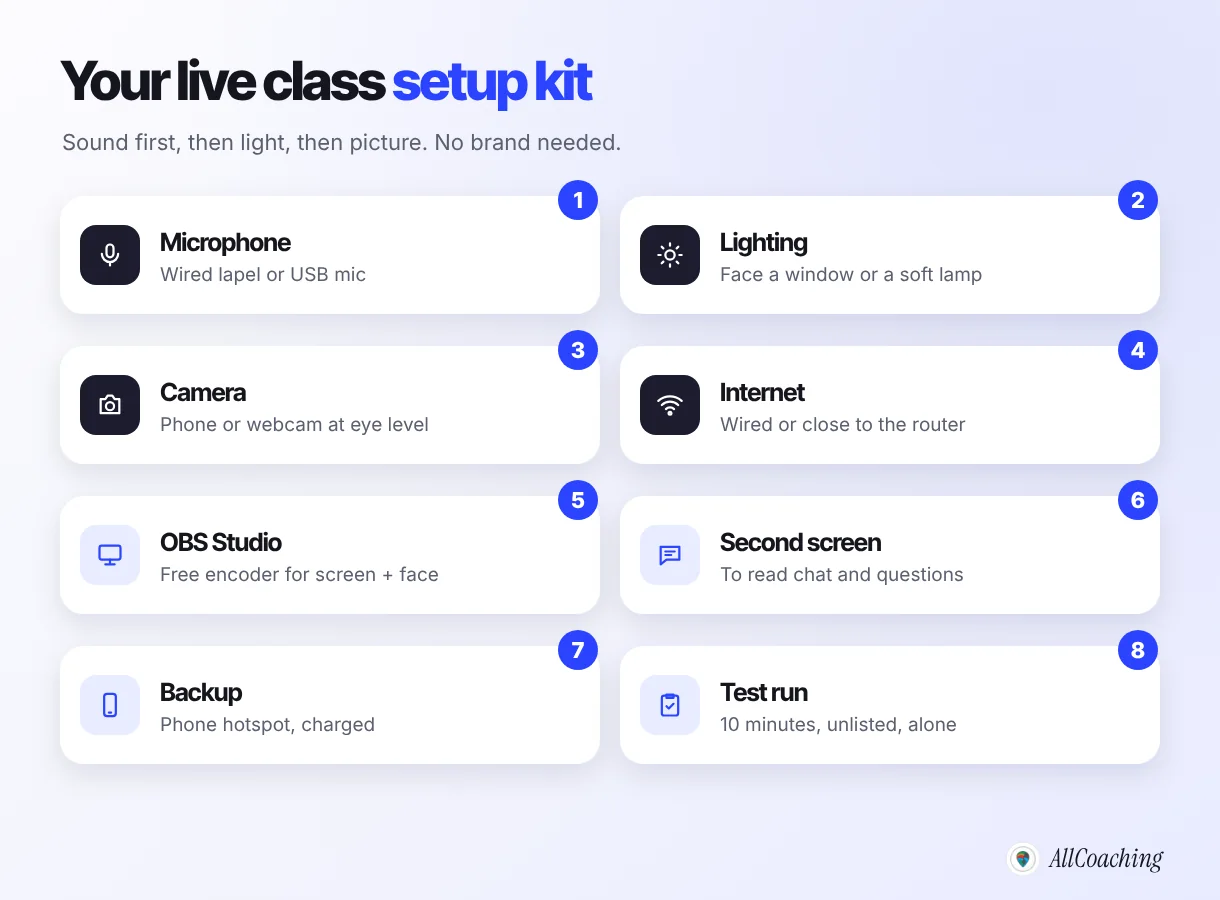
- Fix sound and lightUse a wired lapel or USB mic close to your mouth, face a window or a soft lamp, and put the camera at eye level.
- Set up camera and screenIn OBS Studio, make a Board scene with your screen and a small camera window, and a Face scene; paste your YouTube stream key under Settings, Stream. In Zoom or a built-in room, use screen share.
- Set accessUse public for free classes. For paid batches, schedule the class inside the course so only enrolled students can join, and never post the link in open groups.
- Do a test runGo live alone for ten minutes on the same device and network, watch it on a phone on mobile data, and check sound, slides and chat.
- Go live, then file the recordingStart on time, take questions at fixed points, end with one clear next step, and add the recording to the course the same day.
OBS basics
OBS Studio is a free, open-source app for Windows, macOS and Linux that combines your camera, screen and microphone into one stream. Its quick start guide explains that you begin with a blank scene and add sources such as a webcam, a window or an image, and that an auto-configuration wizard sets it up on first launch. For a class, make two scenes: "Board" (screen or document camera with your face in a corner) and "Face" (camera only) for the start and the end.
To stream to YouTube, copy the stream key from YouTube Studio's live control room and paste it in OBS under Settings, Stream. Treat the stream key like a password: anyone who has it can broadcast to your channel. Zoom does not need OBS; share your screen from inside the meeting.
Mic, lighting and internet
- Mic: a wired lapel mic or a USB mic close to your mouth beats any built-in laptop mic. Students forgive a soft picture; they leave over bad sound.
- Lighting: face a window or a soft lamp; never sit with a window behind you.
- Internet: use a cable or sit near the router, close other apps, and keep a charged phone hotspot as backup.
If you are recording a full course alongside your live classes, our guide to creating your first online course in India covers planning lessons and recording them well.
Common live class mistakes teachers make
The common mistakes are running a paid class on an unlisted or forwarded link, planning a long class on a free tier with a time limit, going live without a test, spending on a camera before a mic, and having no plan for the recording. Each one is easy to fix.
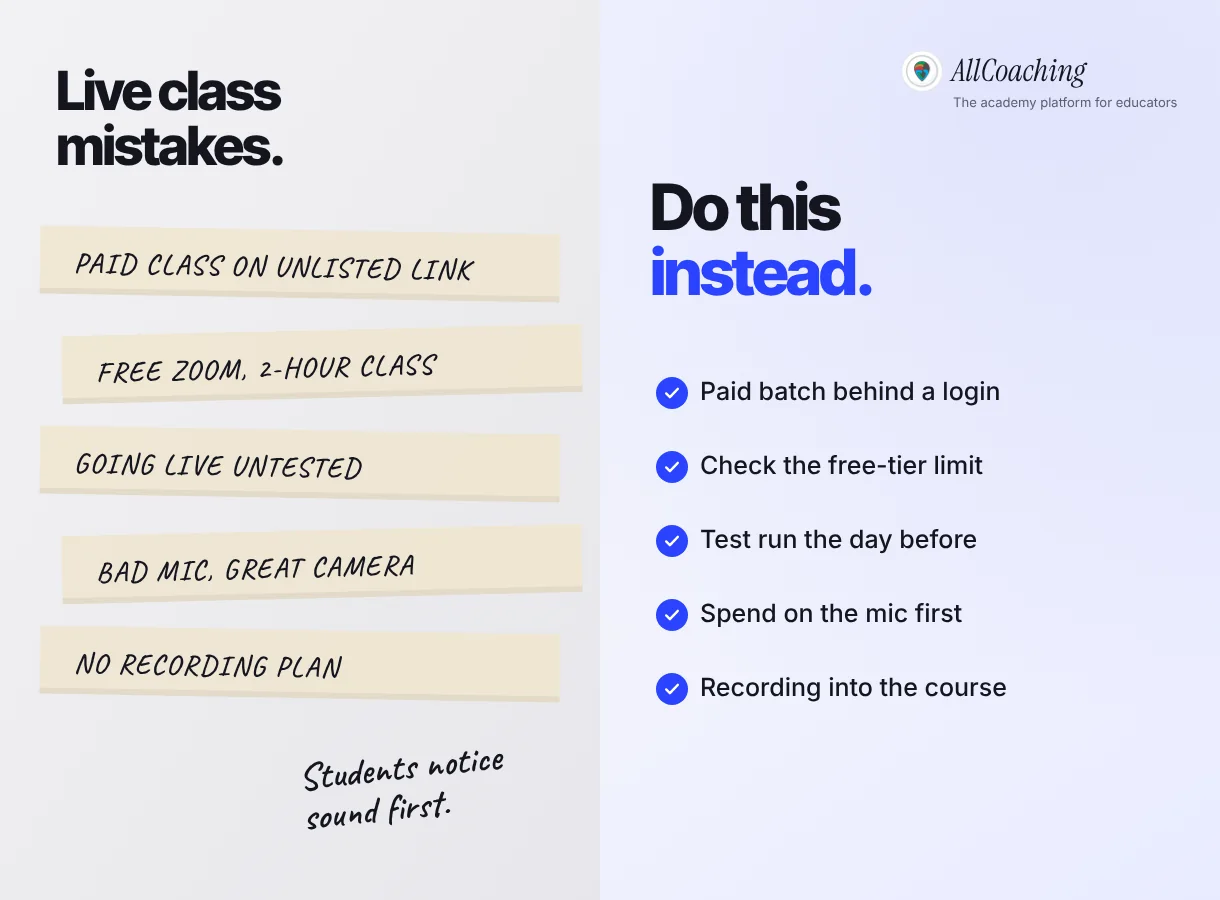
- Paid class on an open link. Put paid batches behind enrolment.
- Ignoring the time limit. Check the free tier's meeting length before you announce a 90-minute class.
- No test run. Ten minutes alone, on the same device and network, the day before.
- Camera first, mic later. Fix sound first.
- No recording plan. Decide before the class where the replay will live, and add it to the course the same day.
None of these tools will fill a batch on their own. What you control is a class that is easy to join, easy to hear, and easy to rewatch, behind the right door.
Glossary
- RTMP
- Real-Time Messaging Protocol, the common way an encoder such as OBS sends a live video stream to a platform like YouTube.
- Stream key
- A private code from the streaming platform that tells it which channel your encoder is broadcasting to. Anyone with it can stream to your channel, so keep it secret.
- Encoder
- Software or hardware that turns your camera, screen and microphone into a live stream. OBS Studio is a free software encoder.
- OBS Studio
- A free, open-source app for recording and live streaming that combines scenes and sources such as a webcam, a screen and images.
- Unlisted
- A YouTube privacy setting where a video or live stream does not appear in search or on your channel, but anyone with the link can watch and share it.
- Breakout room
- A smaller sub-meeting inside a video meeting where a few participants work together before returning to the main room.
- Latency
- The delay between something happening in front of your camera and viewers seeing it. Lower latency makes live chat feel closer to a conversation.
- Bitrate
- The amount of video data sent each second. A higher bitrate looks sharper but needs a faster, steadier connection.
- Local recording
- A meeting recording saved as a file on the host's own computer rather than in the cloud.
Frequently asked questions
Which is better for teachers, YouTube Live or Zoom?
Neither is better for every class. YouTube Live is better for free public classes and large webinars because it reaches more people. Zoom is better for small sessions where students need to speak, share a screen or work in breakout rooms. For paid batches, a live room that admits only enrolled students is safer than either open link.
What is the best app for live classes in India?
The best app depends on the class. For free reach, YouTube Live; for small interactive sessions, Zoom; for paid batches, a live classroom inside your own academy that checks enrolment, records attendance and saves the recording in the course.
How long can a free Zoom meeting last?
Zoom's pricing page lists the free Basic plan at 40 minutes per meeting and 100 participants per meeting, with local recording, checked on 4 November 2026. Paid plans list longer meetings.
What do I need to go live on YouTube?
YouTube says you need a verified channel and no live streaming restrictions in the past 90 days, and you must be at least 16. To stream from a phone, YouTube also asks for at least 50 subscribers, and you may need to wait 24 hours before your first live stream.
Is an unlisted YouTube live safe for a paid class?
No. YouTube says unlisted videos can be seen and shared by anyone with the link, and viewers do not need a Google account. A paid batch needs a room that checks whether the student is enrolled.
Can students ask questions on YouTube Live?
Yes, through live chat. Choose ultra-low latency in YouTube Studio when you stream with an encoder, so most viewers see the class with a delay of less than 5 seconds and questions arrive sooner.
Do I need OBS to teach live?
No. You can go live on YouTube from a webcam or phone, and share your screen directly in Zoom. OBS Studio is useful when you want to combine your screen, camera and slides into one YouTube stream.
Does AllCoaching support YouTube Live and Zoom?
Yes. Every AllCoaching plan includes unlimited live classes on YouTube Live or Zoom, plus built-in live classroom hours: 20, 50 or 90 hours a month on monthly plans and 5, 10 or 15 hours a month on yearly plans.
What does a built-in live classroom add over Zoom?
It runs inside your academy, so only students enrolled in the course can join. It records attendance, saves the recording in the course, watermarks each student's name on the video and offers captions in Hindi, Punjabi and English.
Sources
- YouTube, "Get started with live streaming", YouTube Help. support.google.com, checked 4 November 2026.
- YouTube, "Create a live stream on mobile", YouTube Help. support.google.com, checked 4 November 2026.
- YouTube, "Understand live streaming latency", YouTube Help. support.google.com, checked 4 November 2026.
- YouTube, "Change video privacy settings", YouTube Help. support.google.com, checked 4 November 2026.
- Zoom, "Plans & Pricing". zoom.us/pricing, checked 4 November 2026.
Amit builds AllCoaching, the academy platform Indian educators set up themselves: their own website on their own domain, their own app, and the tools to grow it. We run live classes through YouTube Live, Zoom and our own built-in classroom for educators every week, so this guide compares all three from the teacher's side; every YouTube and Zoom fact links to their own pages, checked 4 November 2026.