
On this page
Start your online academy today. 7 days free.
Start free trialAn online course launch plan is a dated schedule that takes one paid course from idea to first enrolments: in 30 days, you check demand and set the price in week 1, build the academy and course page in week 2, warm up your audience in week 3, and open enrolment, follow up and plan the next batch in week 4. The plan matters more than the launch day itself, because students buy from an educator they have already watched, trusted and been told about in advance.
Maybe you teach SSC maths in Hindi on YouTube and your comments keep asking for a full course. Or you run a spoken English batch on WhatsApp and want to move it to a proper paid course. Either way, the risk is the same: you spend three months recording, announce the course one evening, and hear nothing back.
This guide breaks the month into small, dated tasks, with a printable checklist at the end. If you have not made the course yet, start with how to create your first online course in India; this plan picks up from there.
Key takeaways
- A course launch plan is a 30-day schedule in four weeks: validate and prepare, build, warm up, then launch and follow up.
- Launch one course with one clear outcome, and check demand first in your YouTube and Instagram comments and the questions students already send on WhatsApp.
- Finish the course page, a free sample lesson, payments and your domain by day 14, and make a test purchase yourself before anyone else pays.
- Warm up in week 3 with a free live class, daily content and a waitlist, so launch day goes to people who already said yes.
- Use honest urgency only: a real early-bird price with a real end date that you keep, never a countdown that resets.
- Week 4 is follow-up: reminders, an optional small Meta ads test, real student feedback, fixes and a date for batch 2.
- On AllCoaching, saving a course creates its course page with SEO and checkout, and coupons, lead forms, live classes, UPI checkout and your own Meta Pixel are on every plan.
What is an online course launch plan?
An online course launch plan is a written, dated list of everything you must do before, on and after the day a paid course opens for enrolment: who the course is for, what it costs, where it is sold, how students hear about it and what you do when they reply. It turns "I will launch soon" into tasks with a date next to each one.
Thirty days is a useful length for a first course. It is long enough to build the page properly and warm up an audience, and short enough that your students still remember why they asked for the course. A big institute batch may need longer; a short skill workshop may need less. The order matters more than the exact number of days.
A launch plan is different from a course plan. The course plan decides what you teach. The launch plan decides how the right students hear about it, trust it and pay for it.
The 30-day course launch plan at a glance
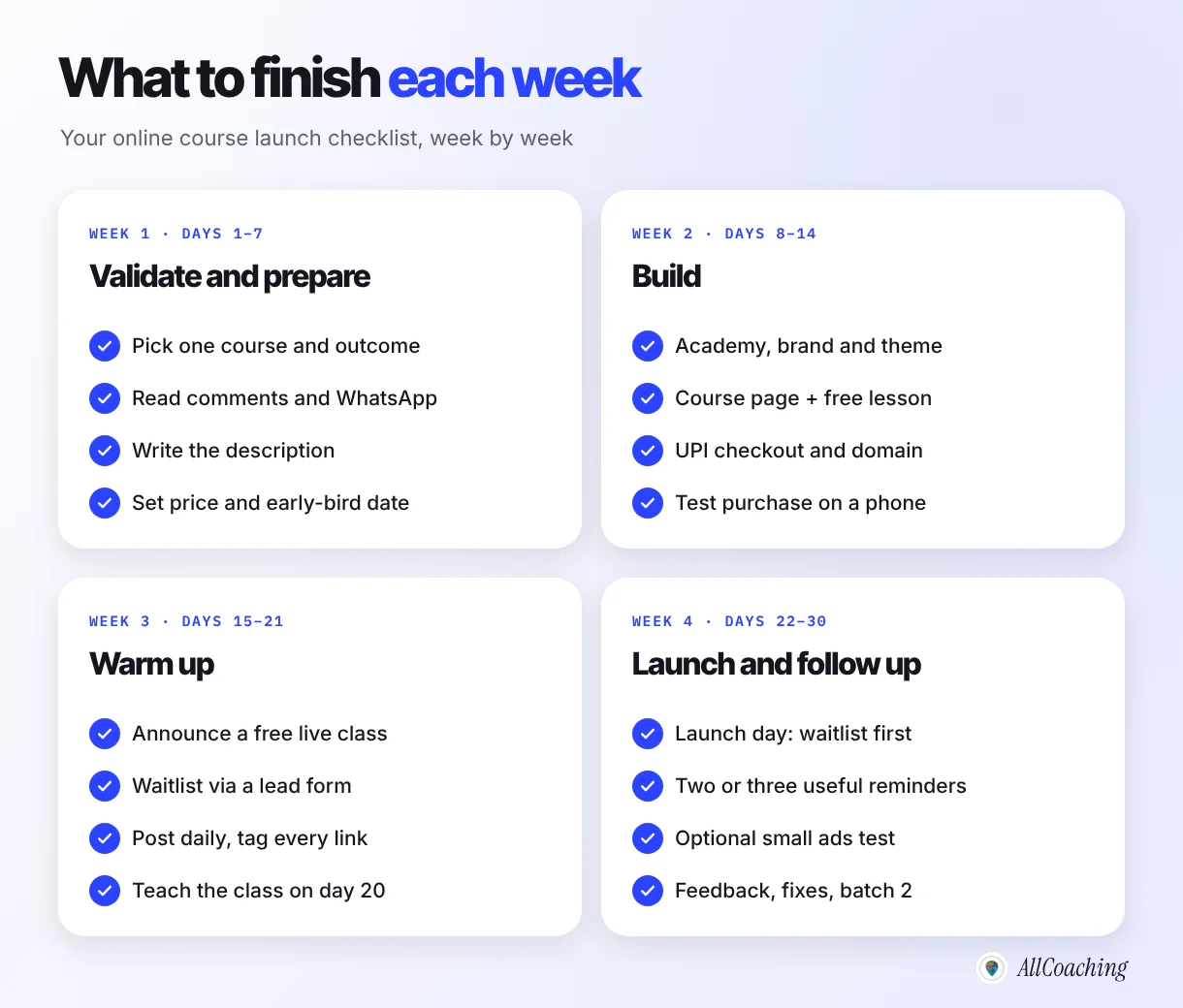
Week 1 (days 1–7) is validate and prepare, week 2 (days 8–14) is build, week 3 (days 15–21) is warm up, and week 4 (days 22–30) is launch and follow up, with launch day on day 22. Each week ends with one clear result, so you always know whether you are on track.
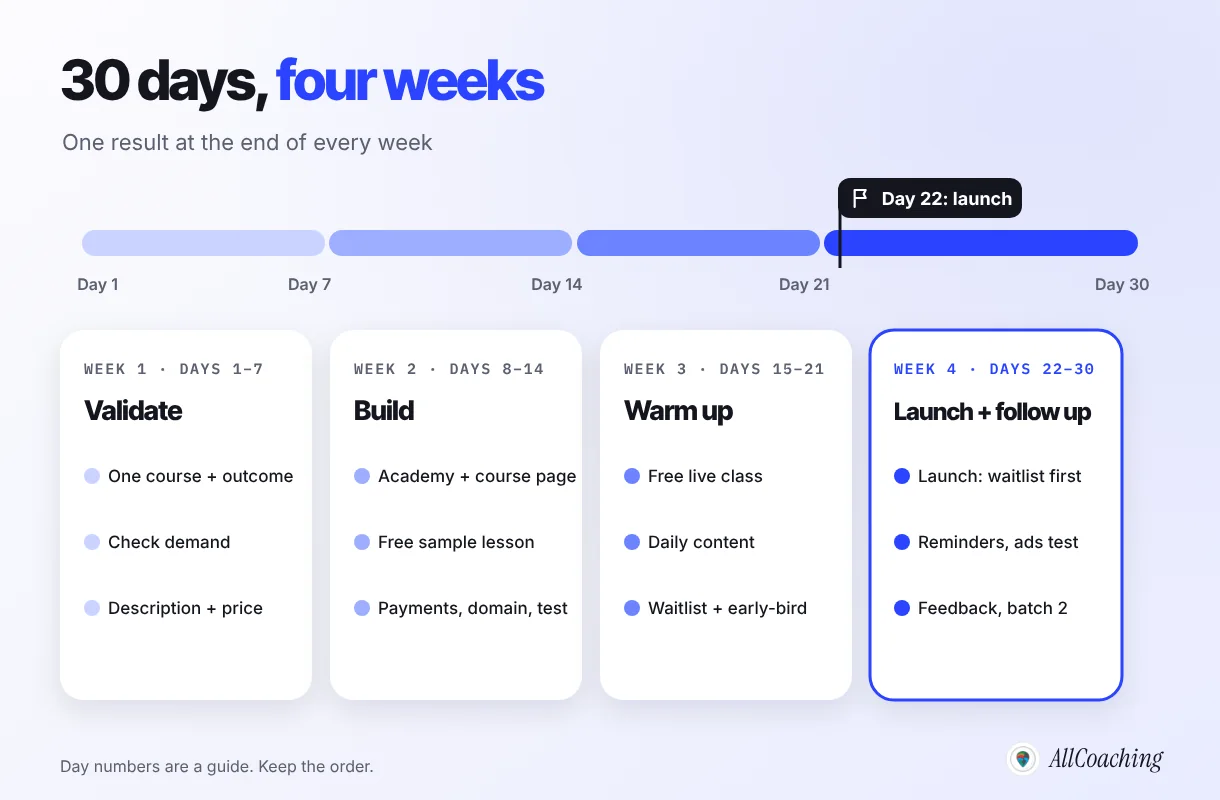
- Validate and prepare (days 1–7)Pick one course with one outcome, check demand in YouTube and Instagram comments and WhatsApp questions, write the course description and set the regular and early-bird price.
- Build your academy and course page (days 8–14)Set up your academy on a hosted LMS, publish the course page, add a free sample lesson, connect UPI checkout, your domain and Meta Pixel, then make a test purchase yourself.
- Warm up your audience (days 15–21)Announce a free live class, post daily on YouTube, Instagram and WhatsApp, collect a waitlist through a lead form and announce the early-bird price with its real end date.
- Open enrolment on launch day (day 22)Message the waitlist first with one link to the course page, then post publicly and spend the day answering questions.
- Remind and test (days 23–28)Send two or three reminders that add value, optionally run a small Meta ads test to page visitors, and close the early-bird on the date you announced.
- Collect feedback and plan batch 2 (days 29–30)Ask the first students what made them enrol and what confused them, fix the top issues, and set a date and waitlist for the next batch.
If you already have a course page and payments running, compress week 2 and spend the extra days on week 3. If you have no audience yet, stretch week 3: warming up people is the step that cannot be rushed.
Week 1 (days 1–7): validate demand and prepare
In week 1, pick one course with one clear outcome, check that students are already asking for it, write the course description and set the price. You are not building anything yet; you are making sure the course is worth building a launch around.
Days 1–2: pick one course and one outcome
Choose a single course, not your whole catalogue. Write its outcome in one sentence a student would say: "Finish SSC CGL quant in 60 days" or "Speak English confidently in job interviews". If you cannot write that sentence, the course is not ready to launch.
Days 3–4: check demand where your students already talk
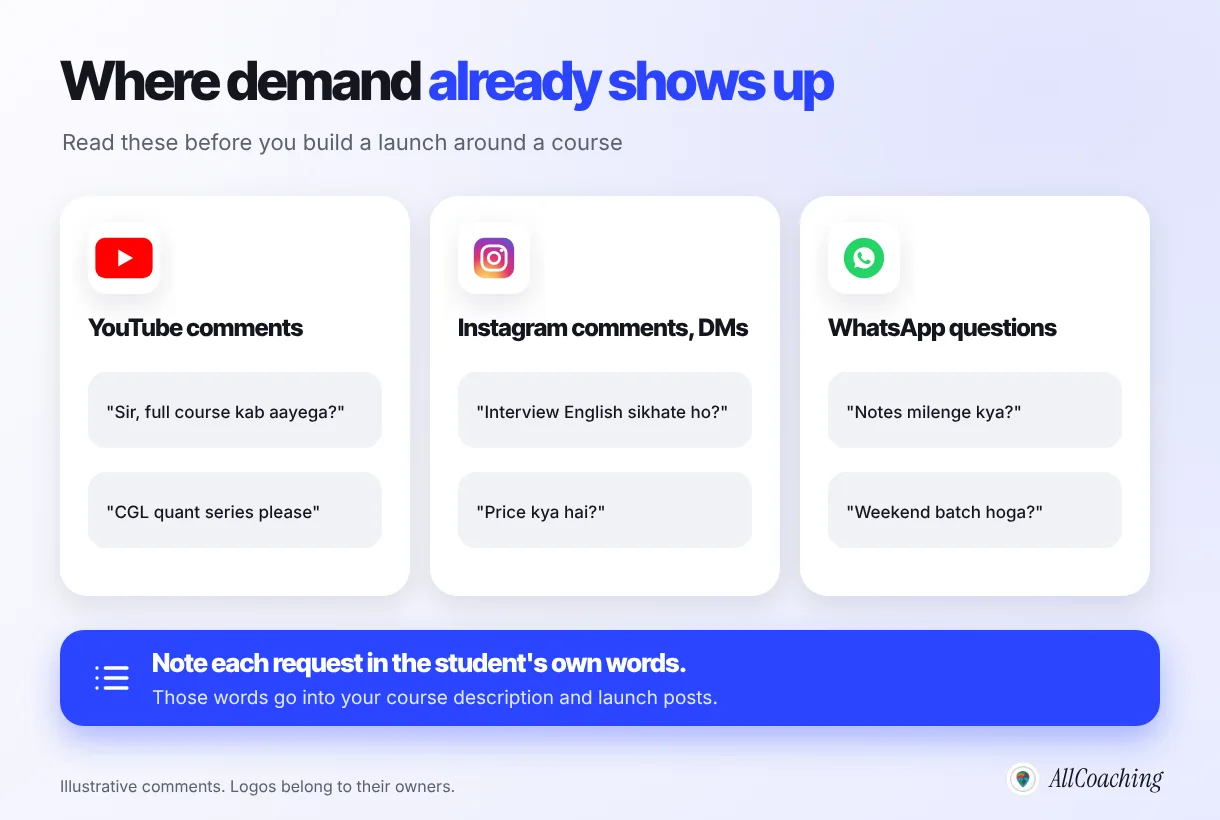
Read the last few weeks of comments on your YouTube videos and Instagram posts, and the questions students send you on WhatsApp. Note every request that matches your course, in the student's own words. Those words will go into your course description and launch posts.
Question educators ask
How many people should ask before I launch?
There is no fixed number. A useful sign is the same request coming from different students in their own words, across more than one channel, and a few of them saying they would pay. If you hear silence, change the outcome or the audience before you change the launch date.
Days 5–6: write the course description
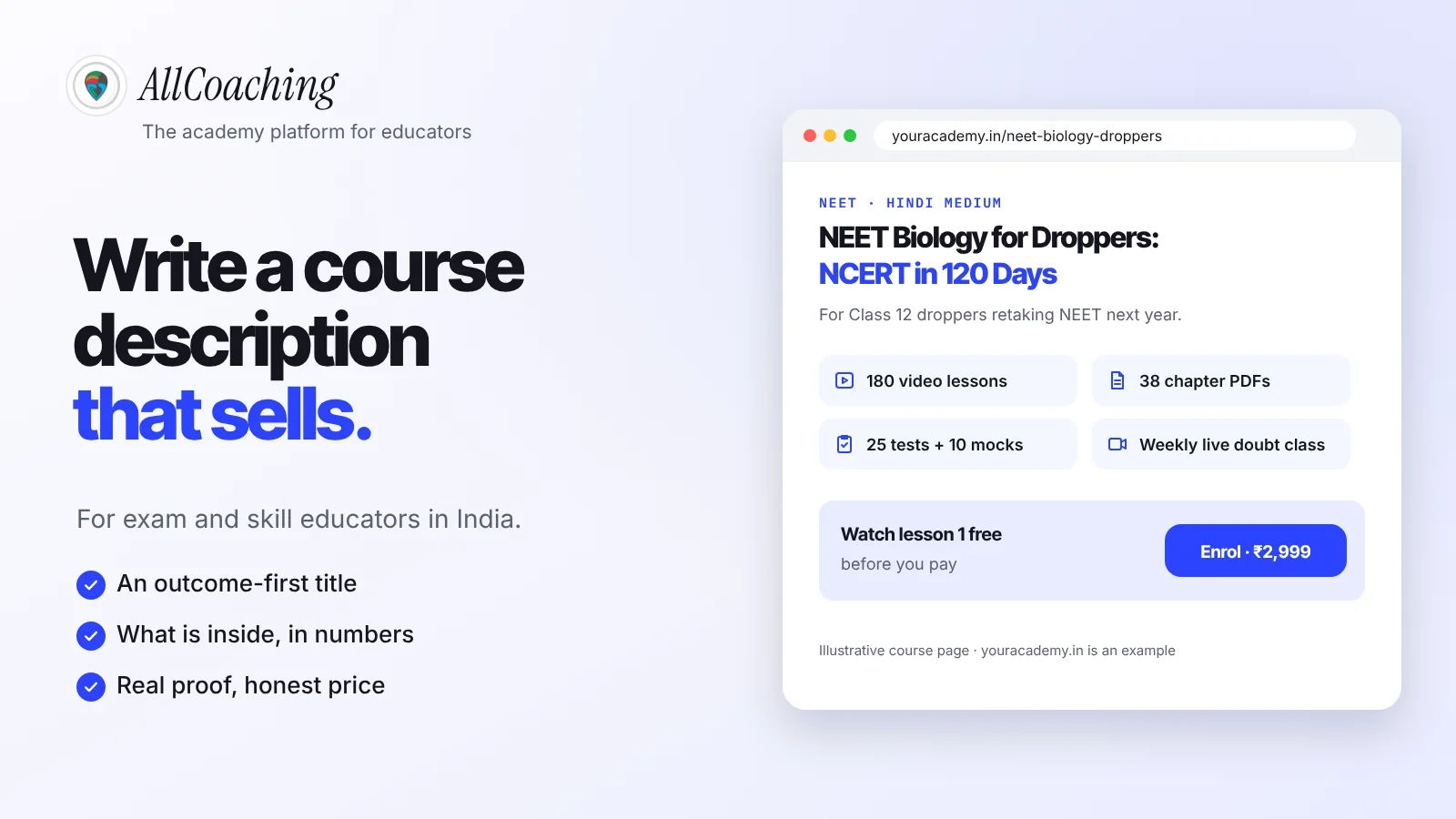
Write the page before you write any posts: who the course is for, the outcome, what is inside (videos, notes, tests, live classes), the schedule, the teacher and the price. Our guide on how to write a course description that sells has a template and examples.
Day 7: set the price
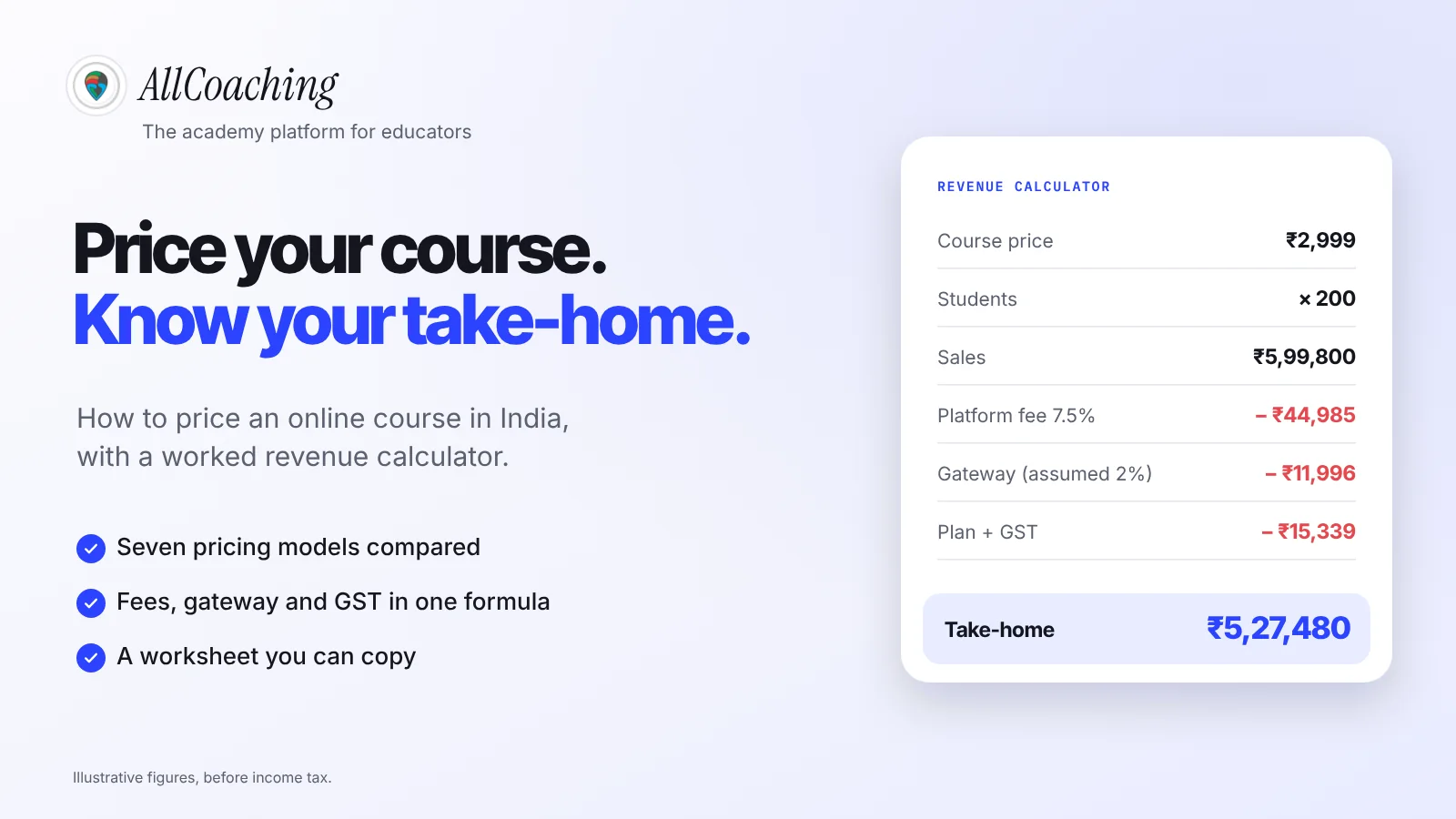
Set one regular price and decide now whether you will offer an early-bird price, how much lower it is and the exact date it ends. Write both down. If you are unsure, read how to price an online course in India before you announce anything, because changing the price after launch confuses the students who already paid.
One task belongs on day 1 even though you will use it in week 3: if you plan to teach the free live class on YouTube, check that your channel can stream. YouTube requires a verified channel and no live streaming restrictions in the past 90 days before you can go live.1
Week 2 (days 8–14): build your academy and course page
In week 2, set up your academy on a hosted LMS, publish the course page, add a free sample lesson, connect payments and your domain, and make a test purchase yourself. By day 14, a student should be able to land on the page, try a lesson, pay by UPI and start learning without messaging you.
- Days 8–9: academy and brand. Sign up on a hosted LMS, choose a theme, add your logo, colours and academy name.
- Days 10–11: course and course page. Upload the first modules (you do not need every lesson on launch day if the schedule says when the rest arrives), then paste in the description you wrote on days 5–6.
- Day 12: free sample lesson. Make one of your best lessons free to watch. It is the strongest proof on the page and the link you will share all through week 3.
- Day 13: payments and domain. Connect UPI and card checkout, and connect your own domain so every link you share carries your name. Our guide to accepting UPI payments for online courses covers the setup.
- Day 14: test everything. Buy the course yourself with a coupon or a small real payment, on a budget Android phone, on mobile data. Check the receipt, the login and that the lessons open.
On AllCoaching, most of week 2 happens in one place. You sign up, choose a plan, upload your course and connect your domain; when you save a course, its course page with SEO, schema and checkout is created for you, and you edit the title, description and URL. Students pay by UPI or card, get access to the course automatically after payment, and payouts go to your bank. You can start with a 7-day free trial, no card needed. After that, choose a monthly plan at 0% commission from ₹3,999 a month, or a yearly plan from ₹6,999 a year plus a fee per sale; prices exclude 18% GST.
Build your own academy. Try it free for 7 days.
Website on your own domain, your own Android app, unlimited live classes and UPI checkout on every plan. 0% commission on every monthly plan from ₹3,999 a month, or yearly from ₹6,999 (excl. GST).
No card needed · Cancel anytime in the trial · Export your data any timeWeek 3 (days 15–21): warm up your audience
In week 3, give your audience a reason to show up before you ask them to pay: announce a free live class, post daily content that answers real student questions, collect a waitlist through a lead form, and announce the early-bird price with its real end date. The goal of the week is a list of people who have raised their hand.
Days 15–16: announce the free live class and open the waitlist
Pick a date near the end of the week (day 20 works well) and announce a free live class on the exact problem your course solves. Ask people to join the waitlist through a short lead form: name, WhatsApp number and one question they want answered. The form gives you a list you own, not just likes.
Days 15–21: post every day where your students already are
- YouTube: one or two lessons that solve a single problem, with the waitlist link in the description and pinned comment.
- Instagram: short reels from the free sample lesson and a carousel of what the course covers.
- WhatsApp: a short message to your existing groups or broadcast list with the date of the free class. Do not flood groups; one clear message and one reminder is enough.
Add campaign tags to the links you share, so you can see later which channel brought sign-ups. Google Analytics reads parameters such as utm_source, utm_medium and utm_campaign added to a link.4
Day 20: teach the free live class
Teach for real. Solve a problem fully, then spend the last part explaining the course, the outcome, the price, the early-bird date and where to enrol. Take questions; they are your best material for the launch posts.
Day 21: confirm the launch
Send the waitlist a short message: the course opens tomorrow, here is what is inside, here is the early-bird price and the date it ends.
On AllCoaching, coupons and lead forms are on every plan, so the waitlist form and the early-bird coupon live on your own academy. Live classes are unlimited on YouTube Live or Zoom on every plan, and each plan also includes hours in the built-in live classroom (20, 50 or 90 hours a month on the monthly plans).
How to create urgency without fake deadlines
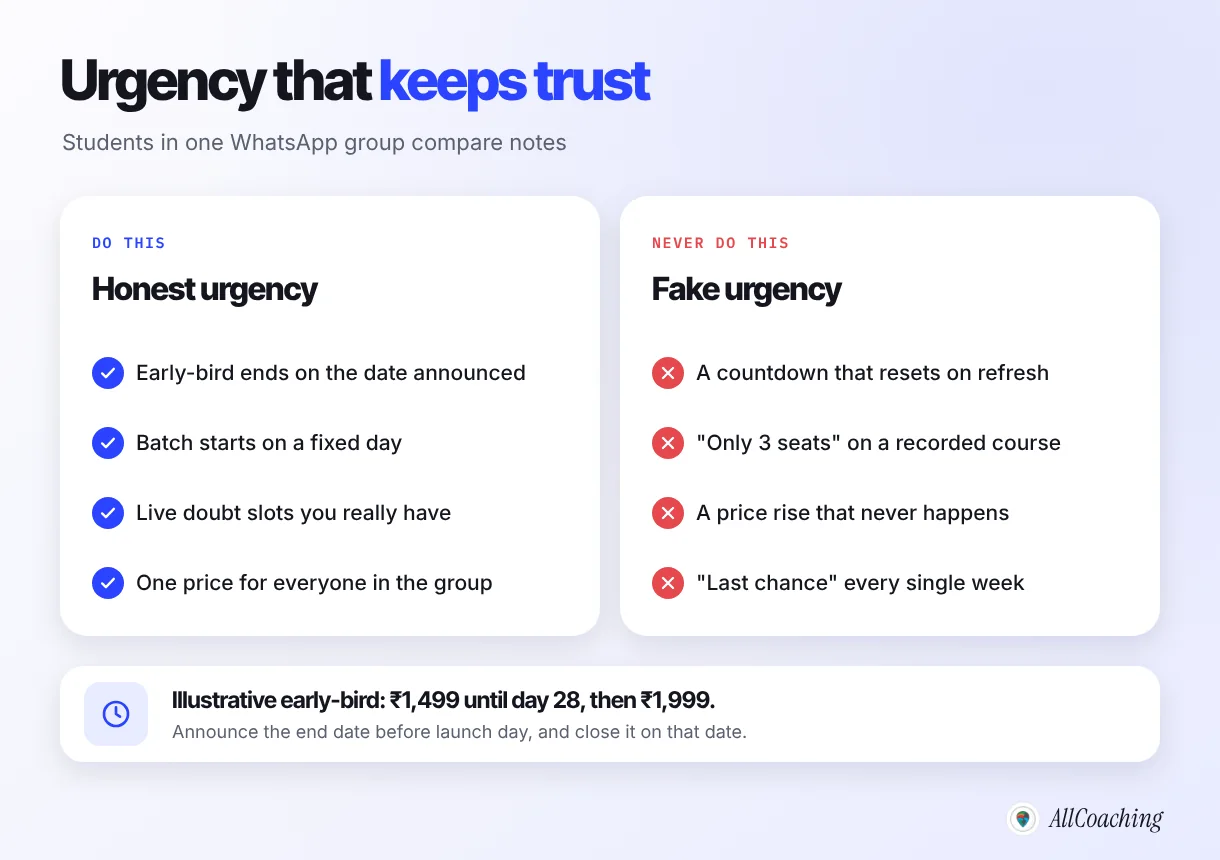
Honest urgency comes from something real: an early-bird price that ends on the date you announced, a batch that starts on a fixed day, or live doubt sessions limited by your own time. Fake urgency, such as a countdown that resets or "only 3 seats left" when there is no limit, wins one sale and costs you the trust of everyone who notices.
Do
Announce the early-bird price and its end date before launch day, and end it on that date even if sales are slow. Tie urgency to the real course: the batch starts on a date, the first live class is on a date, live doubt slots are limited because you teach them yourself.
Avoid
Timers that restart for every visitor, "last chance" messages repeated every week, seat limits on a recorded course, and a "price rise" that never happens. Students in the same group see each other's messages; one broken promise follows you into batch 2.
A simple early-bird that works: a lower price for the first week after launch day, announced in week 3 and closed on day 28. Illustrative: early-bird ₹1,499 until day 28, then the regular ₹1,999.
Launch day (day 22): open enrolment
On launch day, tell the waitlist first, then everyone else, and spend the day answering questions rather than posting more. The people on your waitlist asked to hear from you; give them the link before anyone else.
- Morning: check the course page, checkout and free sample lesson one last time on your phone.
- Waitlist message: a short WhatsApp or email message with the outcome, what is inside, the price, the early-bird end date and one link to the course page.
- Public posts: a YouTube community post, an Instagram post and story, and a message in your groups, all pointing to the same course page.
- Evening: a short live Q&A, or replies to every comment and DM. Many students decide after one answered question.
In our experience, the launches that go quiet on day one are rarely about the course. Usually the link went to a WhatsApp number instead of a page, the price was not visible, or the payment failed on mobile. That is why day 14 is a test purchase.
Week 4 (days 23–30): reminders, a small ads test and real feedback
In week 4, send two or three useful reminders, optionally test a small Meta ads budget to people who already visited your page, collect real feedback from the first students, fix what they find, and set a date for batch 2. Most enrolments in a small launch come from follow-up, not from the first message.
Days 23–28: reminders that add something
Each reminder should carry new value: a solved question from the free class, a student's first impression (with permission), or an answer to the most common doubt. Send the last early-bird reminder the day before it ends, and close it on day 28 as promised.
Days 23–28: an optional small Meta ads test
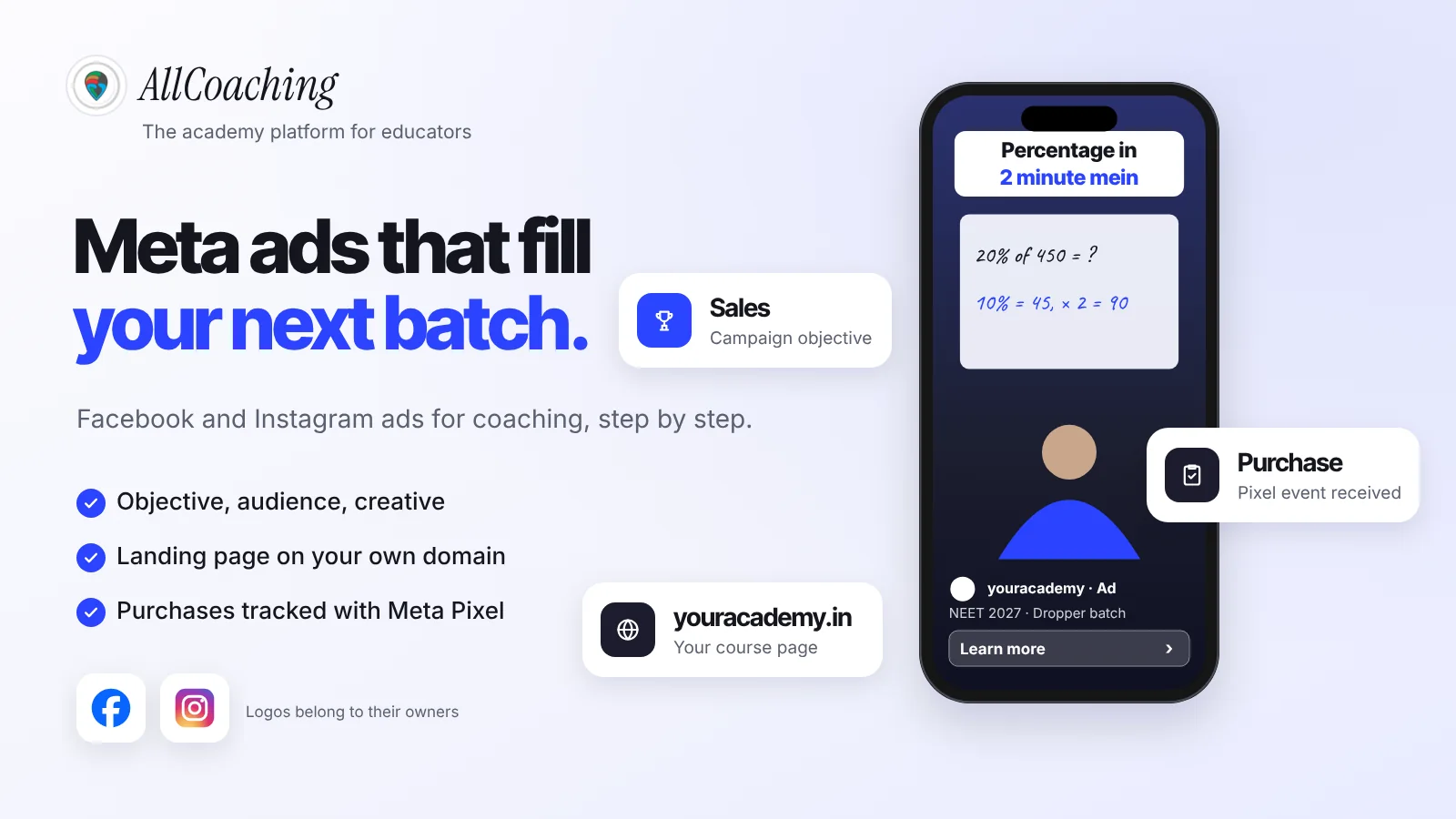
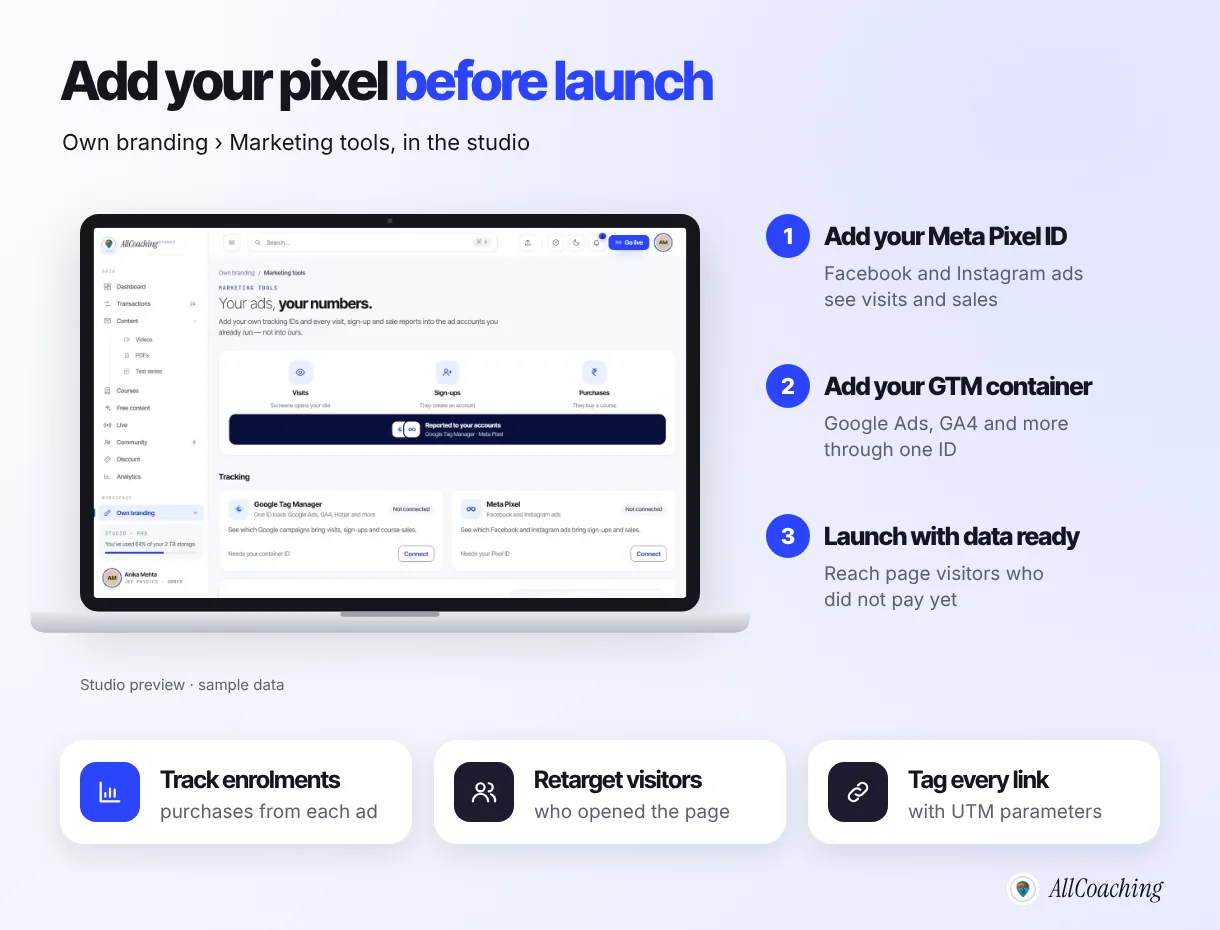
Ads are optional for a first launch. If you try them, keep the test small and point every ad at the course page, not at a WhatsApp number. The Meta Pixel is "a snippet of JavaScript code that allows you to track visitor activity on your website", and Meta says it can be used to track conversions and to define custom audiences of visitors who are more likely to convert.23 That is why the pixel goes in during week 2: by launch day it has already seen your visitors, so you can show ads to people who opened the course page but did not pay. Illustrative test: ₹500 a day for seven days, ₹3,500 before GST, an amount you can afford to spend while you learn. For the full setup, read Meta ads for coaching institutes.
On AllCoaching, you add your own Meta Pixel and Google Tag Manager under Own branding, Marketing tools, on every plan, so visits, sign-ups and purchases report into your own ad accounts.
Days 26–30: collect real feedback and fix
Message the first students after their first few lessons and ask three questions: what made you enrol, what almost stopped you, and what is confusing so far. Fix confusing lessons and the course page first. Ask happy students whether you may quote them, and use only real words with their permission.
Days 29–30: plan batch 2
Write down what each channel brought, what students asked most and what you will change. Set the date for batch 2 and start its waitlist now, with the people who missed this one.
The launch funnel: free class, waitlist, launch, batch 2
A course launch works as a funnel: content brings people to the free live class, the class fills the waitlist, the waitlist hears about the launch first, and everyone who did not buy becomes the start of batch 2. Each stage is smaller than the one before, which is normal.
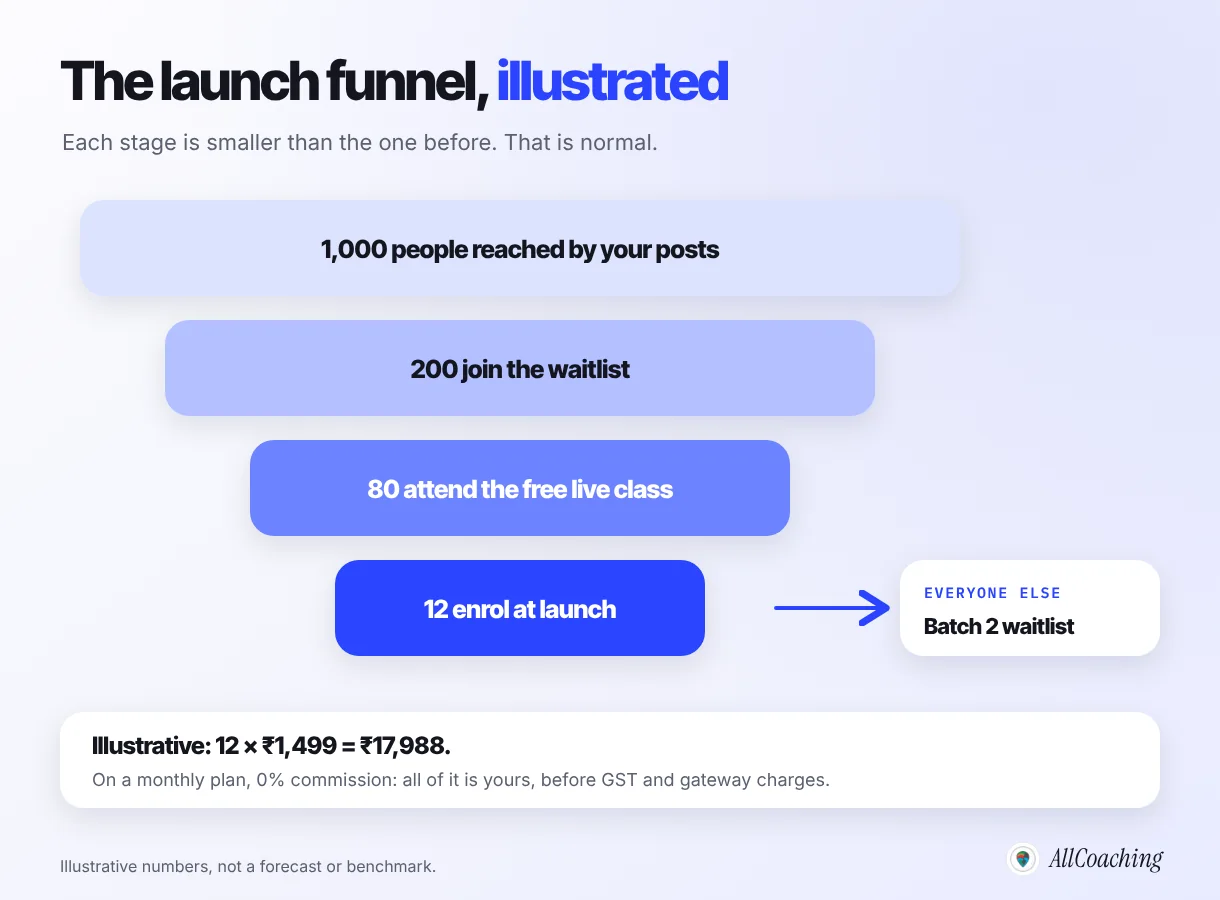
Illustrative: if your posts reach 1,000 people, 200 join the waitlist, 80 attend the free live class and 12 enrol at ₹1,499, the launch brings ₹17,988, and on a monthly AllCoaching plan all of it is yours before GST and gateway charges. The other 188 people on the waitlist are not a failure; they are the first audience for batch 2.
Printable 30-day online course launch checklist
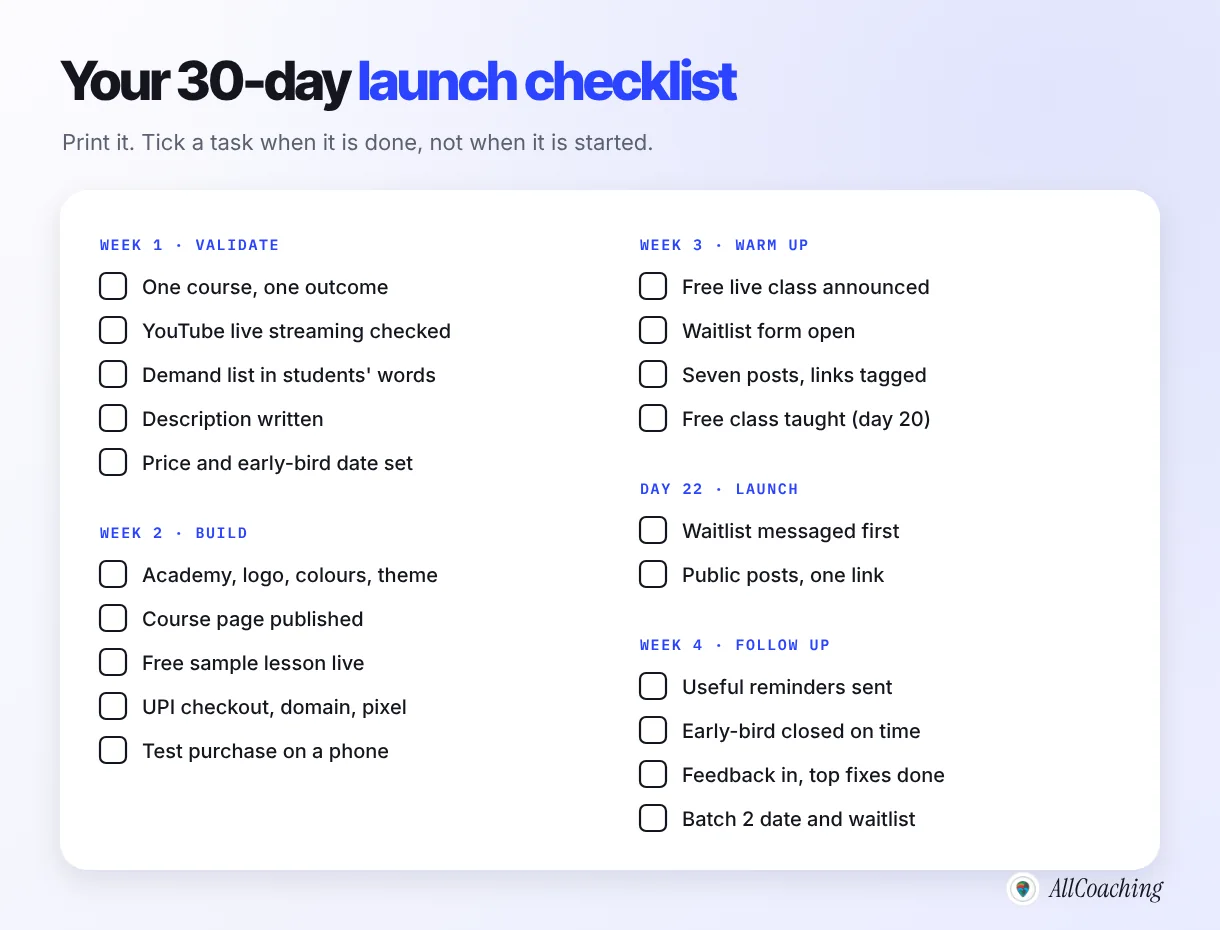
Print this checklist or copy it into a notes app, and tick each task when it is done, not when it is started. Day numbers are a guide; the order is what matters.
| Days | Task | Done when |
|---|---|---|
| 1–2 | Pick one course and one outcome | The outcome fits in one sentence |
| 1 | Check YouTube live streaming is available on your channel | Channel verified, live streaming on |
| 3–4 | Collect demand from comments, DMs and WhatsApp | A list of requests in students' own words |
| 5–6 | Write the course description | Who, outcome, contents, schedule, teacher, price |
| 7 | Set the regular and early-bird price and end date | Both prices and the date written down |
| 8–9 | Set up the academy and brand | Logo, colours, theme in place |
| 10–11 | Upload the course and publish the course page | Page live with description and price |
| 12 | Add a free sample lesson | Opens without payment |
| 13 | Connect payments, domain, Meta Pixel | UPI works, domain loads, pixel connected |
| 14 | Make a test purchase on a phone | Paid, logged in, lessons open |
| 15–16 | Announce the free live class, open the waitlist form | Form collects names and numbers |
| 15–21 | Post daily on YouTube, Instagram, WhatsApp | Seven posts, every link tagged |
| 20 | Teach the free live class | Taught, recorded, questions noted |
| 21 | Tell the waitlist the course opens tomorrow | Message sent |
| 22 | Launch day: waitlist first, then public posts | All links point to the course page |
| 23–28 | Two or three reminders; optional small ads test | Early-bird closed on the date promised |
| 26–30 | Collect feedback and fix | Top three issues fixed |
| 29–30 | Plan batch 2 | Date set, new waitlist open |
Common online course launch mistakes
The launch mistakes we see most are announcing before the page works, launching five courses at once, skipping the warm-up week, sending people to a WhatsApp number instead of a course page, and using fake deadlines. Each one has a simple fix that fits inside the 30 days.
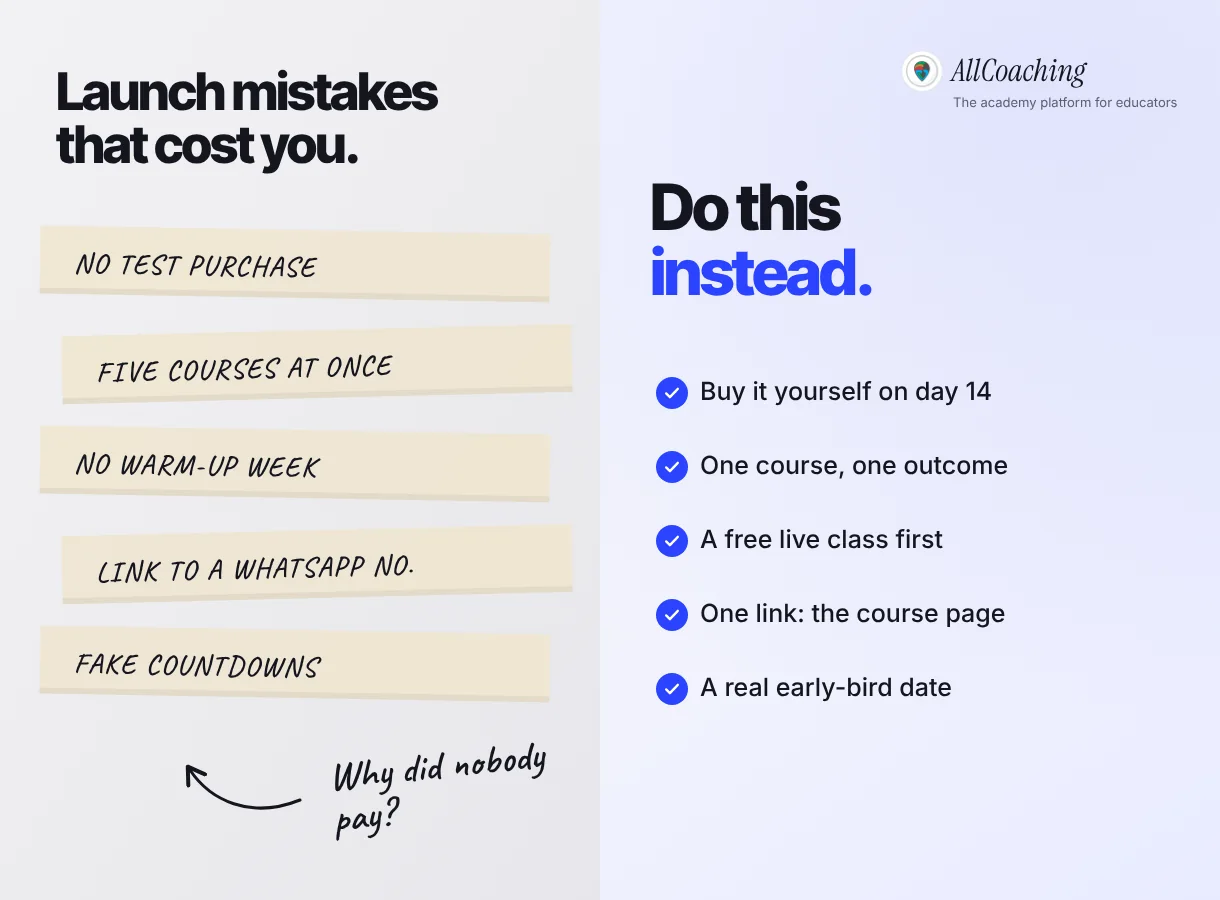
One more: judging the course by launch day alone. A quiet first day with a growing waitlist is a better sign than a busy day of likes and no list. Read the whole month, then plan batch 2. For the bigger picture of selling after launch, our guide on how to sell courses online in India covers reviews, word of mouth and the next batch.
Glossary
- Course launch
- The period when a paid course opens for enrolment, usually announced in advance to a warmed-up audience and followed by reminders.
- Launch plan
- A dated list of tasks before, on and after launch day, covering demand, the course page, promotion, enrolment and follow-up.
- Waitlist
- A list of people who asked to be told when a course opens, usually collected through a lead form with name and phone number.
- Lead form
- A short form on your website that collects a visitor's details, such as name, WhatsApp number and a question, so you can contact them.
- Free live class
- A free session, also called a webinar, where an educator teaches a real topic live and explains the paid course at the end.
- Early-bird offer
- A lower price for students who enrol before a stated date. It is honest only if the date is announced in advance and kept.
- Free sample lesson
- One lesson from a paid course that anyone can watch without paying, so students can judge the teaching before they buy.
- Conversion rate
- The share of people at one stage who take the next step, such as waitlist members who enrol. Enrolments divided by waitlist size, as a percentage.
- Retargeting
- Showing ads to people who already visited your website or course page, using a tracking tool such as the Meta Pixel.
- UTM parameters
- Tags added to a link, such as utm_source and utm_campaign, that tell your analytics which channel or post brought a visitor.
Frequently asked questions
What is an online course launch plan?
An online course launch plan is a dated schedule of everything you do before, on and after the day a paid course opens for enrolment. A 30-day plan has four weeks: validate and prepare, build the academy and course page, warm up your audience, then launch and follow up.
How long does it take to launch an online course?
Thirty days is a practical plan for a first course once the content is ready or well under way. A big batch may need longer and a short workshop less. The order matters more than the exact days: validate, build, warm up, launch, follow up.
Do I need a big audience to launch an online course?
No. A small audience that already asks you questions is enough for a first launch. What matters is that the people on your waitlist want this exact outcome. Start with the students in your comments and WhatsApp groups, and grow the list for batch 2.
Should I run a free live class before launching my course?
Yes, if you can. A free live class lets students see how you teach, ask questions and hear about the course from you directly. Schedule it near the end of the warm-up week, teach a real problem fully and explain the course at the end.
How long should an early-bird offer last?
Long enough for your waitlist to decide and short enough to be real, often about a week after launch day. Announce the end date before launch and close the offer on that date, even if sales are slow.
Should I run Meta ads for my first course launch?
Ads are optional for a first launch. If you test them, use a small budget you can afford to learn with, send every ad to your course page, and install the Meta Pixel in advance so you can reach people who visited the page but did not pay.
What should I do if nobody buys on launch day?
Do not cut the price or invent a deadline. Check that the page, price and checkout work on a phone, reply to every question, send useful reminders, and ask a few waitlist members what is stopping them. Use their answers to fix the page or plan batch 2.
How much does it cost to launch a course on AllCoaching?
You can start with a 7-day free trial, no card needed. After that, monthly plans have 0% commission from ₹3,999 a month, or yearly plans start at ₹6,999 a year plus a fee per sale. Prices exclude 18% GST.
Sources
- YouTube Help, "Get started with live streaming" (channel verification and live streaming restrictions). support.google.com, checked November 2026.
- Meta for Developers, "Meta Pixel". developers.facebook.com, checked November 2026.
- Meta for Developers, "Meta Pixel: Get started" (conversions and custom audiences). developers.facebook.com, checked November 2026.
- Google Analytics Help, "URL builders: Collect campaign data with custom URLs". support.google.com, checked November 2026.
Amit builds AllCoaching, the academy platform Indian educators set up themselves: their own website on their own domain, their own app, and the tools to grow it. We see educators launch courses on AllCoaching every week, so this plan follows the order that works for them; platform rules are linked to YouTube's, Meta's and Google's own help pages, and every number in the examples is illustrative.