
On this page
Start your online academy today. 14 days free.
Start free trialTo move a paid coaching batch from a WhatsApp group to your own online academy, list every tool the batch uses today, set up the academy, upload your old lessons and notes as one organised course, add UPI and card checkout, announce a switch-over date to your students with a clear message, keep the WhatsApp group only for announcements, and personally follow up with anyone who has not moved. Done in that order, most batches move in two to four weeks without losing students.
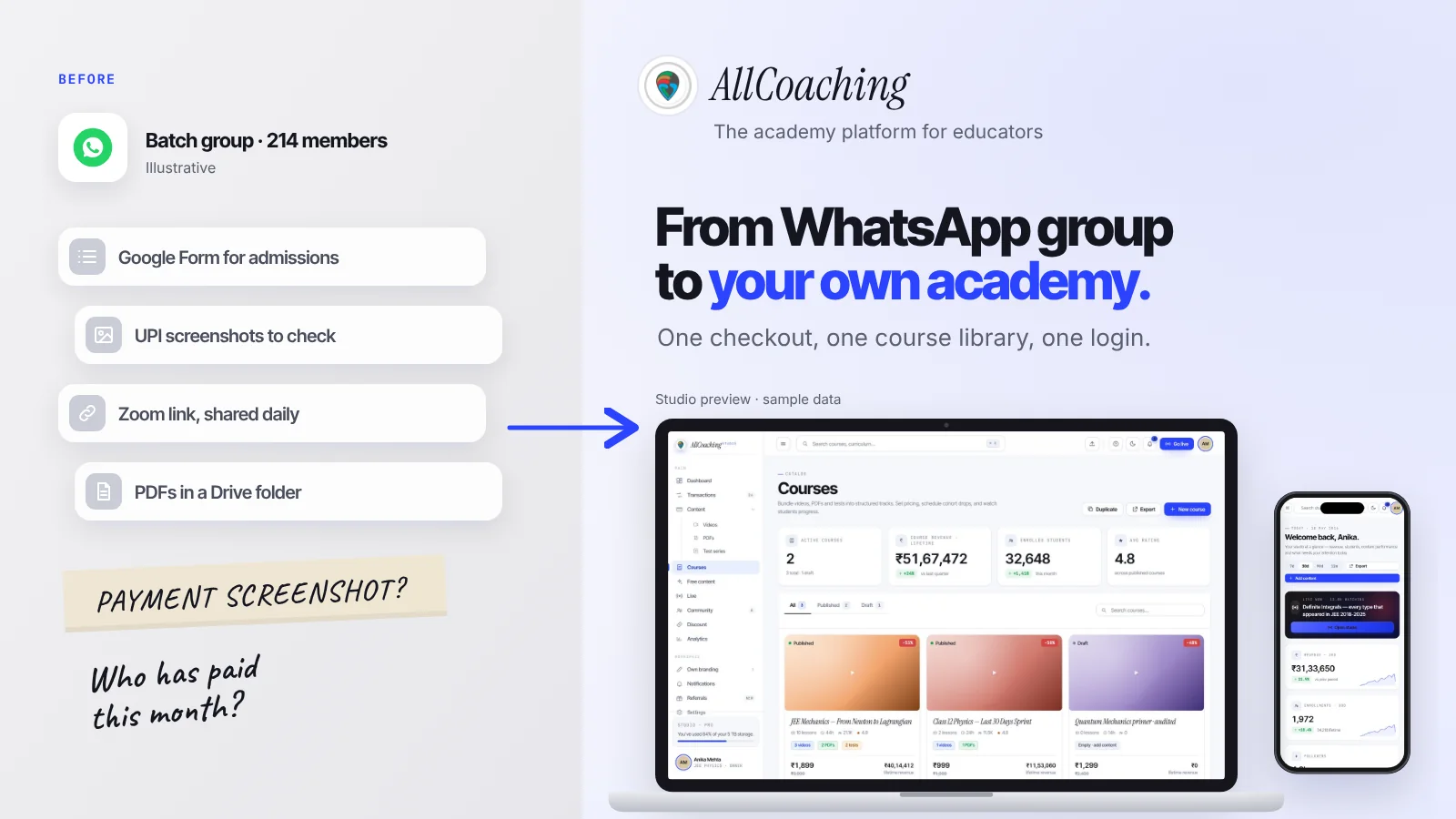
Perhaps this is your week. Admissions come through a Google Form. Fees arrive on UPI and the proof arrives as a screenshot in your personal chat. The Zoom link goes into the group every evening. Notes sit in a Drive folder that three people have edit access to. A new student joins in the third month and asks for everything from the first two. None of this is wrong; it is how a huge number of Indian educators started teaching online, because WhatsApp is where students already are.
The trouble starts when the batch grows. This guide names the problems honestly, then gives you an eight-step migration plan, ready-to-send message templates for your students, a four-week timeline and the mistakes to avoid. It is written for exam educators (SSC, NEET, JEE, banking, state PSC) and skill educators (spoken English, yoga, music, coding) alike, and it works the same way if your batch lives on Telegram.
Key takeaways
- WhatsApp is good at conversation, not at running a paid course: it has no checkout, no course library in order, no tests and no record of who has paid.
- The biggest hidden cost is fee checking by hand: matching UPI screenshots to bank entries, then adding each student and resending old links, every batch.
- Links leak: Google Drive's "anyone with the link" setting and YouTube unlisted videos can both be opened by anyone the link is forwarded to.
- Do not delete the group. Keep WhatsApp for reminders and alerts, and move fees, lessons, notes, tests and live class links into your academy.
- Pick one switch-over date, announce it about two weeks ahead, honour what current students already paid, and follow up one by one.
- Students do not have to install anything: your academy website opens in the phone's browser, and your own Android app is there for those who want it.
- On AllCoaching you sign up, choose a plan, upload your course, connect your domain and start selling, after a 14-day free trial with no card.
How do you move from a WhatsApp group to your own online academy?
Audit what you use, set up the academy, upload old content as a course, set a price with UPI checkout, invite current students, keep WhatsApp for announcements, switch over on a fixed date, then follow up. Each step below has its own section.
- Audit what you useList every tool, piece of content, student and fee the batch runs on today in one sheet.
- Set up your academySign up, choose a plan, add your name and logo, and connect your own domain.
- Upload old content as a courseRebuild Drive and YouTube material into modules with lessons in order, PDF notes, tests and a free demo lesson.
- Set a price and UPI checkoutKeep your current fee, add UPI and card checkout, and test one real payment with a friend.
- Invite existing studentsSend a clear announcement with one date and one link, and honour what current students already paid.
- Keep WhatsApp for announcementsMake the group admin-only or use a Channel for reminders, alerts and links back to the academy.
- Switch over on a fixed dateAfter the date, new fees, notes and live class links are only in the academy.
- Follow up one by oneMessage or call every student who has not signed in, and review the move after a month.
The order matters. Educators who announce first and build later end up sending half-finished links to a whole batch. Educators who build quietly for a week, test a payment with a friend and only then announce usually move most of their students in the first few days.
When educators move a batch to AllCoaching, the part they worry about most is students. The part that actually takes time is the content: turning two years of Drive folders and forwarded PDFs into modules a new student can follow. Plan your week around that.
What are the problems with running paid coaching on WhatsApp groups?
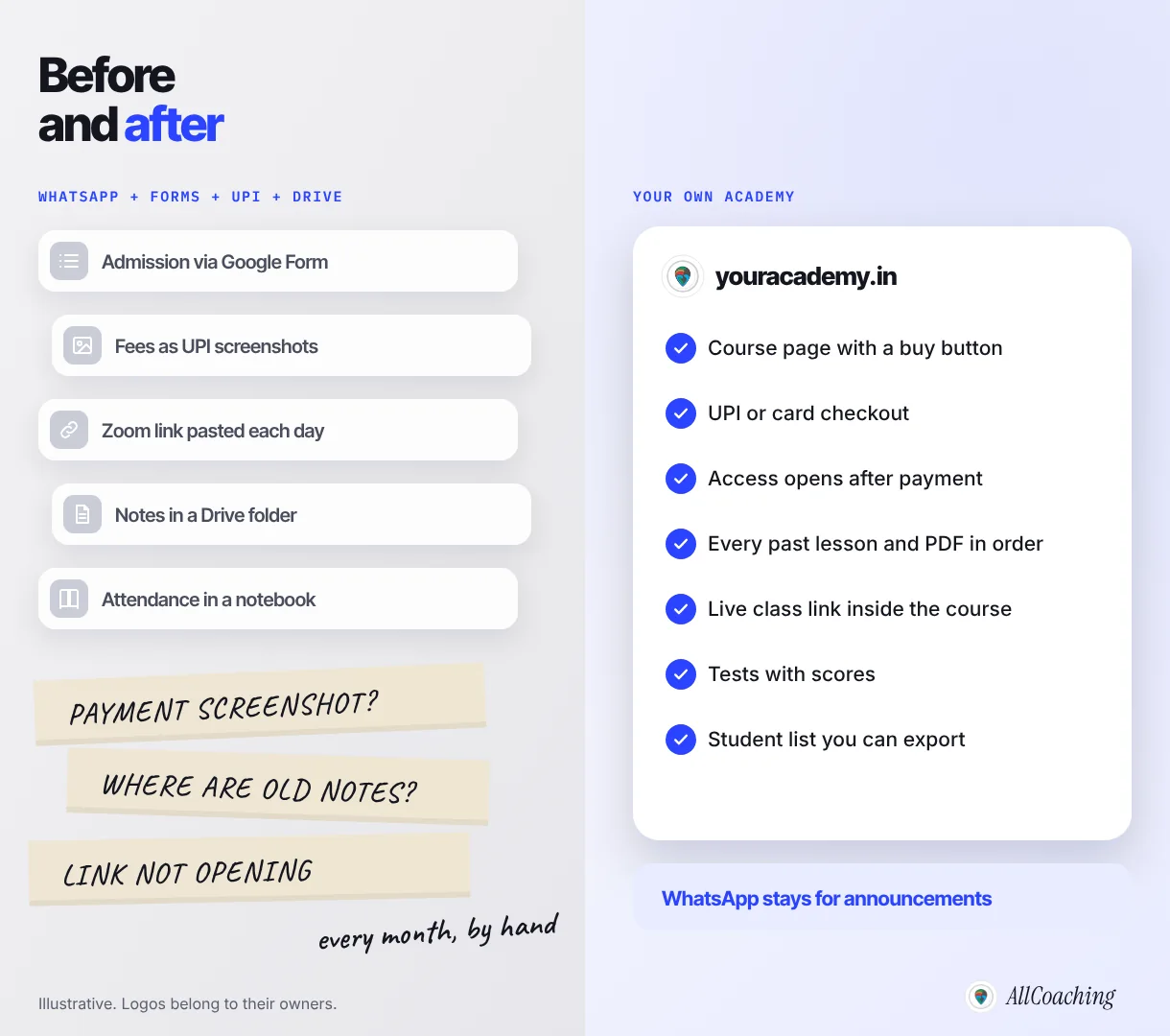
The main WhatsApp coaching problems are manual fee checks, links that can be forwarded to anyone, new students who cannot see old notes, group size limits that split a batch, phone numbers visible to every member and no way to track progress. Each one is small with 20 students and painful with 200.
1. Fees are checked by hand
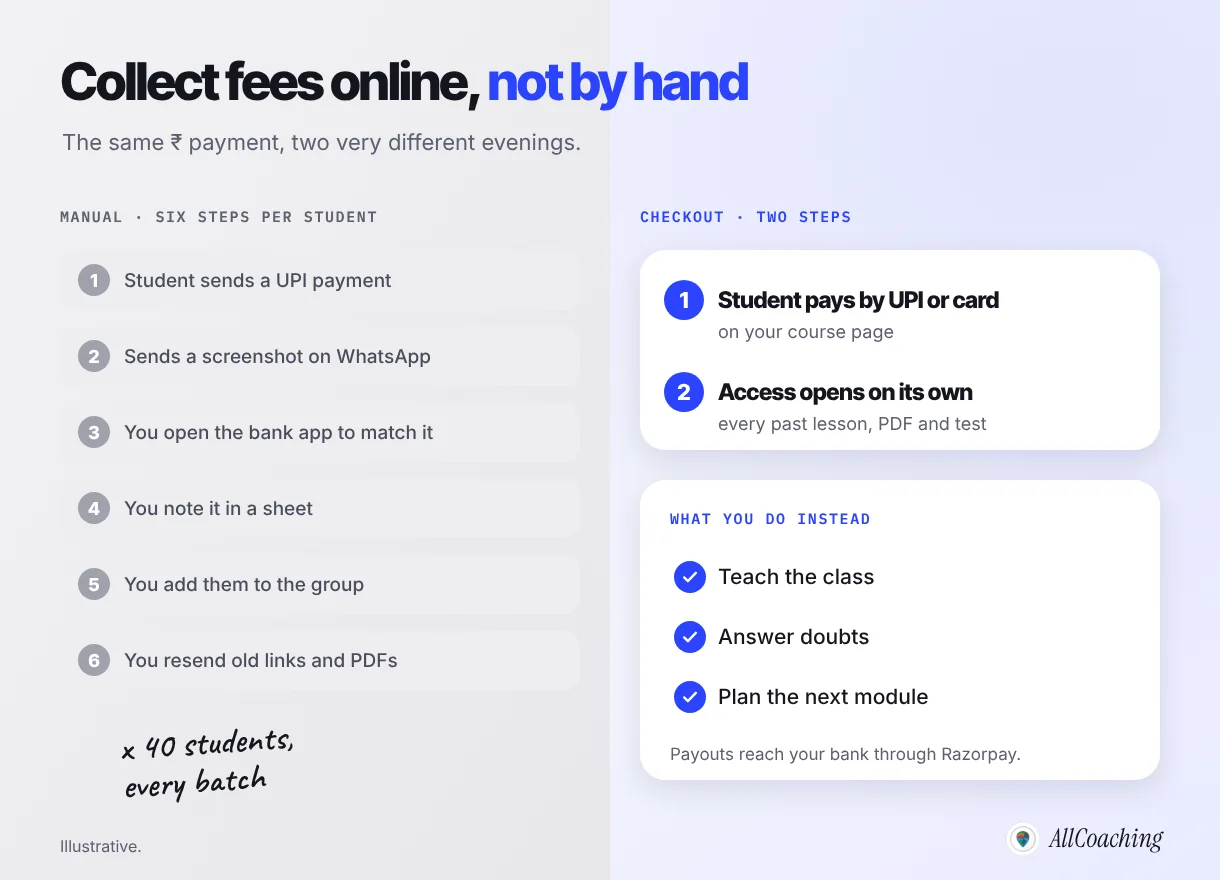
A student pays on UPI, sends a screenshot, and you open your bank app to match the amount and the name. Then you note it in a sheet and add the student to the group. A screenshot is a picture, not a payment record; it can be old, cropped or for a different amount, and you only find out when you check. At the end of the month, "who has not paid" becomes a scroll through chats.
2. Links travel further than you want
Paid material on WhatsApp usually means a Drive link or a YouTube link. Google's own help page describes the "Anyone with the link" setting plainly: "Anyone on the internet who has the link can open the file without signing in to a Google Account."1 YouTube says unlisted videos "can be seen and shared by anyone with the link".2 Once a link is in a group, any member can forward it to a friend who never paid.
3. New students cannot see the old notes
A WhatsApp group is a timeline, not a library. A student who joins in month three finds PDFs, links and voice notes buried hundreds of messages up, if they can see them at all, and asks you to resend everything. You end up re-posting the same material for every late joiner.
4. Groups have a size limit
WhatsApp groups have a member cap, and big batches end up split into "Batch A" and "Batch B" groups that you post into twice. Telegram channels avoid the cap but bring the same link-sharing and fee problems.
5. Members can see each other's phone numbers
In a regular group, members can generally see each other's numbers. For a batch of teenagers or working adults who do not know each other, that is personal information shared more widely than anyone intended, and it is also how your students get spam from strangers who joined the group.
6. You cannot see progress
You cannot tell who watched yesterday's recording, who opened the PDF or who skipped the last three tests. Without that, you only find a weak student when the exam result arrives.
| Problem on WhatsApp | What it costs you | What fixes it in an academy |
|---|---|---|
| UPI screenshots | Evenings matching payments by hand | UPI or card checkout that opens access after payment |
| Forwardable links | Paid notes reach people who did not pay | Lessons and PDFs inside a login |
| Buried old notes | Resending material to every late joiner | A course with modules in order |
| Group size limit | Posting the same thing in two groups | One course for any number of students |
| Visible phone numbers | Students' numbers shared with strangers | Students sign in to your academy; the group becomes announcement-only |
| No progress tracking | Weak students found too late | Tests with scores and a student list |
When should you move students from WhatsApp to an app or academy?
Move when you spend more time managing the batch than teaching it: when fee checks take more than an evening a month, when you post the same thing in two groups, or when you want to sell a recorded course to students you will never meet. If you teach one small batch of friends' children, WhatsApp may be all you need for now.
Signs it is time:
- You have more than one group for the same course.
- You have found your paid PDFs in a group you did not create.
- Students ask "sir, can you send the old notes again" every week.
- You want to sell last year's recordings as a course, not just run a live batch.
- You want students from other cities to find and pay you without a phone call.
The usual worry is that students will not want another app. They do not need one. Your academy is a website first, and it opens in the phone's browser from a link you send on WhatsApp. If that worry is the main thing stopping you, read our guide on what to do when students won't download your coaching app and just want WhatsApp; it covers that question in detail. This guide is about the move itself.
Step 1: Audit what your batch runs on today
Before you build anything, write down every tool the batch uses, every piece of content you have, every student and what each student has paid for. This list becomes your migration checklist.
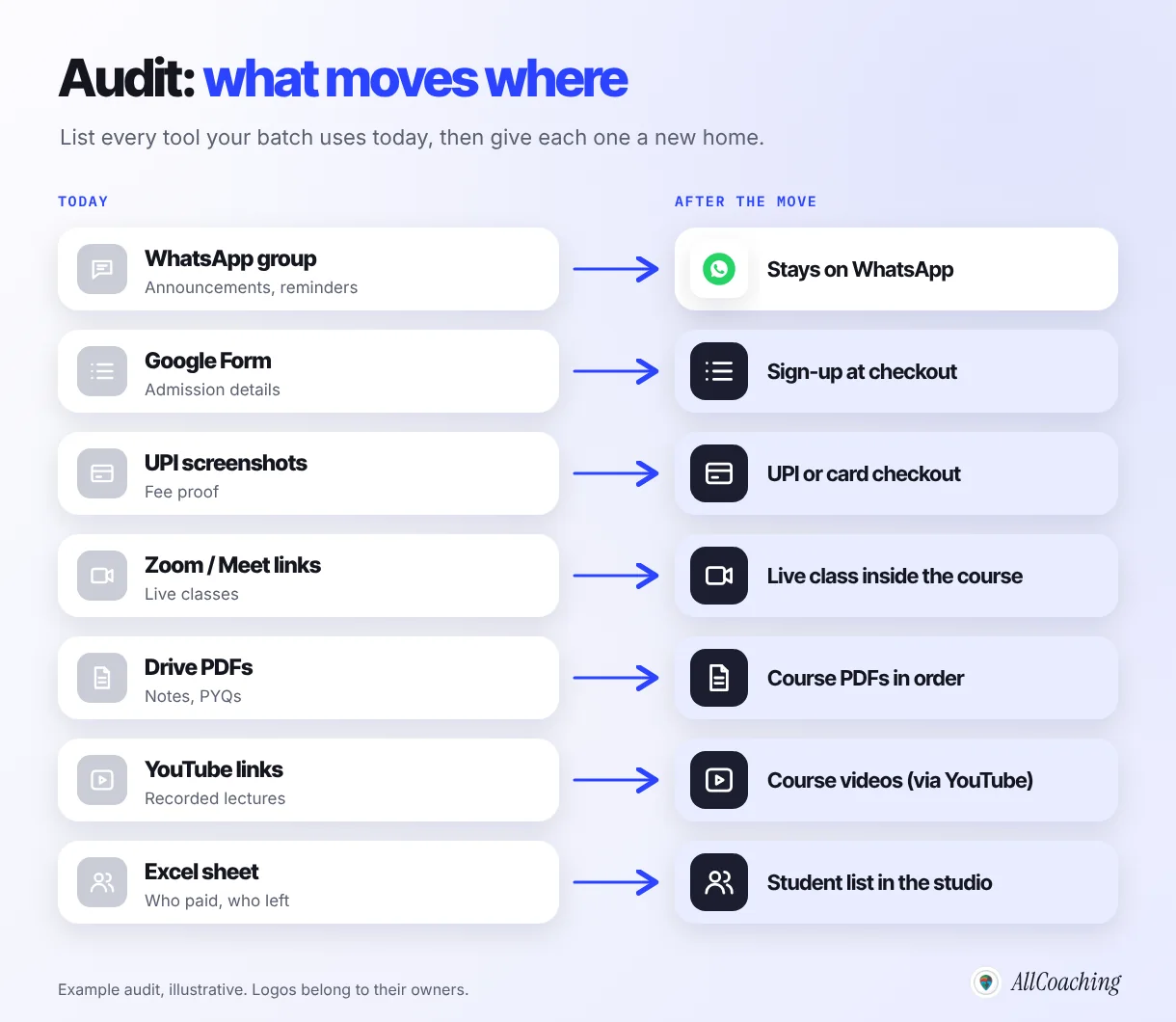
Make four lists in one sheet:
- Tools: WhatsApp or Telegram groups, Google Forms, UPI ID or QR, Zoom or Meet, Drive folders, YouTube playlists, any Excel or notebook you track fees in.
- Content: recorded classes, PDFs, PYQs, test papers, formula sheets, voice notes worth keeping. Mark each one keep, redo or drop.
- Students: name, phone, batch, what they paid for and until when.
- Dues: who owes what today, so nobody is surprised after the move.
The student list is the one to get right. Every promise you made ("this fee covers until March") must still be true after the move.
Step 2: Set up your online academy
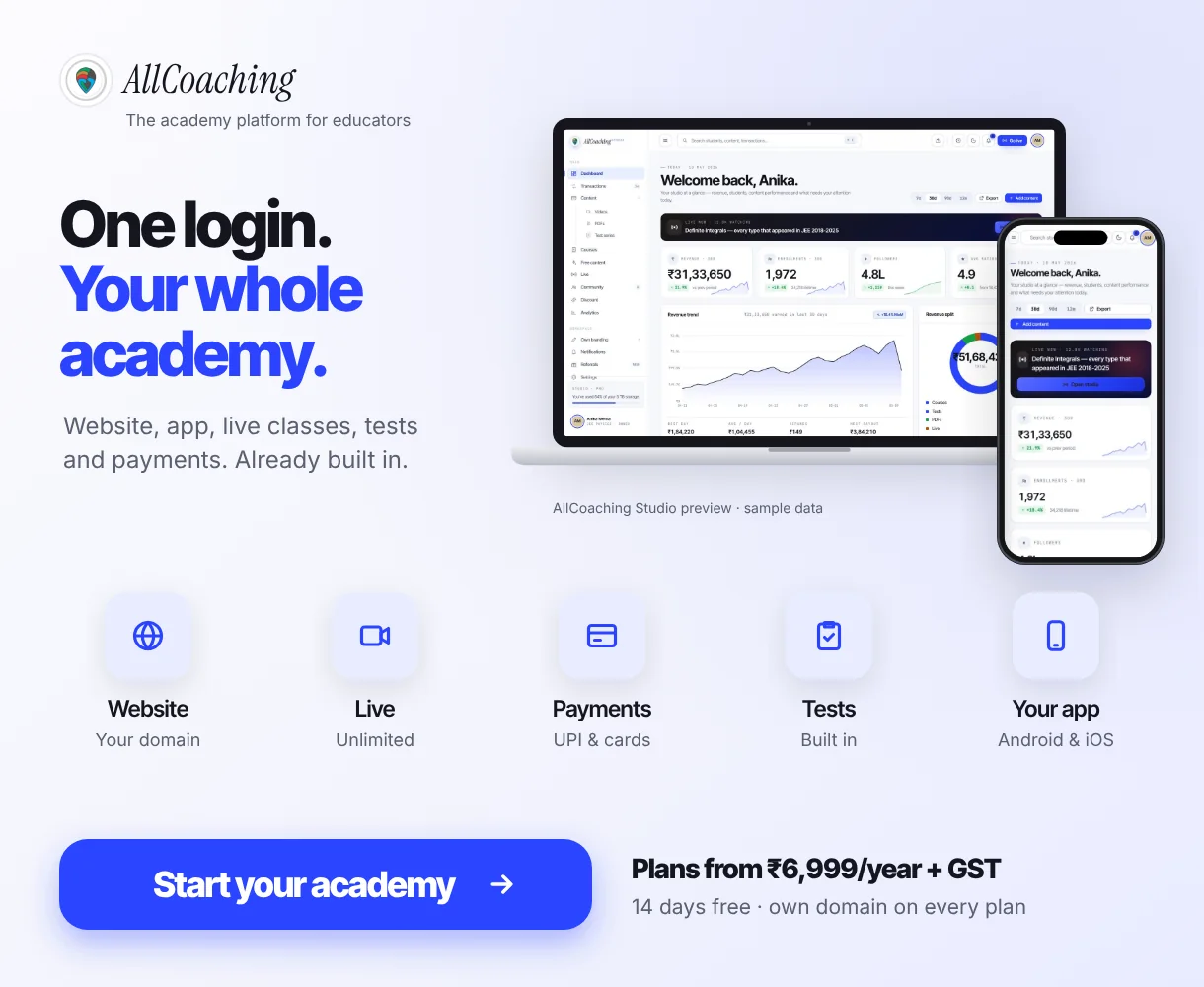
An online academy is your own website (and optionally your own app) where students buy your courses, watch lessons, download notes, take tests and join live classes under your name. Setting one up today takes hours, not months.
If the idea is new to you, our explainer on what an online academy is covers the options. On AllCoaching the path is fixed and self-serve: sign up, choose a plan, upload your course, connect your domain and start selling. Payments, student access, apps and hosting run on their own. Every plan starts with a 14-day free trial with no card needed, which is enough time to build the academy and test it with a few students before you announce anything.
- Name and brand: use the name students already know, the one on your WhatsApp group or YouTube channel. Add your logo and colours.
- Domain: connect your own domain (youracademy.in) so the link you share looks like yours. Every AllCoaching plan includes connecting your own domain.
- App: every plan includes your own white-label Android app; the iOS app is on Pro and Scale. Students who prefer the browser can skip the app entirely.
Step 3: Upload your old WhatsApp content as one organised course
Do not copy your Drive folder as it is. Rebuild it as a course: modules that follow the syllabus, lessons in teaching order, a PDF of notes and a test for each module, and lesson 1 free as a demo. The structure is what a late joiner was missing on WhatsApp.
Sort before you upload
Group your recorded classes by topic, not by date. A two-hour live class recording from last year is often better split into three or four shorter lessons. Rename files the way students search: "Module 2 · Lesson 3 · Percentage shortcuts", not "class 14 final final.mp4". Our guide on how to create your first online course in India covers module structure, lesson length and PDFs in detail.
Videos via YouTube
Many educators already have class recordings on YouTube. On AllCoaching, videos come in through YouTube and are unlimited on every plan, so you add each lesson to the course in order instead of posting links into a chat. PDFs and test series sit in the studio's Content section, inside the same course.
Live classes inside the course
Instead of pasting a Zoom link into the group every evening, schedule the live class inside the course. AllCoaching includes unlimited live classes on every plan, through YouTube Live, Zoom or the built-in live room. If you teach from a phone, see how to conduct live classes on mobile.
Question educators ask
Do I have to upload everything before I switch?
No. Upload the current module, the notes students use most and the demo lesson first. Add older material module by module after the switch-over. Students care far more that this week's class and notes are in the academy than that everything from last year is.
Step 4: How do you collect fees online for coaching instead of UPI screenshots?
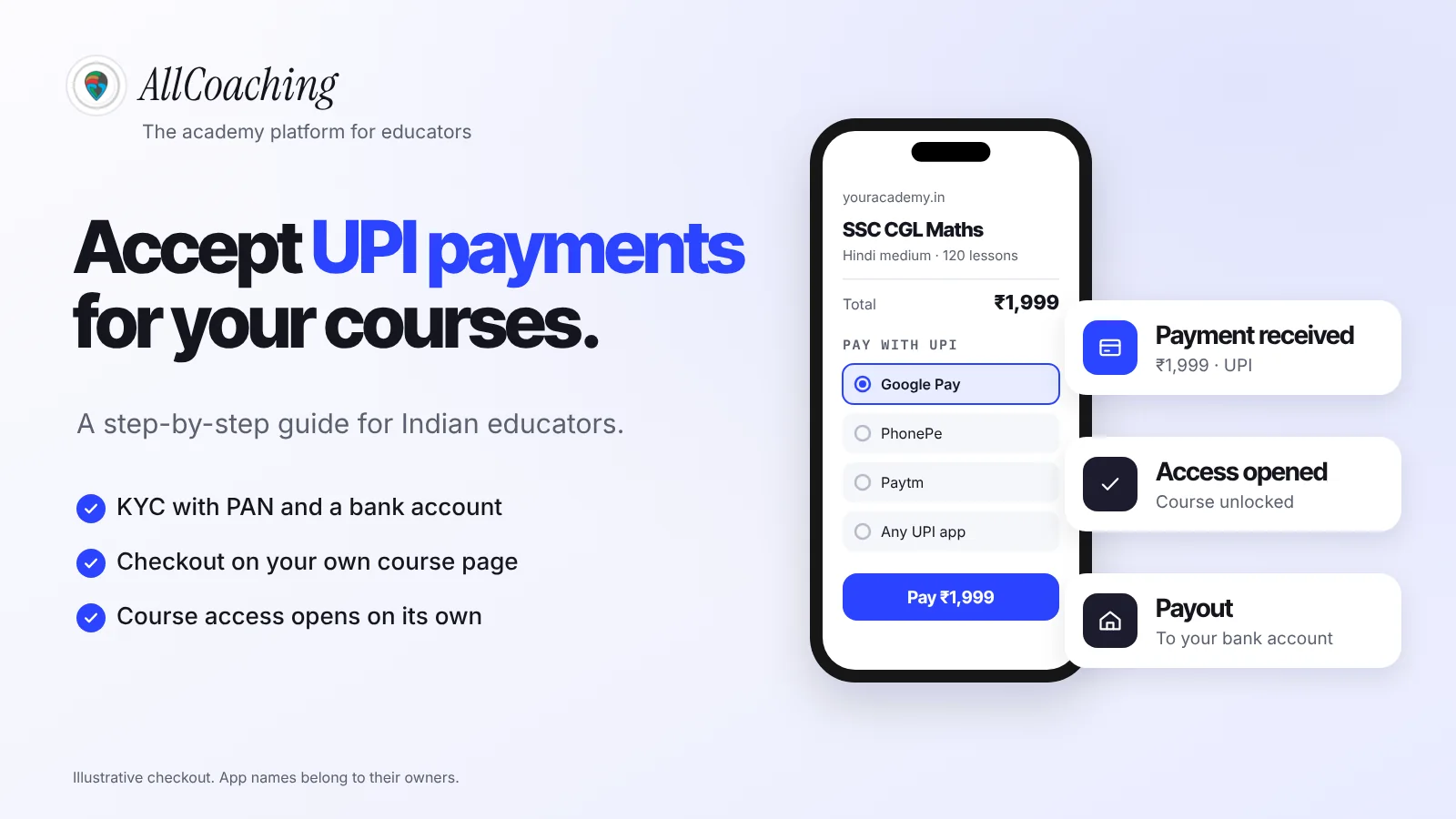
Set a price on the course and let students pay through UPI or card checkout on your academy; access opens after the payment, so there is no screenshot to check and no one to add by hand. UPI is the system students already use, run by the National Payments Corporation of India (NPCI).4
Price the course the way you price the batch
Start with the fee students already pay you, for the same duration and the same material. A move is not the moment to change your price and your platform at once. If the academy adds recorded lessons, tests and notes that the WhatsApp batch never had, you can review the price for the next batch. Our guide on how to price online courses in India covers that decision.
Test one real payment first
Before you announce anything, ask a friend or family member to buy the course with UPI. Check that the payment goes through, that access opens and that the confirmation makes sense to a student. On AllCoaching, students pay through UPI or card checkout and payouts reach your bank automatically through Razorpay. For the details of gateways, KYC and fees, read how to accept UPI payments for online courses.
Students who already paid
Do not charge a student twice. Students who paid you on UPI for the current batch keep what they paid for. Decide how you will give them access before you announce; if you are not sure how to do it in your setup, ask during your trial. Many educators simply let the current batch finish its paid period and move every new enrolment and renewal to checkout.
Step 5: Invite your existing students (message templates)
Send one clear announcement to the group about two weeks before the switch-over date, then short personal messages to anyone who has not moved. Every message needs one date, one link, what changes, what stays and a way to ask questions.
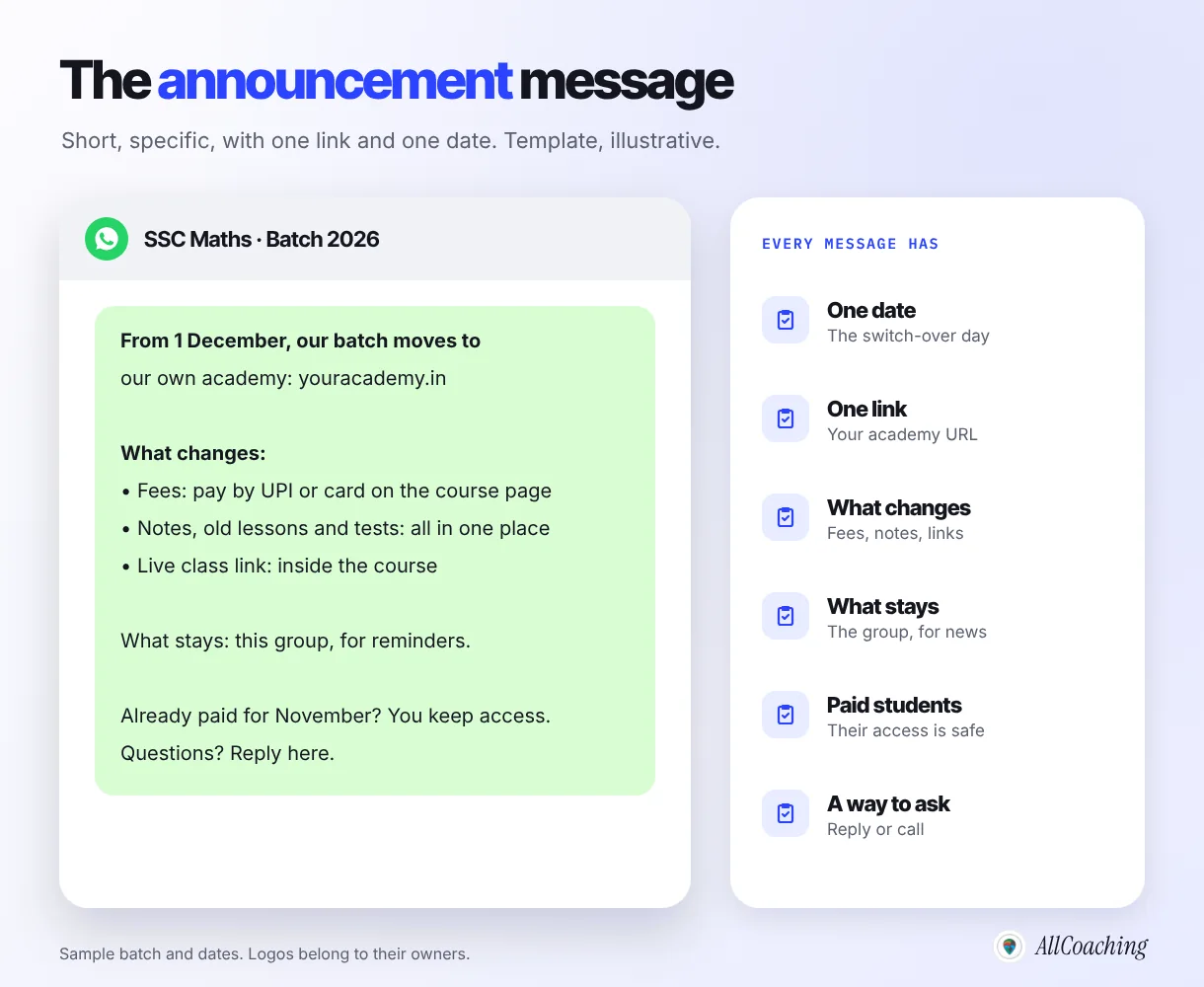
Copy these and change the names, dates and link. They are written in plain English for Indian students and parents; translate them into your teaching language if your batch reads Hindi or a regional language more comfortably.
Template 1 · Group announcement
Hello everyone. From 1 December, our SSC Maths batch moves to our own academy: youracademy.in. What changes: fees are paid by UPI or card on the course page, and all lessons, PDFs, tests and the live class link are in one place, including everything from earlier months. What stays: this group, for reminders and quick updates. If you have already paid for November, you keep your access. Questions? Reply here or message me directly.
Template 2 · Reminder, three days before
Reminder: from Monday, the live class link and new notes will be only on youracademy.in. Please open the link today, sign in, and check that you can see Module 1. If something does not work, send me a message and I will help you before Monday.
Template 3 · Personal follow-up
Hi Riya, I noticed you have not signed in to the new academy yet. Everything from our batch is there now, including the PDFs you asked for last week. Here is the link: youracademy.in. Do you want me to call for two minutes and help you set it up?
Template 4 · Reply to a new enquiry
Thank you for asking about the batch. You can see the syllabus, watch a free demo lesson and enrol here: youracademy.in. Payment is by UPI or card, and access opens straight after. Class reminders are shared in our WhatsApp group, which I will add you to once you have enrolled.
For parents of school students, send the announcement to the parent as well. Parents pay the fee, and a clear message about where the money goes builds more trust than a UPI ID in a chat.
Step 6: Keep WhatsApp as your announcement channel
Do not delete the group. Turn it into an announcement space for class reminders, new lesson alerts and exam dates, and keep fees, lessons, notes, tests and live links in the academy. WhatsApp is still where your students reply fastest.
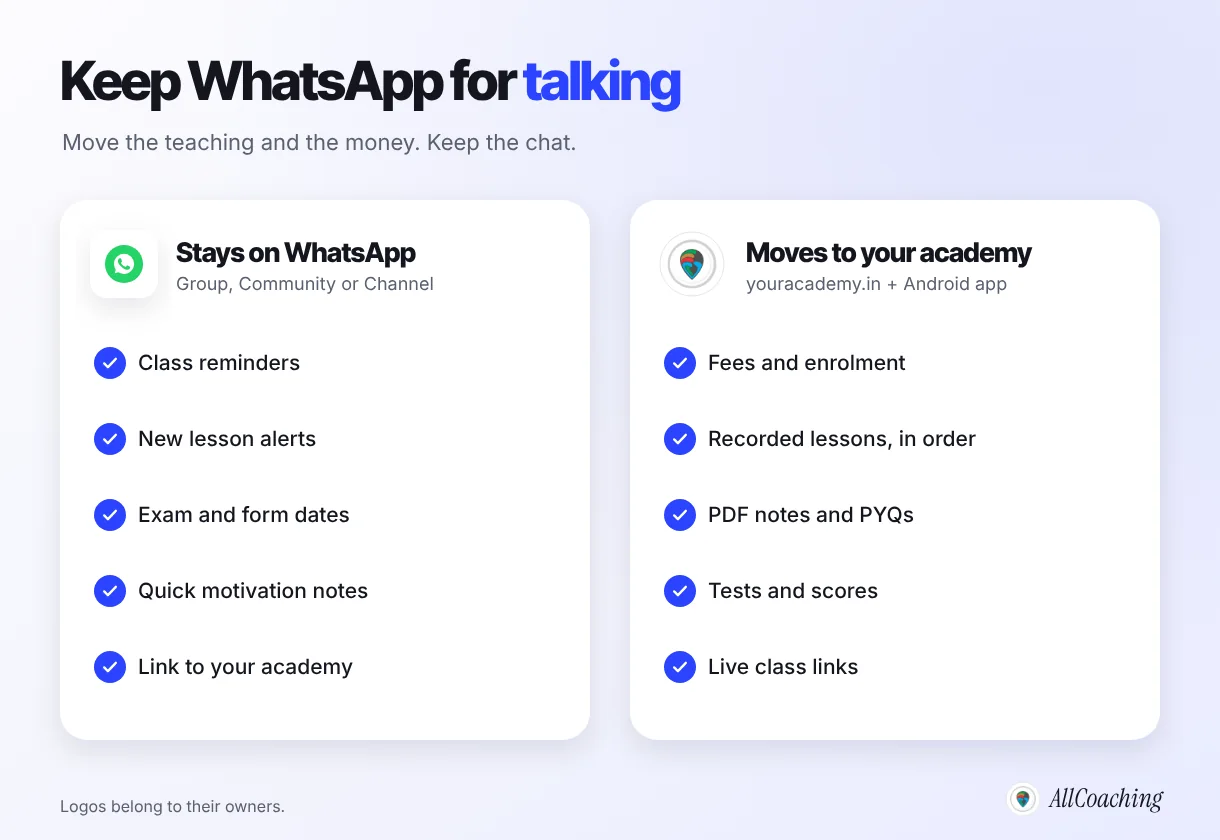
You have three options on WhatsApp:
- Keep the group, and change its settings so only admins can send messages. Students still see every reminder; the chat stops burying your posts.
- Use a Community if you run several batches, with one announcement group for all of them.
- Start a WhatsApp Channel for public updates and free tips that bring new students in. WhatsApp says that as a channel admin "your phone number and profile photo won't be shown to followers", and that following a channel "won't reveal your phone number to the admin or other followers".3 That solves the phone-number problem for your public audience.
Our guide on WhatsApp Channels for coaching educators in India covers setting one up and what to post. Whichever you choose, every message should end with a link back to your academy, because the academy is where the student acts.
Step 7: Set a switch-over date and keep it
Choose one date after which new fees, new notes and live class links are only in the academy, announce it about two weeks ahead, and keep it. A date turns "we are moving sometime" into something students act on.
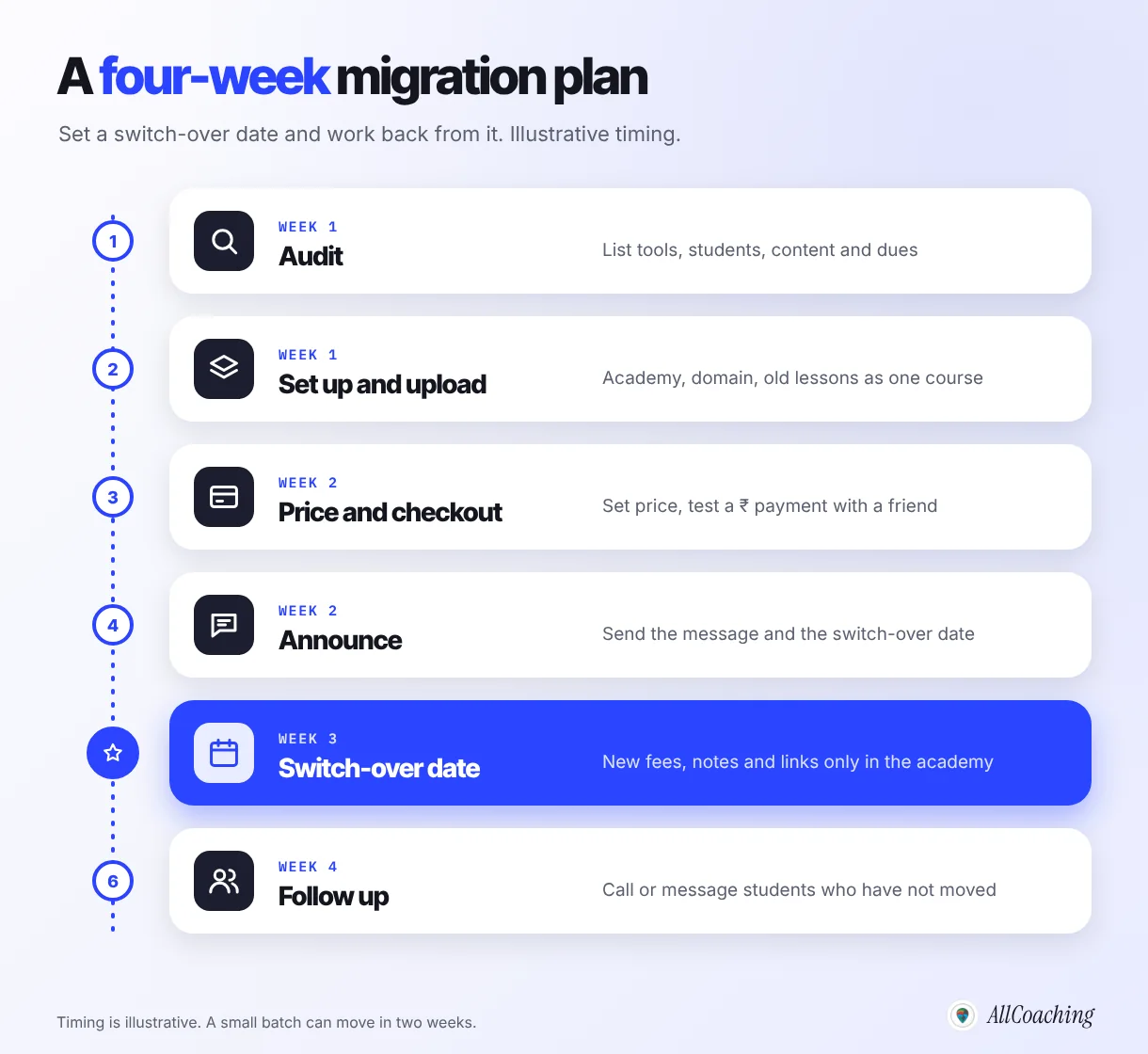
- Pick a natural break: the start of a new month, a new module or a new batch. Avoid the week before an exam.
- Run both for a short overlap: for the last week before the date, post new material in both places with a note that the group copy stops on the date.
- On the date, stop posting files in the group. Post the reminder and the link instead. If you keep sharing PDFs in the chat "just this once", students learn that they never need to move.
Step 8: Follow up with students who have not moved
After the switch-over date, check your student list in the academy against your audit sheet and message every student who has not signed in, one by one. Most students who have not moved are confused, not unwilling.
The common reasons are simple: they missed the announcement, the link opened in an in-app browser, they forgot which phone number they used, or a parent pays and has not seen the message. A two-minute call fixes most of them. Educators we work with often find that the last few students move only after a personal message, not a group reminder.
After the first month, check three things: fees arrive without screenshots, late joiners find old notes on their own, and fewer questions reach your personal chat. If all three hold, the move worked.
Does the same plan work for moving from Telegram to a course platform?
Yes. A Telegram group or channel has the same gaps as WhatsApp for a paid course: no checkout, no structured course and files that can be forwarded, so the same eight steps apply. The only difference is the announcement channel you keep.
Telegram is popular with exam educators because channels hold large audiences and large files. That is useful for free content and announcements. It is weaker for paid content, because anyone in the channel can forward a PDF out of it. Move the paid course, test series and live classes to your academy, and keep the channel for free tips and links. If you are following the news about Telegram access for educators and students in India, our update on the Telegram ban and what it means for educators explains the situation and why owning your student list matters.
What does it cost to sell courses from your own academy instead of a WhatsApp group?
On AllCoaching, every plan starts with a 14-day free trial with no card, then one annual plan: Starter ₹6,999, Growth ₹12,999 or Pro ₹24,999 a year with a 10%, 7.5% or 5% platform fee on sales, or Scale at ₹99,999 a year with a 0% platform fee. Prices exclude GST.
| Plan | Yearly price (excl. GST) | Platform fee | Usually lowest total cost when yearly sales are |
|---|---|---|---|
| Starter | ₹6,999 | 10% (keep 90%) | Below ₹2.4 lakh |
| Growth | ₹12,999 | 7.5% (keep 92.5%) | ₹2.4–4.8 lakh |
| Pro | ₹24,999 | 5% (keep 95%), iOS app included | ₹4.8–15 lakh |
| Scale | ₹99,999 (via Contact us) | 0% (keep 100%), iOS app included | Above ₹15 lakh |
To choose, estimate the fees your WhatsApp batches collected over the last year and pick the row it falls in. Every plan includes your own domain, your own Android app, unlimited videos via YouTube, unlimited live classes and UPI checkout, so the choice is about your sales, not about features you will miss. Upgrades take effect on payment with the unexpired value credited.
Build your own academy. Try it free for 14 days.
Website on your own domain, your own Android app (iOS app on Pro and Scale), unlimited live classes and UPI checkout on every plan. Plans from ₹6,999 a year after the trial (excl. GST).
No card needed · Cancel anytime in the trial · Your data stays exportableCommon mistakes when moving a WhatsApp batch online
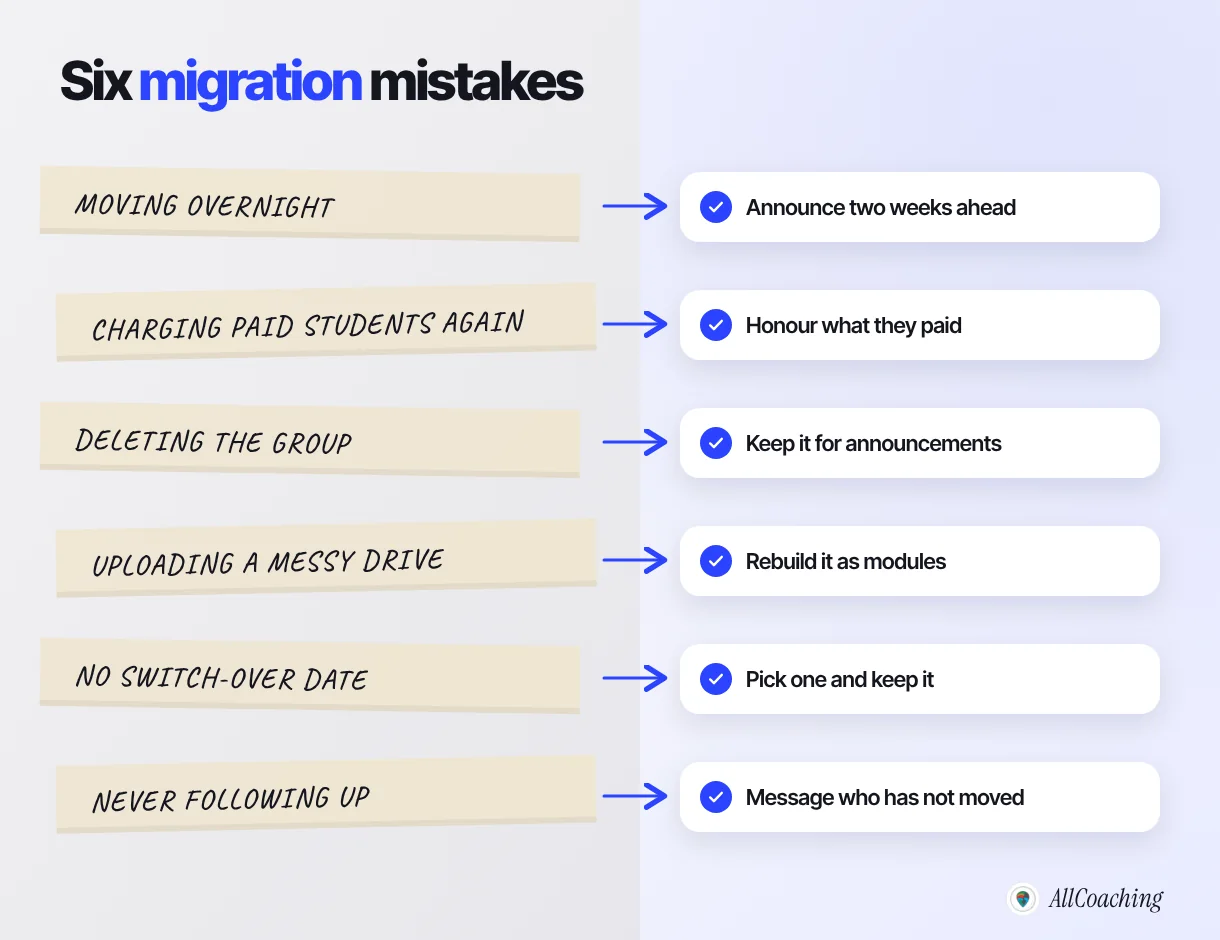
The most common mistakes are moving overnight, charging students who already paid, deleting the group, uploading a messy Drive folder as it is, never setting a switch-over date and not following up. Each has a simple fix.
"The batch does not move because the academy is better. It moves because the educator gives one date, one link and a personal message to every student who needs it."
Amit Ratan, Founder & CEO, AllCoachingGlossary
- Online academy
- An educator's own website, and optionally app, where students buy courses, watch lessons, download notes, take tests and join live classes under the educator's brand.
- Switch-over date
- The fixed day after which new fees, notes and live class links are shared only in the academy, not in the WhatsApp group.
- Announcement group
- A WhatsApp group set so that only admins can send messages, used for reminders and alerts rather than discussion.
- WhatsApp Channel
- A one-way broadcast tool on WhatsApp where admins post updates to followers, and phone numbers are not shown between admins and followers.
- UPI checkout
- A payment step on a course page where the student pays through UPI or card and course access opens after the payment succeeds.
- Anyone with the link
- A sharing setting, used by Google Drive, under which anyone who has the URL can open the file, including people it was forwarded to.
- Unlisted video
- A YouTube video that does not appear in search or on the channel page but can be watched and shared by anyone with the link.
- Migration audit
- A list of every tool, piece of content, student and payment a batch uses, made before moving it to an academy.
Frequently asked questions
How do I move my coaching batch from a WhatsApp group to an online academy?
List the tools, content and students you have, set up the academy, upload old lessons and notes as one organised course, add UPI checkout, announce a switch-over date about two weeks ahead, keep the WhatsApp group for announcements and personally follow up with students who have not moved.
Can I sell courses from a WhatsApp group?
You can collect UPI payments and share links in a group, but WhatsApp has no checkout, no course library and no record of who paid. Most educators sell from their own academy page and use the WhatsApp group to share the link and send reminders.
What are the main problems with running coaching on WhatsApp?
Manual fee checks from UPI screenshots, Drive and YouTube links that can be forwarded to anyone, new students who cannot find old notes, group size limits that split a batch, phone numbers visible to all members and no way to track progress or test scores.
Will my students need to download a new app?
No. Your academy works as a website in the phone's browser, opened from a link you send on WhatsApp. On AllCoaching every plan also includes your own Android app, and the iOS app is on Pro and Scale, for students who prefer an app.
How do I collect fees online for coaching instead of UPI screenshots?
Put a price on the course and let students pay through UPI or card checkout on your academy. Access opens after payment, so there is nothing to match by hand. On AllCoaching, payouts reach your bank automatically through Razorpay.
What should I do about students who already paid me on UPI?
Honour what they paid. Let them keep access for the period they paid for and move them to checkout only at their next renewal. Decide how you will give them access before you announce the move.
Should I delete my WhatsApp group after moving?
No. Keep it for class reminders, new lesson alerts and exam dates, and consider making it admin-only. Fees, lessons, notes, tests and live class links should live in the academy.
Does this work for a Telegram group or channel?
Yes. Telegram has the same gaps for a paid course, so the same steps apply: move the paid course, tests and live classes to your academy and keep the Telegram channel for free tips and announcements.
How long does it take to move a batch from WhatsApp to an online academy?
Two to four weeks is typical: about a week to audit and set up, a week to upload content and test payments, then an announcement period of about two weeks before the switch-over date. A small batch can move faster.
How much does an online academy cost on AllCoaching?
Every plan starts with a 14-day free trial with no card. Then Starter is ₹6,999, Growth ₹12,999 and Pro ₹24,999 a year with a 10%, 7.5% or 5% platform fee, or Scale is ₹99,999 a year with a 0% platform fee. Prices exclude GST.
Sources
- Google Drive Help, "Share and manage access to files and folders in Google Drive", support.google.com, checked October 2026.
- YouTube Help, "Change video privacy settings" (unlisted videos), support.google.com, checked October 2026.
- WhatsApp Blog, "Introducing WhatsApp Channels. A Private Way to Follow What Matters", blog.whatsapp.com, checked October 2026.
- National Payments Corporation of India (NPCI), official website, npci.org.in, checked October 2026.
- AllCoaching pricing, allcoaching.in/pricing, October 2026.
Amit builds AllCoaching, the academy platform Indian educators set up themselves: their own website on their own domain, their own app, and the tools to grow it. This guide comes from helping educators move paid batches off WhatsApp and Telegram groups; outside facts are linked to their official sources, and every batch size, date and price in the examples is illustrative.